00195376-05_SM_D1_D1i_D2_D2i_EN.pdf - 第56页
Service Work Electrical System 4.1.3 Replacing the Axis Unit with Adap ter Cab le (X, D Series) 56 Service Manual SIPLACE D1/D1i/D2/D2i ► Fit the adapter cable harness (2) holder to the left in - side panel of the axis u…
Service Work
4.1.3 Replacing the Axis Unit with Adapter Cable (X, D Series) Electrical System
Service Manual SIPLACE D1/D1i/D2/D2i 55
Installation
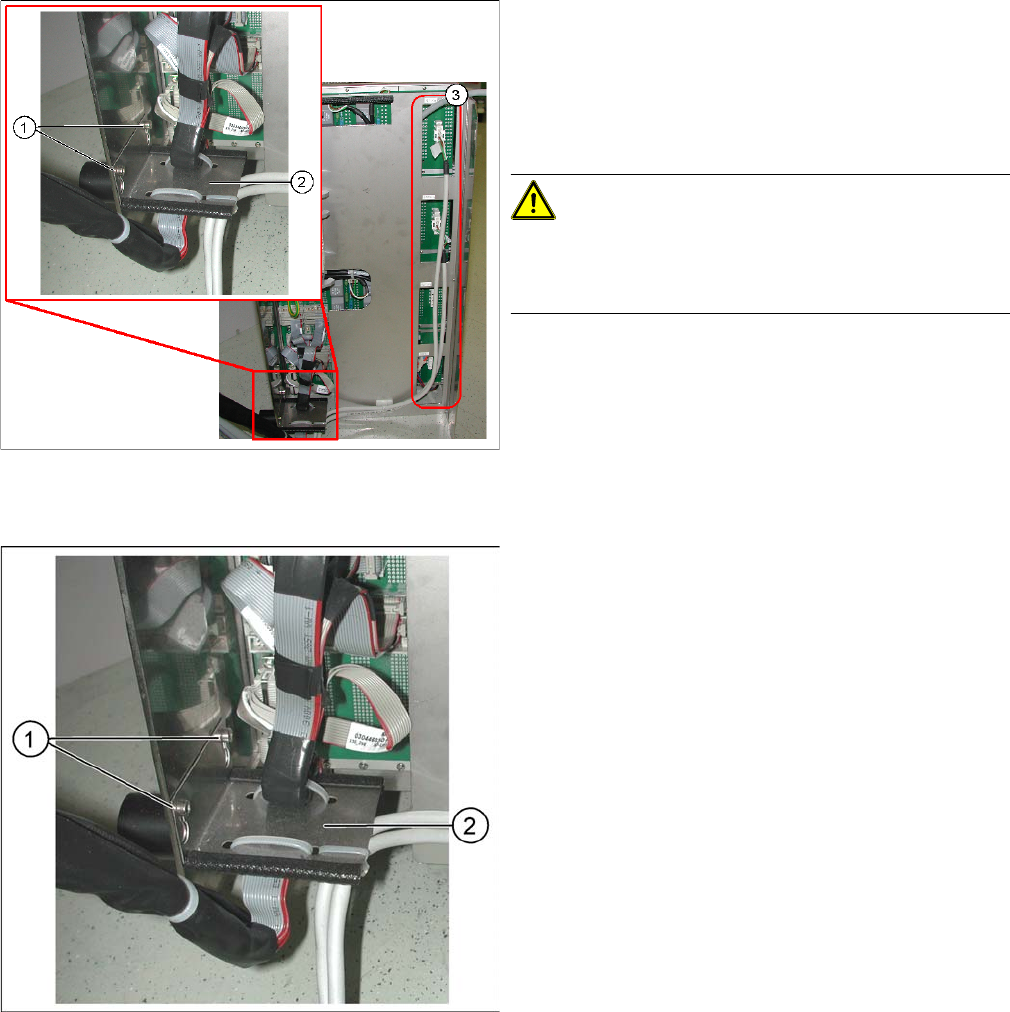
► Dismantle the flat ribbon cable clamps (2) by loosen-
ing the two screws (1) concerned.
► Unplug the two or four connectors (3). The number
depends on the machine type. If the cables are fixed
with cable clamps to the axis unit, disconnect these
as well.
CAUTION!
Labeling the connectors
Label all connectors to ensure correct reconnection to the
new axis unit connections, later on!
► Connect the flat ribbon connectors leading from the
machine to the relevant connection points on the new
axis unit. The connectors should be connected to the
same points as they were in the old axis unit.
► Fit the flat ribbon cable clamps (2) with the two
screws provided (1) to the new axis unit.
Service Work
Electrical System 4.1.3 Replacing the Axis Unit with Adapter Cable (X, D Series)
56 Service Manual SIPLACE D1/D1i/D2/D2i
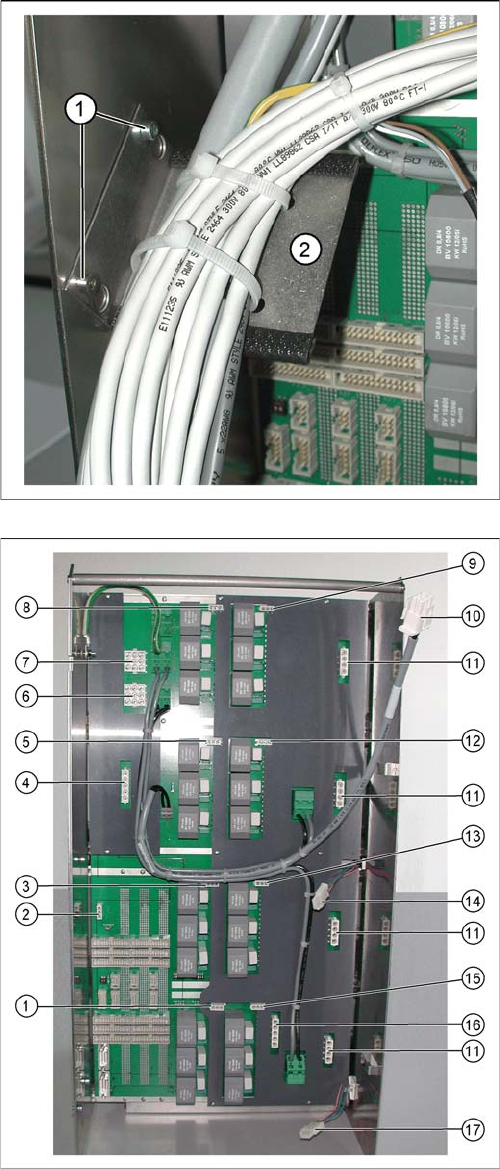
► Fit the adapter cable harness (2) holder to the left in-
side panel of the axis unit, with the two screws
provided (1).
Axis unit, new
► Connect the adapter harness connectors to the con-
nection points in the new axis unit, as follows:
1. Connection for connector X11_3*q
2. Connection for connector X47*q
3. Connection for connector X08_3*q
4. Connection for connector X46*q
5. Connection for connector X09_3*q
6. Connection for connector X42_1*q
7. Connection for connector X41_1*q
8. Connection for connector X04_3*q
9. Connection for connector X03_3*q
10. Connection for the ballast resistance
11. Four connections X and Y motors for the connectors
(from top to bottom) X4tr, X4tt, X4ur and X4ut.
Two or four connections are used, depending on the
machine type.
12. Connection for connector X10_3*q
13. Connection for connector X07_3*q
14. Connection for connector X1we
15. Connection for connector X12_3*q
16. Connection for connector X45*q
17. Connection for connector X2we
► Reconnect the cables for the X and Y motor (11) con-
nections with cable clamps, to the back of the axis
unit.
Service Work
4.1.4 Replacing the A364 Axis Card Electrical System
Service Manual SIPLACE D1/D1i/D2/D2i 57
4.1.4
4.1.4 Replacing the A364 Axis Card
Replacing the A364 Axis Card
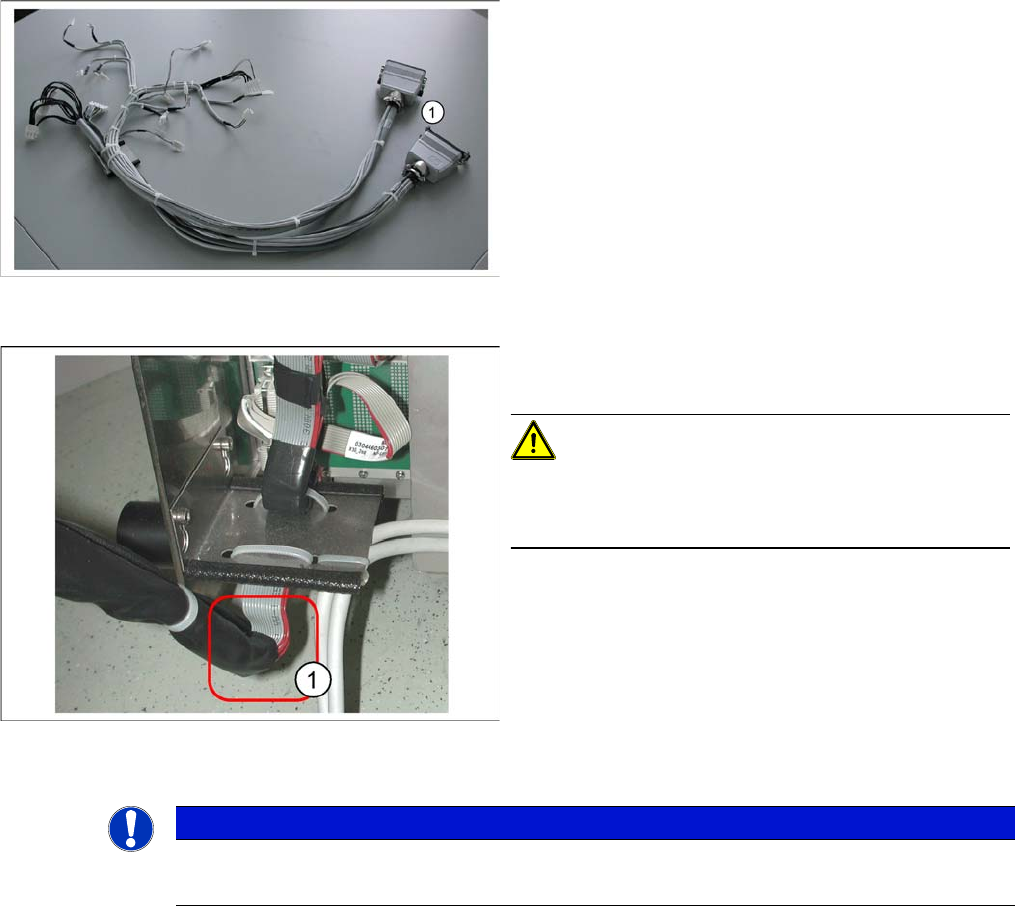
Adapter cable harness
► Connect the Harting connector (1) of the adapter ca-
ble harness to the relevant connection point on the
machine.
► Hook the axis unit back into the guide rail in the ma-
chine. Carefully stow the cables in the machine.
CAUTION!
Make sure you do not damage any cables. Pay particular
attention to the lower part of the flat ribbon cable harness
(1). Make sure this does not rub against any parts.
► Push the axis unit into the machine and fit the protec-
tive cover.
► Switch the machine back on and perform a function
test.
NOTICE
The axis cards may only be replaced by SIPLACE service technicians.
► Contact your local SIPLACE service team.