4M184002w_F8S.pdf - 第87页
4OM-1840 1-4-12 1604-001 4.3.2 Rejected Component Box Cleaning Cycle : Every Day (Required Time: 1 minute) Rejected Component Box Fig. 4A4-15 Procedure Remove components collected in the box. NOTICE Before removing the a…
4OM-1840
1-4-111604-001
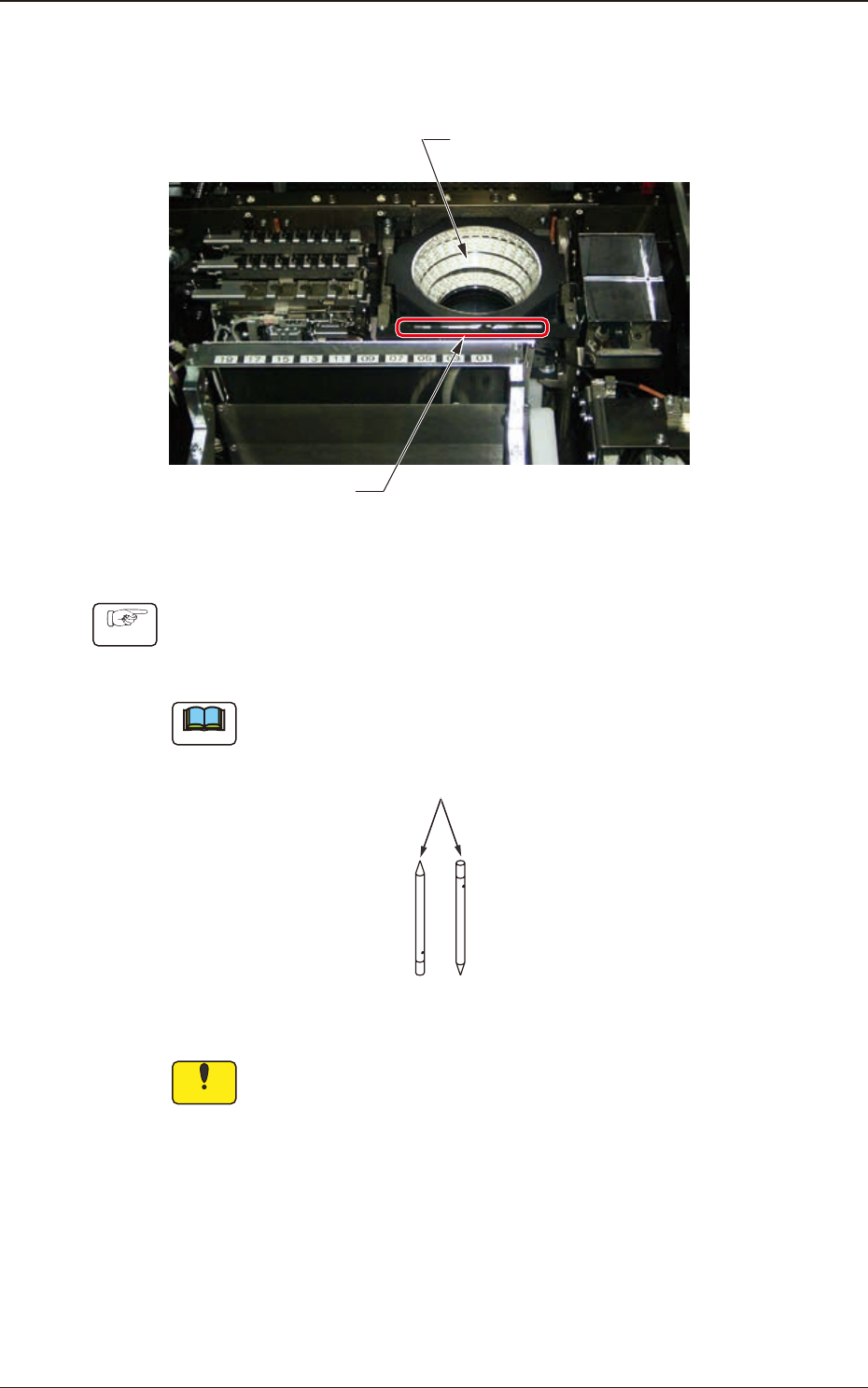
4.3.1 Component Recognition Camera Cleaning
Cycle : Every Day (Required Time : 4 minutes)
Component Recognition
Camera (4 locations)
Fiducial Mark Block
Fig. 4A4-13
Procedure
(1) Remove any dropped component, etc., using the vacuum tweezers.
Note
G -S047-01 Adhesive Cleaner (Part No: 226J2091) is also available as an option
Adhesive Cleaner
Fig. 4A4-14
Notice
Use a suction force such as a vacuum cleaner for the cleaning.
Do not blow air to any cleaning section with an air gun.
When air is blown, the dirt and dust inside the machine will disperse,
causing the recognition system and the machine to malfunction.
4.3 Component Recognition Camera Section
4OM-1840
1-4-121604-001
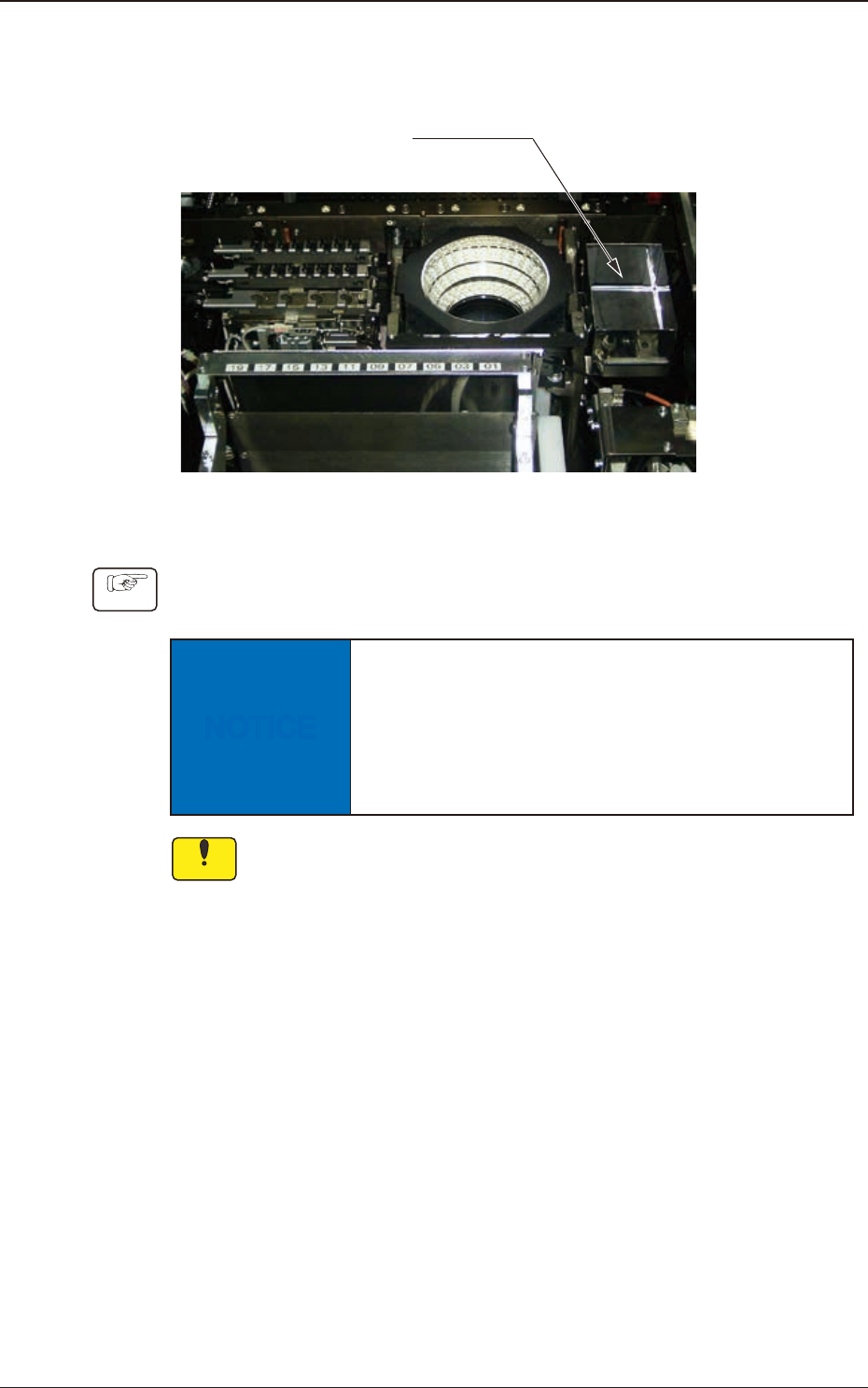
4.3.2 Rejected Component Box Cleaning
Cycle : Every Day (Required Time: 1 minute)
Rejected Component Box
Fig. 4A4-15
Procedure
Remove components collected in the box.
NOTICE
Before removing the accumulated components from
the box, eliminate the static electricity from your
body.
Otherwise, some components may be damaged due
to static electricity.
Notice
Use a suction force (of a vacuum cleaner) for the cleaning.
Do not blow air to any cleaning section with an air gun.
When the air is blown, dirt or dust inside the machine will disperse,
causing a malfunction in the recognition or machine operation.
4.3 Component Recognition Camera Section
4OM-1840
1-4-131604-001
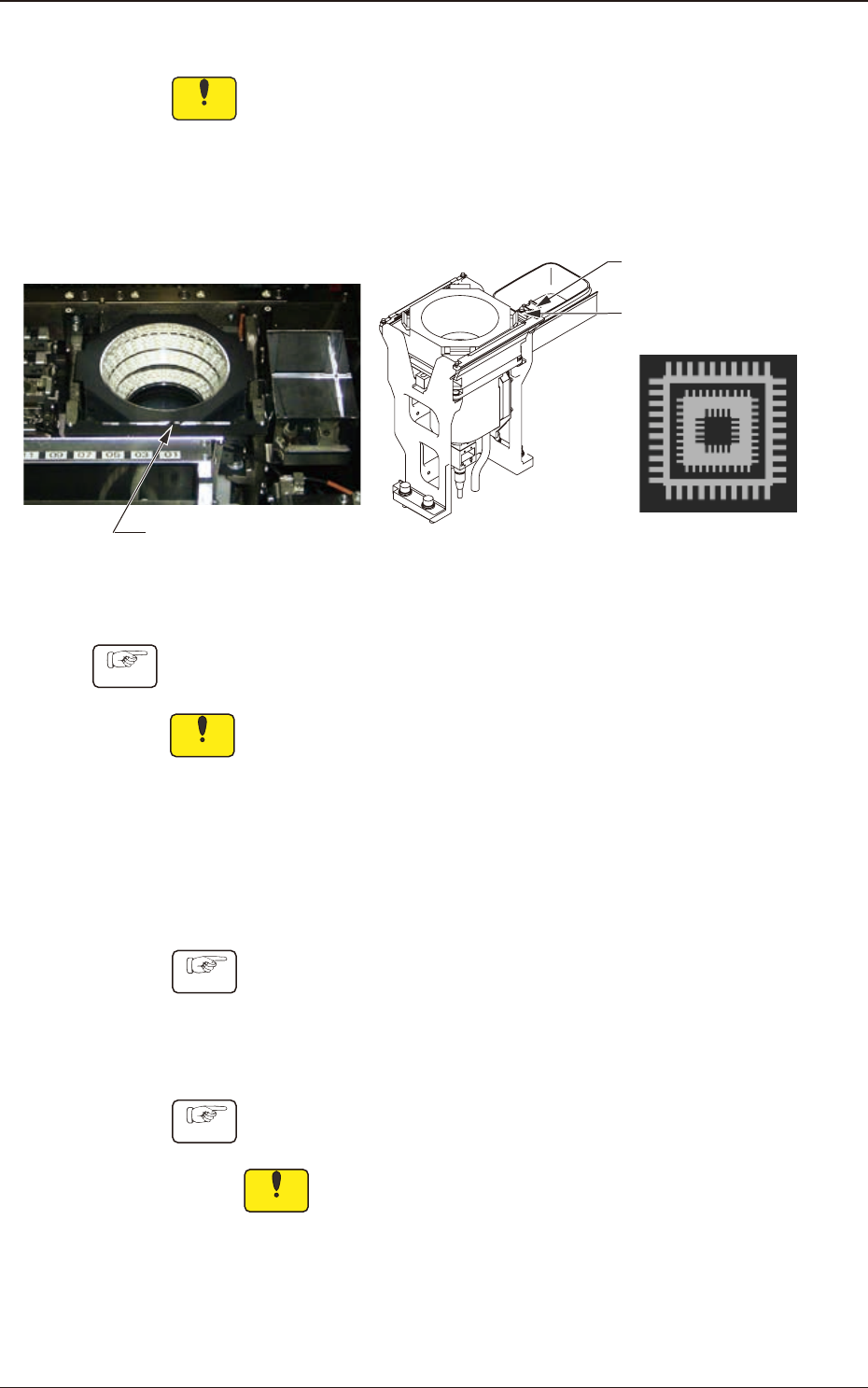
4.3.3 Fiducial Mark (Four Locations) Cleaning
Notice
Use a suction force (of a vacuum cleaner) for the cleaning.
Do not blow air to any cleaning section with an air gun.
When the air is blown, dirt or dust inside the machine will disperse,
causing a malfunction in the recognition or machine operation.
Cycle : Every Week (Required Time : 2 minutes)
Fiducial Marks
Teaching Plates
(2 locations)
QFP Glass Plate Jigs
(2 pcs.)
Fig. 4A4-16
Procedure
Notice
(a) Sebum (ngerprint) or oil should not adhere to the ducial marks.
If sebum or oil adheres, wipe it o with a lens cleaning cloth which
contains a small amount of alcohol.
(b) Because the ducial mark is on a coating lm, handle it carefully not
to damage.
•
Teaching Plates (2 locations)
Cycle : Every Month (Required : 1 minute)
Procedure
and dust with a rag.
•
QFP Glass Plate Jigs JG-0335, KYA-M3804-000 (2 pcs.)
Cycle : Every Month (Required : 1 minute)
Procedure
Wipe the jigs with a dry lens cleaning cloth.
Notice
Sebum (ngerprint) or oil should not adhere to the QFP glass
plate jigs. If sebum or oil adheres, wipe it o with a lens cleaning
cloth which contains a small amount of alcohol.
4.3 Component Recognition Camera Section