00191025-01.pdf - 第150页
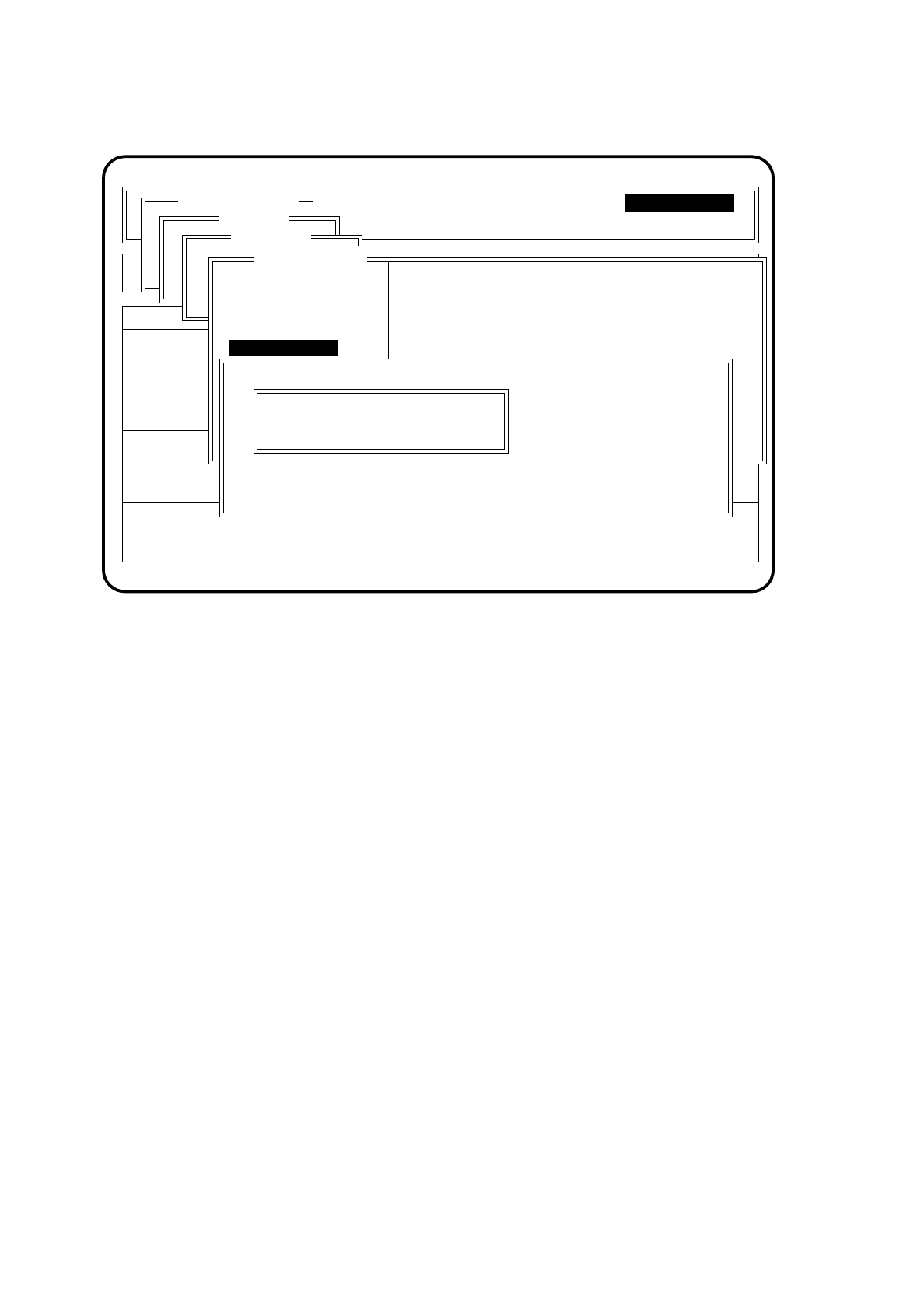
6 Single Functi ons SIPLACE 80S/F/G User’s Manual 6.3 Star Head Functions 80S Edition 07/97 from S oftware Version SR.010.xx 6 - 18 Fig. 6. 3.3 ● Type th e number of th e segment to be measur ed into the input fie ld &qu…

SIPLACE 80S/F/G User’s Manual 6 Single Functions
Edition 07/97 from Software Version SR.010.xx 6.3 Star Head Functions 80S
6 - 17
6.3.1.1 Segment Pick-Up Position
The function "Segment pick-up position" is used for checking the functioning of the screwdriver in the pick- up
/ placement position. To implement this function proceed as follows:
●
In the menu "Head functions" with the aid of the
cursor keys
position the cursor bar over the menu item
"Segment pick-up pos.".
●
Press the
Return key
. The screwdriver will perform a complete operational cycle.
6.3.1.2 Segment Reject Position
The function "Segment reject position" is used for checking the functioning of the screwdriver in the reject
position. To implement this function proceed as follows:
●
In the menu "Head functions" with the aid of the
cursor keys
position the cursor bar over the menu item
"Segment reject pos.".
●
Press the
Return key
. The screwdriver will perform a complete operational cycle.
6.3.1.3 Measure Nozzle
The function "Measure nozzle" is used for checking the vacuum values for an individual segment. To call this
function proceed as follows:
●
In the menu "Head functions" with the aid of the
cursor keys
position the cursor bar over the menu item
"Measure nozzle".
●
Press the
Return key
. On the screen the menu "Measure nozzle" appears.
6 Single Functions SIPLACE 80S/F/G User’s Manual
6.3 Star Head Functions 80S Edition 07/97 from Software Version SR.010.xx
6 - 18
Fig. 6.3.3
●
Type the number of the segment to be measured into the input field "Segment number".
When the menu appears the lower star position will be displayed.
●
Press the
Return key
. The vacuum values of the selected segment are measured in the pick-up and
reject positions and the measured values shown in the display field of the menu "Head functions".
●
Press the
Esc key
if you want to quit the menu "Measure nozzle" without making an entry or selecting a
function.
6.3.1.4 Measure Nozzle Offset
This function is used for determining the nozzle height of all segments. The measured nozzle heights are
shown in the display area of the menu "Head functions". If all nozzles are in place at the star, the values
determined apply to segment 1.
To execute this function proceed as follows:
●
In the menu "Head functions" with the aid of the
cursor keys
position the cursor bar over the menu item
"Measure nozzle offset".
●
Press the
Return key
.
●
Press the
start button
if you have been requested on the screen to do so.
The active gantry travels to a specified position above the PCB conveyor and carries out a measurement of
the z height for all segments. Once measurement is completed the gantry returns to its initial position.
SI80 V 10.x
Rüstung :
BE - Zuführung
Neuer Nutzen
Display errors
Confirm errors
Machine options
Software options Vision system
Error
State
Action
Single functions
Portal 1
Transportfkt.
Breitenverstell.
Gantry 1
:
Portal 1
Transportfkt.
Breitenverstell.
Star head
Nutzen:
Nullimpuls anfahren
Portal - Referenzlauf
Kopf
Prüfgerät
Pipettenkonf.
Head functions
Segment pick-up pos.
DP2-Achse betätigen
Star in position 1
Pipettenoffset messen
Zentrierzange betät.
Star step
Vakuumtest
Star position top:
Star position bottom:
Kopfreferenzlauf
DP1-Achse betätigen
Segment reject pos.
Measure nozzle
Segment number: 1
Esc.: abort Ret.: input
8
2
:
:
:
Single functions
Measure vacuum of a nozzle in pickup or reject
Single functions
Measure nozzle
SIPLACE 80S/F/G User’s Manual 6 Single Functions
Edition 07/97 from Software Version SR.010.xx 6.3 Star Head Functions 80S
6 - 19
6.3.1.5 Vacuum Test
If all nozzles are in place at the star head, when this function is activated the nozzles will be checked with
respect to the vacuum values in the pick-up and reject position.
To implement this function proceed as follows:
●
In the menu "Head functions" with the aid of the
cursor keys
position the cursor bar over the menu item
"Vacuum test".
●
Press the
Return key
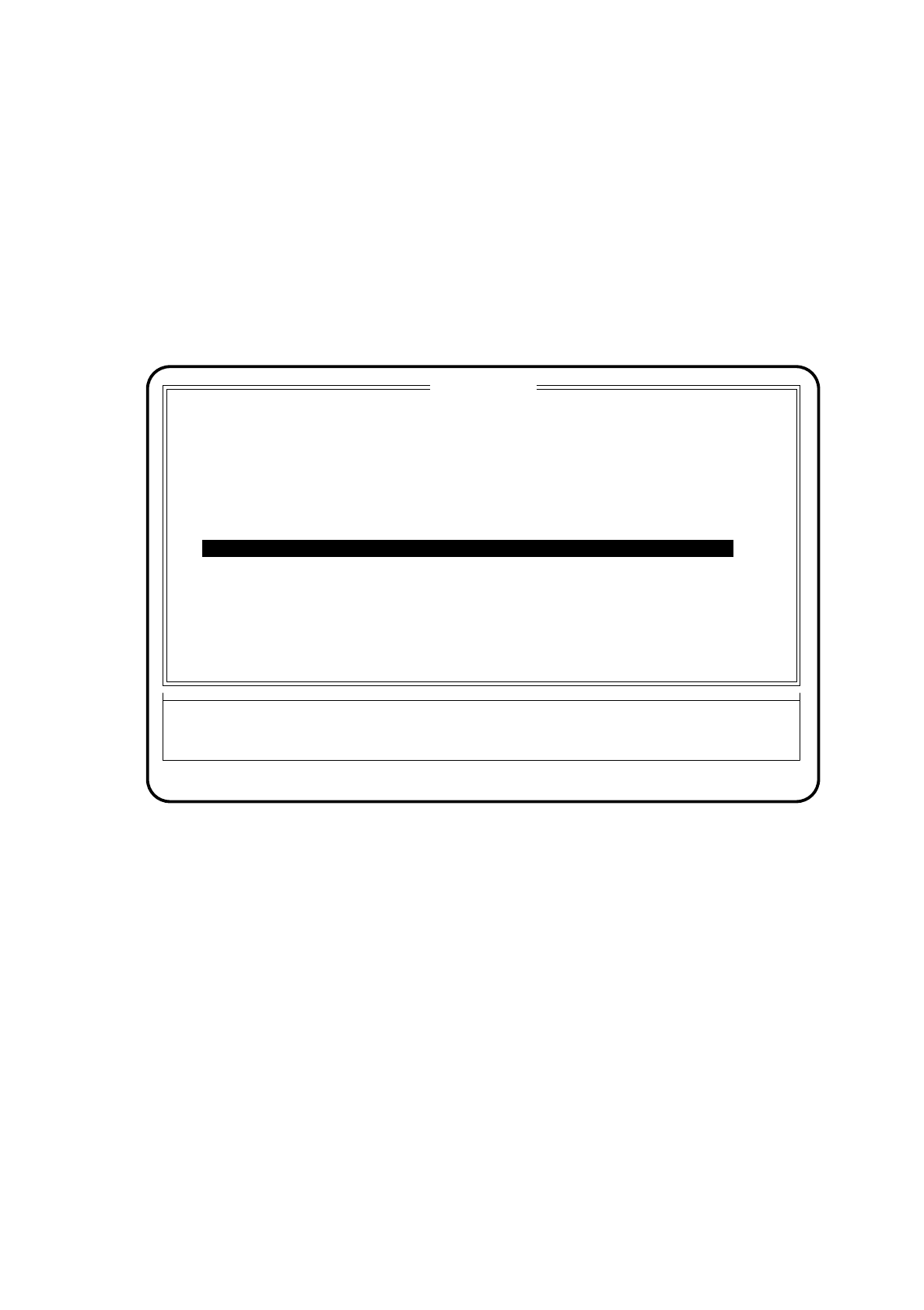
. A head reference run is being performed and the vacuum values of all nozzles will
be measured. The measured values are displayed in an extra menu.
Fig. 6.3.4
●
To cycle the star on a position, press the
space bar
. The current star position will be displayed.
●
To quit the display menu press the
Esc key
.
6.3.1.6 Star in Position 1
This function is used for bringing the star into a specified initial position. The star and the z axis also perform a
reference run.
To implement this function proceed as follows:
●
In the menu "Head functions" with the aid of the
cursor keys
position the cursor bar over the menu item
"Star in position 1".
●
Press the
Return key
. The star will be moved until the segment of star position 1 arrives at the pick-up /
placement position (lowest position).
Esc: abort
Function
State
Action
:
:
:
Position
1
2
3
4
5
6
7
9
10
11
12
2
3
2
2
2
2
2
2
2
3
3
Star position top: 8
Star position bottom: 2
Blank: star step
Vacuum test
Vac. values [%]
Pick: open sealed
Reject: open sealed
20.0 80.0
30.0 90.0
10.0 80.0
20.0 80.0
20.0 80.0
20.0 80.0
20.0 80.0
20.0 80.0
20.0 80.0
20.0 80.0
10.0 80.0
10.0 80.0
Nozzles
15.0 90.0
30.0 90.0
30.0 90.0
30.0 90.0
30.0 90.0
30.0 90.0
15.0 90.0
15.0 90.0
No.
No.
30.0 90.0
30.0 90.0
8 2
20.0 80.0
30.0 90.0