00191025-01.pdf - 第182页
6 Single Functi ons SIPLACE 80S/F/G User’s M anual 6.8 Functions: Wafflepack Changer Ed ition 07/97 from Software Version SR.010.xx 6 - 50 6.8.1 Wafflepack Changer Functions In the menu "WPC fun ctions" yo u ca…
SIPLACE 80S/F/G User’s Manual 6 Single Functions
Edition 07/97 from Software Version SR.010.xx 6.8 Functions: Wafflepack Changer
6 - 49
6.8 Functions: Wafflepack Changer
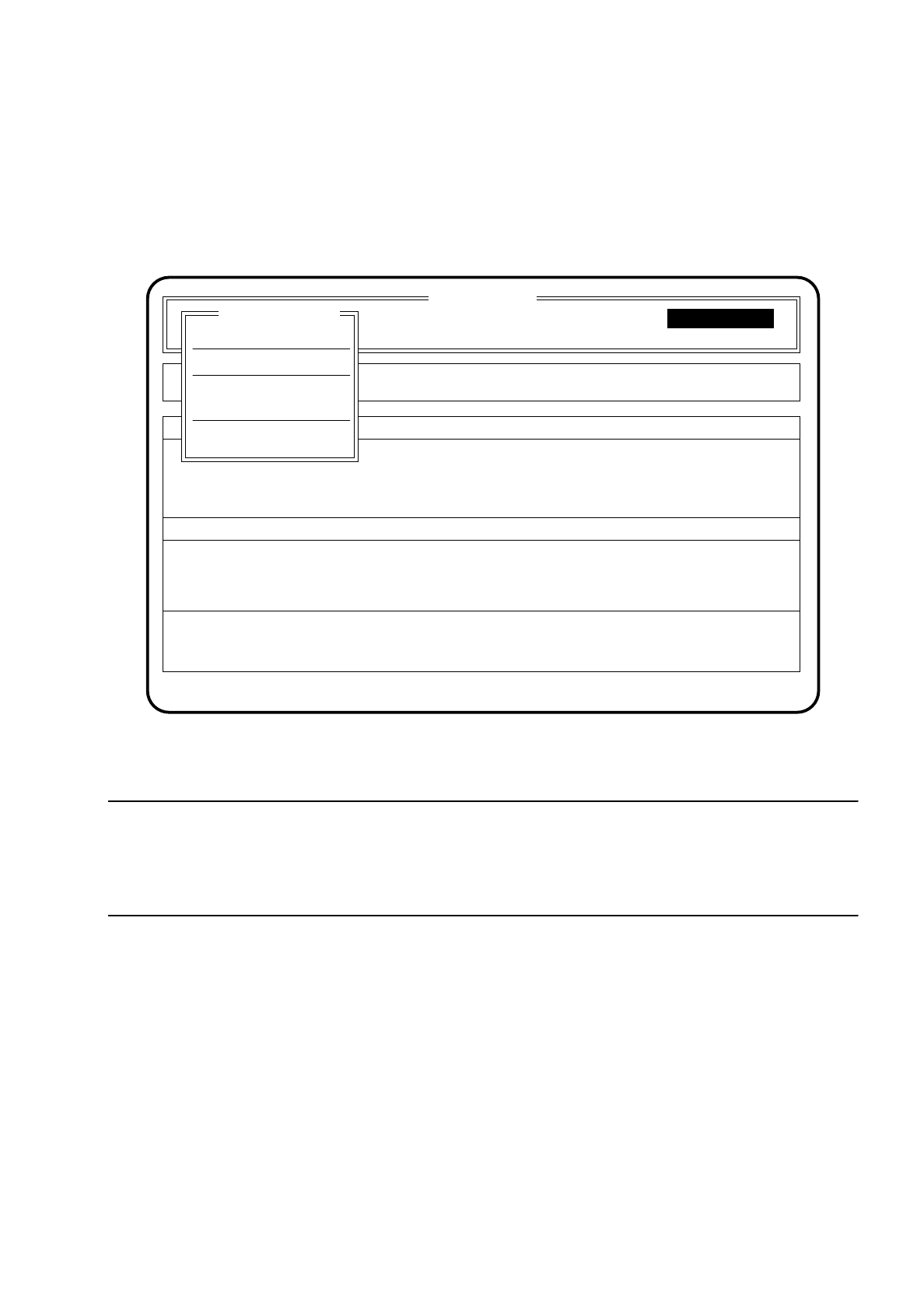
The functions of the wafflepack changer will only be active when a wafflepack changer is connected.
Fig. 6.8.1
NOTE
The wafflepack changer is only used with the SIPLACE 80 F. Section 6.8 "Functions: Wafflepack Changer" for
this reason applies only to the SIPLACE 80 F. Note also that for all mechanical functions the protective cover
of the wafflepack changer must be closed.
SI 80F V 10.x
Cluster:
Display errors
Machine options
Software options
Vision system
Error
State
Action
:
:
:
Confirm errors
Single functions
Single functions
Rüstung :
Single functions
Transport
WPC functions
Select WPC
Table functions
Gantry
6 Single Functions SIPLACE 80S/F/G User’s Manual
6.8 Functions: Wafflepack Changer Edition 07/97 from Software Version SR.010.xx
6 - 50
6.8.1 Wafflepack Changer Functions
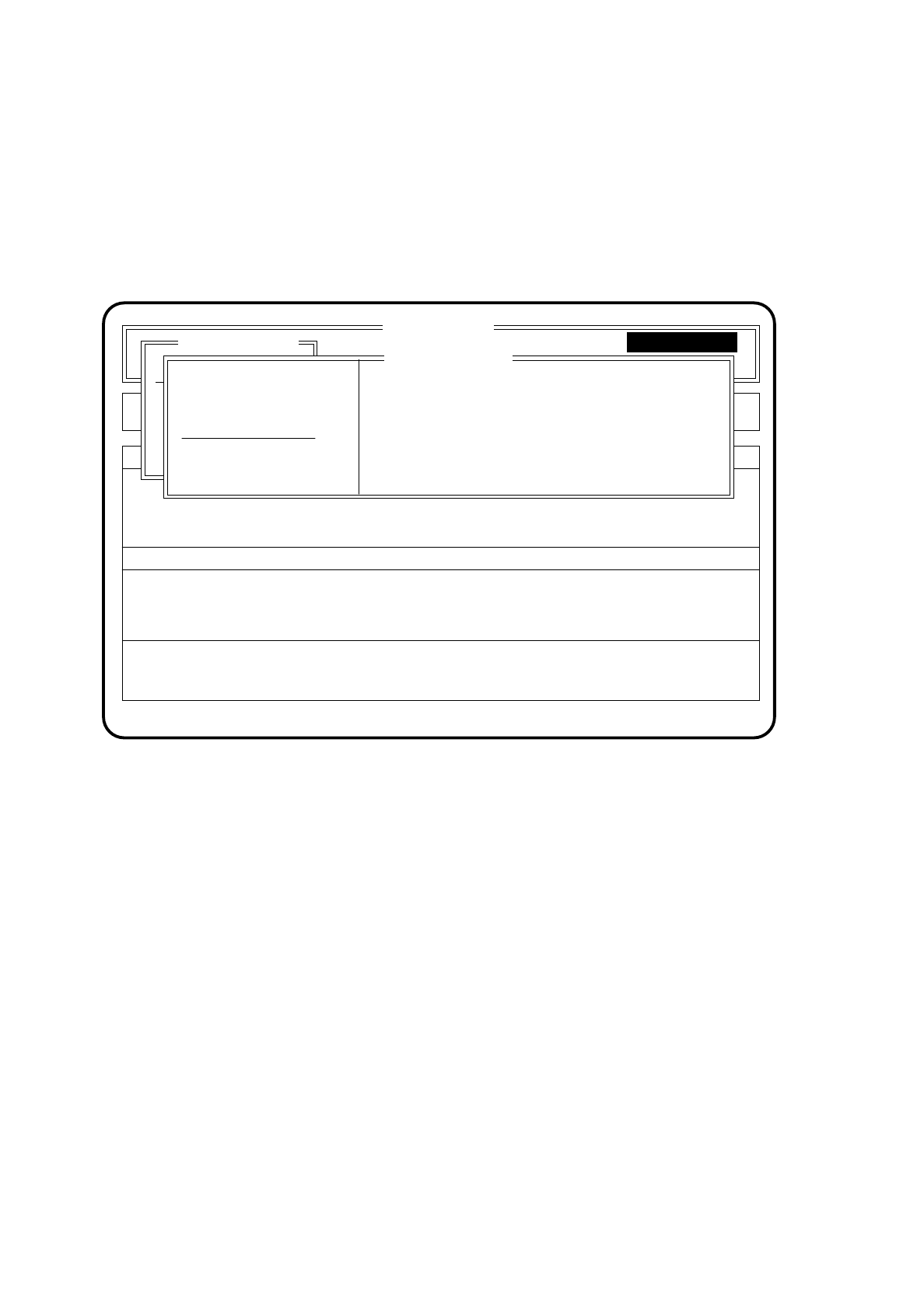
In the menu "WPC functions" you can run individual functions of the wafflepack changer.
To access the menu "WPC functions" proceed as follows:
●
In the menu "Single functions" select the menu item "WPC functions" with the aid of the
cursor keys
.
●
Press the
Return key
. The screen then displays the menu "WPC functions".
Fig. 6.8.2
You can use the
Esc key
to return to the menu "Single functions".
SI80F V 10.x
Nutzen:
Rüstung :
Display errors
Machine options
Error
State
Action
:
:
:
Single functions
Transportfkt.
Breitenverstell.
WPC functions
Single functions
Single functions
Version X.x
Go to WPC fill. posn.
End WPC fill. posn.
WPC reference run
Set WPC full
Furnish level
Fill magazine carrier
Transport position
SIPLACE 80S/F/G User’s Manual 6 Single Functions
Edition 07/97 from Software Version SR.010.xx 6.8 Functions: Wafflepack Changer
6 - 51
6.8.1.1 Go to WPC Filling Position
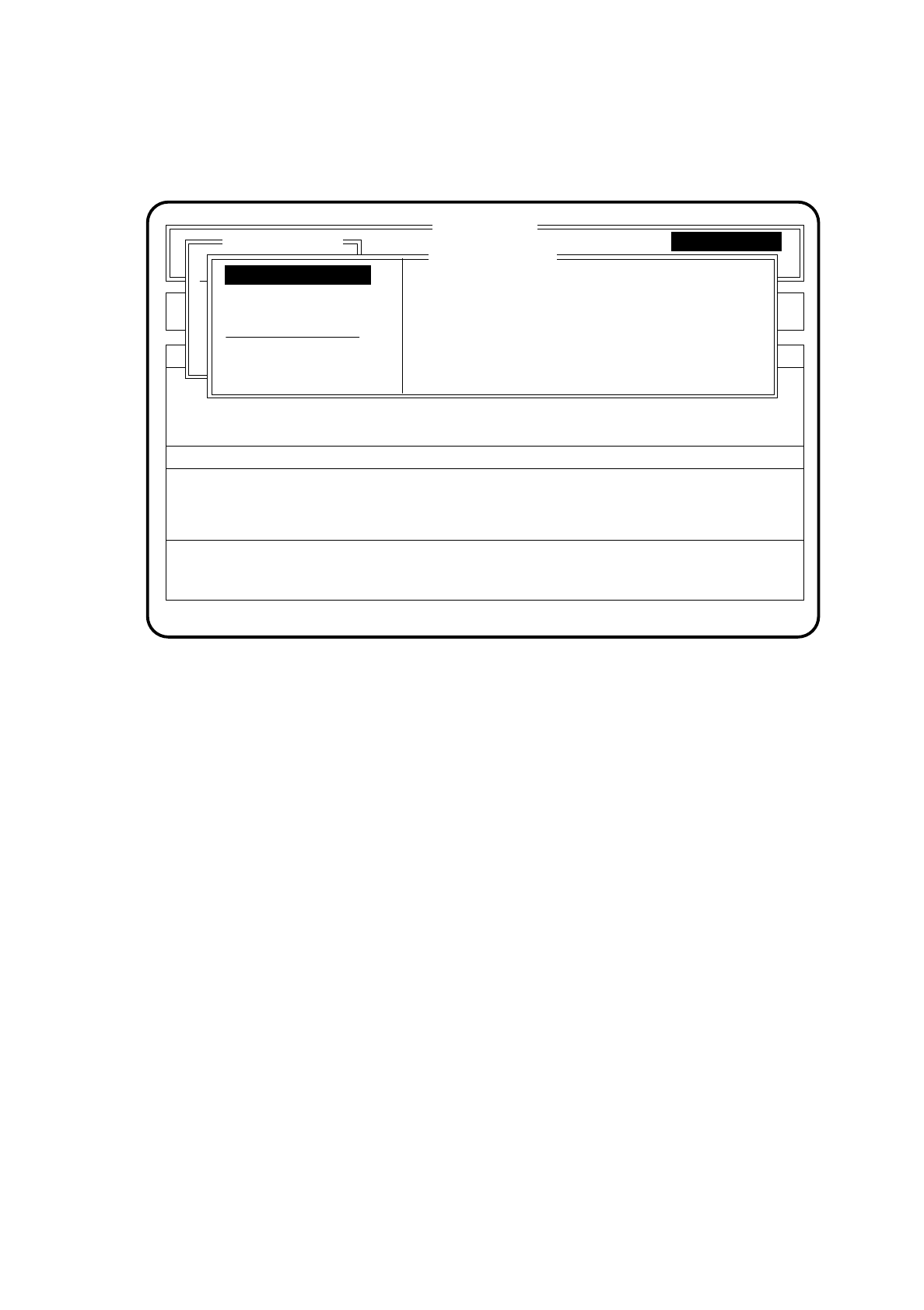
Fig. 6.8.3
With the function "Go to WPC fill. posn." the wafflepack changer is positioned such that all wafflepack maga-
zines can be removed comfortably.
To call this function proceed as follows:
●
In the menu "WPC functions" with the aid of the
cursor keys
position the cursor bar over the menu item "Go
to WPC fill. posn.".
●
Press the
Return key
. A wafflepack which is in active use will be returned to its defined level. The lift of the
wafflepack changer travels to the refill position. Wafflepack magazines can now be refilled.
6.8.1.2 End WPC Filling Position
●
In the menu "WPC functions" with the aid of the
cursor keys
position the cursor bar over the menu item
"End WPC fill. posn.".
●
Press the
Return key
. All wafflepack magazines specified in the set-up are approached and a check is
made to see whether they are actually present. At the same time the wafflepack magazines are aligned.
Missing wafflepack magazines which are called for in the set-up are then displayed in the menu window.
SI80F V 10.x
Nutzen:
Rüstung :
Display errors
Machine options
Error
State
Action
:
:
:
Single functions
Transportfkt.
Breitenverstell.
WPC functions
Single functions
Single functions
Version X.x
End WPC fill. posn.
WPC reference run
Set WPC full
Furnish level
Fill magazine carrier
Transport position
Go to WPC fill. posn.