00191025-01.pdf - 第483页
10 SI PLACE G SIPLACE 80S/F/G User’s Manual 10.4 Glueing Adjustments Edition 07/97 from Software Version SR.010.xx 10 - 16 10.4.1.2 Modifying Glueing Parameters ● Pre ss the Return key if you wish to m ake changes under …
SIPLACE 80S/F/G User’s Manual 10 SIPLACE G
Edition 07/97 from Software Version SR.010.xx 10.4 Glueing Adjustments
10 - 15
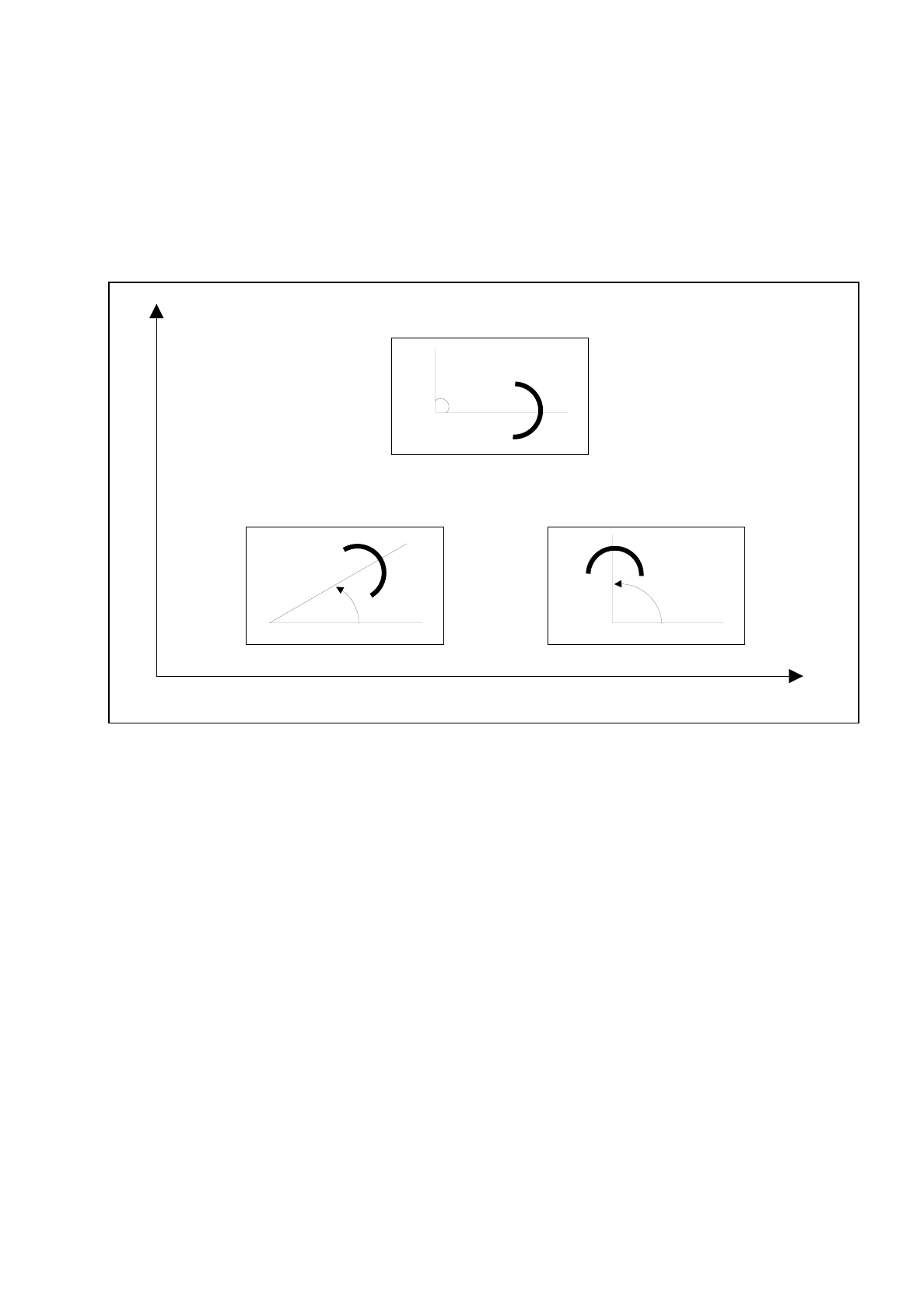
10.4.1.1 Installation Angle and Spacer
The installation angle of the spacer is with respect to the direction in which the board is moved or of the
machine coordinates system. The installation angle is 0 degrees with respect to the board transportation
direction.
These installation angles are taken from the center of the spacer in the positive direction (see Figure 10.4.3).
Fig. 10.4.3 Determining the angle of installation for spacer
Y
X
Spacer in 90
o
position
Spacer in 45
o
position
Machine coordinate system
Spacer in 0
o
position
Direction of PCB transport
10 SIPLACE G SIPLACE 80S/F/G User’s Manual
10.4 Glueing Adjustments Edition 07/97 from Software Version SR.010.xx
10 - 16
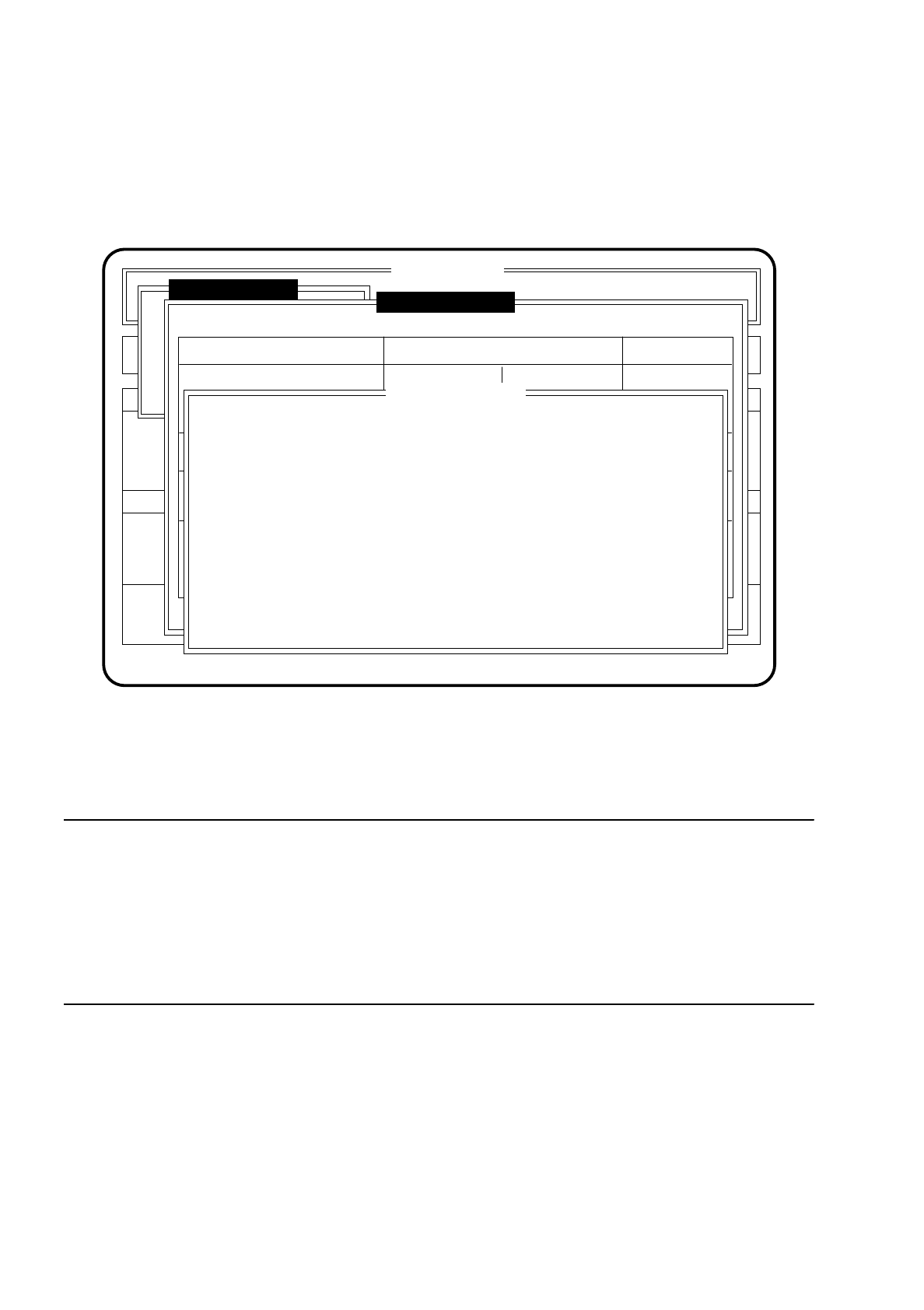
10.4.1.2 Modifying Glueing Parameters
●
Press the
Return key
if you wish to make changes under the menu "Glueing parameters".
The menu window "Modify glueing parameters" is opened.
Fig. 10.4.4
●
Move the cursor bar by means of the
cursor keys
onto the parameter that the wish to modify.
The values already set are then displayed.
●
Type in the new values and confirm with the
Return key
.
NOTE
The desired temperature for all three glueing units (GU) can vary between 15.5 and 40.0 degrees Celsius.
Glueing point volume "0" is the standard setting. The glue here corresponds to the state in which its
characteristic was recorded.
But if the glue being used does not result in the dot sizes specified the glueing point volume for all three
glueing units (GU) can be adjusted within a range of -5 to +5 (-5 = min. glueing point volume, +5 = max.
glueing point volume). Here the entire range of glueing points will be affected.
●
Press the
Esc key
if you wish to quit the menu "Modify glueing parameters".
SI 80G V 10.x
Rüstung :
Machine options
Software options Vision system
Error
State
Action
:
:
:
Glueing adjustments
New cluster
Glueing adjustmts
Single functions
Glueing parameters
Glueing unit 3Glueing unit 2Glueing unit 1
Pattex Uhu 1Glue type:
Desired temperature [°C]
Ideal:
Modified:
Glueing point volume:
Glueing sizes:
<min / max>:
Nozzle [ mm ]:
Spacer [ mm ]:
Install. angle [ ° ]:
Ret: Modify glueing parameters ESC: abort
24.8
35.7
24.8
33.0
27.9
31.9
00 0
3 - 8 3 - 8 7 - 11
0.15
0.10
0.15
0.10
0.30
0.25
0
90
180
Modify glueing par.
Desired temp. GU1:
[°C]
Desired temp. GU2:
Desired temp. GU3:
Gluepts . vol. GU1:
Gluepts . vol. GU2:
Gluepts . vol. GU3:
Ret. input ESC: abort
XX.X
XX.X
XX.X
-XX
-XX
-XX
SIPLACE 80S/F/G User’s Manual 10 SIPLACE G
Edition 07/97 from Software Version SR.010.xx 10.4 Glueing Adjustments
10 - 17
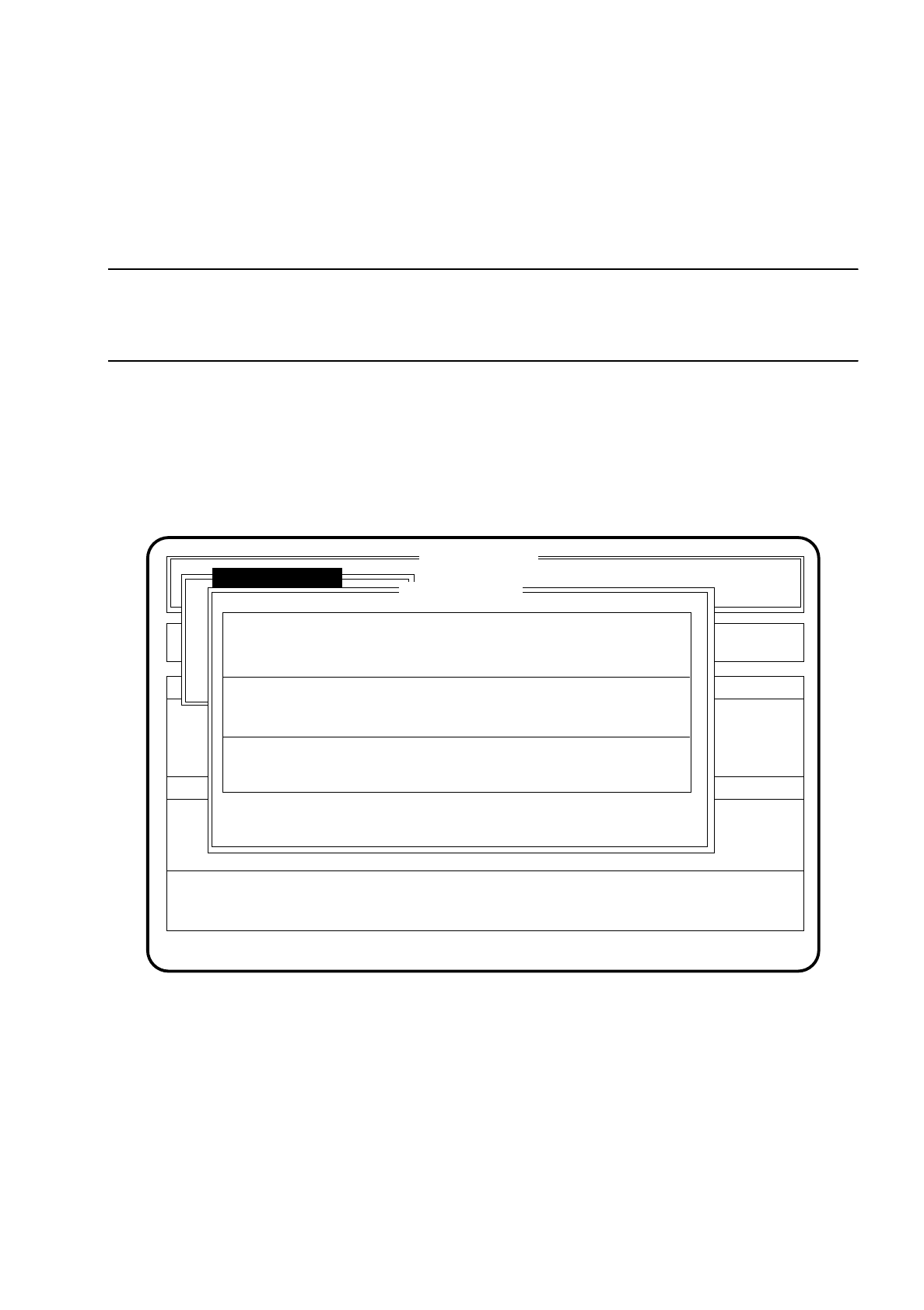
10.4.2 Glue Cleaning Pad Data
In the menu "Cleaning pad data" you can call up the duty cycle of the glue cleaning pad. The inactive time will
be displayed, and also after how many boards the glue cleaning pad will be used, and how many glueing
spots are set.
NOTE
The time during the glueing process when the glueing unit is not operating is the downtime. After this time
period (in seconds) has elapsed the glue cleaning pad is approached and a glue point is set.
To access the menu item "Cleaning pad data" proceed as follows:
●
In the menu "Glueing adjustmts" move the cursor bar by means of the
cursor keys
onto the menu item
"Cleaning pad data".
●
Press the
Return key
. The menu "Cleaning pad data" is then shown on the screen.
●
Press the
Esc key
if you wish to quit the menu "Cleaning pad data" without making an entry.
Fig. 10.4.5
SI 80G V 10.x
Rüstung :
Machine options
Software options Vision system
State
Action
:
:
Glueing adjustmts
Single functions
Ret: modify ESC: abort
Error
:
Cleaning pad data
Downtime GU1/2 [s]
Downtime GU3 [s]
Number PCBs GU1/2:
Number PCBs GU3:
Number of points on cleaning pad GU1/2:
Number of points on cleaning pad GU3:
Ideal: Modified:
30 30
60 14
500 400
600 100
10 6
70