00191025-01.pdf - 第27页
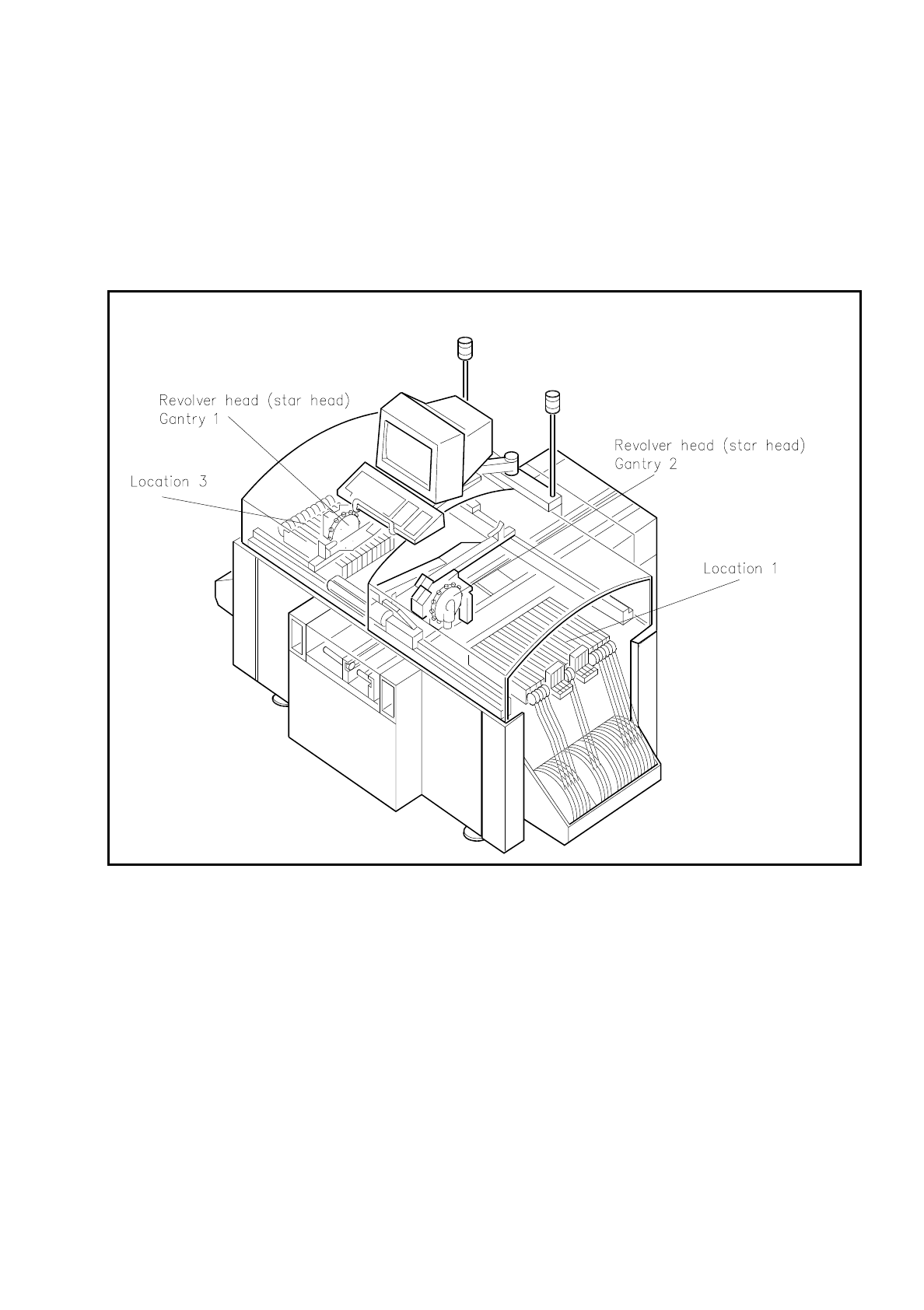
SIPLACE 80S/F/G User’s Manual 0 Introduction Edition 07/97 from S oftware Version SR.010.xx 0.4 Overall View of A ssemblies 0 - 23 0.4 Overall View of Assembli es 0.4.1 Overall Vi ew of SIPLACE 80S Fig. 0. 4.1 Overall vi…

0 Introduction SIPLACE 80S/F/G User’s Manual
0.3 Installation of the SIPLACE 80 Placement Machine Edition 07/97 from Software Version SR.010.xx
0 - 22
0.3.2 Supporting Surface
You must ensure that the machine is set up on a solid non-vibrating floor. If the floor is not level this can be
compensated for using the adjustable feet. The permissible surface load must be at least 1 t/m
²
.
0.3.3 Transportation
The machine is shipped from the factory without ancillaries such as keyboard, components tables and screen.
These parts must be fitted or connected before start-up.
A forklift truck or platform truck with a fork length of 2 m must be used for moving and installation.
The lifting points for the forklift truck are indicated in Figure 0.3.1 by arrows.
0.3.4 Compressed Air Connection
Values are given in the table in Section 0.2.1.6 Connection and Installation Data 80S
This is achieved by:
-
oil-free compressors, e.g. Atlas Copco model ZR4
-
compressed air washer-driers
-
series X microfilters, e.g. from Zander
0.3.5 Installation
●
The clearance between the individual stations must in each case amount to between 1 and 3 mm
at the PCB conveyors.
●
To ensure that the PCBs are conveyed smoothly and without problems the stations should be positioned in
alignment with one another. This can be carried out with the aid of a taut cord or of a shim.
●
The feet of the station must support the station evenly. Adjust the feet such that height of the PCB conveyor
belts above floor level amounts to 830 mm.
With the aid of a machine spirit level adjust the horizontal position of the station to an accuracy of 0.02 mm/
m. Lock the feet. After locking them, check the position of the machine and if necessary correct it.
CAUTION
∆
!
Remove all shipping braces from the machine.
●
Connect up the necessary electrical, mechanical and pneumatic connections in accordance with the Tech-
nical Data (see Section 0.2 Technical Data).
SIPLACE 80S/F/G User’s Manual 0 Introduction
Edition 07/97 from Software Version SR.010.xx 0.4 Overall View of Assemblies
0 - 23
0.4 Overall View of Assemblies
0.4.1 Overall View of SIPLACE 80S
Fig. 0.4.1 Overall view of SIPLACE 80S
0 Introduction SIPLACE 80S/F/G User’s Manual
0.4 Overall View of Assemblies Edition 07/97 from Software Version SR.010.xx
0 - 24
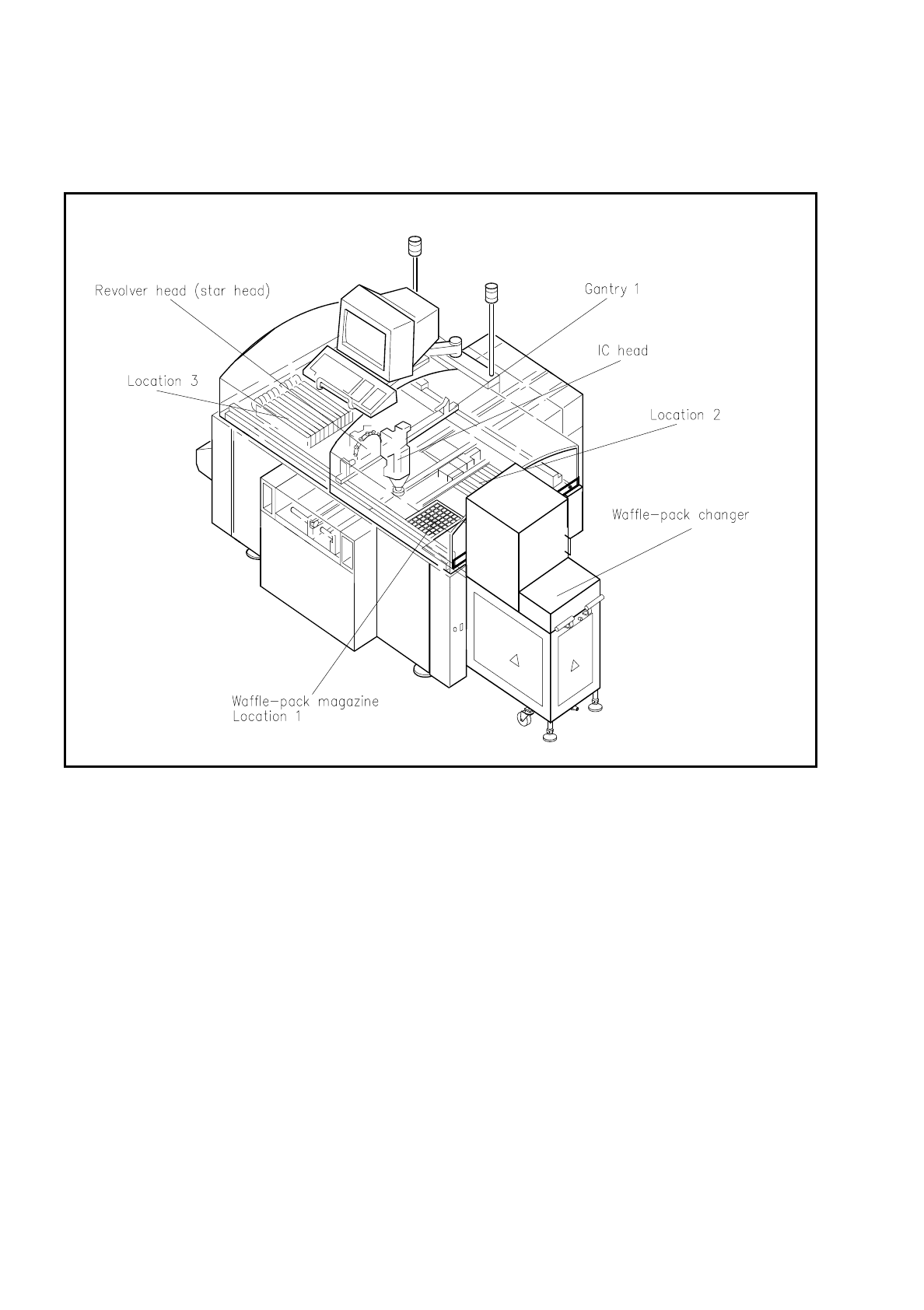
0.4.2 Overall View of SIPLACE 80F with Waffle-Pack Changer
Fig. 0.4.2 Overall view of SIPLACE 80F with waffle-pack changer