00191025-01.pdf - 第513页
10 SI PLACE G SIPLACE 80S/F/G User’s Manual 10.7 Single Functions Edition 07/97 f rom Software Version SR.010.xx 10 - 46 ● Go to zero pulse The zero pulse is th e positio n of the gan try upon whi ch the co unting proc e…
SIPLACE 80S/F/G User’s Manual 10 SIPLACE G
Edition 07/97 from Software Version SR.010.xx 10.7 Single Functions
10 - 45
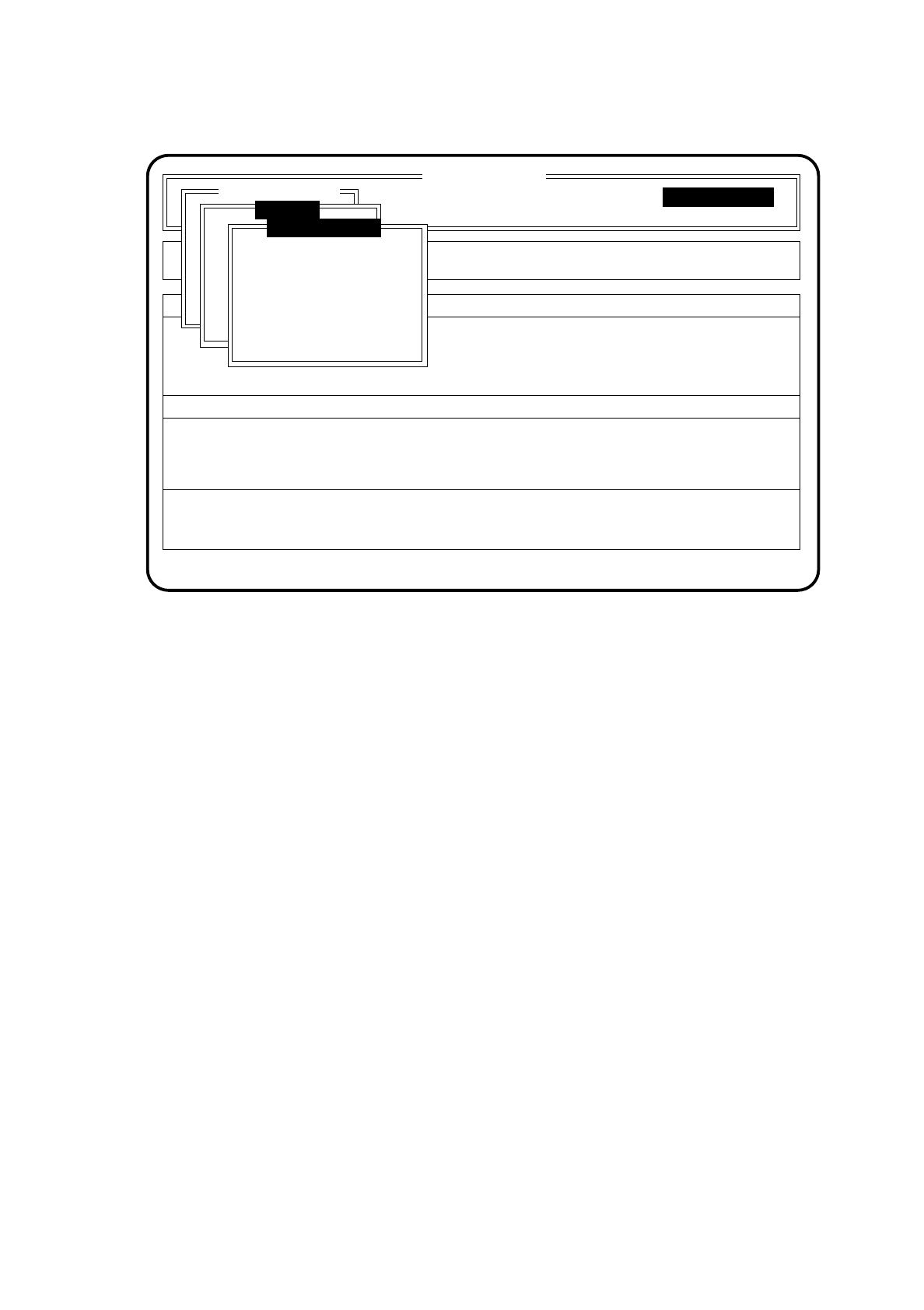
Fig. 10.7.4
●
Go to service position GU 1,2,3
In the service position the glueing head moves to a location where it is possible for work to be carried out
on glueing units 1, 2 or glueing unit 3.
To go to the service positions proceed as follows:
●
In the menu "Gantry functions" move the cursor bar by means of the
cursor keys
onto the menu item
"Go to serv. pos. GU 1, 2" or "Go to service pos. GU 3".
●
Press the
Return key
.
●
Press the
start key
as often as you are asked to do so. The glueing head selected will travel into the
corresponding service position.
●
Go to waiting position
The waiting position is the position to which the machine moves the gantry when the gantry is not required
for the glueing procedure.
To go to the waiting position proceed as follows:
●
In the menu "Gantry functions" move the cursor bar by means of the
cursor keys
onto the menu item
"Go to waiting position."
●
Press the
Return key
.
●
Press the
start key
as often as you are asked to do so. The gantry will travel into the waiting position.
SI 80G V 10.x
Cluster:
Display errors
Confirm errors
Machine options
Software options
Vision system
Error
State
Action
:
:
:
Single functions
Single functions
Gantry
Gantry functions
Go to serv. pos. GU1,2
Go to serv. pos. GU3
Go to waiting pos'n
Go to zero pulse
Gantry reference run

10 SIPLACE G SIPLACE 80S/F/G User’s Manual
10.7 Single Functions Edition 07/97 from Software Version SR.010.xx
10 - 46
●
Go to zero pulse
The zero pulse is the position of the gantry upon which the counting procedures of the incremental gener-
ators are based.
To go to the zero pulse proceed as follows:
●
In the menu "Gantry functions" move the cursor bar by means of the
cursor keys
onto the menu item
"Go to zero pulse".
●
Press the
Return key
.
●
Press the
start key
as often as you are asked to do so. The gantry will travel to the zero pulse of the x
and y axes.
●
Gantry reference run
With the function gantry reference run the gantry makes a reference run with the x and y axes.
To carry out a gantry reference run proceed as follows:
●
In the menu "Gantry functions" move the cursor bar by means of the
cursor keys
onto the menu item
"Gantry reference run".
●
Press the
Return key
.
Press the
start key
as often as you are asked to do so. The gantry will perform a reference run.
NOTE
After quitting the gantry menu by means of the
Esc key
(you are returned to the main menu Single functions),
the glueing head automatically carries out a head reference run.
10.7.4.2 Cycle Mode
●
In the menu "Gantry" move the cursor bar by means of the
cursor keys
onto the menu item "Cycle mode".
●
Press the
Return key
.
For each step of the glueing sequence you must now press the start key.
10.7.4.3 Entire Head Reference Run
●
In the menu "Gantry" move the cursor bar by means of the
cursor keys
onto the menu item "Entire head
ref. run".
●
Press the
Return key
.
The glueing heads and the small gantry axes will then perform a reference run.
SIPLACE 80S/F/G User’s Manual 10 SIPLACE G
Edition 07/97 from Software Version SR.010.xx 10.7 Single Functions
10 - 47
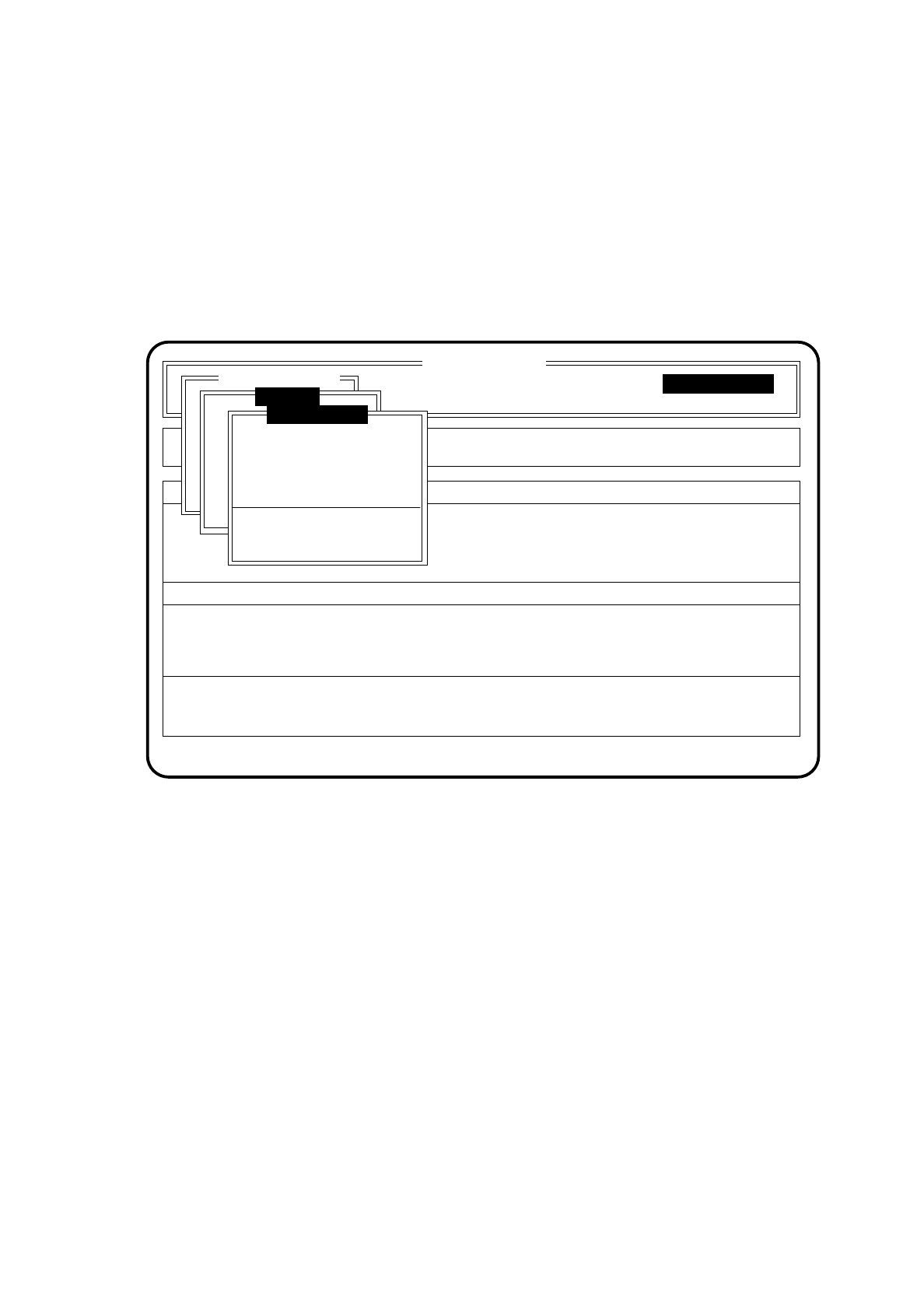
10.7.4.4 Glueing Unit 1,2,3
To select the menu "Glueing unit 1,2,3" proceed as follows:
●
In the menu "Single functions" use the cursor keys to select the menu item "Gantry".
●
Press the
Return key
. On the screen the menu "Gantry" appears.
●
In the menu "Gantry" use the cursor keys to select the appropriate glueing unit under the menu item
"Glueing unit".
Press the
Return key
. On the screen the menu "Glueing unit" appears for the glueing unit you have selected.
Fig. 10.7.5
SI 80G V 10.x
Cluster:
Display errors
Confirm errors
Machine options
Software options
Vision system
Error
State
Action
:
:
:
Single functions
Single functions
Gantry
Glueing unit 1
New cartridge
Continuous glueing
Display filling level
Display actual temperature
Set glueing point
Single functions
Glue spot check