00198439-03_SIPLACE_JTF-ML2_TX12_V1-V2_DE_EN_CHS.pdf - 第138页
4 Setting up and commissioning 4.2 Retrofitting in the SIPLACE TX-Series 138 User Manual / Bedienungsanleitung / 用户手册 SIPLACE TX V1/V2 Series JEDEC Tray Feeder (JTF-ML2) 11/2019 4.2.5.6 Mounting the output conveyor exten…
4 Setting up and commissioning
4.2 Retrofitting in the SIPLACE TX-Series
User Manual / Bedienungsanleitung / 用户手册 SIPLACE TX V1/V2 Series JEDEC Tray Feeder (JTF-ML2) 11/2019 137
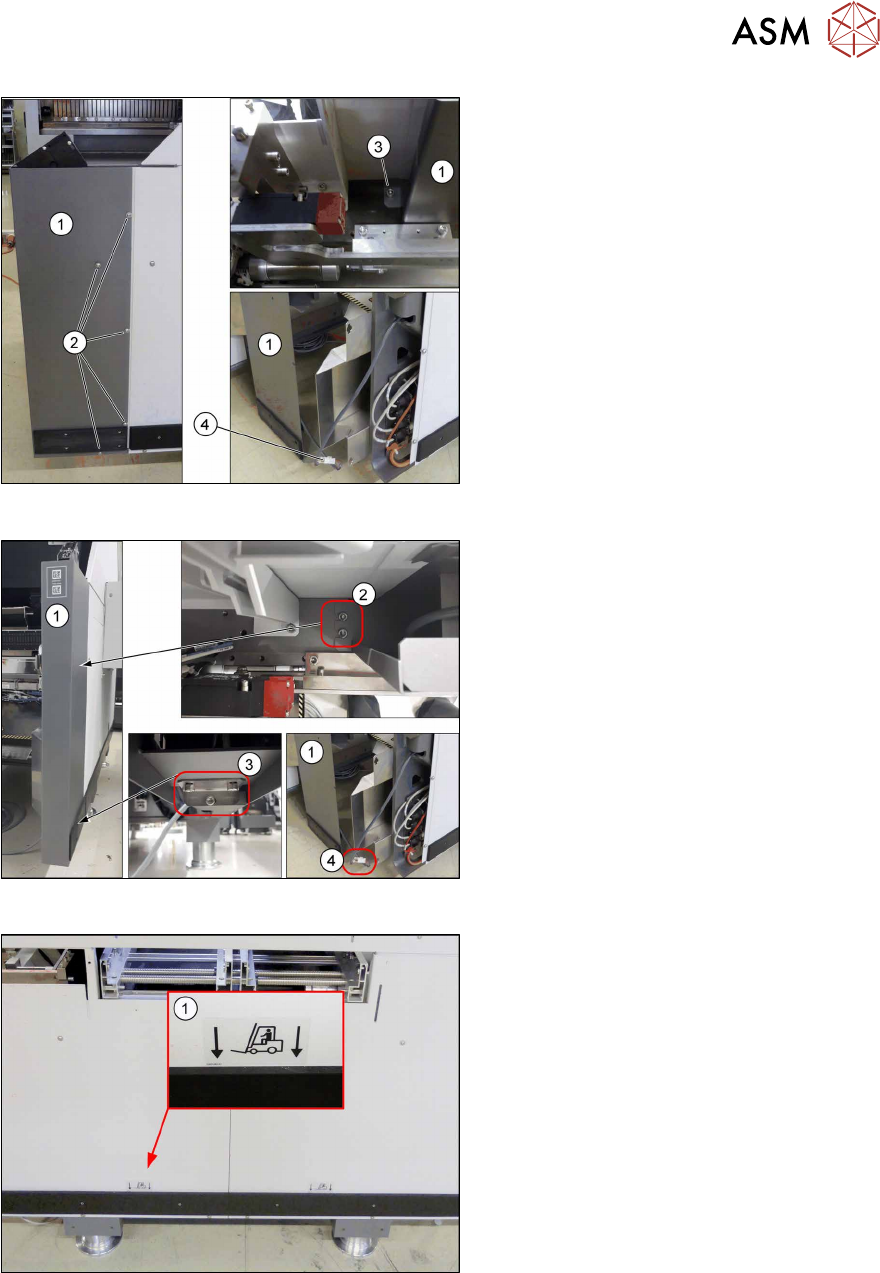
Fig.74: Fitting the corner cover on the SIPLACE TXV1
SIPLACE TX V1:
Fit the corner cover(1). To do so, proceed
as follows:
► Connect the connector(4) with the
machine.
► Fasten the corner cover(1) on the out-
side with five(2) and on the inside with
one ISO7380-2M6x8-A2-70
[03099592‑xx](3) screw.
Fig.75: Removing the corner cover on the SIPLACE TXV2
SIPLACE TX V2:
Fit the corner cover(1). To do so, proceed
as follows:
► Connect the connector(4) with the
machine.
► Fasten the corner cover(1) on the in-
side (2) and on the bottom side (3) with
two screws each.
Fig.76: Attaching the label
► If not present, attach the fork lift
label(1) [03051260‑xx] to the side
cover.
4 Setting up and commissioning
4.2 Retrofitting in the SIPLACE TX-Series
138 User Manual / Bedienungsanleitung / 用户手册 SIPLACE TX V1/V2 Series JEDEC Tray Feeder (JTF-ML2) 11/2019
4.2.5.6 Mounting the output conveyor extension
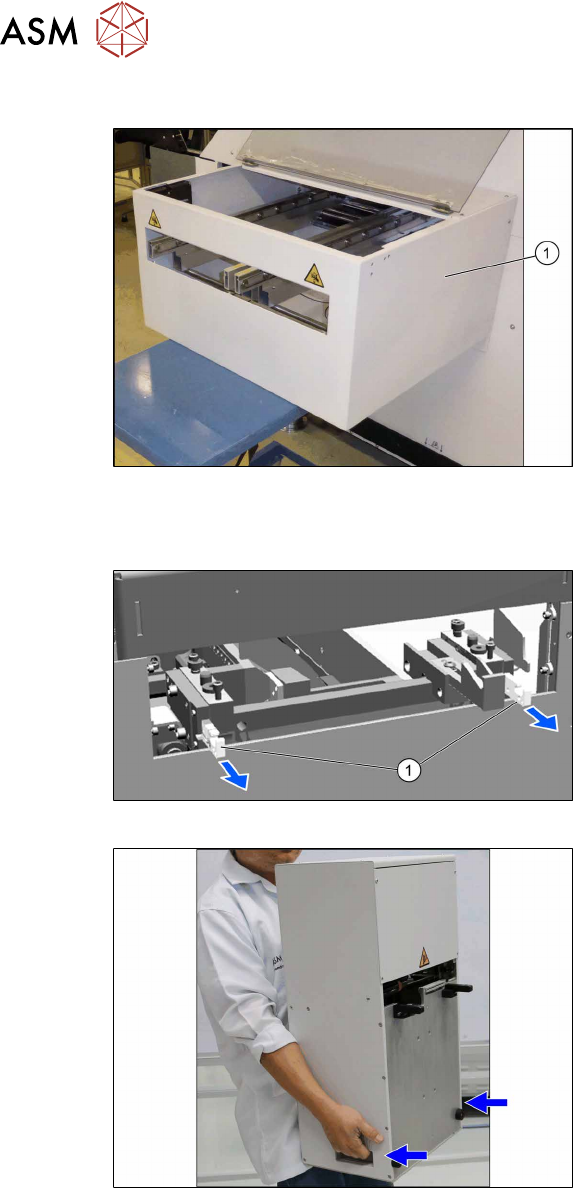
Fig.77: Mounting the output conveyor extension
► Fit the complete output conveyor exten-
sion. To do this, read the assembly
instructions "Input and Output Con-
veyor Extension SIPLACE
TX" [00198141‑xx].
4.2.5.7 Mounting the tower
Pulling out the Hooks
► Pull out both hooks(1) at the SIPLACE
JTF‑ML2 adapter.
Fig.78: Holding the tower
► Hold the SIPLACE JTF‑ML2 as shown
at the two handles.
4 Setting up and commissioning
4.2 Retrofitting in the SIPLACE TX-Series
User Manual / Bedienungsanleitung / 用户手册 SIPLACE TX V1/V2 Series JEDEC Tray Feeder (JTF-ML2) 11/2019 139
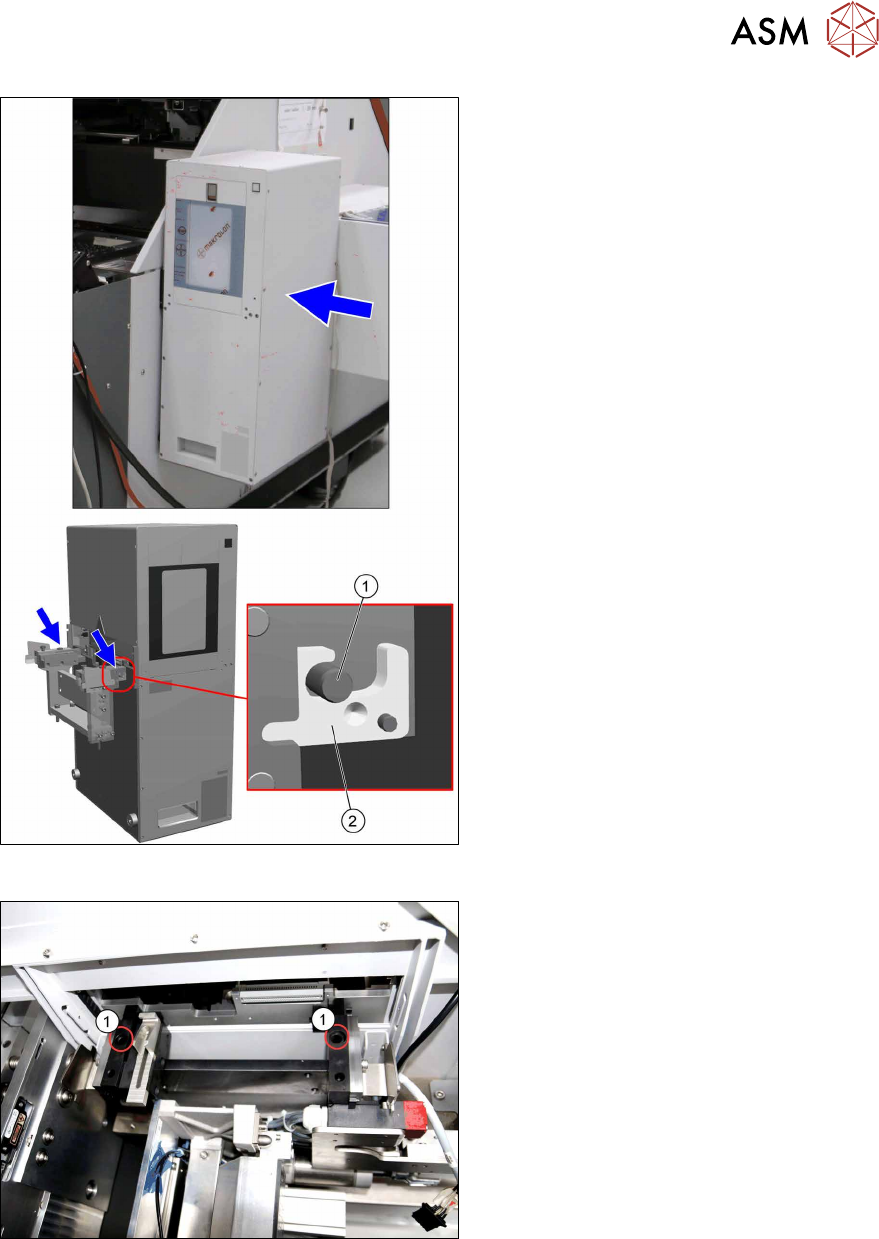
Fig.79: Hooking in the tower
► Hook in the tower at the SIPLACE
JTF‑ML2 adapter.
The bolts(1) have to be at the
hooks(2).
Fig.80: Tighten the tower
► Fasten the tower with two screws(1)
ISO7379 - 10x25-12.9 on the
SIPLACE JTF‑ML2 adapter.