00198439-03_SIPLACE_JTF-ML2_TX12_V1-V2_DE_EN_CHS.pdf - 第141页
4 Setting up and commissioning 4.2 Retrofitting in the SIPLACE TX-Series User Manual / Bedienungsanleitung / 用户手册 SIPLACE TX V1/V2 Series JEDEC Tray Feeder (JTF-ML2) 11/2019 141 Fig.84: Mounting the conveyor 4 ► Before …
4 Setting up and commissioning
4.2 Retrofitting in the SIPLACE TX-Series
140 User Manual / Bedienungsanleitung / 用户手册 SIPLACE TX V1/V2 Series JEDEC Tray Feeder (JTF-ML2) 11/2019
4.2.5.8 Mounting the conveyor
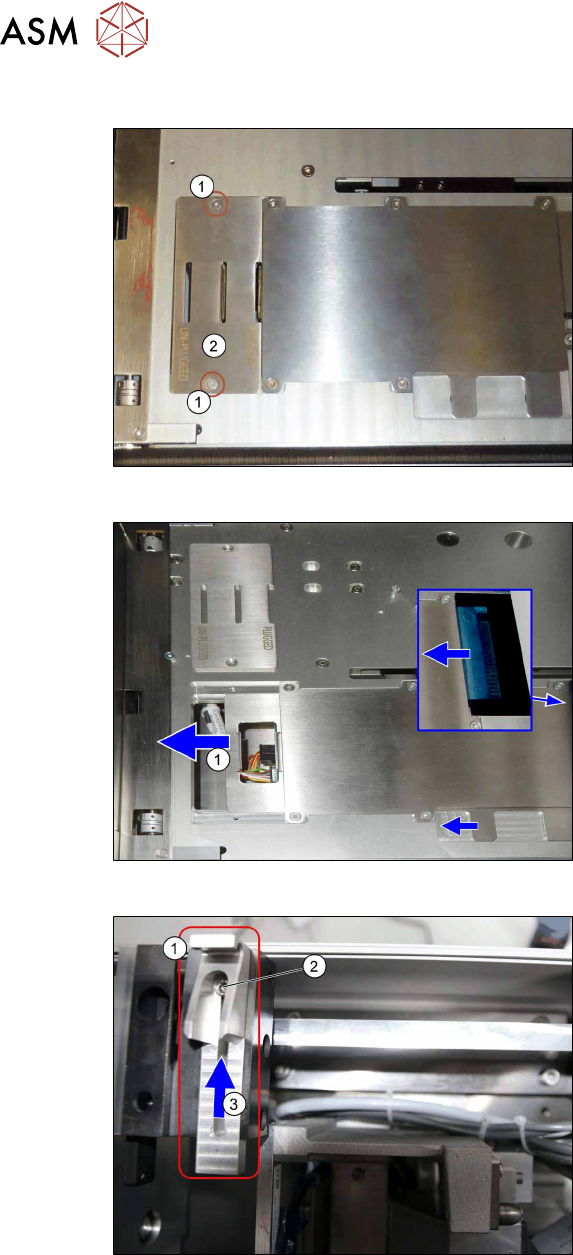
Fig.81: Mounting the conveyor 1
► Check if the screws(1) and the
cover(2) has been removed.
If not: Remove the screws and the
cover.
Fig.82: Mounting the conveyor 2
► Check if the plate(1) has been moved
to the left.
If not: Push the plate until end position
to the left.
Fig.83: Mounting the conveyor 3
► Loosen the screw(2) at conveyor
pivot(1).
► (3) Push the conveyor pivot until end
position towards the tower.
► Tighten the screw(2).
4 Setting up and commissioning
4.2 Retrofitting in the SIPLACE TX-Series
User Manual / Bedienungsanleitung / 用户手册 SIPLACE TX V1/V2 Series JEDEC Tray Feeder (JTF-ML2) 11/2019 141
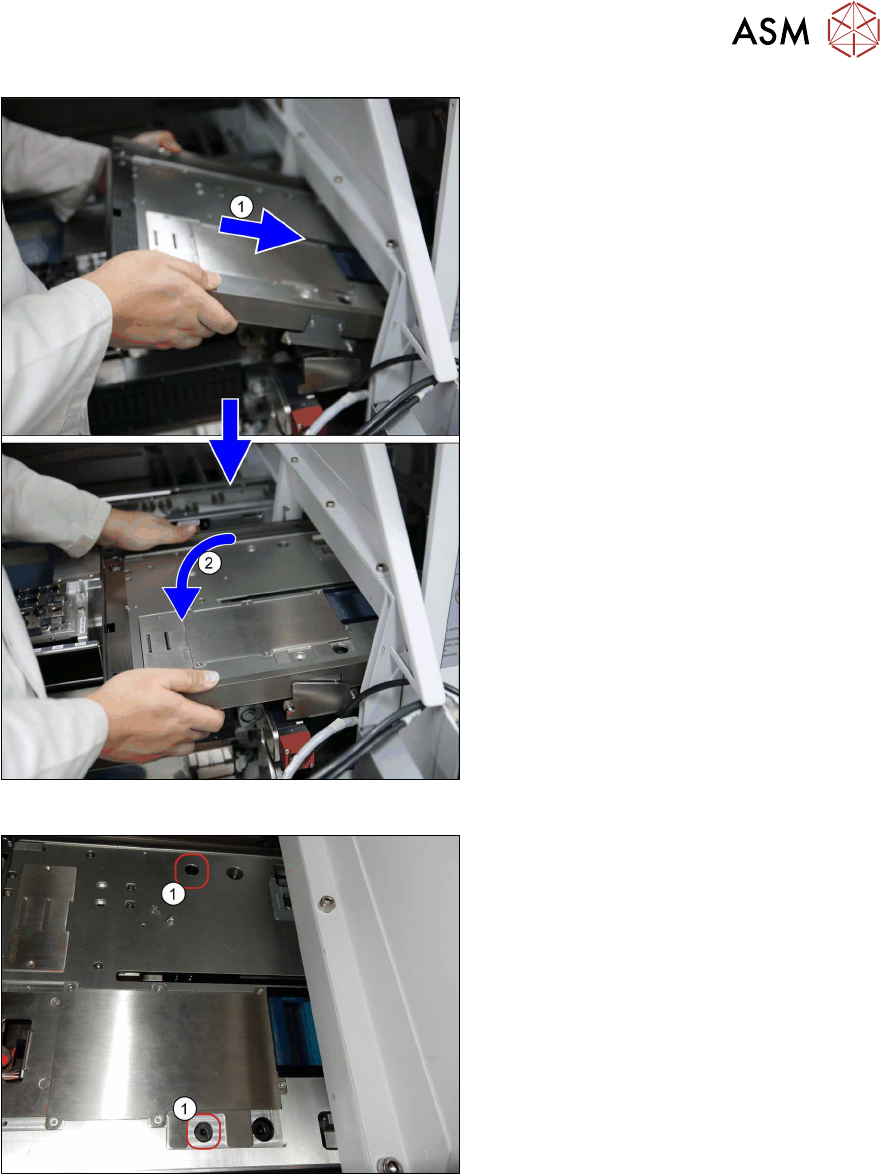
Fig.84: Mounting the conveyor 4
► Before mounting the conveyor, loosely
insert the cables [03134469‑xx] and
[03134468‑xx] into the mounting
bracket (see also next figure).
► (1) Insert the conveyor. Make sure that
it fits correctly into the conveyor pivot.
► (2) Swing the conveyor down onto the
SIPLACE JTF-ML2 adapter.
Fig.85: Mounting the conveyor 5
► Fasten the conveyor with two
screws(1) (ISO7379 - 8x16-12.9) on
the SIPLACE JTF-ML2 adapter.
4 Setting up and commissioning
4.2 Retrofitting in the SIPLACE TX-Series
142 User Manual / Bedienungsanleitung / 用户手册 SIPLACE TX V1/V2 Series JEDEC Tray Feeder (JTF-ML2) 11/2019
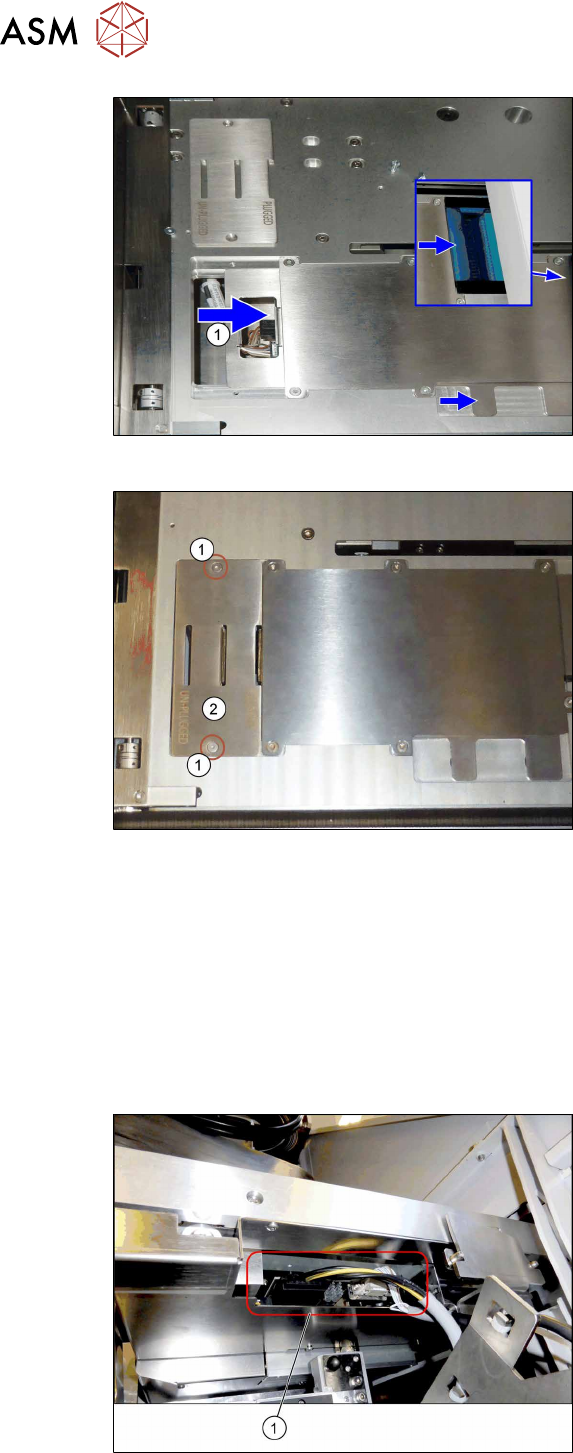
Fig.86: Mounting the conveyor 6
► Push the plate(1) until end position to
the right.
This way the electric connection
between conveyor and tower is estab-
lished (see blue window).
If necessary, hold against the plug on
the tower side for better connection.
Fig.87: Mounting the conveyor 7
► Fit the cover(2) using two screws(1).
4.2.5.9 Establishing the electrical connections on the SIPLACE TX-Series V1
On the SIPLACE TX V1, use the following cables for this:
●
Cable COTi TX: DC control to SIPLACE JTF-ML [03134469‑xx]
●
Cable COTi TX: CAN bus3 to SIPLACE JTF-ML [03134468‑xx]
Also observe the detailed circuit diagrams (see below).
► Remove the cover above the FCU connectors (see also 7.1.1 "Replacing the Feeder Control
Unit (FCU)" [}177]).
Fig.88: Connector on the SIPLACE JTF-ML2
► (1) Plug in the cables [03134469‑xx]
and [03134468‑xx] at the SIPLACE
JTF‑ML2.