00197725-12_GS_SE3.11_EN.pdf - 第70页
3 SIPLACE Explorer Runtime Environment Getting Started SIPLACE E xplorer Edition 11/2020 EN from 3.11 (R20-2) 70 3.10.1.2 Step 2 - Dat abase Info The selected dat abase will be shown. 3 Fig. 3 - 51 Archive browser Cl…
Getting Started SIPLACE Explorer 3 SIPLACE Explorer Runtime Environment
from 3.11 (R20-2) Edition 11/2020 EN
69
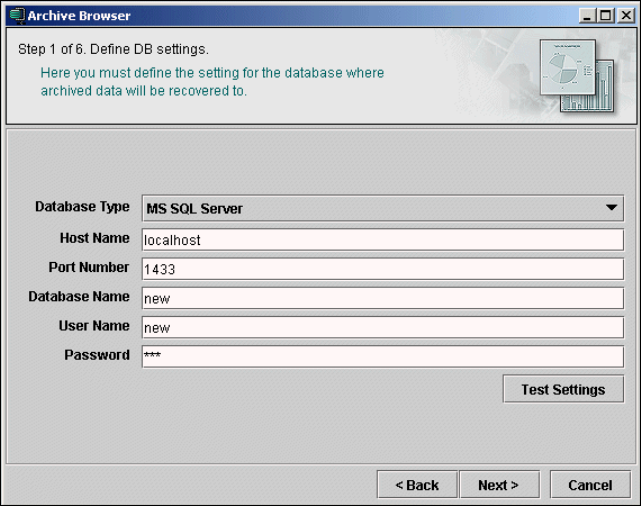
3.10.1.1 Step 1 - Define DB Settings
Specify the database in which the recovered archive data is to be saved.
3
Fig. 3 - 50 Archive browser
After you have made all entries, check these and then test the connection to the database. To
do this, click on the Test Settings button. If you are unable to establish the connection, you
will need to configure it: Follow the instructions at “Database Connection Wizard” on page 54.
Click on Next to continue with the next step.
3 SIPLACE Explorer Runtime Environment Getting Started SIPLACE Explorer
Edition 11/2020 EN from 3.11 (R20-2)
70
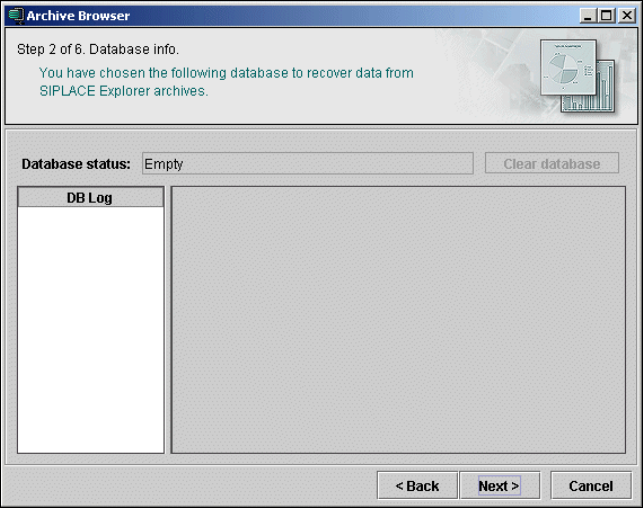
3.10.1.2 Step 2 - Database Info
The selected database will be shown.
3
Fig. 3 - 51 Archive browser
Click on Next to continue with the next step.
Getting Started SIPLACE Explorer 3 SIPLACE Explorer Runtime Environment
from 3.11 (R20-2) Edition 11/2020 EN
71
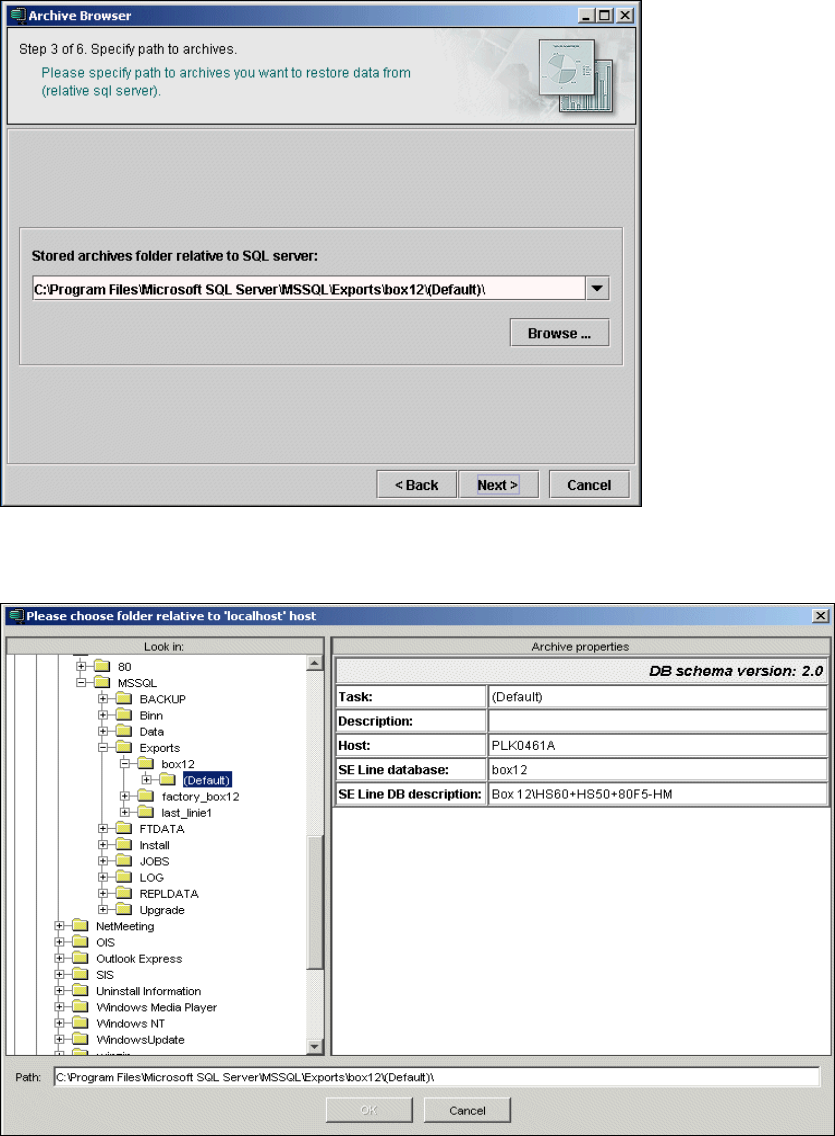
3.10.1.3 Step 3 - Specify Paths to Archives
Specify the path of the archive you want to recover.
3
Fig. 3 - 52 Archive browser
Click on the Browse button. A selection window will open:
3
Fig. 3 - 53 Archive browser