00197725-12_GS_SE3.11_EN.pdf - 第82页
4 SIPLACE Explorer Factory Configuratio n Utility Getting Started SIPLACE Explorer Edition 11/2020 EN from 3.11 (R20-2) 82 Enter the name or IP address of the SIPLACE Explorer host in th e SE-Host field and click on th…
Getting Started SIPLACE Explorer 4 SIPLACE Explorer Factory Configuration Utility
from 3.11 (R20-2) Edition 11/2020 EN
81
4.2.1 How to Configure Production Lines and Their Properties
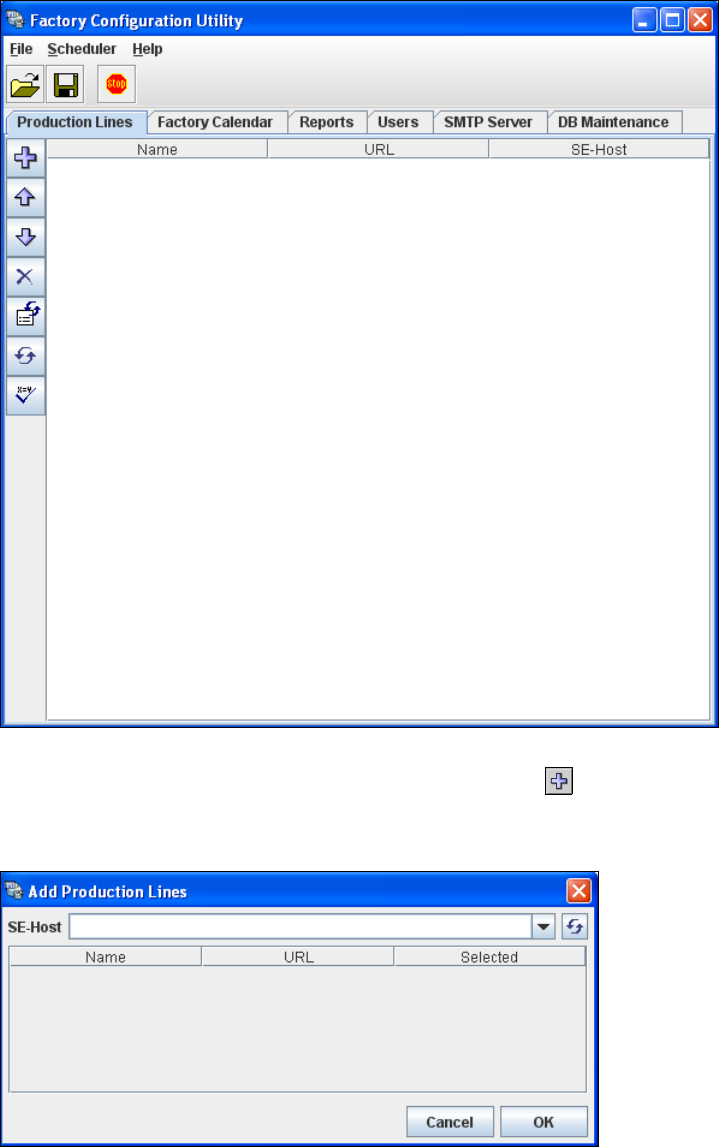
Select the Production Lines tab.
4
Fig. 4 - 5 Factory configuration utility - production lines
Now add the production lines, by clicking on the Add Line icon.
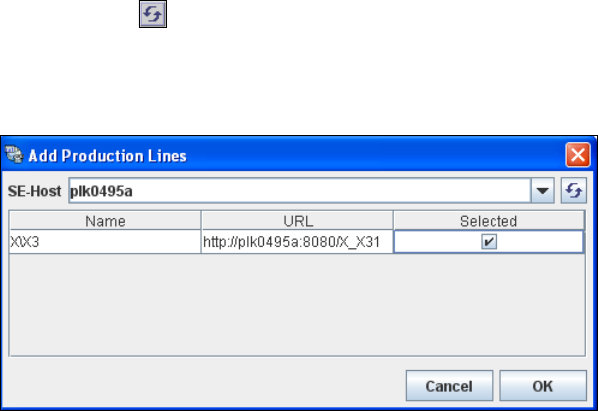
The Add Production Lines dialog box will open: 4
4
Fig. 4 - 6 Factory configuration utility - add production lines
4 SIPLACE Explorer Factory Configuration Utility Getting Started SIPLACE Explorer
Edition 11/2020 EN from 3.11 (R20-2)
82
Enter the name or IP address of the SIPLACE Explorer host in the SE-Host field and click on
the Refresh icon.
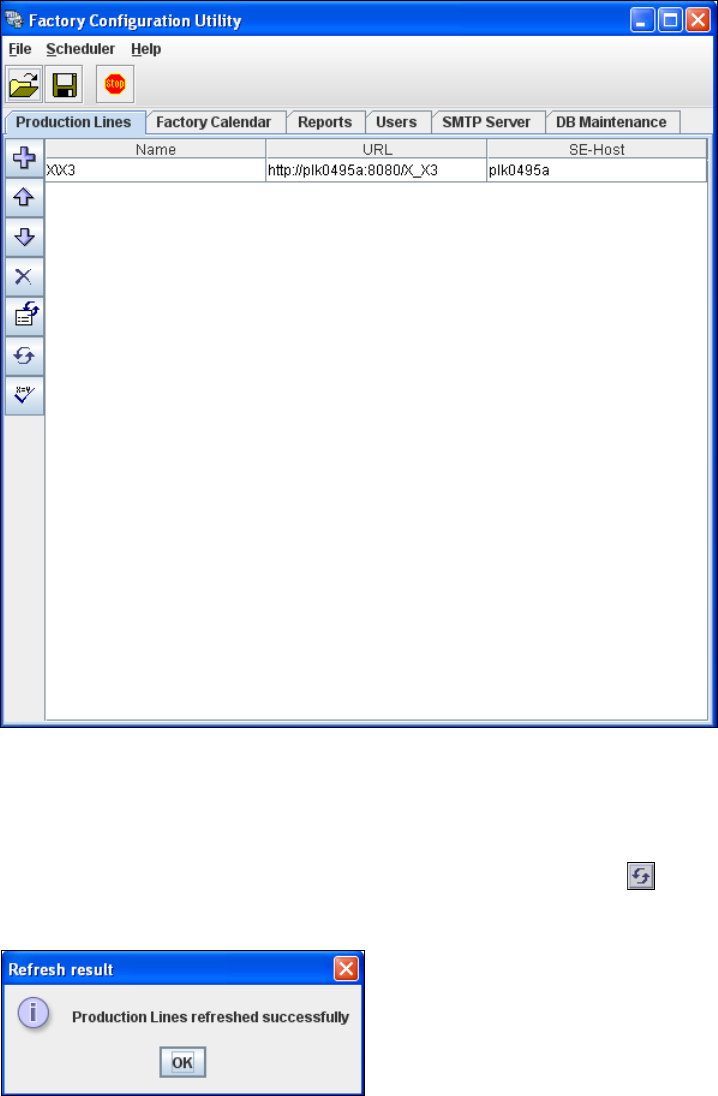
If a connection to the specified host can be established, a list of all available production lines
will be shown. The Name and URL will be shown for each line. 4
4
Fig. 4 - 7 Factory configuration utility - add production lines
Now select the required production lines, by enabling the relevant checkbox(es) in the
Selected column.
Confirm your choice with OK.
The selected production lines will be added to the list and shown in the Factory Configuration
Utility dialog box. 4
Getting Started SIPLACE Explorer 4 SIPLACE Explorer Factory Configuration Utility
from 3.11 (R20-2) Edition 11/2020 EN
83
4
Fig. 4 - 8 Factory configuration utility - production lines
After the data for the selected production line has been transferred, the line name, line URL
and host name can no longer be changed.
If you have made changes to the other tabs, you will need to synchronize this data with the
data in the SIPLACE Explorer host, by clicking on the Refresh lines icon. If the data have
been successfully synchronized, you will see the following information box:
4
Fig. 4 - 9 Factory configuration utility - refresh result