00197725-12_GS_SE3.11_EN.pdf - 第91页
Getting Started SIPLACE Explorer 4 SIPLACE Explorer Factor y Conf iguration Utility from 3.11 (R20-2) Edition 11/2020 EN 9 1 4.7 DB Maintenanc e Define the maintena nce schedule for the factory dat abase, here. 4 Selec…
4 SIPLACE Explorer Factory Configuration Utility Getting Started SIPLACE Explorer
Edition 11/2020 EN from 3.11 (R20-2)
90
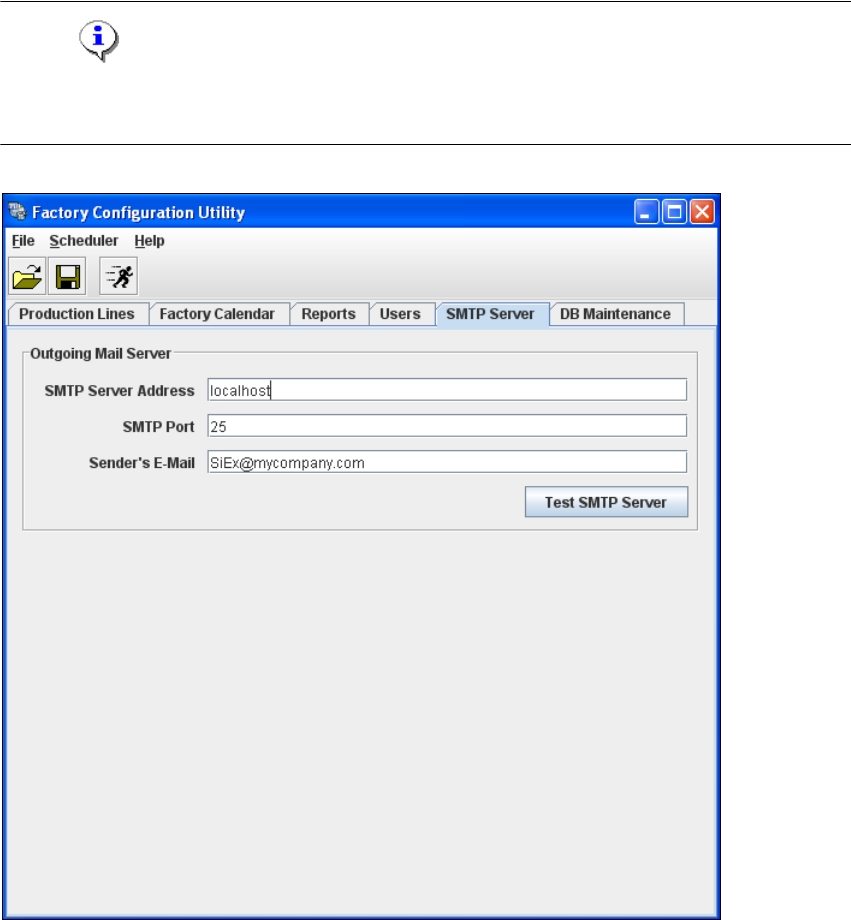
4.6 SMTP Server
The mail server configuration can be defined here. 4
NOTE
The mail server configuration should only be set by a system administrator as incorrect
configuration can lead to system conflicts. 4
4
Fig. 4 - 15 Factory configuration utility - SMTP server
Getting Started SIPLACE Explorer 4 SIPLACE Explorer Factory Configuration Utility
from 3.11 (R20-2) Edition 11/2020 EN
91
4.7 DB Maintenance
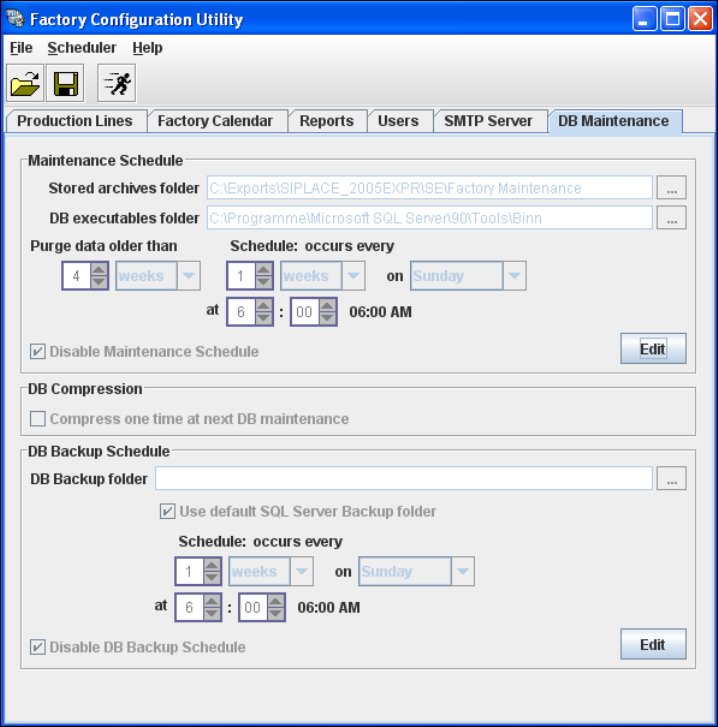
Define the maintenance schedule for the factory database, here. 4
Select the DB Maintenance tab.
4
Fig. 4 - 16 DB Maintenance
Before you can enter data you must log yourself in as database administrator. In the
Maintenance Schedule panel click on the Edit button.
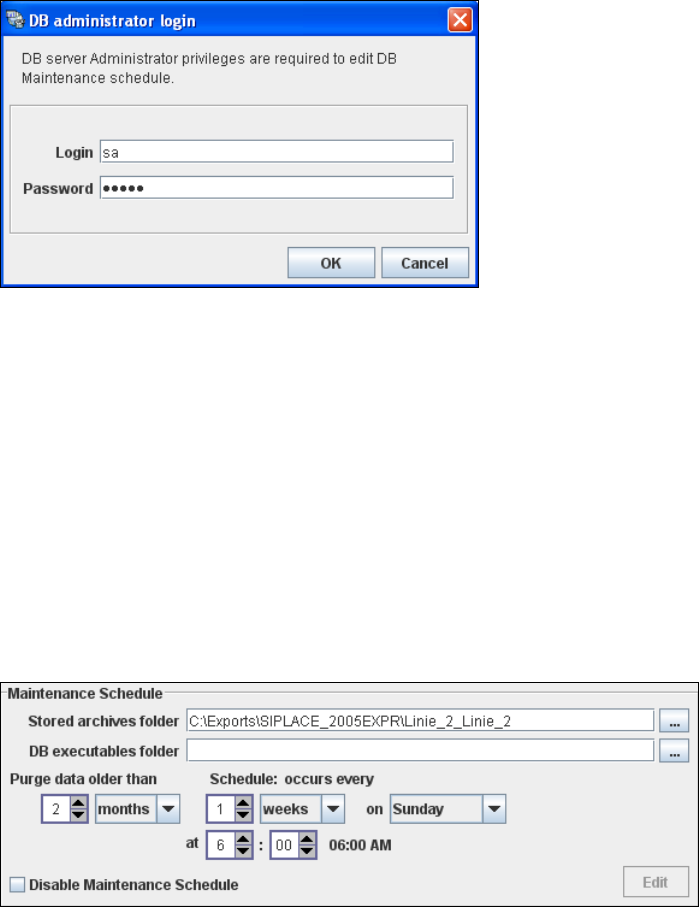
The DB Administrator Login dialog box will open.
4 SIPLACE Explorer Factory Configuration Utility Getting Started SIPLACE Explorer
Edition 11/2020 EN from 3.11 (R20-2)
92
4
Fig. 4 - 17 DB administrator login
Enter the access data here and confirm your entries with OK.
The input fields in the DB Maintenance dialog box will be enabled. The following details can
be defined:
– The file and path for the archived data
– A schedule specifying the intervals and times when data is to be removed from the line
system database and stored in the archive.
– When to execute the maintenance schedule.
– The archiving schedule defined here will be stored in the database and can be called up
when required.
4
Fig. 4 - 18 DB maintenance
In the DB Backup Schedule panel click on the Edit button.
The DB Administrator Login dialog box will open.