00197725-12_GS_SE3.11_EN.pdf - 第85页
Getting Started SIPLACE Explorer 4 SIPLACE Explorer Factor y Conf iguration Utility from 3.11 (R20-2) Edition 11/2020 EN 8 5 4.4 Report s This is where you can define a schedule for the management and generation of facto…
4 SIPLACE Explorer Factory Configuration Utility Getting Started SIPLACE Explorer
Edition 11/2020 EN from 3.11 (R20-2)
84
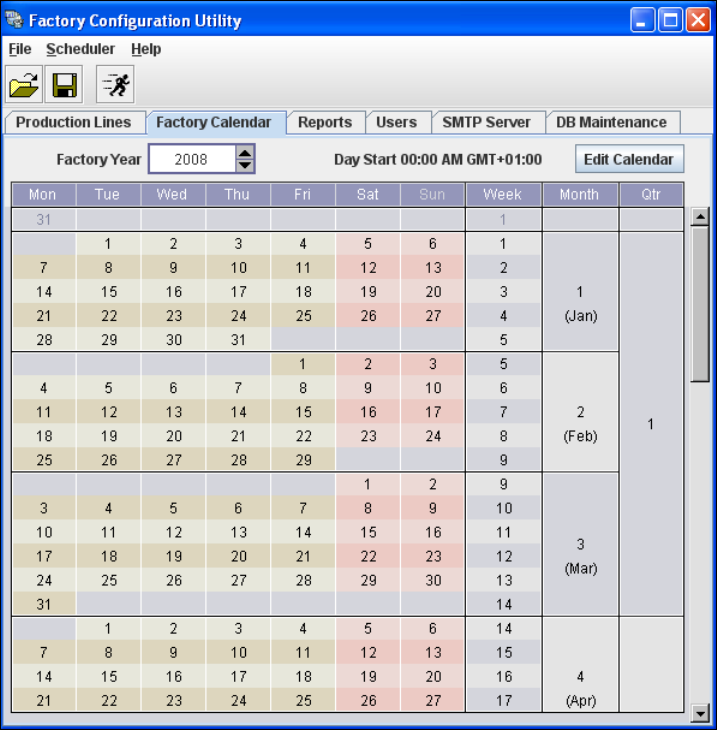
4.3 Factory Calendar
This is where you can create a calendar with details of working times e.g. on which day the work-
ing week begins, at which time a shift begins etc. 4
Select the Factory Calendar tab.
4
Fig. 4 - 10 Factory configuration utility - factory calendar
Getting Started SIPLACE Explorer 4 SIPLACE Explorer Factory Configuration Utility
from 3.11 (R20-2) Edition 11/2020 EN
85
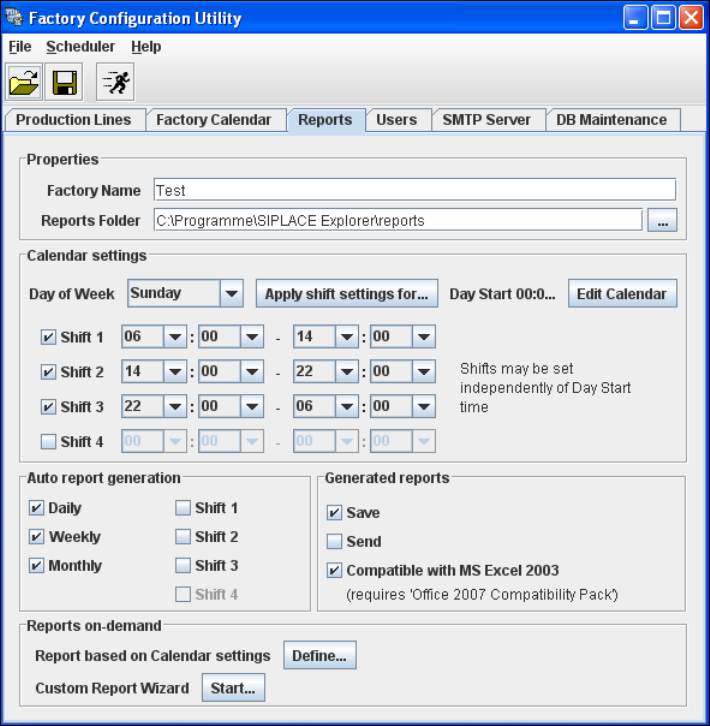
4.4 Reports
This is where you can define a schedule for the management and generation of factory reports.
You can specify the intervals at which factory reports are to be generated, where they are to be
saved to etc. 4
These reports can be automatically sent via e-mail. The e-mail addresses can be specified in the
Users tab. The necessary information about report type, when sent etc. can be defined on the
factory website. For further informations, please refer to SIPLACE Explorer SMA User Guide. 4
Select the Reports tab.
4
Fig. 4 - 11 Factory configuration utility - reports
If Excel 2007 or Excel Viewer 2007 is installed, disable the MS Excel documents compatible
with MS Excel 2007 option in Generated reports. The new features of Excel 2007 for a better
display are used during the xlsx generation for websites.
Proceed to Reports on-demand and click on the Start button. A wizard with 4 steps will open.
Use this wizard to generate the reports and send or save them.

4 SIPLACE Explorer Factory Configuration Utility Getting Started SIPLACE Explorer
Edition 11/2020 EN from 3.11 (R20-2)
86
To generate the configured factory reports, start the scheduler and follow the instructions at
“Menu Scheduler” on page 97.
4.5 User Management
The User Management feature is used to define the users and their duties/privileges for each pro-
duction line. 4
The following user privileges are available in the Factory Configuration Utility: 4
– Access Factory Website
The user has read privileges for the SIPLACE Explorer factory website.
– Configure Line Host
The user may start all SIPLACE Explorer Runtime Environment tools.
– Monitor Production Line
The user has read privileges for the SIPLACE Explorer production lines.
– Edit Logbook entries
The user may edit the logbook for certain SIPLACE Explorer production line websites.
– Modify Application settings
The user may edit the SMA settings for certain production lines.
NOTE
Only users with Configure Line Host privileges can start the Runtime Environment tools, such
as Line Configuration, SE Manager, Performance Analyzer, etc. Furthermore, the Use Factory-
based security option must be enabled in the SE Security Manager. For further information,
please refer to the Section “SE Security Manager” on page 18. 4