00197725-12_GS_SE3.11_EN.pdf - 第76页
3 SIPLACE Explorer Runtime Environment Getting Started SIPLACE E xplorer Edition 11/2020 EN from 3.11 (R20-2) 76
Getting Started SIPLACE Explorer 3 SIPLACE Explorer Runtime Environment
from 3.11 (R20-2) Edition 11/2020 EN
75
– Access data for the system database - specified in Step 1 - (see ”Step 1 - Define DB
Settings”, page - 69).
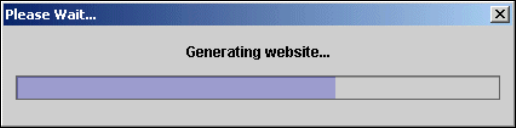
Once you have made and checked all entries, click on the Finish button. An information box,
showing the website generation, will appear.
3
Fig. 3 - 57 Generating a website
At this point, the application is generated automatically and is loaded into SIPLACE Explorer.3
This website can now be started from your web browser.
3
3 SIPLACE Explorer Runtime Environment Getting Started SIPLACE Explorer
Edition 11/2020 EN from 3.11 (R20-2)
76

Getting Started SIPLACE Explorer 4 SIPLACE Explorer Factory Configuration Utility
from 3.11 (R20-2) Edition 11/2020 EN
77
4 SIPLACE Explorer Factory Configuration Utility
This chapter describes the following procedures and menus in the Factory Configuration Utility:4
– “Starting the SIPLACE Factory Configuration Utility” on page 78
– “Configuring Production Lines” on page 80
How to Configure Production Lines and Their Properties
– “Factory Calendar” on page 84
How to Create a Factory Calendar
– “Reports” on page 85
How to Create a Report Generation Schedule
– “User Management” on page 86
User Management and Organization
– “SMTP Server” on page 90
How to Define a Mail Server Configuration
– “Description of the Menus” on page 94
– “How To Use the Factory Website” on page 98