00198382-03_UM_SIPLACE-CA4-V2_EN.pdf - 第221页
Instruction manual SIPLACE CA4 V 2 5 Tasks at the placement machi ne From software version 713.0 Edition 12/2019 5.8 Shift changeover 221 5.8.2 Safety instructions for emp tying the waste t ape cont ainer 5 Fig. 5.8 - 1 …

5 Tasks at the placement machine Instruction manual SIPLACE CA4 V2
5.8 Shift changeover From software version 713.0 Edition 12/2019
220
5.8 Shift changeover
5.8.1 Shift changeover tasks
Splice the tapes early. The feeder modules do not have to be refilled as soon as the new shift
starts. This minimizes extended down times.
At the shift change, pass important information on to the next operator. This includes, for in-
stance, changes to the placement program. Also read through the list of the descriptions of
the steps to take in section 5
, page 193.
Carry out a setup check.
Make sure that the feeder modules are equipped with the correct components, that they are
at the correct locations in the component trolley and that the conveyor increment is set cor-
rectly.
Clean the following line assemblies:
Empty the placement machine reject bin and carefully vacuum the area around the reject bin.
Empty the SWS reject bin and carefully vacuum the area around the reject bin.
Carefully vacuum the nozzle changer, feeder modules and the component trolley.
Empty the waste tape container. Follow the safety instructions given in section 5.8.2, page
221
.
Instruction manual SIPLACE CA4 V2 5 Tasks at the placement machine
From software version 713.0 Edition 12/2019 5.8 Shift changeover
221
5.8.2 Safety instructions for emptying the waste tape container
5
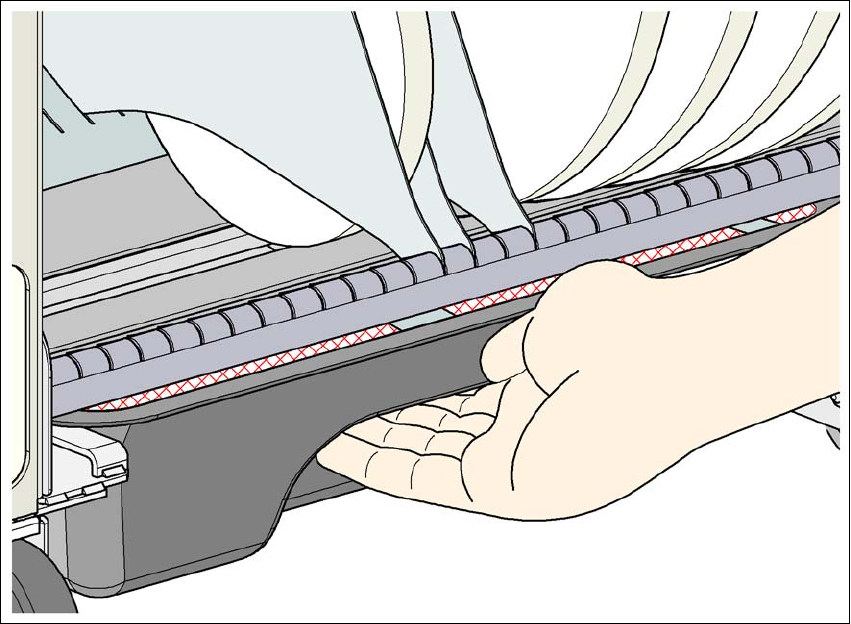
Fig. 5.8 - 1 Safety instructions for emptying the waste tape container
The waste tape container must be pulled out of the component trolley for emptying. There is a risk
of catching your thumbs as you do so.
To avoid this risk, take hold of the underside of the grab recess on the waste tape container
with your fingers and place your thumbs on top of the grab recess.
Do NOT put your thumbs in the gap between the tape container and waste tape container as
you could trap your thumbs if you do.
5 Tasks at the placement machine Instruction manual SIPLACE CA4 V2
5.9 Carrying out a sight check From software version 713.0 Edition 12/2019
222
5.9 Carrying out a sight check
5.9.1 Checking the X feeder modules
5
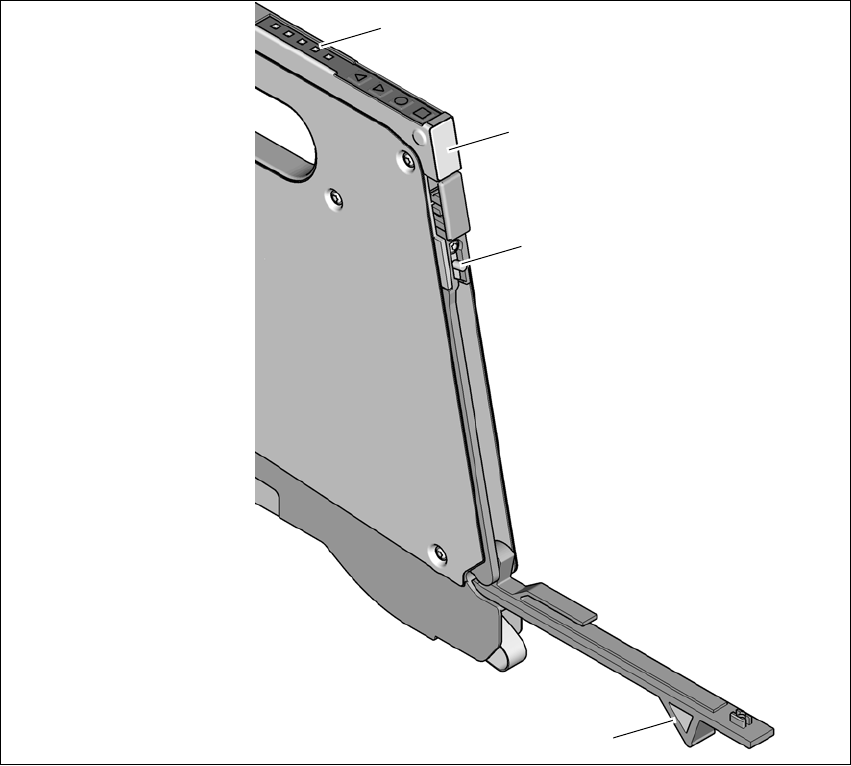
Fig. 5.9 - 1 Checking the X feeder modules
(1) Flap
(2) Blade
(3) Status display
(1) LED display
5
Check to see whether the tape foil removal container for the X tape feeder module is full.
Open the flap (item 1). Pull out the cover foil and cut it off with scissors or the blade (item 2).
(1)
(2)
(3)
(4)