00198382-03_UM_SIPLACE-CA4-V2_EN.pdf - 第272页
6 Component handling Instruction manual SIPLACE CA4 V2 6.2 Component trolley From software version 713.0 Edition 12/2019 272 6.2.6 Changeover t able The front slider guides o f the feeder modules are placed on the insert…
Instruction manual SIPLACE CA4 V2 6 Component handling
From software version 713.0 Edition 12/2019 6.2 Component trolley
271
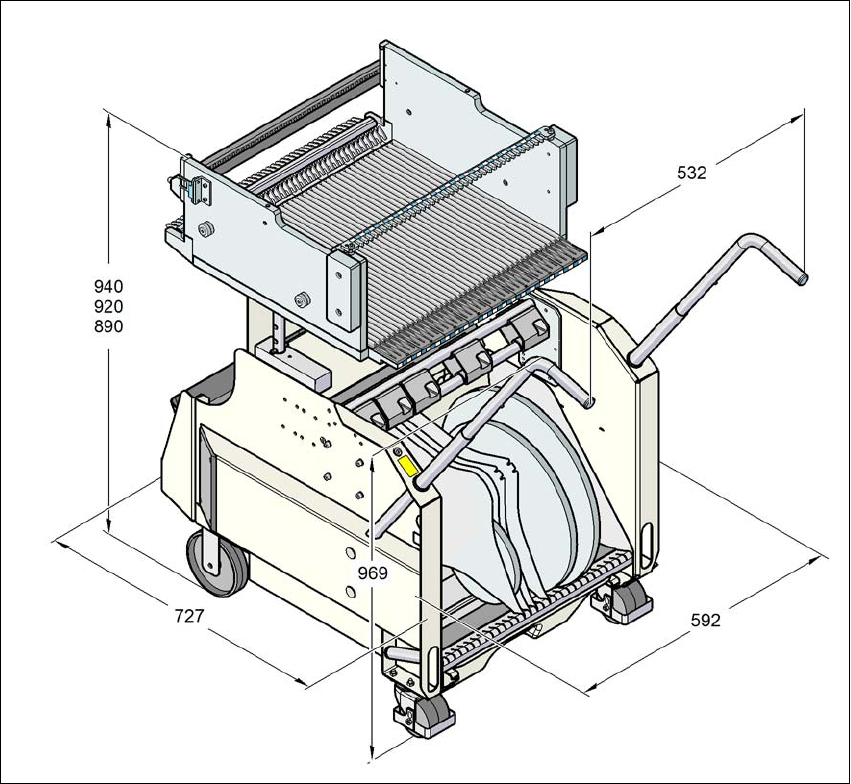
6.2.5 Dimensions of the component trolley
6
Fig. 6.2 - 5 Component trolley dimensions in millimeters
6 Component handling Instruction manual SIPLACE CA4 V2
6.2 Component trolley From software version 713.0 Edition 12/2019
272
6.2.6 Changeover table
The front slider guides of the feeder modules are placed on the insertion aid. As it is pushed in,
the guides of the feeder module slide on the guide profile as far as the stop bar. A centering hole
on the stop bar holds the "front" centering pin of the X feeder module. At the same time, the
changeover table locking latch (item 1 in fig. 6.2 - 7
, page 273) engages onto the locking roller of
the feeder module. The "back" centering pin on the top of the feeder module is held by the recess
in the centering bar.
6
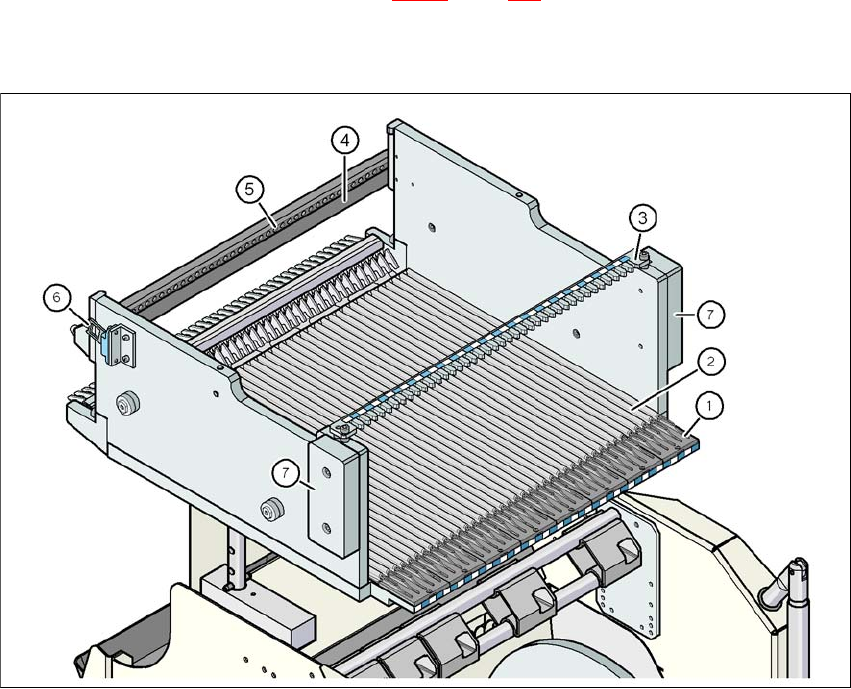
Fig. 6.2 - 6 Changeover table, back view
(1) Insertion aid
(2) Guide profile ( profile)
(3) Centering bar for holding the "back" centering pin for X feeder modules
(4) Stop bar
(5) Centering holes
(6) Contact for switching the safety switch of the EMERGENCY STOP circuit
(7) Hand guard
Instruction manual SIPLACE CA4 V2 6 Component handling
From software version 713.0 Edition 12/2019 6.2 Component trolley
273
6
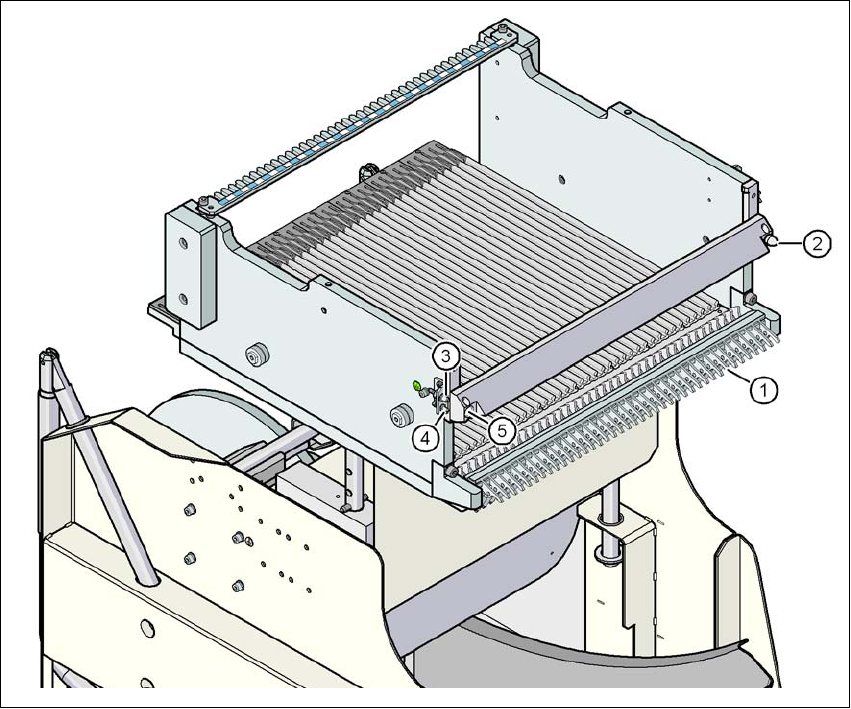
Fig. 6.2 - 7 SIPLACE X-Series changeover table, front view
(1) Locking latches
(2) Centering pin on the changeover table
(3) Compressed air coupling
(4) Earthing (ground) pin
(5) Centering hole on the changeover table