00198382-03_UM_SIPLACE-CA4-V2_EN.pdf - 第304页
7 Station extensions Instruction manual SIPLACE CA4 V2 7.10 Long board option (LBO) From software version 713.0 Edition 12/2019 304
Instruction manual SIPLACE CA4 V2 7 Station extensions
From software version 713.0 Edition 12/2019 7.9 Support pin
303
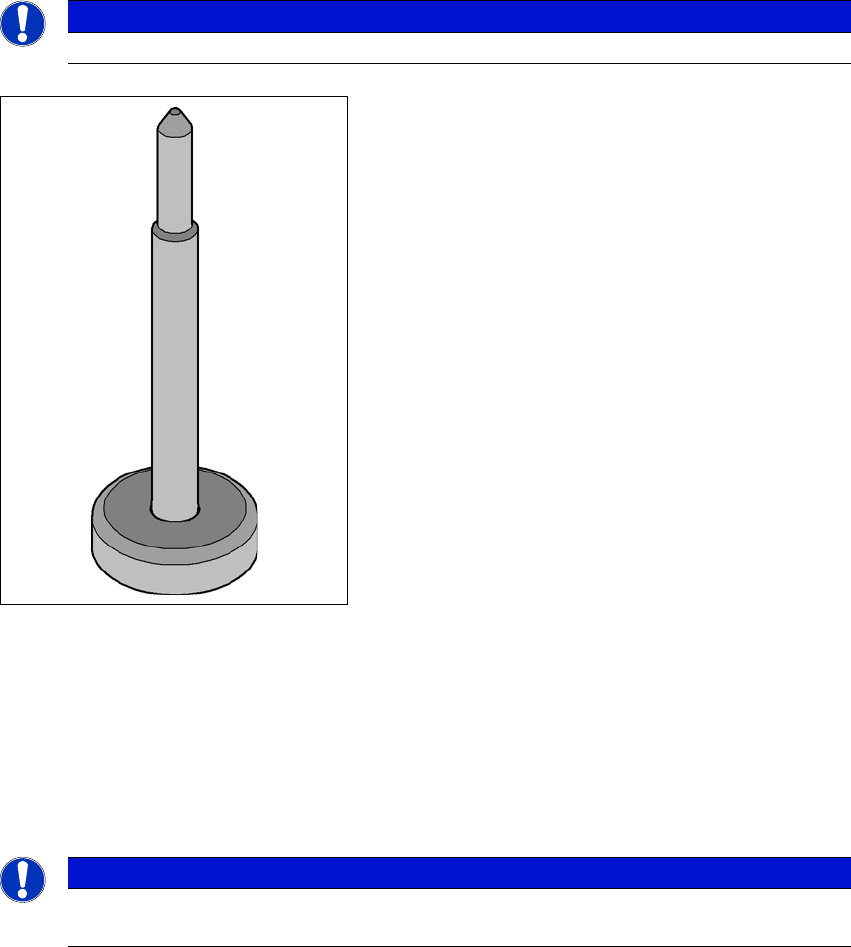
7.9 Support pin
Item no. 00119680-xx Support pin
Wide boards tend to deflect during placement such that, under certain circumstances, the compo-
nents can no longer be placed with the desired accuracy. Highly curved PCBs also affect the
placement accuracy. This problem can be easily rectified by fitting support pins on the lifting table.
7
7
Fig. 7.9 - 1 Support pin
7.10 Long board option (LBO)
Item no. 519874-xx X-Series S, LBO license
The "Long board" option allows you to place boards which exceed the specified board length.
7
PLEASE NOTE
The function can only be used for standard conveyors without vacuum tooling.
PLEASE NOTE
The function of this option depends on the board geometry and can only be used for stan-
dard conveyors without vacuum tooling.
7 Station extensions Instruction manual SIPLACE CA4 V2
7.10 Long board option (LBO) From software version 713.0 Edition 12/2019
304

Instruction manual SIPLACE CA4 V2 8 Maintenance
From software version 713.0 Edition 12/2019
305
8 Maintenance
To ensure that your SIPLACE placement machine always runs properly during production, we ad-
vise that you service the placement machine on a regular basis.
The SIPLACE maintenance documentation contains recommendations for the maintenance tasks
to be performed at each maintenance interval. Workflows have been defined for each mainte-
nance interval. These combine the individual steps to form an efficient sequences of tasks in order
to optimize the "Uptime" for each maintenance task.
8
Maintenance workflows
We differentiate between four workflows which are to be performed independently of one another
per maintenance interval.
– Workflow 1: Weekly maintenance tasks.
– Workflow 2: Combination of weekly and 3-monthly maintenance tasks.
– Workflow 3: Combination of weekly and 6-monthly maintenance tasks.
– Workflow 4: Combination of weekly and 12-monthly maintenance tasks.
Planning workflows
Each workflow is supported with a document (job card), which guides you efficiently through the
maintenance work.
Example for the frequency of individual workflows over a period of one year:
– Workflow 1: 45 times / year
– Workflow 2: 4 times / year
– Workflow 3: 2 times / year
– Workflow 4: 1 time / year
PLEASE NOTE
Job cards for maintenance
All maintenance work is explained in detail in the corresponding job cards and clearly il-
lustrated in the diagrams.