1OM-1086-002.pdf - 第117页
2.1 Startaing the Machine in "P ASS" Mode Check carefully that there is no person around the moving mechanisms of the machine. (Especially , the other side of machine operation) Make sure that no objects such a…
1.7 Shut-Down Operation
0509-006 Chapter 1 3-26 Tg0582-PM-D1
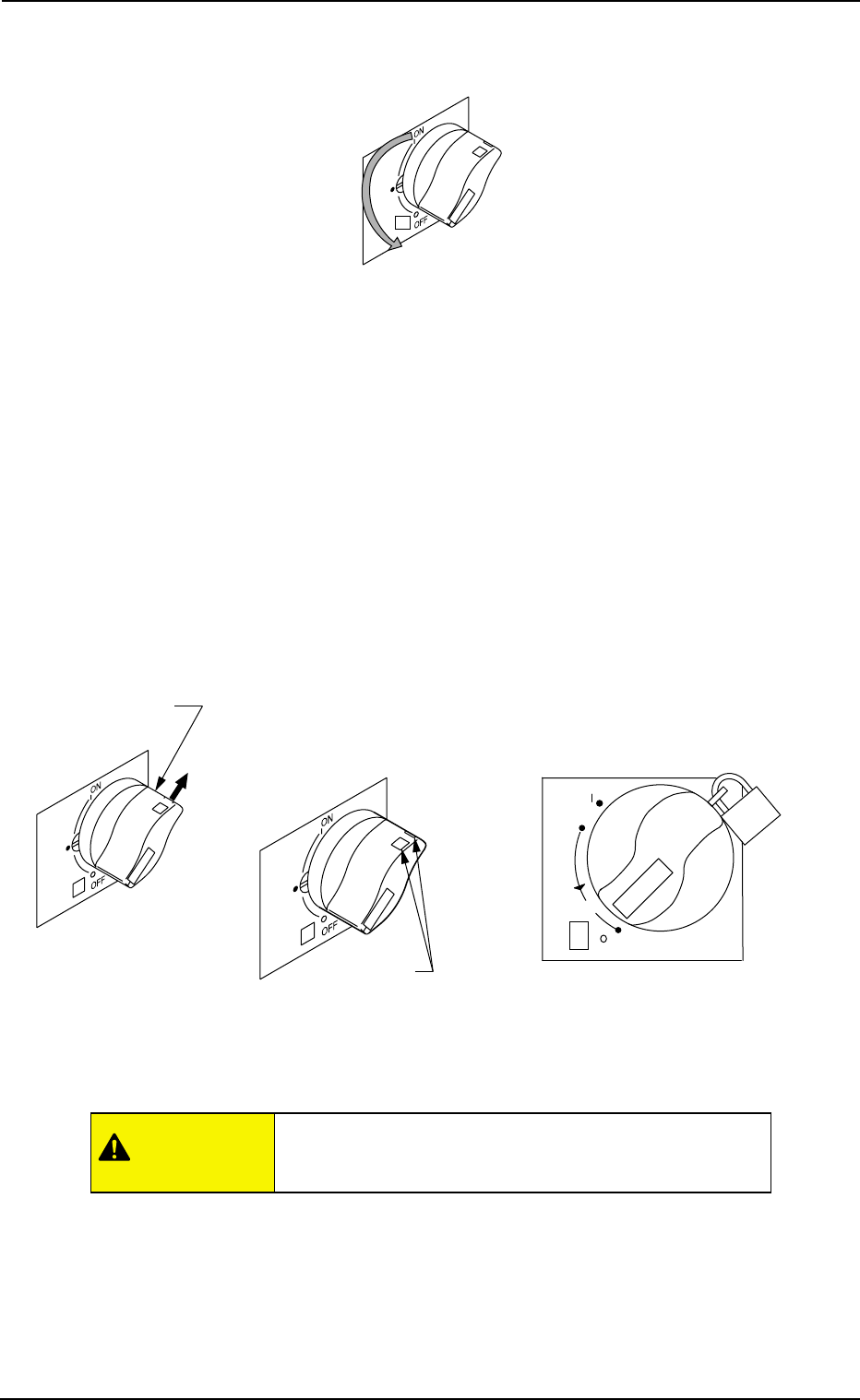
(5) Set the lever of the power breaker to the "OFF" position.
The main power lamp extinguishes.
Fig. 1C38
1.7.2 Locking the Power Breaker with the Padlock
When the machine is not used for a long period of time, lock the power
breaker using the padlock.
(1) Pull out the lock lever of the power breaker in the A direction. See
the figure below.
Keep holding the lock lever. Otherwise, the lever will pull back.
(2) Engage the shackle of the padlock through the lock slots and lock
the crank.
Fig. 1C38-1
Keep the padlock key inaccessible to any person ex-
cept for the person in charge of maintenance.
CAUTION
reset
OFF
ON
tripped
push
20
Lock Slots
Lock Lever
(Before Padlocking) (Padlock)
A
2.1 Startaing the Machine in "PASS" Mode
Check carefully that there is no person around the
moving mechanisms of the machine. (Especially, the
other side of machine operation)
Make sure that no objects such as tools and parts re-
main within the moving mechanisms of the machine.
CAUTION
0211-005 Chapter 1 3-27 Tg0582-PM-D1
2. "PASS" Mode (Run Mode)
When the machine is set in the "PASS" mode, it just transfers the P.C.B.
over to the output machine (downstream) without printing solder paste.
2.1 Starting the Machine in "PASS" Mode
Operation Procedure
(1) Check that the safety doors are closed.
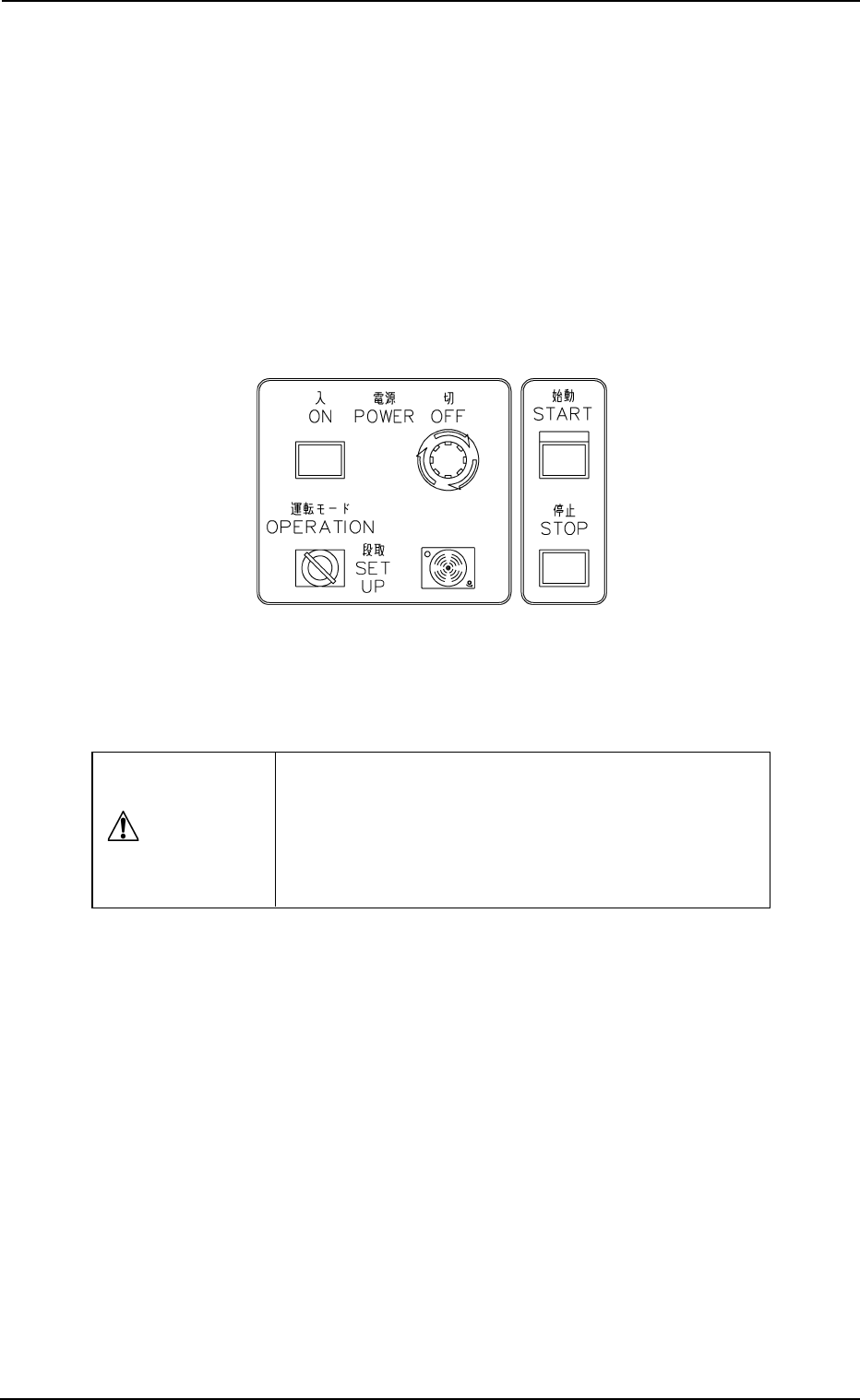
(2) Set the [OPERATION/SET UP] switch to the "OPERATION" side.
Be sure to remove the key from the switch.
Fig. 1C39
(3) Check the surroundings of the machine and confirm safety before
starting the machine in the "PASS" mode.
2.1 Startaing the Machine in "PASS" Mode
0211-005 Chapter 1 3-28 Tg0582-PM-D1
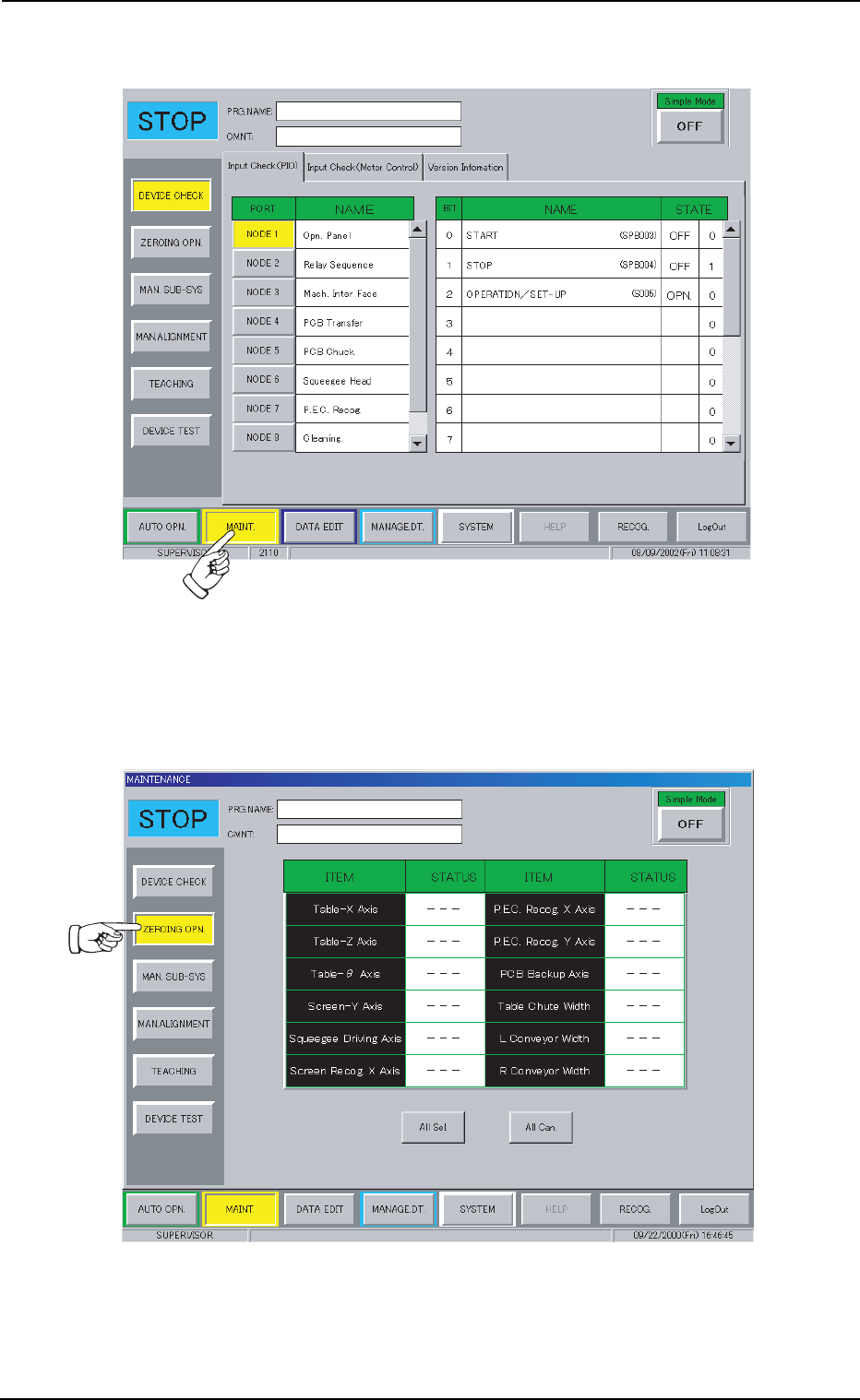
(4) Press the [MAINT.] button on the main menu bar.
Fig. 1C40 "MAINTENANCE" Window (Main Menu)
(5) When the [ZEROING OPN.] button on the submenu bar is pressed,
the following window opens.
Fig. 1C41 "ZEROING OPERATION" Window (Submenu)