1OM-1086-002.pdf - 第250页
9.5 "Paste Scraping" T ab This tab sheet enables the operator to perform paste kneading opera- tion and move each unit to the printing position. • Sheet Layout When the [Paste Scraping] tab is pressed in the &q…
9.4 "Cleaning Change" Tab
This tab sheet enables the operator to move each unit for replacement
of the cleaning paper and holder.
• Sheet Layout
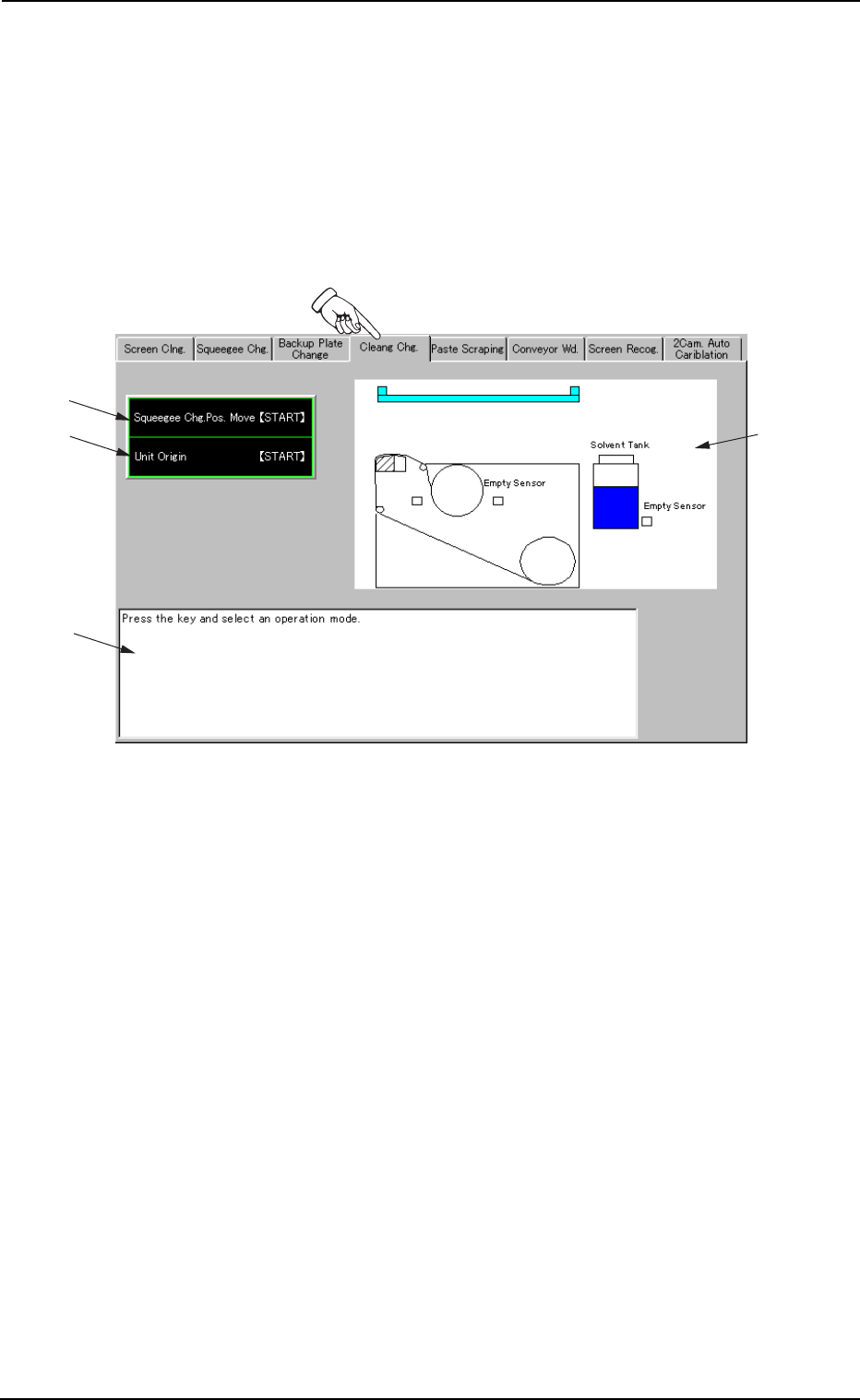
When the [Cleang Chg.] tab is pressed in the "PRODUCT CHANGE"
window (submenu), the following tab sheet appears.
Fig. 2E29 "Cleaning Change" Tab Sheet
• Sheet Composition
*1 [Squeegee Chg.Pos. Move (START)] Button
When this button is pressed, the background color turns blue.
When the [START] button on the front operation panel is pressed
subsequently, the P.E.C. recognition and screen holder sections
move toward the front side of the machine for cleaning paper and
holder replacement.
*2 [Unit Origin (START)] Button
When this button is pressed, the background color turns blue.
When the [START] button on the front operation panel is pressed
subsequently, the P.E.C. recognition and screen holder sections
move to the printing position.
*3 Message
A message is issued, giving a guideline of the operations related
to the above-described button *1 or *2.
*4 Machine Operating State
Displayed is the operating state of the machine.
9.4 "Cleaning Change" Tab
*1
*2
*3
*4
0211-005 Chapter 2 5-42 Tg0582-PM-D1
9.5 "Paste Scraping" Tab
This tab sheet enables the operator to perform paste kneading opera-
tion and move each unit to the printing position.
• Sheet Layout
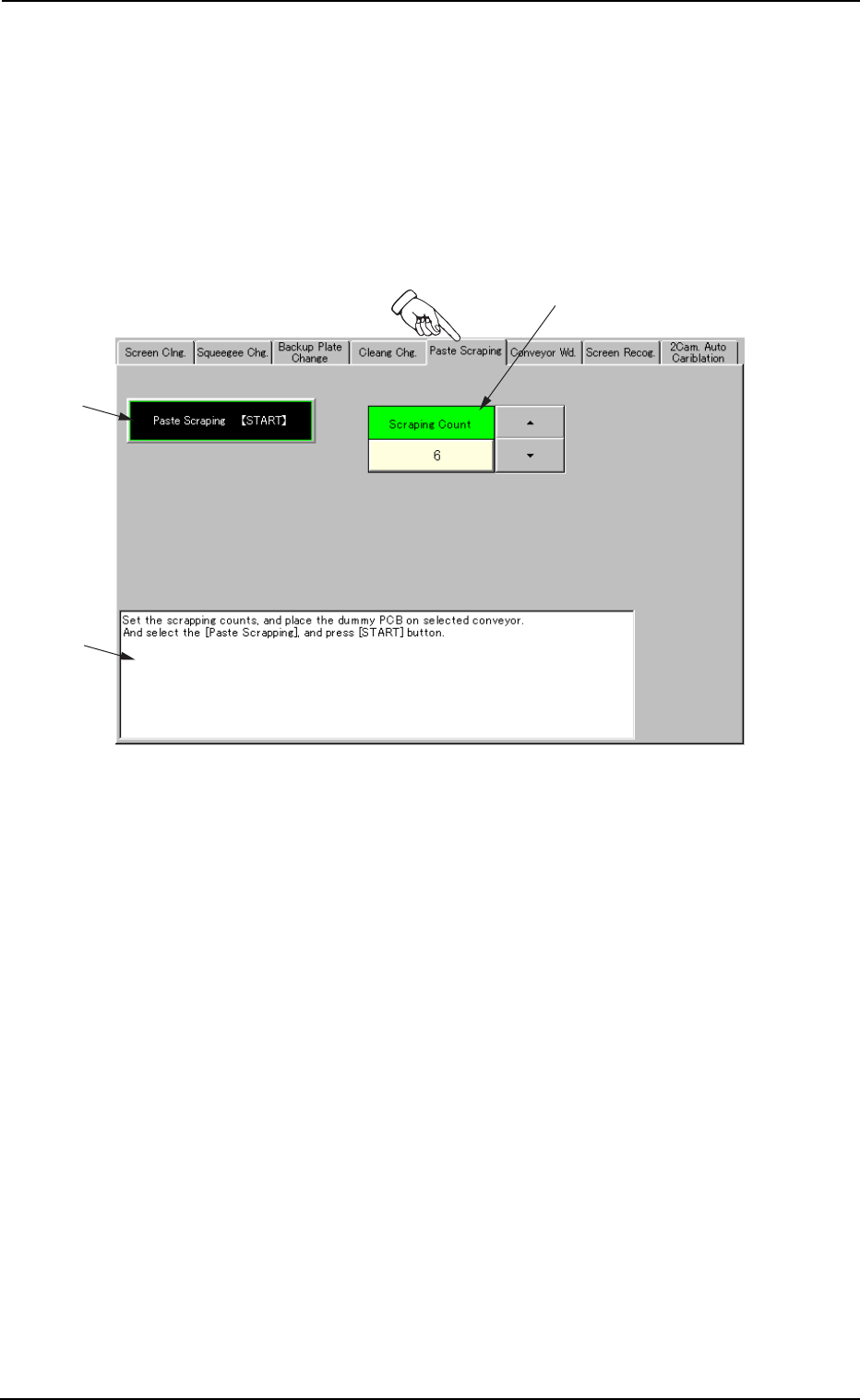
When the [Paste Scraping] tab is pressed in the "PRODUCT
CHANGE" window (submenu), the following tab sheet appears.
Fig. 2E30 "Paste Scraping" Tab Sheet
• Sheet Composition
*1 Scraping Count
The number of solder paste kneading times can be specified to
level the solder paste.
*2
*1
*3
0211-005 Chapter 2 5-43 Tg0582-PM-D1
9.5 "Paste Scraping" Tab
(a) When the up arrow to the right of a text box is pressed,
the numerical value increases by 1. Pressing the down
arrow decreases it by 1.
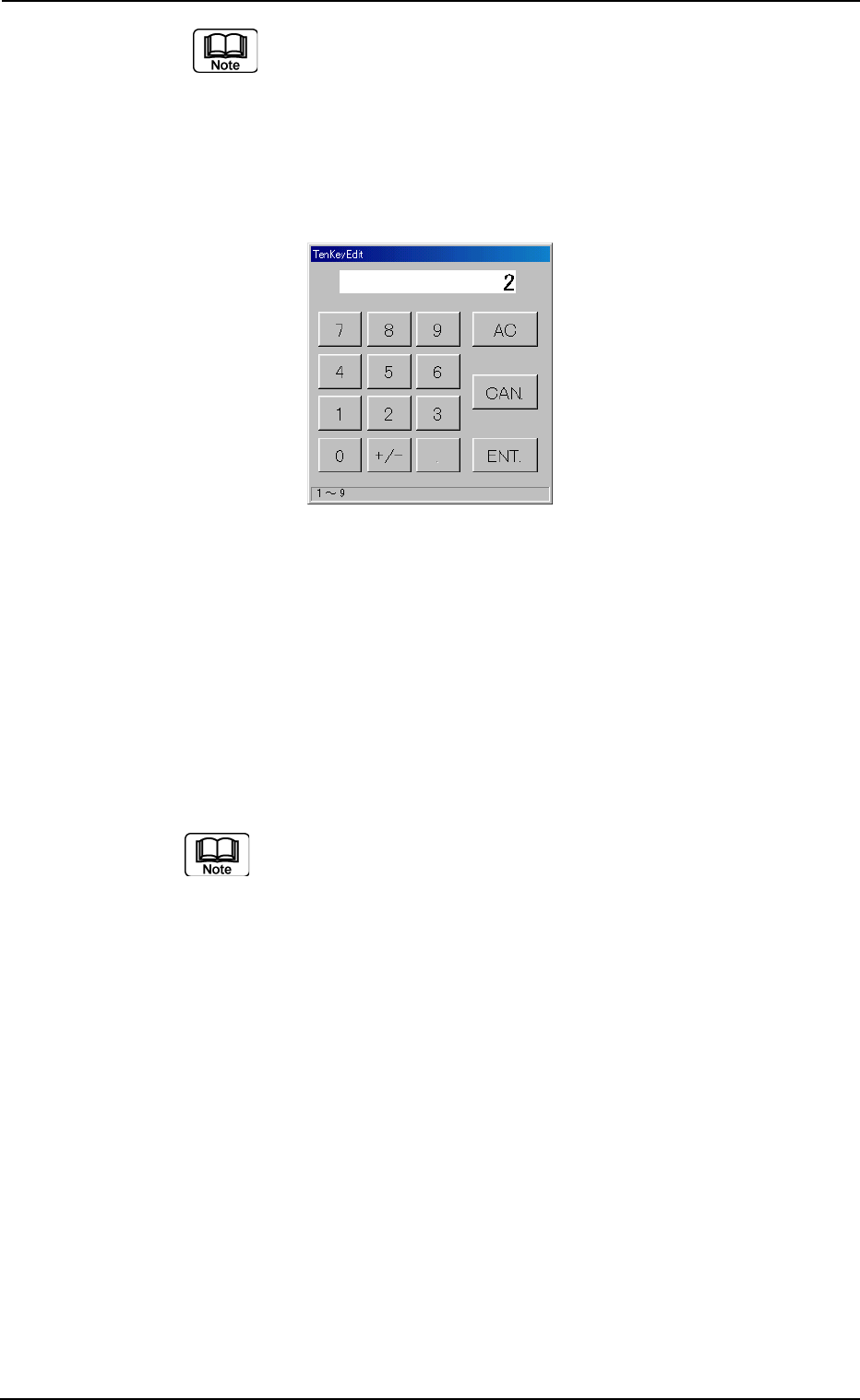
(b) When the "Scraping Count" test box (background
color: cream) is pressed, a ten-key window opens.
The number of kneading times can be entered di-
rectly, using this ten-key window.
Fig. 2E31
*2 [Paste Scraping (START)] Button
When this button is pressed, the background color turns blue.
When the [START] button on the front operation panel is pressed
subsequently, the paste kneading operation starts to level the sol-
der paste.
*3 Message
A message is issued, giving a guideline of the operations.
(a) When the [STOP] button on the front operation panel
is pressed during paste kneading, the kneading ac-
tion stops.
(b) It takes a little time until the kneading stops after the
[STOP] button is pressed.
9.5 "Paste Scraping" Tab
0211-005 Chapter 2 5-44 Tg0582-PM-D1