1OM-1086-002.pdf - 第262页
2.1 "Input Check (PIO)" T ab This tab sheet can be used to monitor the input status of various sen- sors and check the versions of the programs related to the control sys- tem. • Sheet Layout When the [Input Ch…
2. "DEVICE CHECK" Window (Submenu)
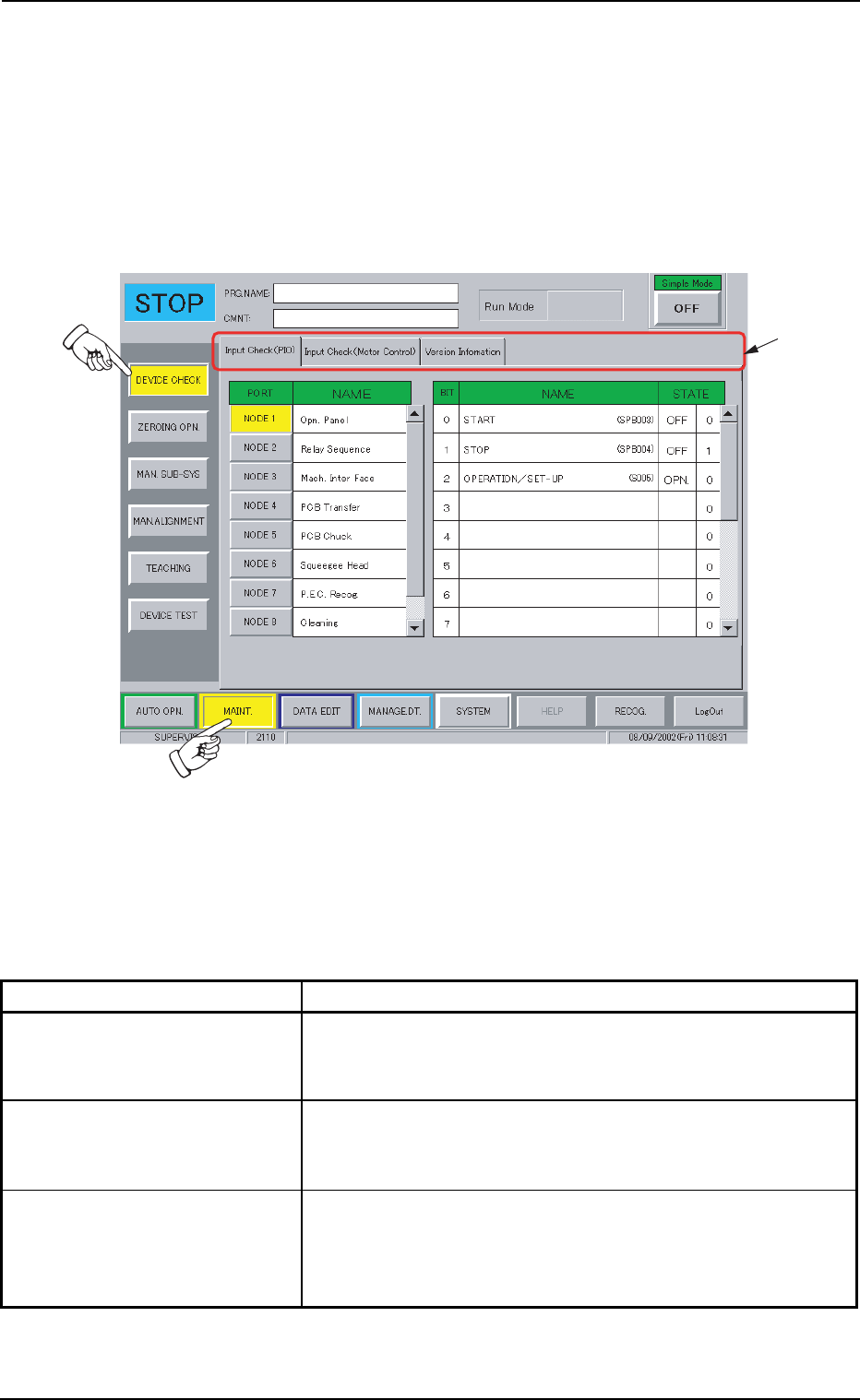
This window can be used to monitor the input status of various sensors
and the motor controller.
• Window Layout
When the [DEVICE CHECK] button is pressed in the "MAINTE-
NANCE" submenu bar, the following window opens.
Fig. 2F3 "DEVICE CHECK" Window (Submenu)
• Window Composition
*1 Tabs
The "DEVICE CHECK" window (submenu) has 3 tab sheets. When
a tab is pressed, the corresponding tab sheet appears.
Table 2F1
Tabs Description
Input Check (PIO) When this tab is pressed, the corresponding tab sheet ap-
pears inside the window, enabling the operator to check the
input status of various sensors.
Input Check (Motor Control) When this tab is pressed, the corresponding tab sheet ap-
pears inside the window, enabling the operator to check the
input status of the motor controller.
Version Information When this tab is pressed, the corresponding tab sheet ap-
pears inside the window, enabling the operator to check the
versions of the programs related to the control system of the
machine.
2. "DEVICE CHECK" Window (Submenu)
*1
0211-005 Chapter 2 6-4 Tg0582-PM-D1
2.1 "Input Check (PIO)" Tab
This tab sheet can be used to monitor the input status of various sen-
sors and check the versions of the programs related to the control sys-
tem.
• Sheet Layout
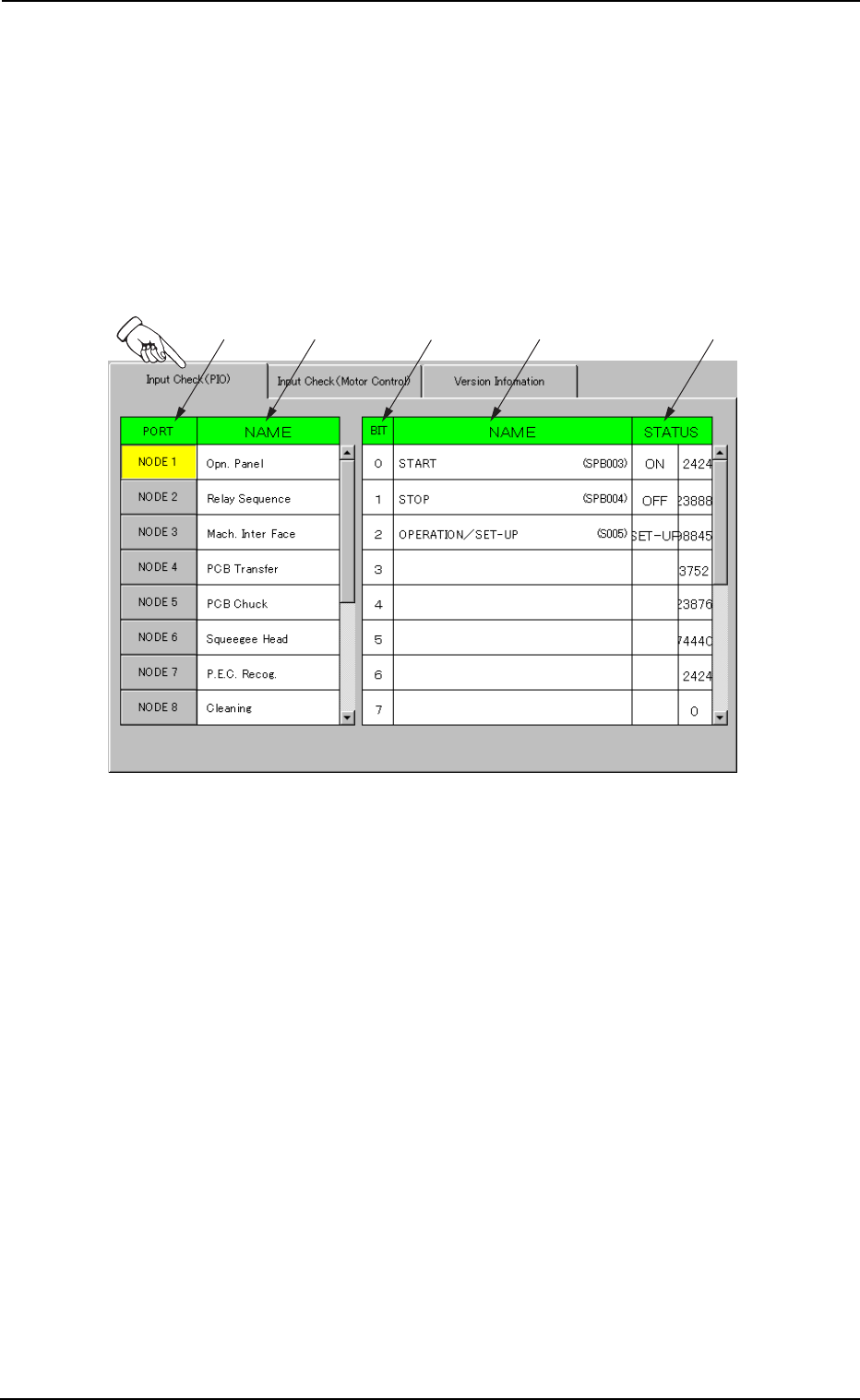
When the [Input Check (PIO)] tab is pressed in the "DEVICE CHECK"
window (submenu), the following tab sheet appears.
Fig. 2F4 "Input Check (PIO)" Tab Sheet
• Sheet Composition
*1 PORT
Displayed are the node Nos. of the ports.
*2 NAME
Displayed are the port names.
*3 BIT
Displayed are the bit No. of each port.
*4 NAME
Displayed are the bit names.
*5 STATUS
Displayed are the status and name of each bit.
2.1 "Input Check (PIO)" Tab
*1 *2
*3
*4 *5
0211-005 Chapter 2 6-5 Tg0582-PM-D1
2.2 "Input Check (Motor Control)" Tab
This tab sheet can be used to check the input status of the motor con-
troller.
• Sheet Layout
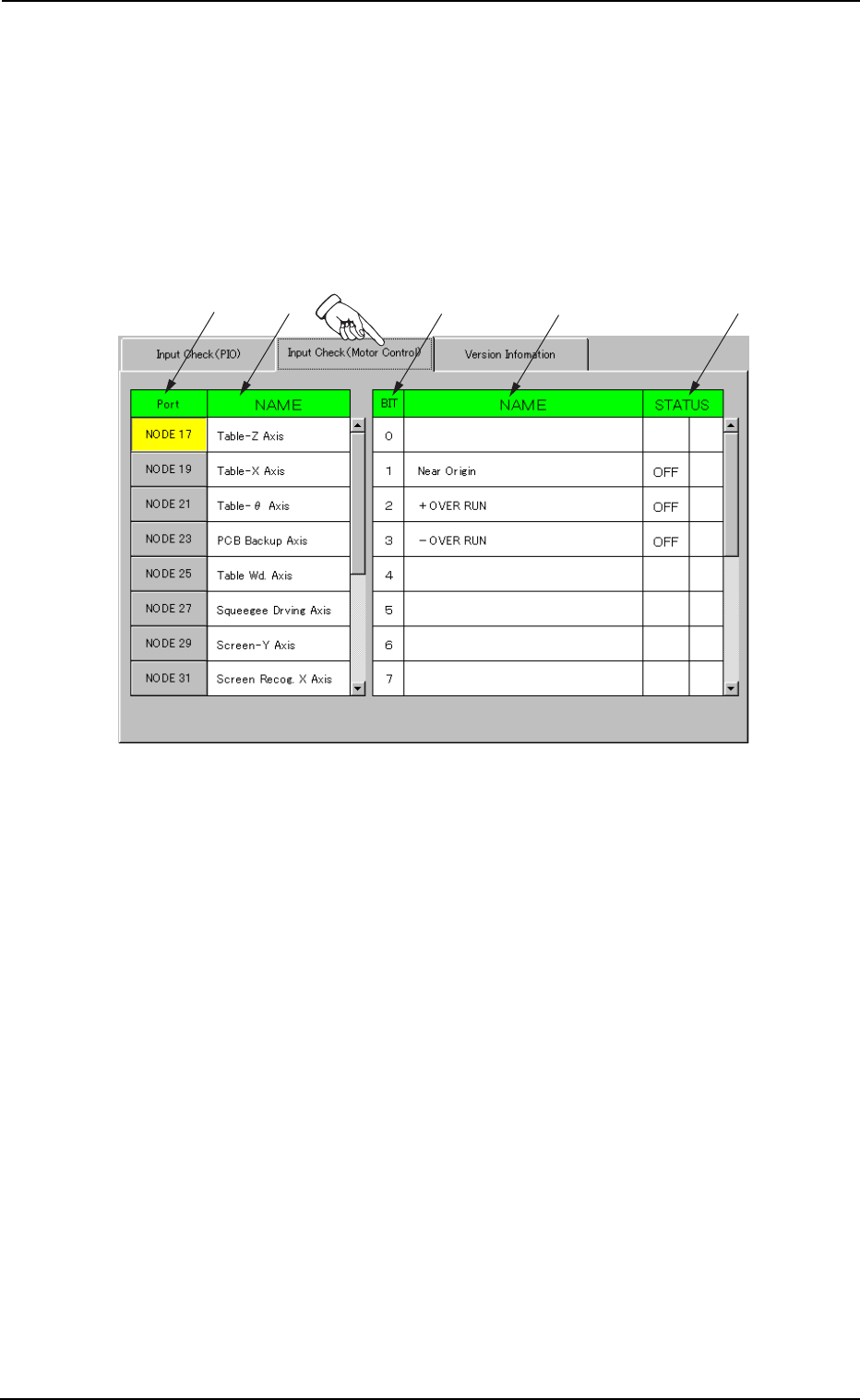
When the [Input Check (Motor Control)] tab is pressed in the "DE-
VICE CHECK" window (submenu), the following tab sheet appears.
Fig. 2F5 "Input Check (Motor Control)" Tab Sheet
• Sheet Composition
*1 Port
Displayed are the node Nos. of the ports.
*2 NAME
Displayed are the port names.
*3 BIT
Displayed is the bit No. of each port.
*4 NAME
Displayed are the bit names.
*5 STATUS
Displayed are the status and name of each bit.
*1 *2 *3 *4
*5
0211-005 Chapter 2 6-6 Tg0582-PM-D1
2.2 "Input Check (Motor Control)" Tab