1OM-1086-002.pdf - 第283页
5.2 "T able-X" T ab This tab sheet can be used to perform the manual alignment operation for the X axis of the table. • Sheet Layout When the [T able-X] tab is pressed in the "MANUAL ALIGNMENT" window…
5.1.2 How to set parameters for "Move Distance" and "Move
Pos."
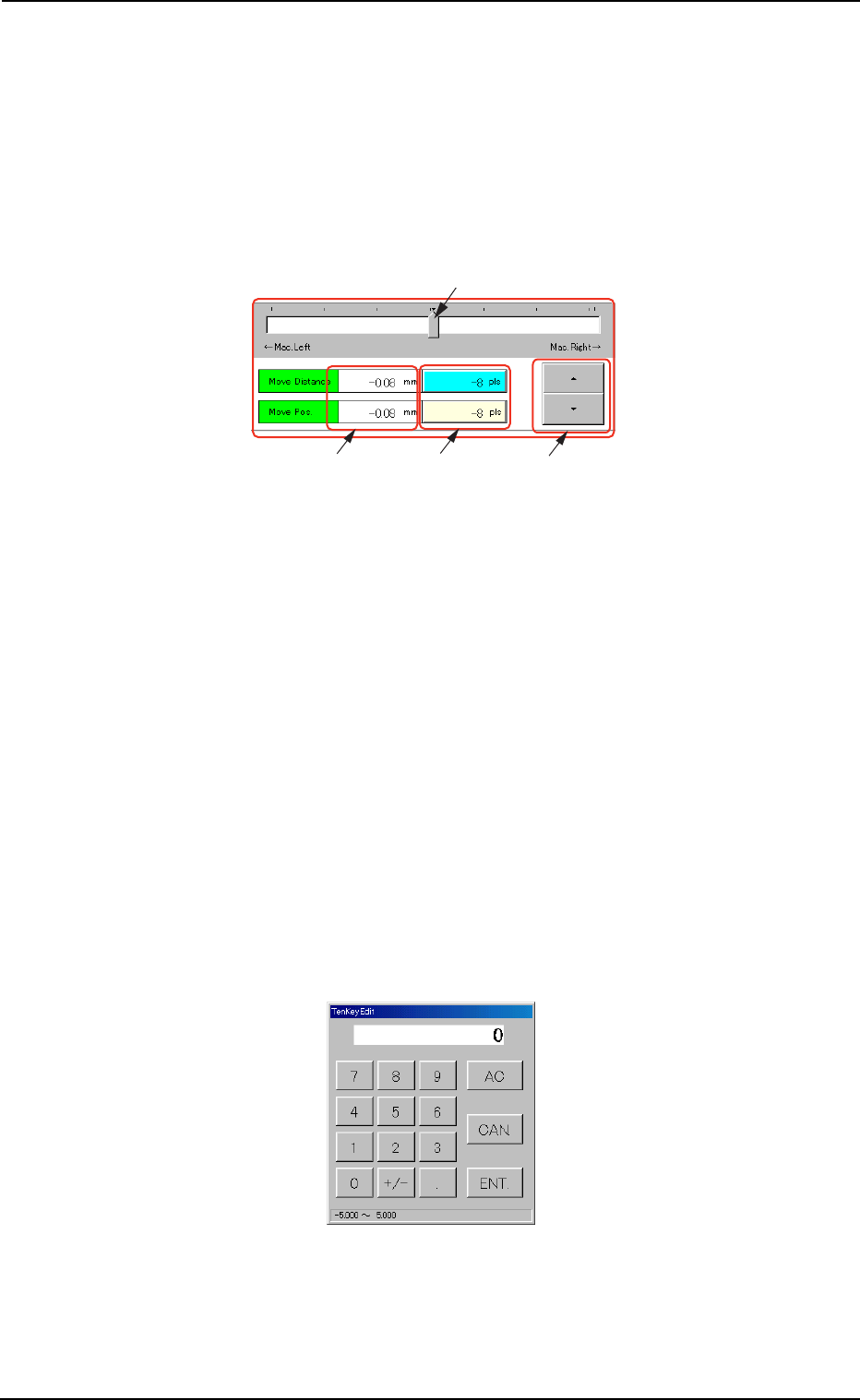
Specify parameters for "Move Distance" and "Move Pos." (the distance
and position from the current position), using the unit "mm" or "pls
(pulses)".
The three methods (described below) are provided to set parameters
for "Move Distance" and "Move Pos.".
Fig. 2F16
Method 1: Setting with Pointer *1
(1) Press the point *1 with your finger and move it to the right or the
left. The numerical values in the "Move Distance" and "Move Pos."
text boxes *4 change accordingly.
(2) When you release your finger from the pointer at a position of the
scale box, the numerical values are set in accordance with the
pointer position.
Method 2: Setting with Spinner *2
(1) When the up arrow of the spinner *2 is pressed, the values in the
"Move Distance" and "Move Pos." text boxes increase in incre-
ments of one pulse (or # mm equivalent to one pulse). Pressing
the down arrow decreases the values in decrements of one pulse.
Method 3: Setting with Ten-Key Window
(1) When either one of the text boxes *3 is pressed, a ten-key window
opens.
Fig. 2F17
Refer to "2.3.1 Ten-Key Window in Section 4" for navigations in the
ten-key window.
5.1 Basic Operations of Manual Alignment
*4
*3
*2
*1
0211-005 Chapter 2 6-25 Tg0582-PM-D1
5.2 "Table-X" Tab
This tab sheet can be used to perform the manual alignment operation
for the X axis of the table.
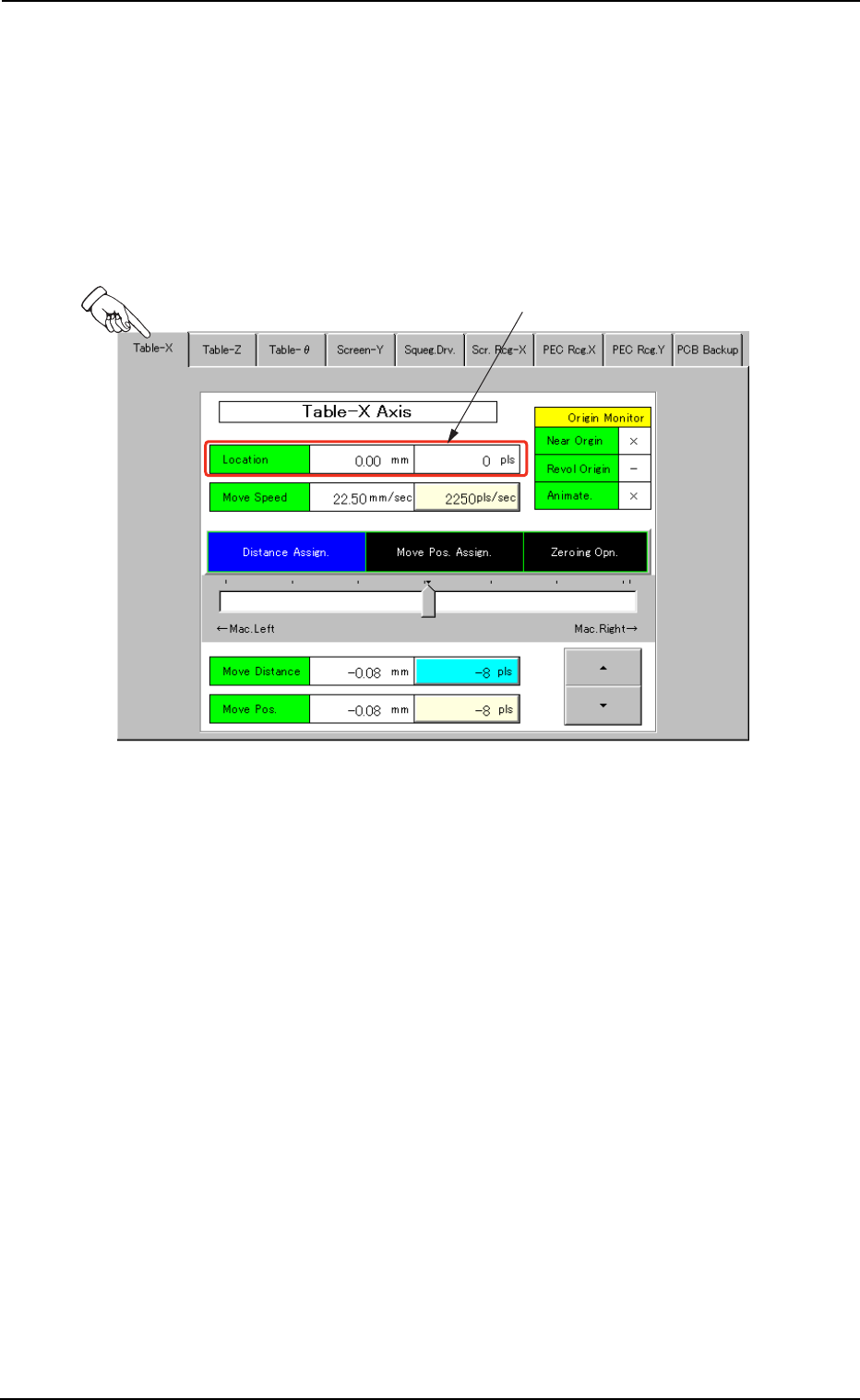
• Sheet Layout
When the [Table-X] tab is pressed in the "MANUAL ALIGNMENT"
window (submenu), the following tab sheet appears.
Fig. 2F18 "Table-X" Tab Sheet
• Sheet Composition
*1 Location
Displayed are the moving distance and the number of pulses that
represent the current location of the unit.
In the case of "Table-X Axis", one pulse is equivalent to "0.01 mm".
Refer to "5.1 Basic Operations of Manual Alignment" for the manual
alignment procedure.
5.2 "Table-X" Tab
*1
0211-005 Chapter 2 6-26 Tg0582-PM-D1
5.3 "Table-Z" Tab
This tab sheet can be used to perform the manual alignment operation
for the Z axis of the table.
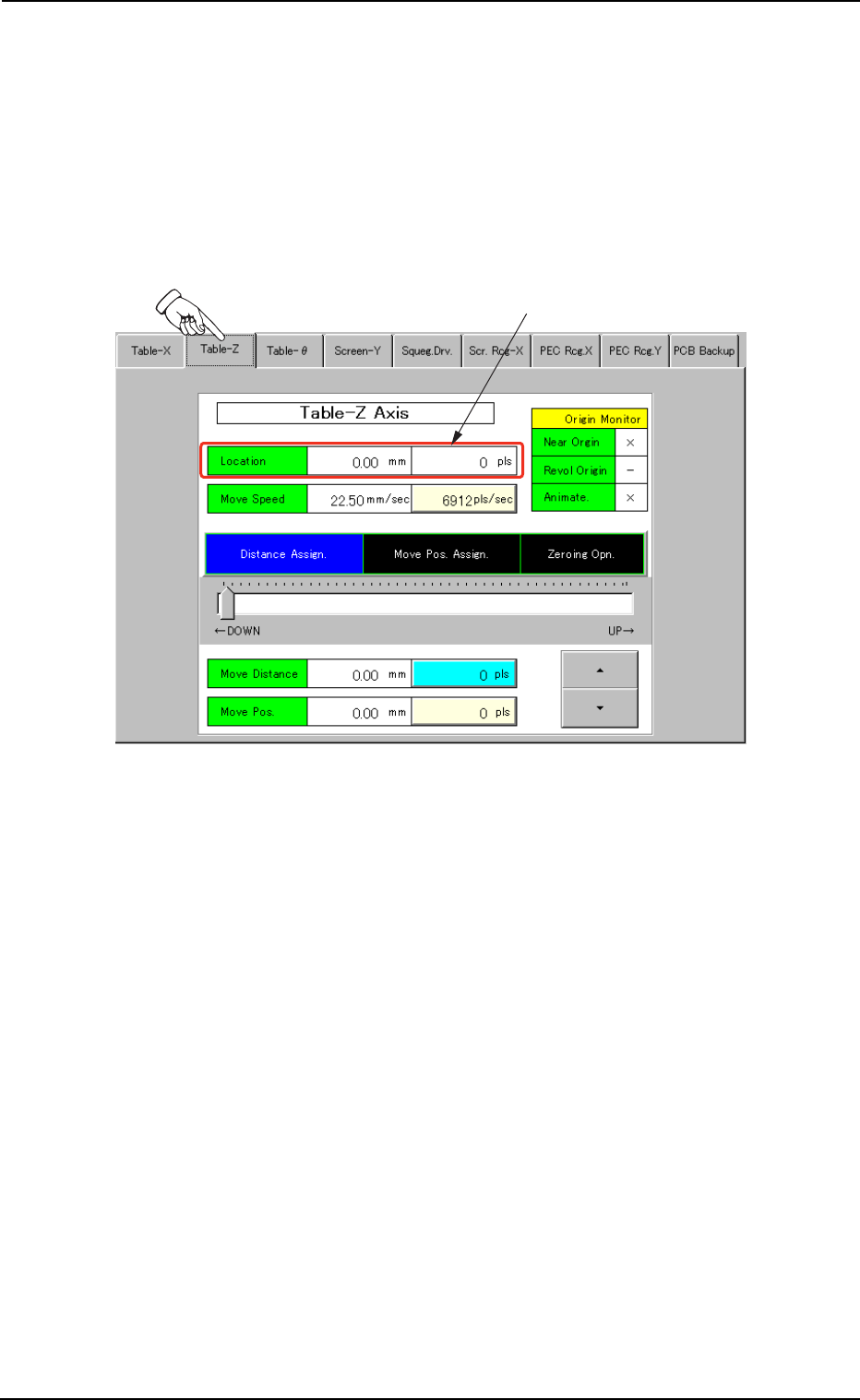
• Sheet Layout
When the [Table-Z] tab is pressed in the "MANUAL ALIGNMENT"
window (submenu), the following tab sheet appears.
Fig. 2F19 "Table-Z" Tab Sheet
• Sheet Composition
*1 Location
Displayed are the moving distance and the number of pulses that
represent the current location of the unit.
In the case of "Table-Z Axis", one pulse is equivalent to "0.0065
mm".
Refer to "5.1 Basic Operations of Manual Alignment" for the manual
alignment procedure.
5.3 "Table-Z" Tab
*1
0211-005 Chapter 2 6-27 Tg0582-PM-D1