1OM-1086-002.pdf - 第193页
• Composition of Menus for Management Data The following edit sheets can be opened by selecting the menus for management data. Refer to "2.1 T abs" in "Section 4" for tabs and tab sheets. Menus for Ma…
1.2.4 Menus for Management Data
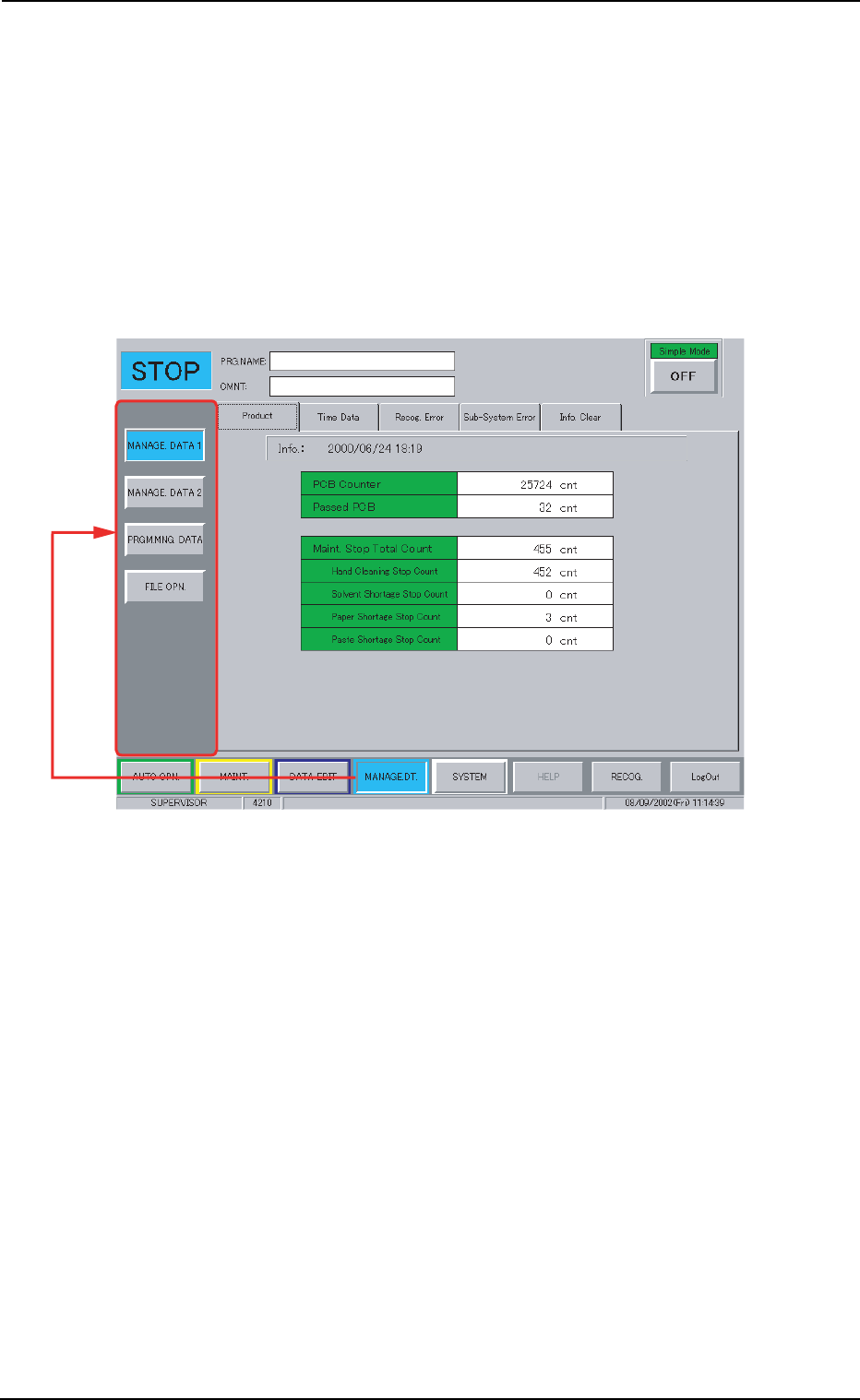
• Menu Selection
(1) When the [MANAGE DT.] button on the main menu bar is pressed,
the "MANAGE. DATA" window opens. The "MANAGE. DATA" win-
dow is provided with a submenu bar.
(2) When one of the buttons on the submenu bar is pressed, the cor-
responding tab sheets (submenus) appear inside the "MANAGE.
DATA" window.
Fig. 2D5 Selection of Menus for Management Data
0211-005 Chapter 2 4-10 Tg0582-PM-D1
1. 2 Using the Menus
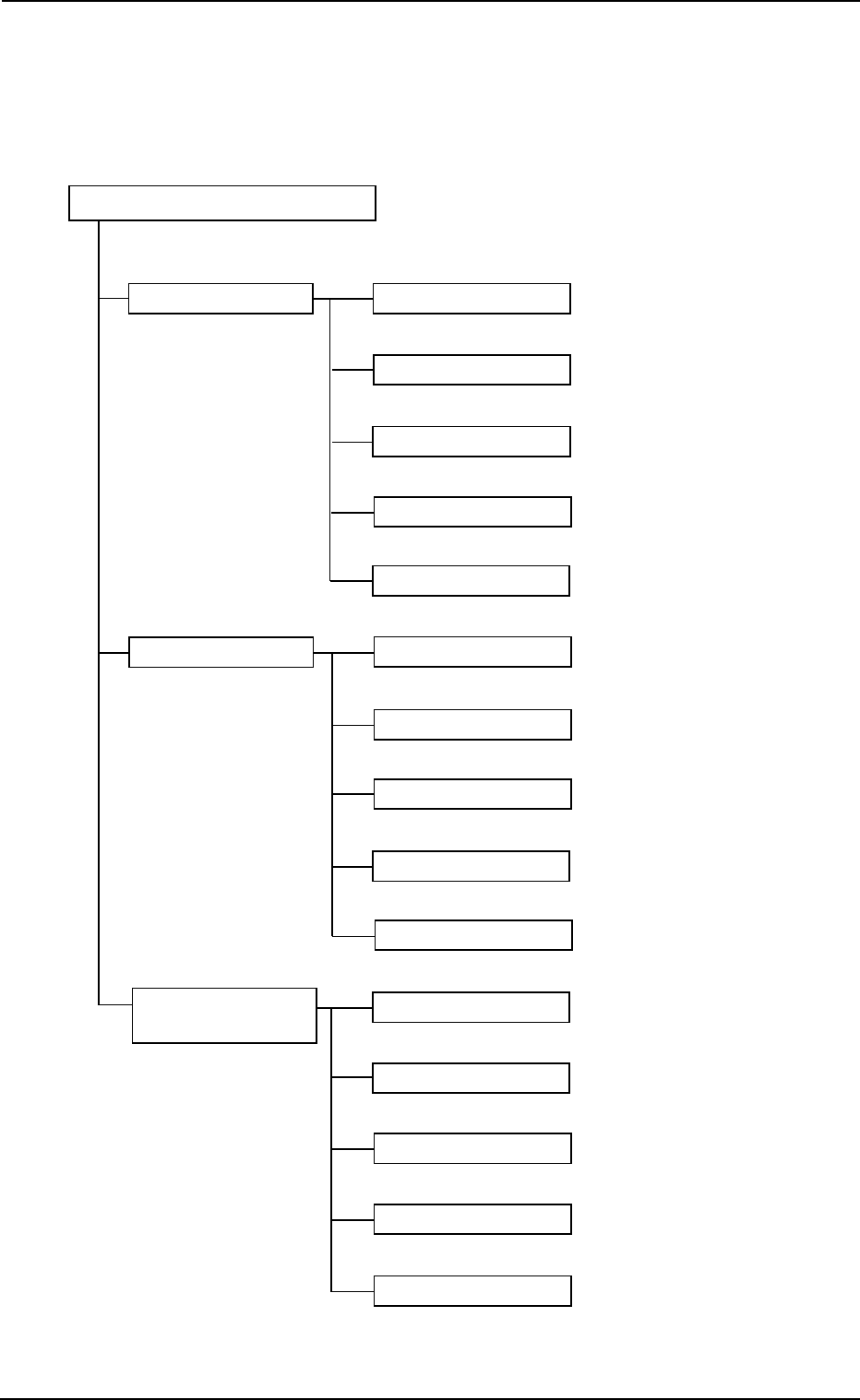
• Composition of Menus for Management Data
The following edit sheets can be opened by selecting the menus for
management data.
Refer to "2.1 Tabs" in "Section 4" for tabs and tab sheets.
Menus for Management Data
Submenus Tabs (Tab Sheets) Reference Item Nos.
MANAGE DATA 1 Product 2.1 in Section 3 of Chapter 1
(Volume 2)
Time Data 2.2 in Section 3 of Chapter 1
(Volume 2)
Recog. Error 2.3 in Section 3 of Chapter 1
(Volume 2)
Sub-System Error 2.4 in Section 3 of Chapter 1
(Volume 2)
Info. Clear 2.5 in Section 3 of Chapter 1
(Volume 2)
MANAGE DATA 2 Product 2.1 in Section 3 of Chapter 1
(Volume 2)
Time Data 2.2 in Section 3 of Chapter 1
(Volume 2)
Recog. Error 2.3 in Section 3 of Chapter 1
(Volume 2)
Sub-System Error 2.4 in Section 3 of Chapter 1
(Volume 2)
Info. Clear 2.5 in Section 3 of Chapter 1
(Volume 2)
PRGM. MNG. Prgm. Chg. & Clear 3.1 in Section 3 of Chapter 1
DATA (Volume 2)
Prod. History 3.2 in Section 3 of Chapter 1
(Volume 2)
Product 3.3 in Section 3 of Chapter 1
(Volume 2)
Time Data 3.4 in Section 3 of Chapter 1
(Volume 2)
Recog. Error 3.5 in Section 3 of Chapter 1
(Volume 2)
Fig. 2D5-1
0211-005 Chapter 2 4-11 Tg0582-PM-D1
1. 2 Using the Menus
1.2.5 Menus for System Setting
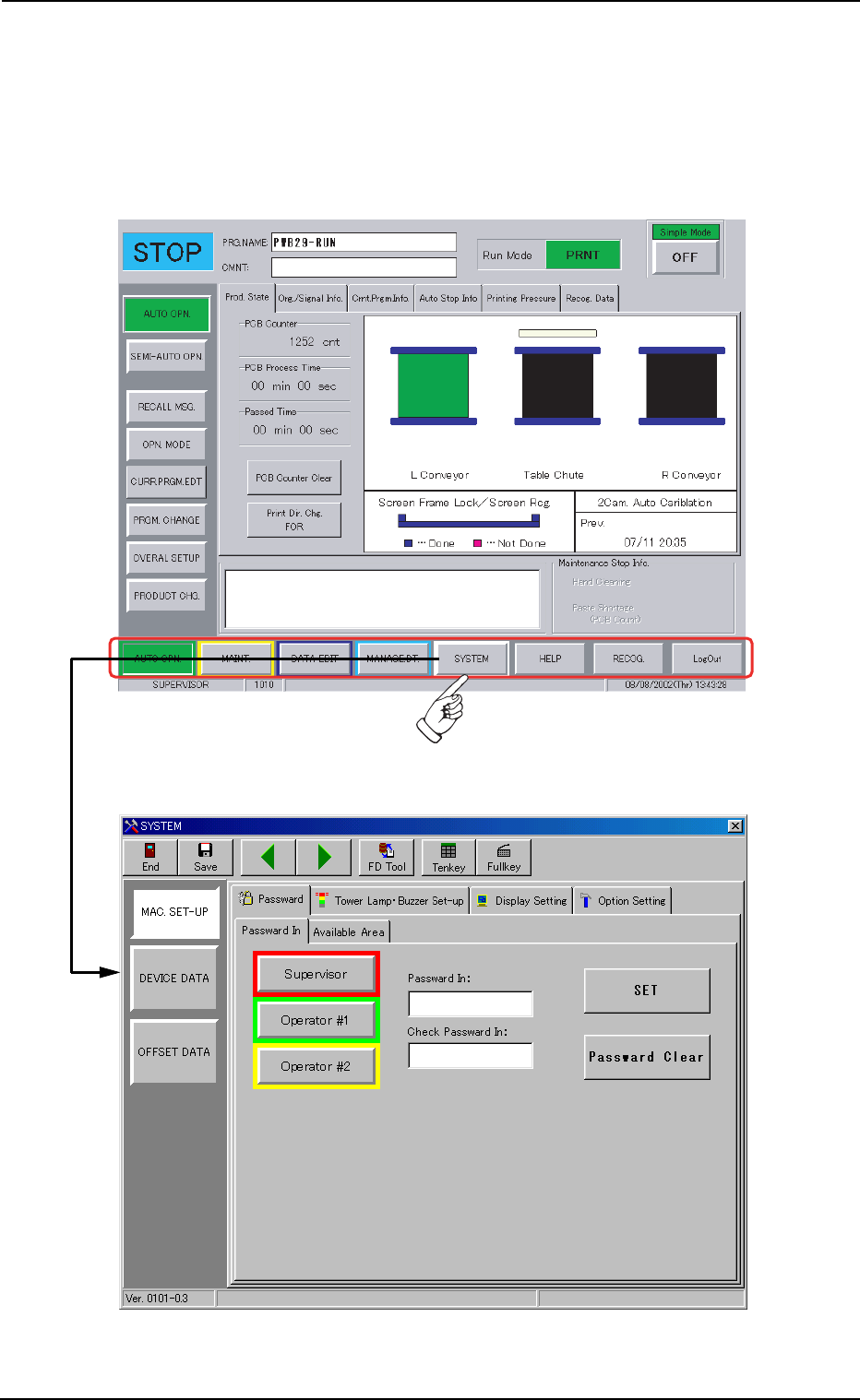
• Menu Selection
When the [SYSTEM] button on the main menu bar is pressed, the "SYS-
TEM" window opens separately.
Fig. 2D6 Selection of Menus for System Setting
1. 2 Using the Menus
0211-005 Chapter 2 4-12 Tg0582-PM-D1