1OM-1086-002.pdf - 第189页
TEACHING Inaccurate Posn. 6.1 in Section 6 Correction Coordinate T eaching 6.2 in Section 6 V ac. Plate Pos. 6.3 in Section 6 T eaching P .E.C. Recog. 6.4 in Section 6 Camera Of fset Screen Recog. 6.5 in Section 6 Camera…
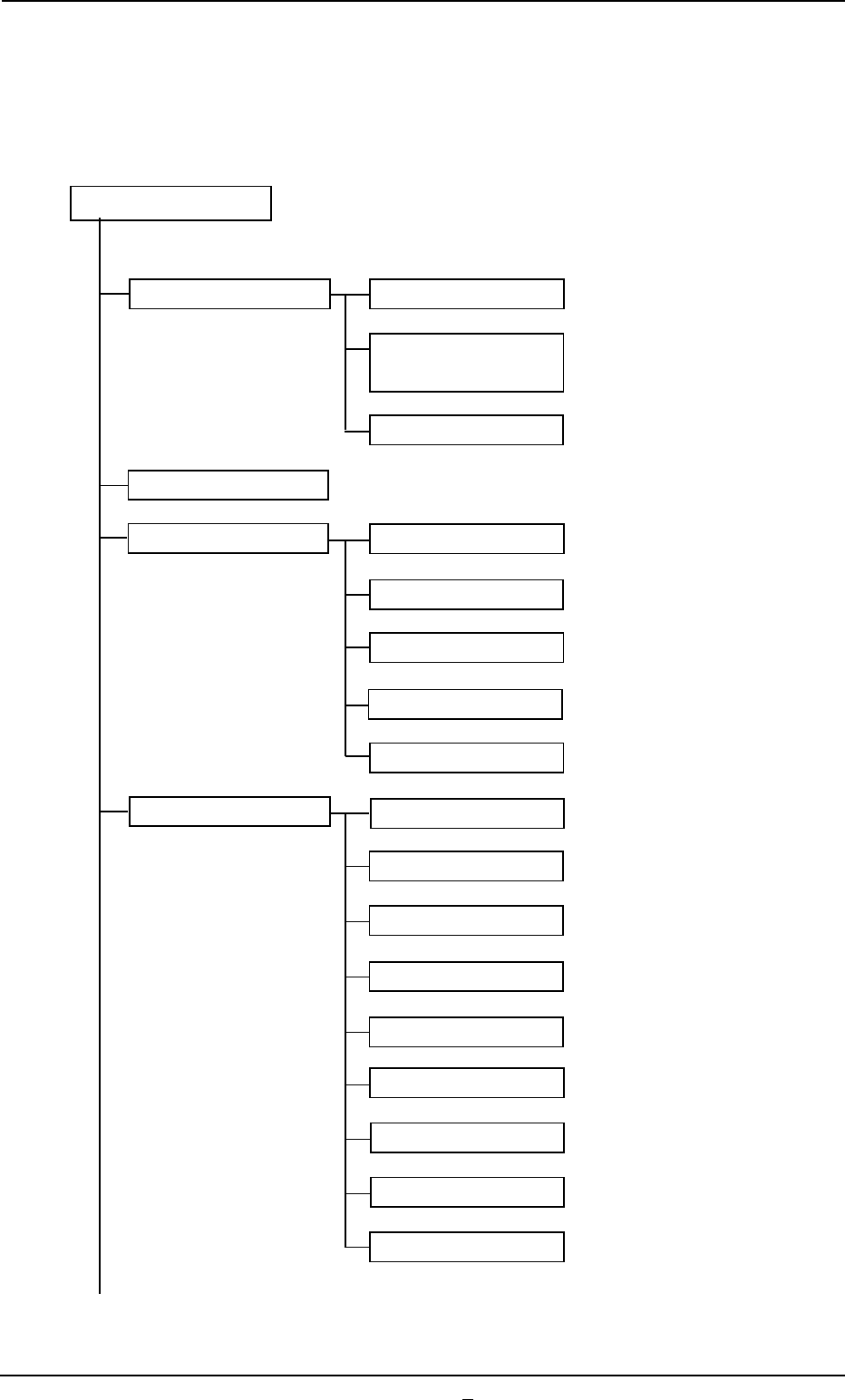
• Composition of Menus for Maintenance
The menus for maintenance are composed of the following submenus.
Refer to "2.1 Tabs" in Section 4 for tabs and tab sheets.
MAINT.
Submenus Tabs (Tab Sheets) Reference Item Nos.
DEVICE CHECK Input check (P10) 2.1 in Section 6
Input check 2.2 in Section 6
(Motor Control)
Version Information 2.3 in Section 6
ZEROING OPN. 3. in Section 6
MAN. SUB-SYSTEM Transfer Block 4.1 in Section 6
Table Block 4.2 in Section 6
Print Block 4.3 in Section 6
Recog. Block 4.4 in Section 6
Cleaning Block 4.5 in Section 6
MAN. ALIGNMENT Table-X 5.2 in Section 6
Table-Z 5.3 in Section 6
Table-θ 5.4 in Section 6
Screen-Y 5.5 in Section 6
Squeg. Drv. 5.6 in Section 6
Scr. Rcg-X 5.7 in Section 6
PEC Rcg.X 5.8 in Section 6
PEC Rcg.Y 5.9 in Section 6
PCB Backup 5.10 in Section 6
Fig. 2D3-1
0211-005 Chpter 2 4-7 Tg0582-PM-D1
1. 2 Using the Menus
Continued to the next page
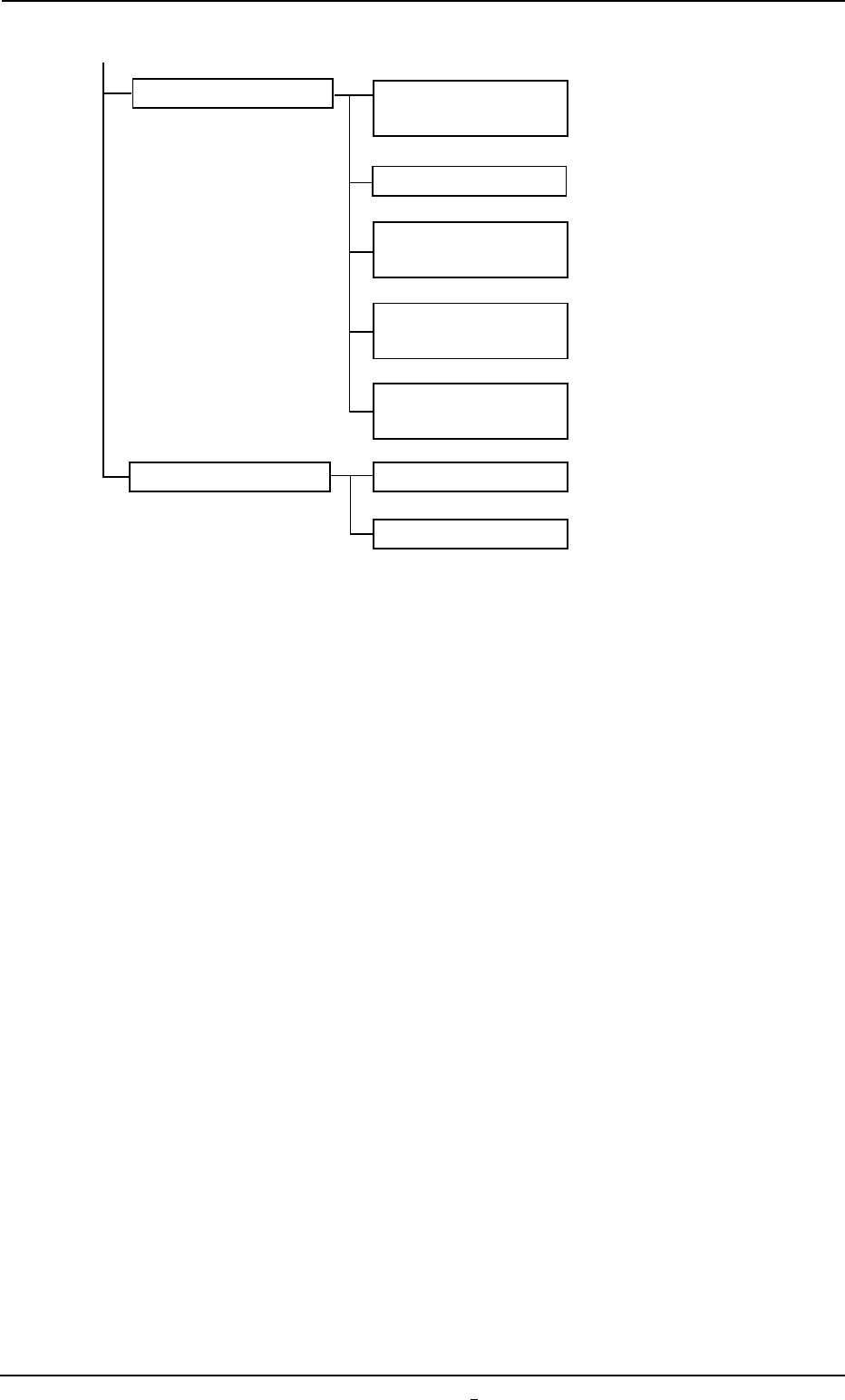
TEACHING Inaccurate Posn. 6.1 in Section 6
Correction
Coordinate Teaching 6.2 in Section 6
Vac. Plate Pos. 6.3 in Section 6
Teaching
P.E.C. Recog. 6.4 in Section 6
Camera Offset
Screen Recog. 6.5 in Section 6
Camera Offset
DEVICE TEST P.E.C. Recog. Test 7.1 in Section 6
Screen Recog. Test 7.2 in Section 6
Fig. 2D3-2
1. 2 Using the Menus
From the previous page
0211-005 Chpter 2 4-7-1 Tg0582-PM-D1
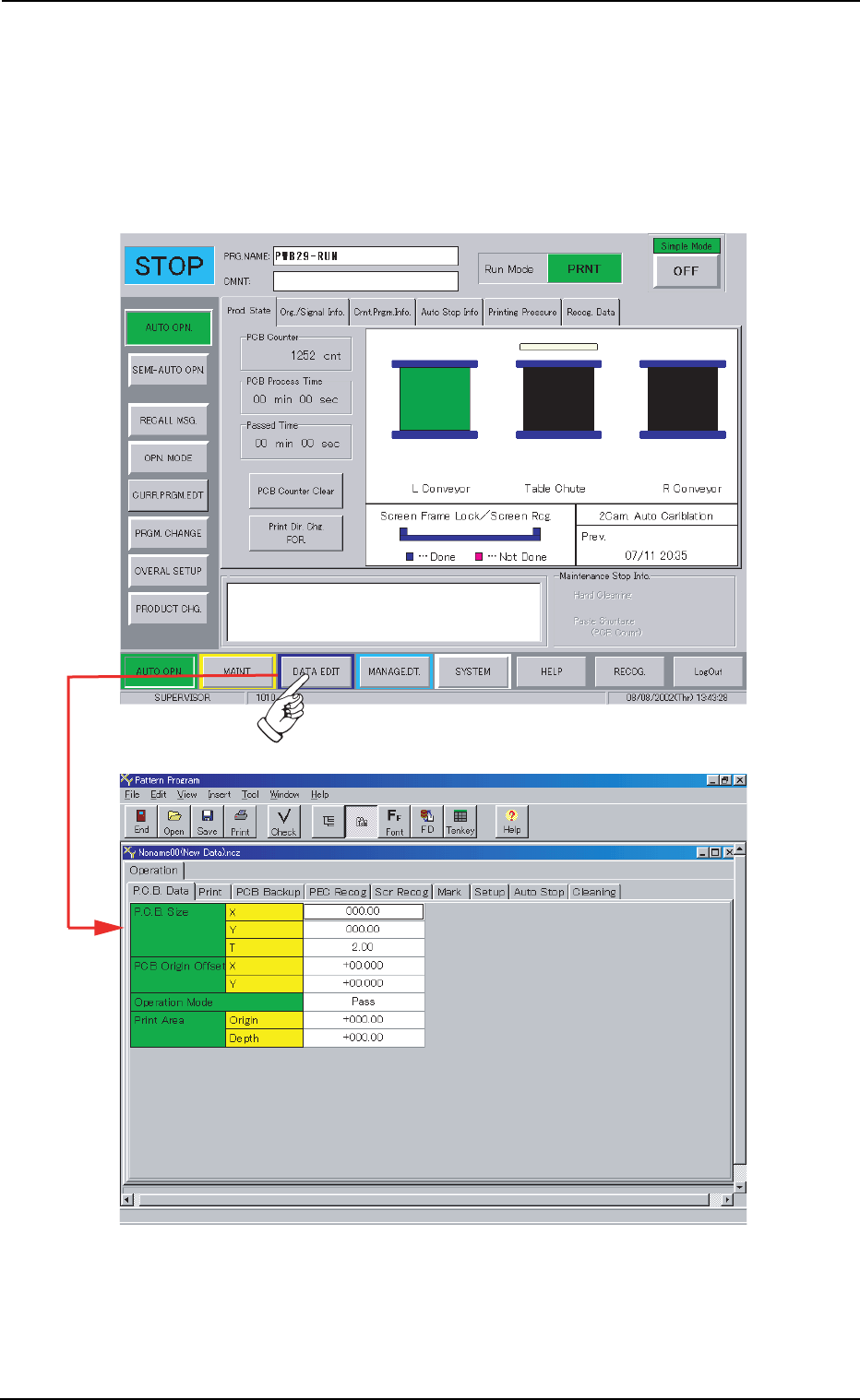
1.2.3 Menus for Data Editing
• Menu Selection
When the [DATA EDIT] button on the main menu bar is pressed, the
"Pattern Program" window opens.
Fig. 2D4 Selection of Menus for Data Editing
0211-005
Chapter 2 4-8 Tg0582-PM-D1
1. 2 Using the Menus