1OM-1086-002.pdf - 第224页
4. 1 "Machine Error Recall" T ab Displayed are the date & time of error occurrence, the error code, the contents of the error . • Sheet Layout When the [Machine Error Recall] tab is pressed at the "REC…
4. "RECALL MESSAGE" Submenu
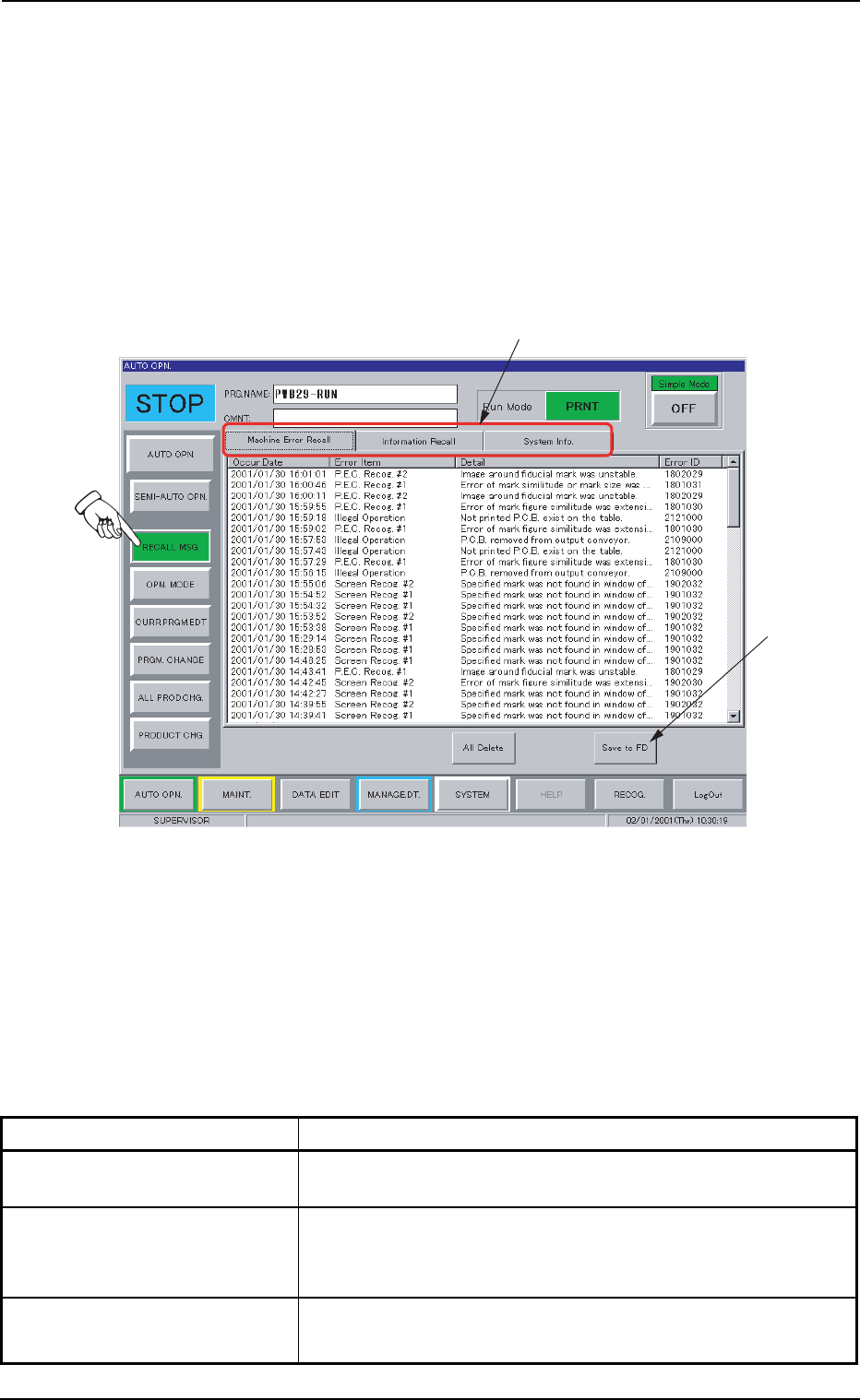
This window enables the operator to recall the device errors, the ma-
chine information, and the system information that occurred or issued
in the past.
• Window Layout
When the [RECALL MSG.] button is pressed at the "AUTO OPERA-
TION" submenu bar, the following window opens.
Fig. 2E12 "RECALL MESSAGE" Window (Submenu)
• Window Composition
*1 Tabs
The "RECALL MESSAGE" window (submenu) is provided with three
tabs. When a tab is pressed, the corresponding tab sheet appears.
*2
*1
4. "RECALL MESSAGE" Submenu
0211-005 Chapter 2 5-18 Tg0582-PM-D1
Table 2E2
Tabs Description
Machine Error Recall Displayed in this tab sheet are the date & time of error occur-
rence, the error code, the contents of the error.
Information Recall Displayed in this tab sheet are the date & time of message
issuance, the message code, and the contents of the mes-
sage.
System Info. The corresponding tab sheet enables the operator to check
the empty area of the hard disk on the machine side.
4.1 "Machine Error Recall" Tab
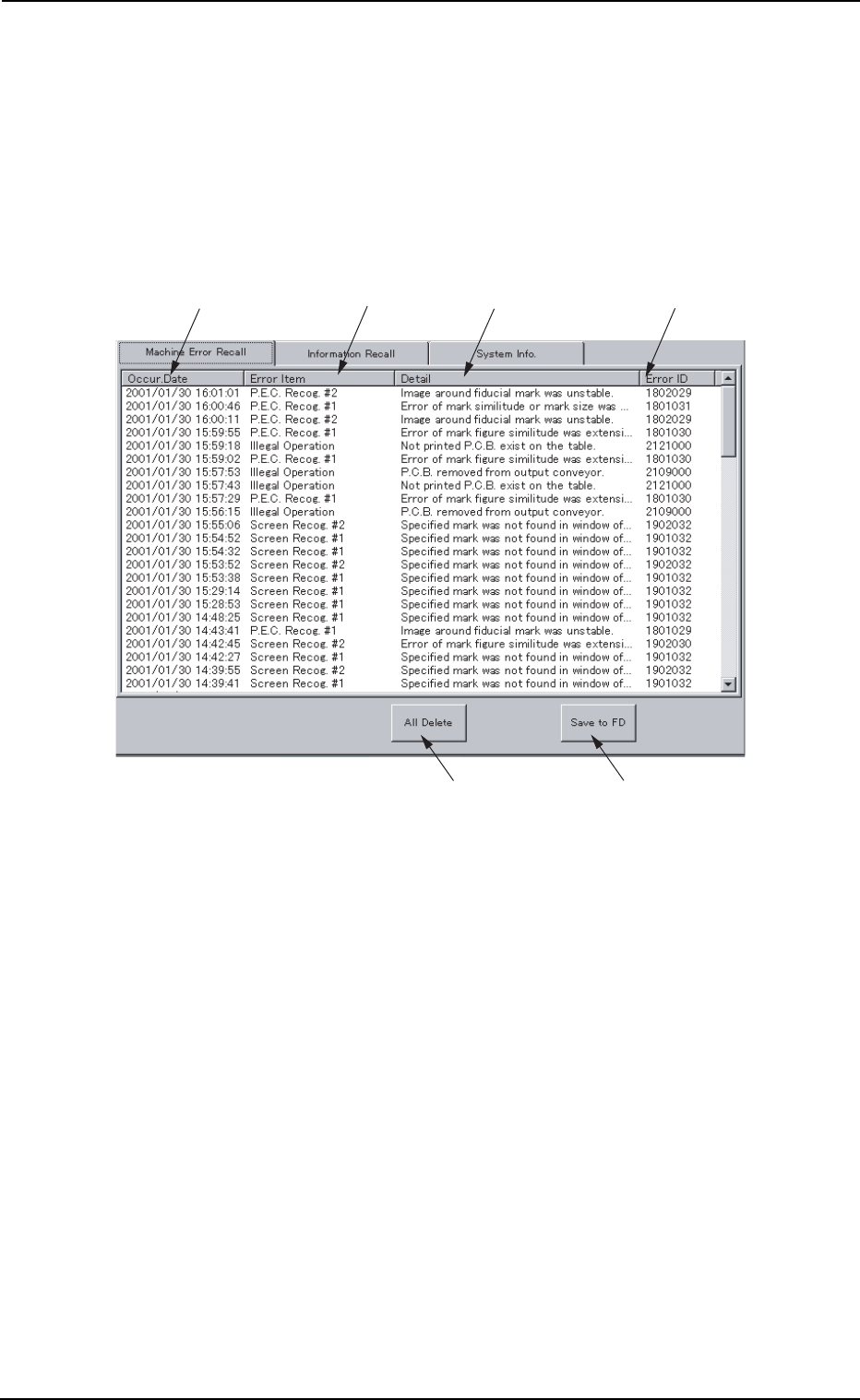
Displayed are the date & time of error occurrence, the error code, the
contents of the error.
• Sheet Layout
When the [Machine Error Recall] tab is pressed at the "RECALL
MESSAGE" window (submenu), the following tab sheet appears.
Fig. 2E13 "Machine Error Recall" Tab Sheet
• Sheet Composition
*1 [Occur. Date] Button
When this button is pressed, the date & time of error occurrence is
displayed in ascending or descending order.
*2 [Error Item] Button
When this button is pressed, the error codes (defined according to
the contents of errors) are displayed in ascending or descending
order (alphabetical order).
*3 [Detail] Button
When this button is pressed, the concrete contents of errors are
displayed in ascending or descending order (alphabetical order).
*4 [All Delete] Button
When this button is pressed, the contents displayed in *1 through
*3 are all cleared.
*1
*2
*3
*4
*5
*6
4.1 "Machine Error Recall" Tab
0211-005 Chapter 2 5-19 Tg0582-PM-D1
*5 [Error ID] Button
When this button is pressed, the error IDs are displayed in ascend-
ing or descending order.
*6 [Save to FD] Button
When this button is pressed, the contents of the recalled error mes-
sages are saved on a floppy disk.
The data is saved in a text format (extension ".TXT") such as "Er-
ror 001.TXT".
When the same file name exists on the floppy disk, the new file is
named in increments of "1" such as "001", "002", so forth.
(a) The access lamp of the floppy drive illuminates while
the data is being saved.
Be sure to confirm that the access lamp is turned OFF
before taking out the floppy disk.
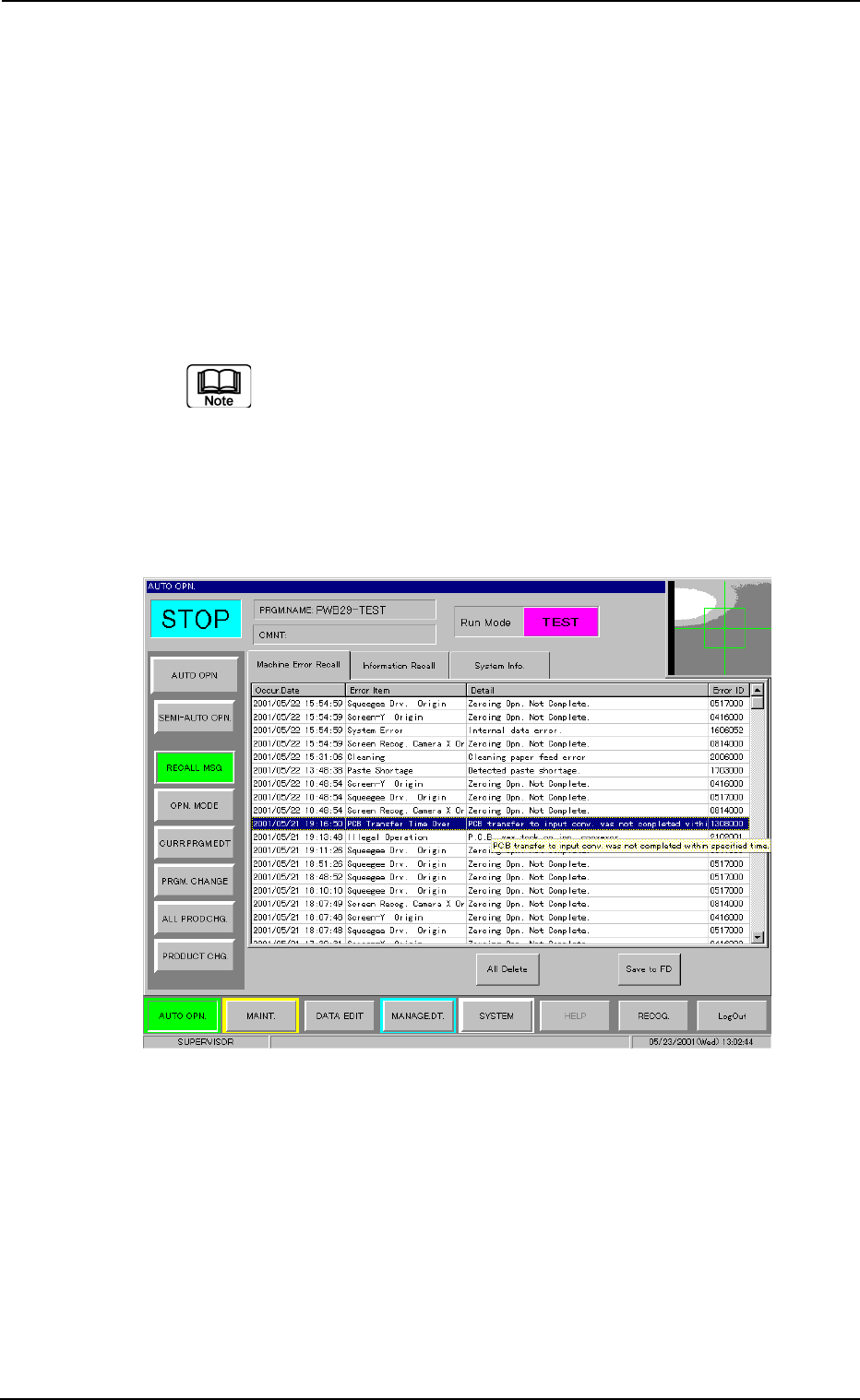
(b) If the description on the "Error Item" or "Details" data
box can’t be contained in a single line, the description
continues in the next line or after.
0211-005
Chapter 2 5-20 Tg0582-PM-D1
4.1 "Machine Error Recall" Tab
Fig. 2E13-1