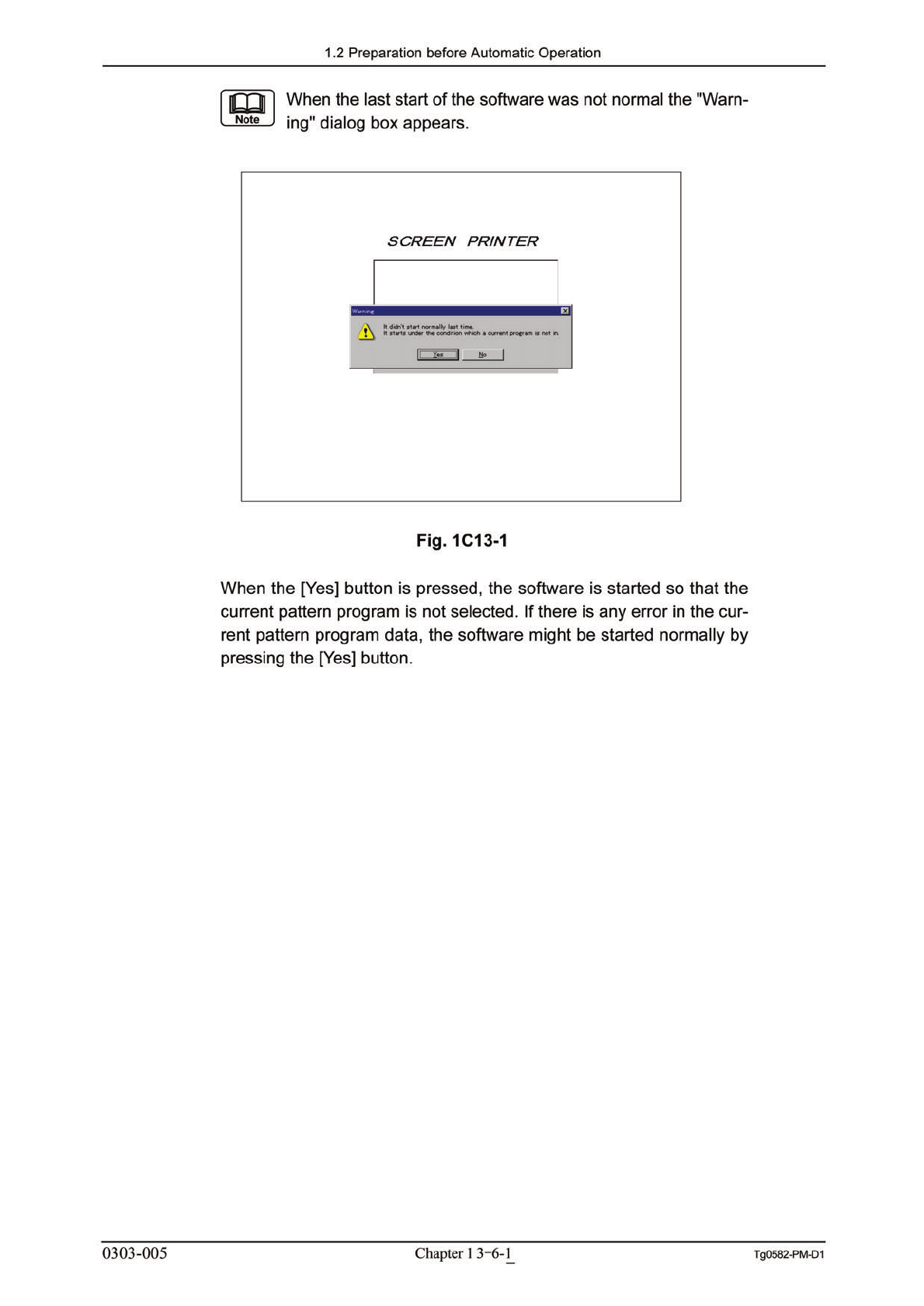
1OM-1086-002.pdf - 第95页
(4) Press the [POWER ON] button on the front operation panel. The self-diagnostics function is carried out. Fig. 1C12 (a) Press and hold the [POWER ON] button for more than 1 or 2 seconds. The LED of the [POWER ON] butto…
1.2 Preparation before Automatic Operation
1.2.1 Power ON Operation
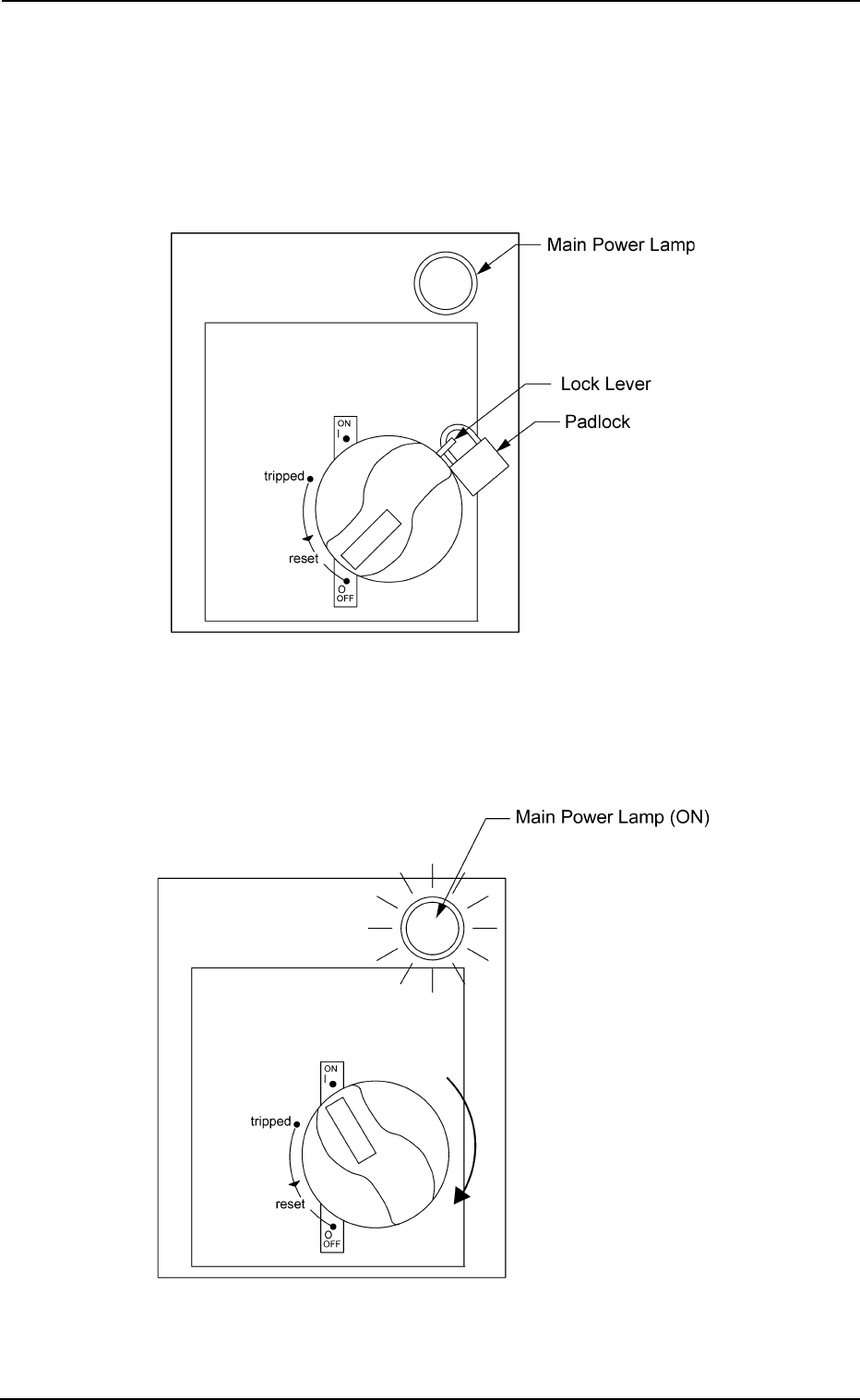
(1) Check that the safety doors are closed.
(2) Remove the padlock from the lock lever of the power breaker.
Fig. 1C9
(3) Set the power breaker to "ON".
Power is supplied to the machine and the main power lamp illumi-
nates.
Fig. 1C10
1.2 Preparation before Automatic Operation
0211-005 Chapter 1 3-5 Tg0582-PM-D1
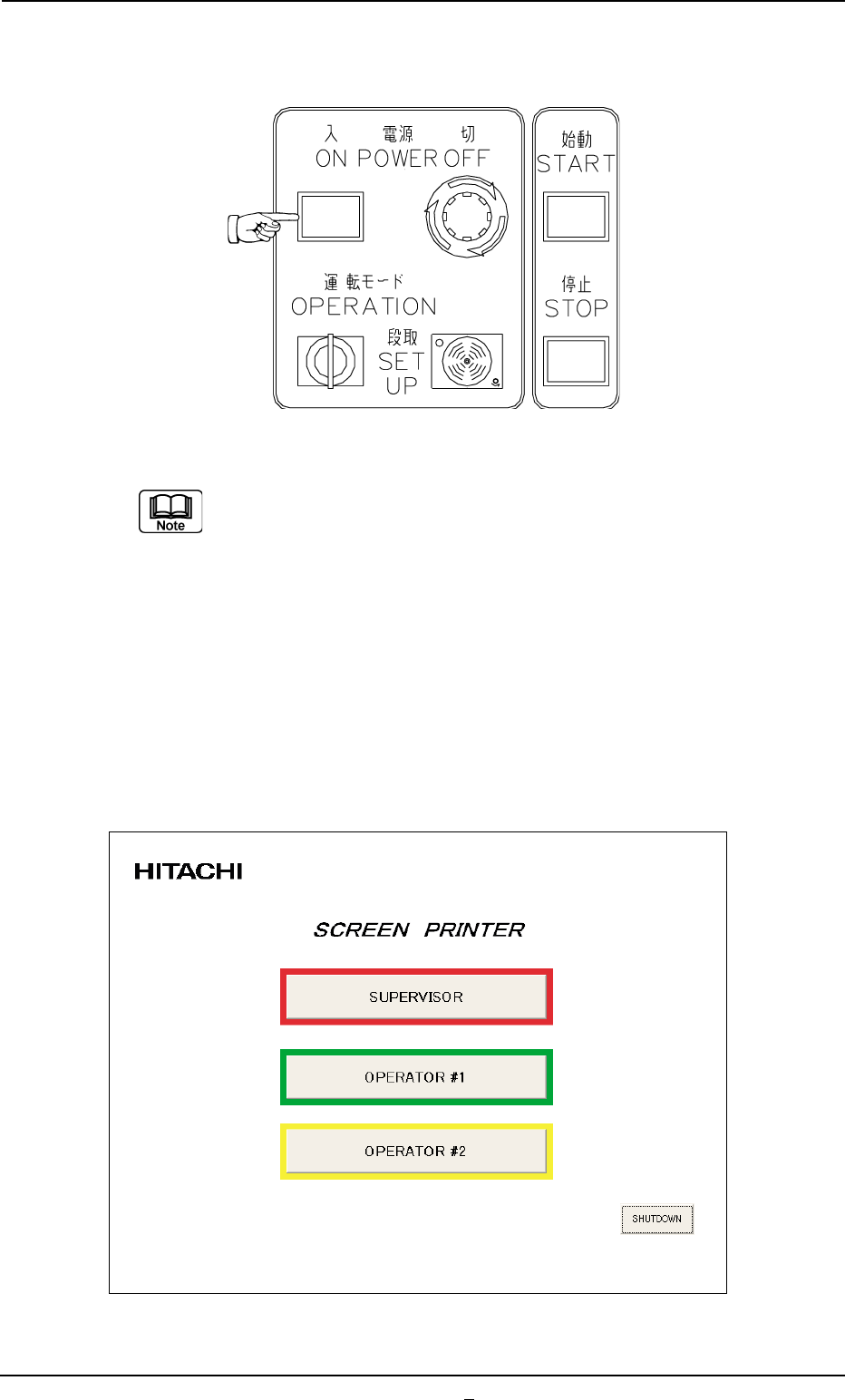
(4) Press the [POWER ON] button on the front operation panel.
The self-diagnostics function is carried out.
Fig. 1C12
(a) Press and hold the [POWER ON] button for more than 1
or 2 seconds.
The LED of the [POWER ON] button illuminates in yellow-
ish green and the self-diagnostics function starts.
(b) It takes 2 to 3 minutes until the self-diagnostics operation
is completed. Please wait for a while.
(c) When the temperature is low, the screen may look dark
but will resume normal after a few minutes.
(5) When the self-diagnostics operation is completed, the "Log In Type
Selection" window appears on the touch screen and the power is
turned on.
Fig. 1C13
1.2 Preparation before Automatic Operation
0509-006 Chapter 1 3-6 Tg0582-PM-D1