1OM-1086-002.pdf - 第182页
Section 4 Navigation on T ouch Screen 021 1-005 Chapter 2 4 - 1 Tg0582-PM-D1 This section describes how to navigate through the win- dows and sheets on the touch screen.

0211-005 Chapter 2 3-21 Tg0582-PM-D1

Section 4
Navigation on Touch Screen
0211-005 Chapter 2 4-1 Tg0582-PM-D1
This section describes how to navigate through the win-
dows and sheets on the touch screen.
1. Hierarchical Structure (Menus)
1.1 About the Main Menu Bar
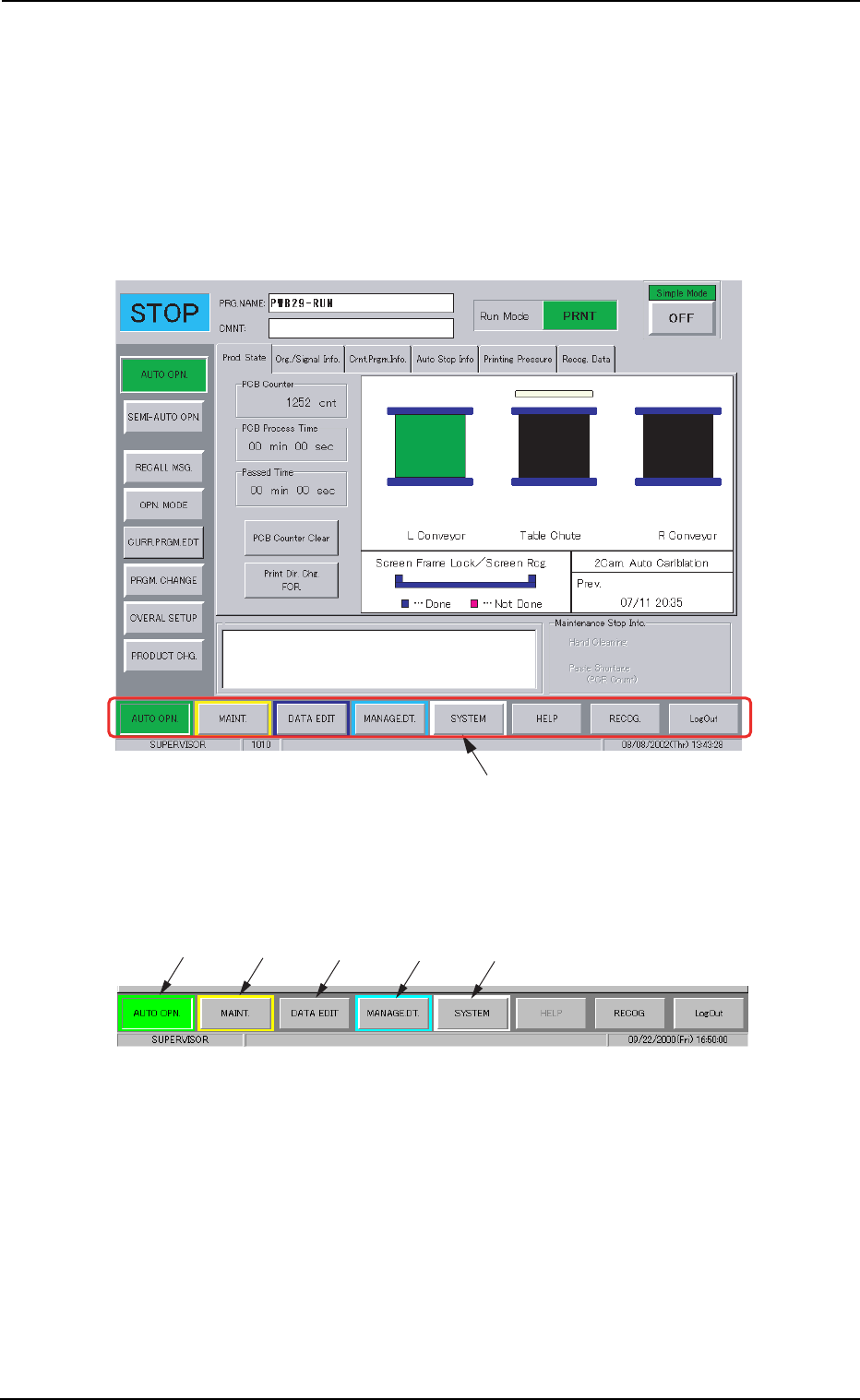
The main menu bar is provided with five buttons ([AUTO OPN.], [MAINT.],
[DATA EDIT], [MANAGE DT.], and [SYSTEM] buttons). When each
button (menu) is selected, the corresponding window opens.
Fig. 2D1
1.1.1 Selection Buttons on Main Menu Bar
Fig. 2D1-1
*1 [AUTO OPN.] Button
When this button is pressed, the "AUTO OPN." window (main
menu) opens. ("1.1" in Section 5)
*2 [MAINT.] Button
When this button is pressed, the "MAINTENANCE" window (main
menu) opens. ("1.1" in Section 6)
0211-005
Chapter 2 4-2 Tg0582-PM-D1
1. Hierarchical Structure (Menus)
Main Menu Bar
*1 *2 *3 *4 *5