1OM-1086-002.pdf - 第61页
在线预览 1OM-1086-002.pdf PDF 文档。
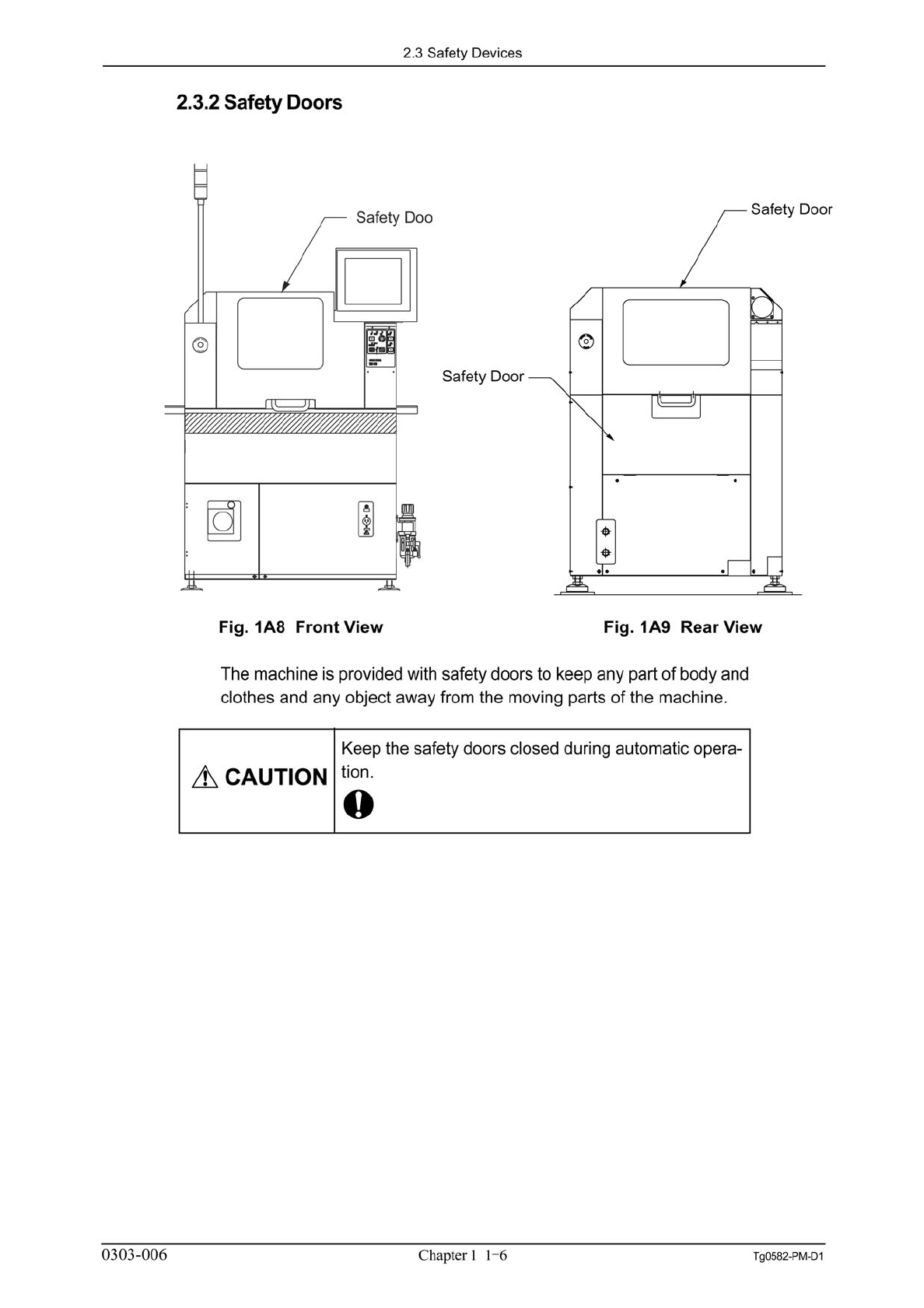
2.3 Safety Devices
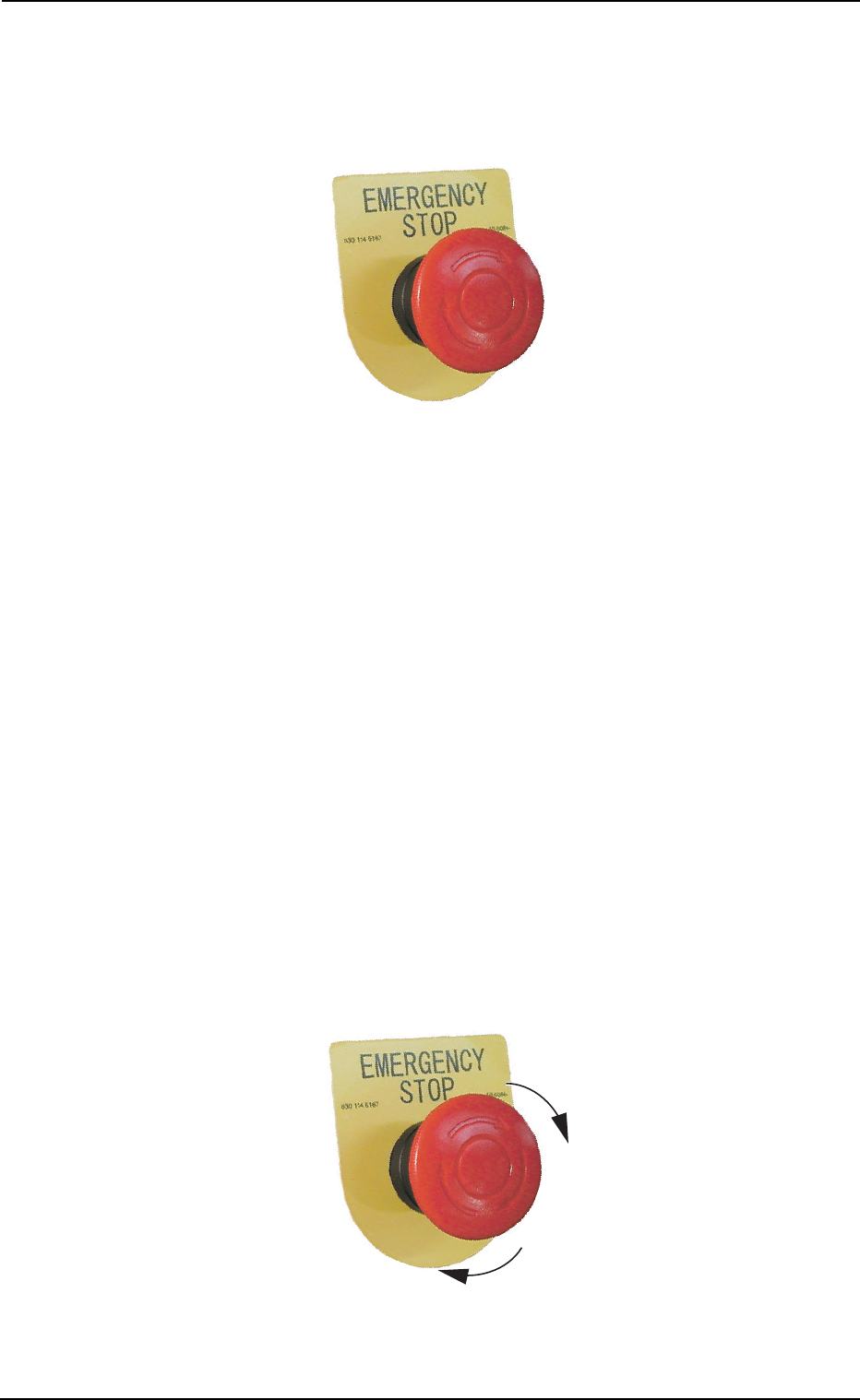
2.3.1 Emergency Stop Switch
Fig. 1A6
The [EMERGENCY STOP] switches can be used to stop machine op-
eration in an emergency.
When a switch is pressed, all power is shut off and the machine stops
running immediately.
When the power is shut off, the LED of the [POWER ON] button on the
front operation panel illuminates in red.
••
••
• Locking the [EMERGENCY STOP] Switch
When an [EMERGENCY STOP] switch is pressed, all power is shut
off, and the machine stops running, the [EMERGENCY STOP] is
locked to avoid any careless power re-supply to the machine.
••
••
• Unlocking the [EMERGENCY STOP] Switch
Before re-supplying power to the machine, check and remove the
cause of emergency stop and inspect each section of the machine.
Then, unlock the [EMERGENCY STOP] switch.
To unlock the switch, turn the switch clockwise and pull it out.
Fig. 1A7
2.3 Safety Devices
0211-005 Chapter 1 1-5 Tg0582-PM-D1
2.4 Operational Measures
2.4.1 Power Breaker
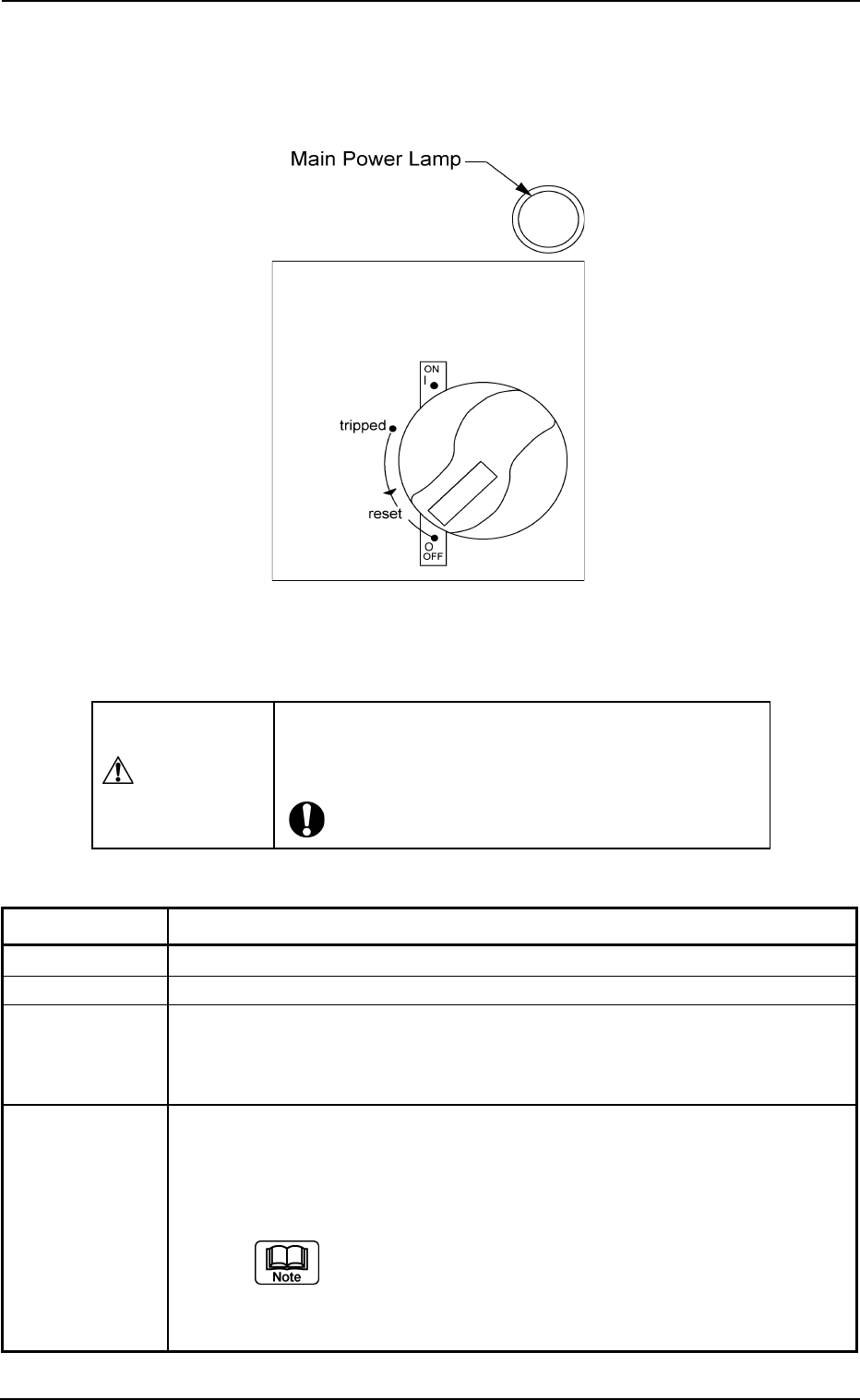
Fig. 1A10
The power breaker is used to power up or shut down the main machine.
The power breaker can be locked with a padlock.
Table 1A1
Symbols/Names Functions
○ (OFF) Power Breaker OFF (Fig. 1A6)
tripped Current Interception due to Overcurrent
| (ON) Power Breaker ON
The door of the power breaker cannot be opened.
Note: Do not try to open the door forcibly.
Main Power • ON: Power is supplied. (Power ON Condition)
Lamp • OFF: Power is shut off.
The circuit of the lamp may be broken or an error might have oc-
curred. (Phase Interruption Detection)
Phase interruption can be detected only when power is
supplied.
When the machine is already powered, phase interruption
cannot be detected.
2.4 Operational Measures
0211-005 Chapter 1 1-7 Tg0582-PM-D1
Before maintenance, inspections work, etc., be sure
to turn off the power to the machine and lock the power
breaker with the padlock for safety purposes.
CAUTION