1OM-1086-002.pdf - 第291页
5.10 "PCB Backup" T ab This tab sheet can be used to perform the manual alignment operation for the P .C.B. backup axis. • Sheet Layout When the [PCB Backup] tab is pressed in the "MANUAL ALIGN- MENT"…
5.9 "PEC Rcg. Y" Tab
*1
0211-005 Chapter 2 6-33 Tg0582-PM-D1
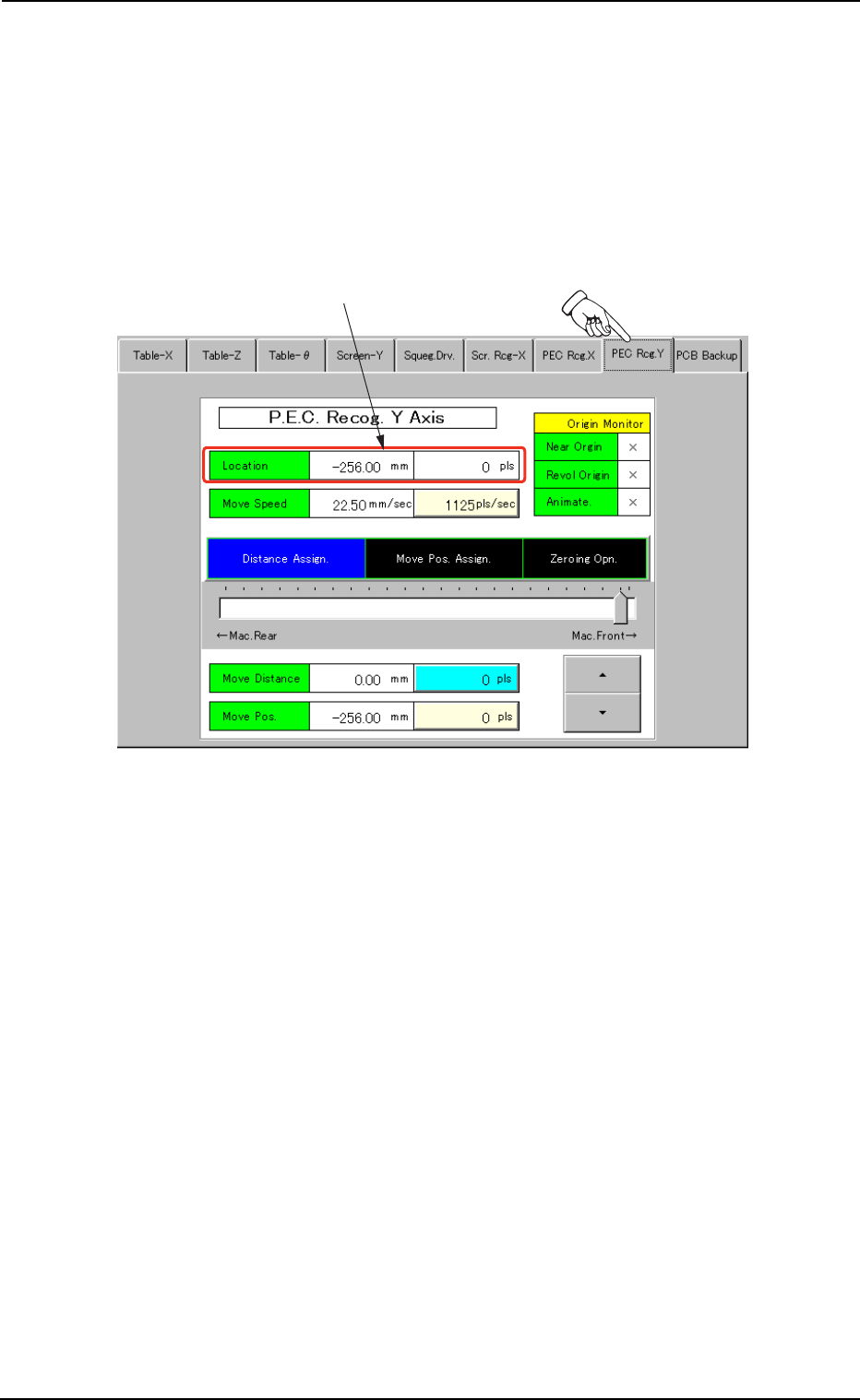
5.9 "PEC Rcg. Y" Tab
This tab sheet can be used to perform the manual alignment operation
for the Y axis of the P.E.C. recognition section.
• Sheet Layout
When the [PEC Rcg. Y] tab is pressed in the "MANUAL ALIGN-
MENT" window (submenu), the following tab sheet appears.
Fig. 2F25 "PEC Rcg. Y" Tab Sheet
• Sheet Composition
*1 Location
Displayed are the moving distance and the number of pulses that
represent the current location of the unit.
In the case of "P.E.C. Recog. Y Axis", one pulse is equivalent to
"0.02 mm".
Refer to "5.1 Basic Operations of Manual Alignment" for the manual
alignment procedure.
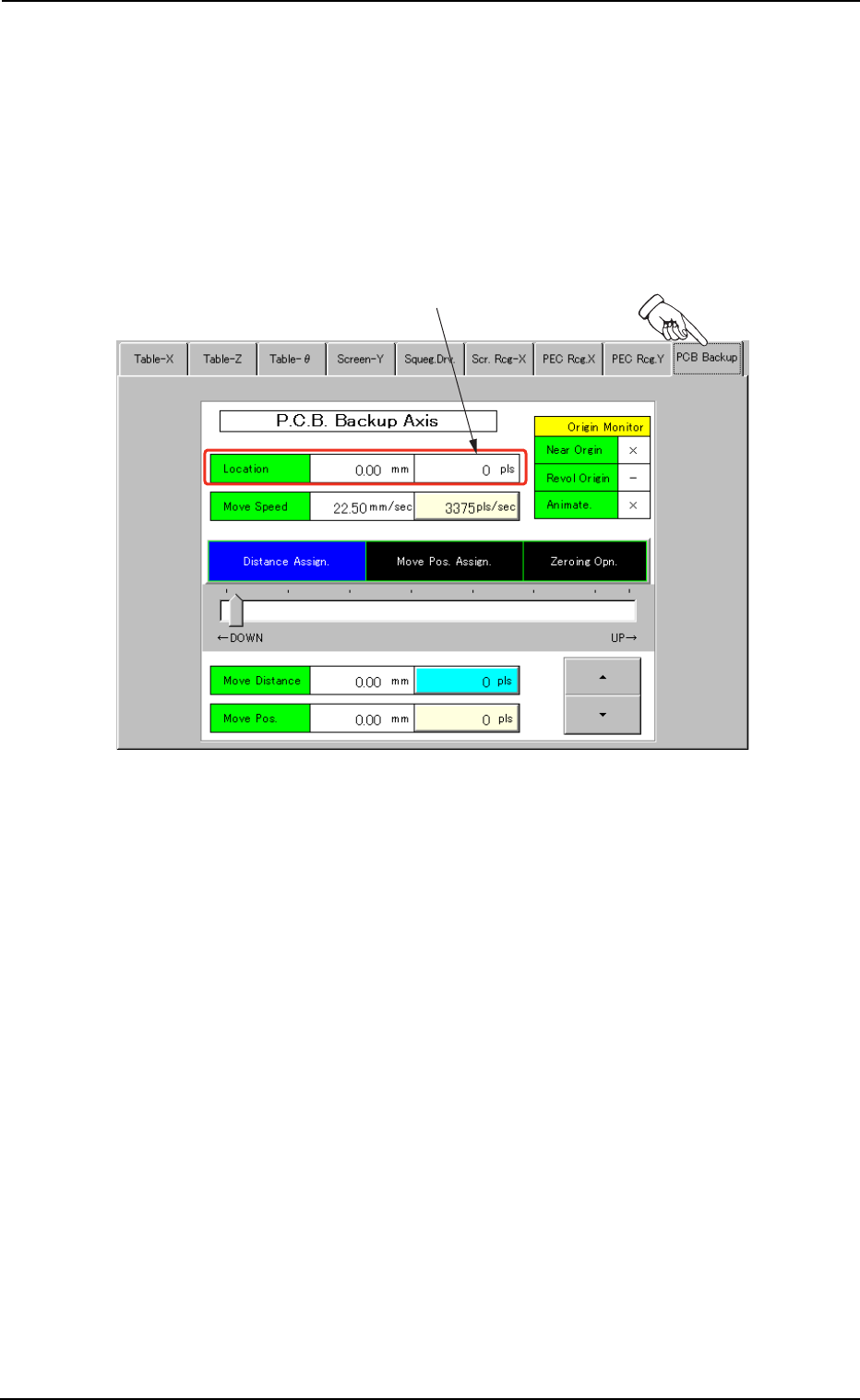
5.10 "PCB Backup" Tab
This tab sheet can be used to perform the manual alignment operation
for the P.C.B. backup axis.
• Sheet Layout
When the [PCB Backup] tab is pressed in the "MANUAL ALIGN-
MENT" window (submenu), the following tab sheet appears.
Fig. 2F26 "PCB Backup" Tab Sheet
• Sheet Composition
*1 Location
Displayed are the moving distance and the number of pulses that
represent the current location of the unit.
In the case of "P.C.B. Backup Axis", one pulse is equivalent to
"0.0067 mm".
Refer to "5.1 Basic Operations of Manual Alignment" for the manual
alignment procedure.
5.10 "PCB Backup" Tab
*1
0211-005 Chapter 2 6-34 Tg0582-PM-D1
6. "TEACHING" Window (Submenu)
0211-005 Chapter 2 6-35 Tg0582-PM-D1
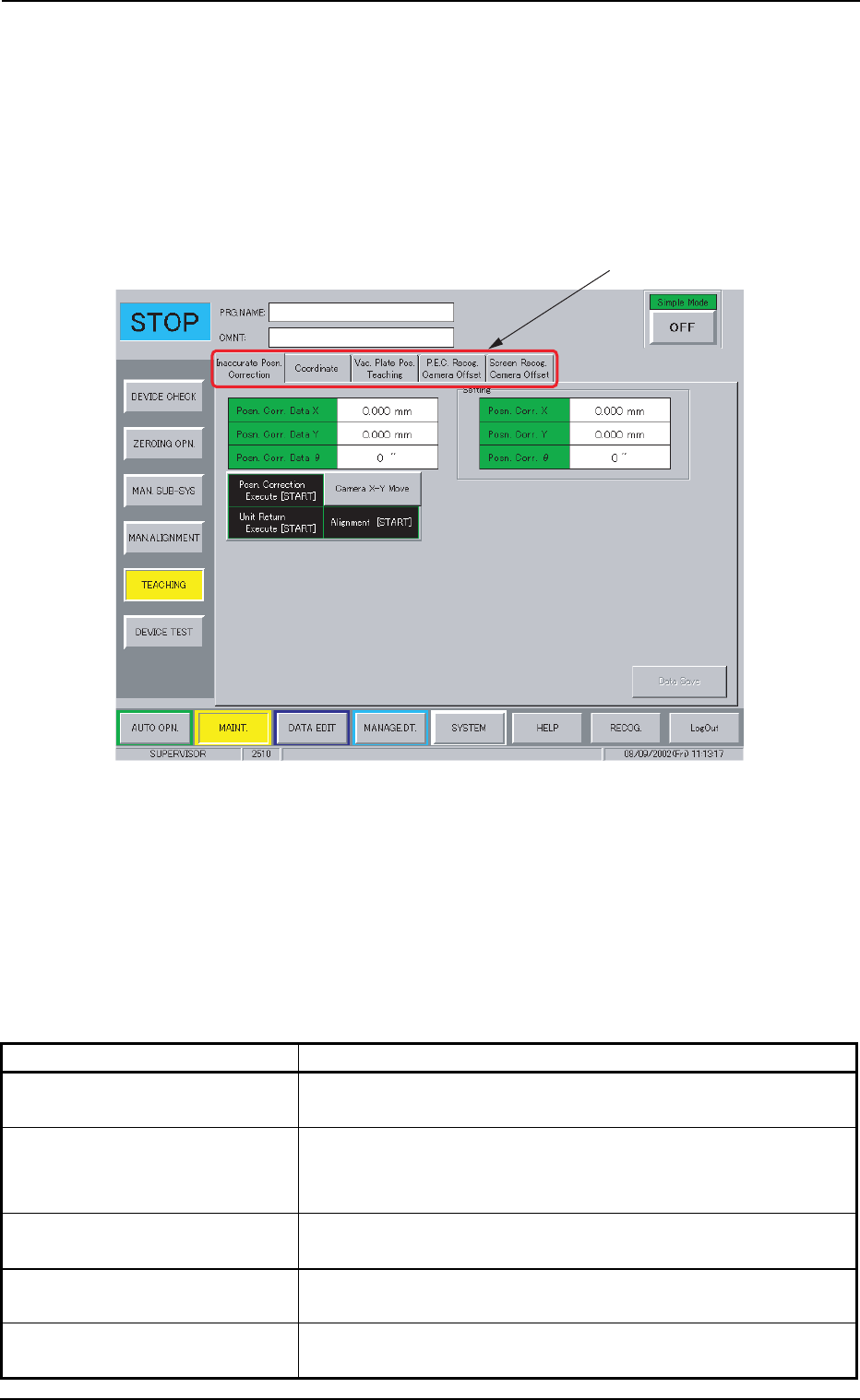
6. "TEACHING" Window (Submenu)
This window can be used to perform the teaching operation of each
unit.
••
••
• Window Layout
When the [TEACHING] button on the submenu bar is pressed, the
following tab sheet appears inside the window.
Fig. 2F27
••
••
• Window Composition
*1 Tabs
The "TEACHING" window (submenu) has 5 tab sheets. When a
tab is pressed, the corresponding tab sheet appears inside the
window.
Table 2F5
Tabs Description
Inaccurate Posn. Correction This tab sheet enables the operator to correct positional de-
viation between the P.C.B. and the screen.
Coordinate This tab sheet enables the operator to perform the coordi-
nate teaching operation on the P.C.B. or the screen recogni-
tion mark.
Vac. Plate Pos. Teaching This tab sheet enables the operator to perform the teaching
operation on the vacuum plate position.
P.E.C. Recog. Camera Offset This tab sheet enables the operator to set the P.E.C. recog-
nition camera offset.
Screen Recog. Camera Offset This tab sheet enables the operator to set the screen recog-
nition camera offset.
*1