1OM-1086-002.pdf - 第181页
021 1-005 Chapter 2 3 - 21 Tg0582-PM-D1
(7) Detach the P.C.B. alignment jig.
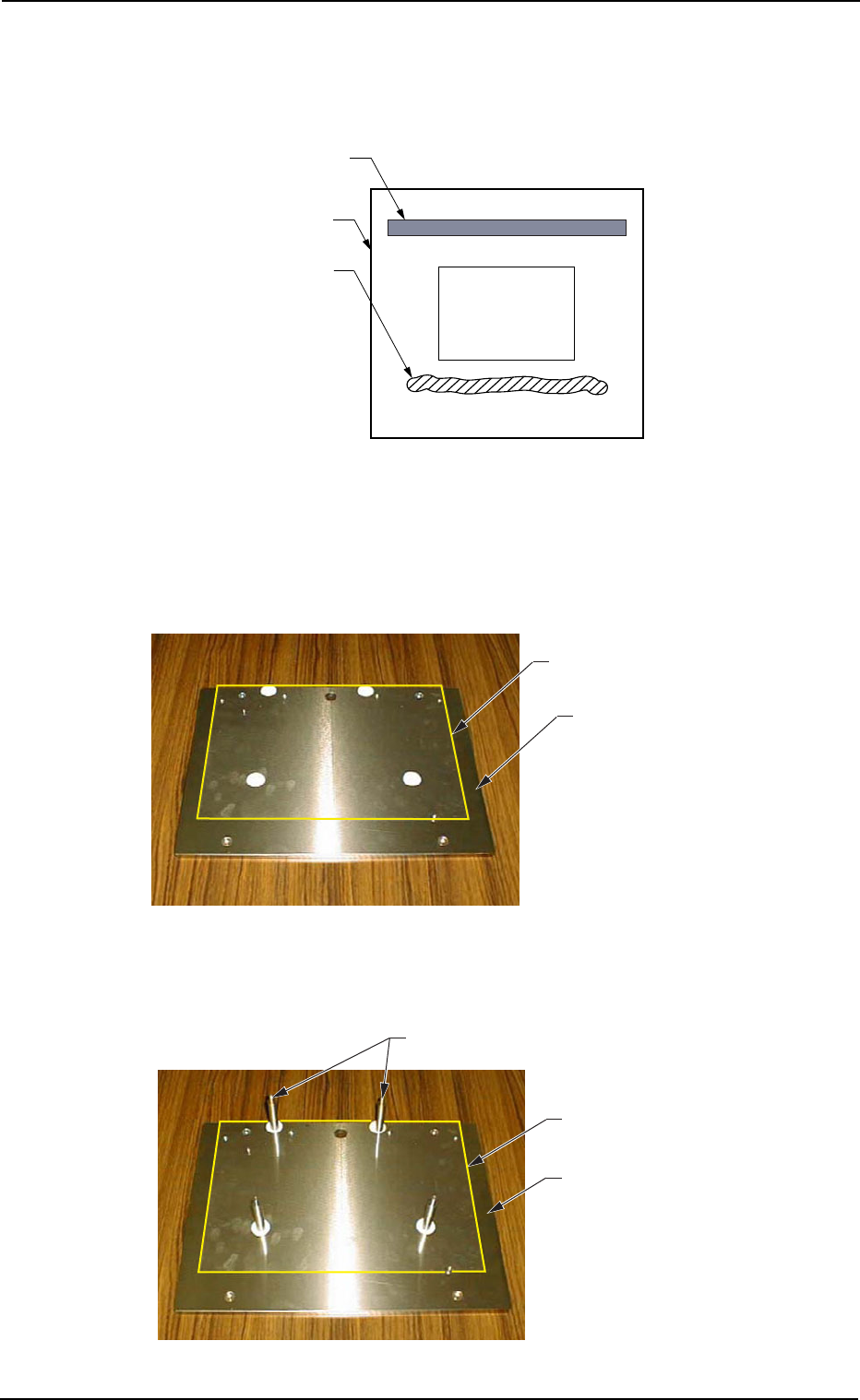
(8) Insert the positioning pins into the holes of the magnet-type
subbackup plate. (2 places)
Fig. 2C18
(9) Turn the template upside down and set the template to the mag-
net-type subbackup plate such that the positioning pins can be
inserted into the holes of the template.
Fig. 2C19
(10) Set the magnet support pins at the marked positions.
3.1 Usage of Template
(Front Side of Machine)
Squeegee
Screen
Solder Paste
(Rear Side of Machine)
Printing Pattern
Template
Magnet-Type
Subbackup Plate
0211-005 Chapter 2 3-20 Tg0582-PM-D1
Fig. 2C20
Template
Magnet-Type
Subbackup Plate
Magnet Support Pins

0211-005 Chapter 2 3-21 Tg0582-PM-D1

Section 4
Navigation on Touch Screen
0211-005 Chapter 2 4-1 Tg0582-PM-D1
This section describes how to navigate through the win-
dows and sheets on the touch screen.