1OM-1086-002.pdf - 第99页
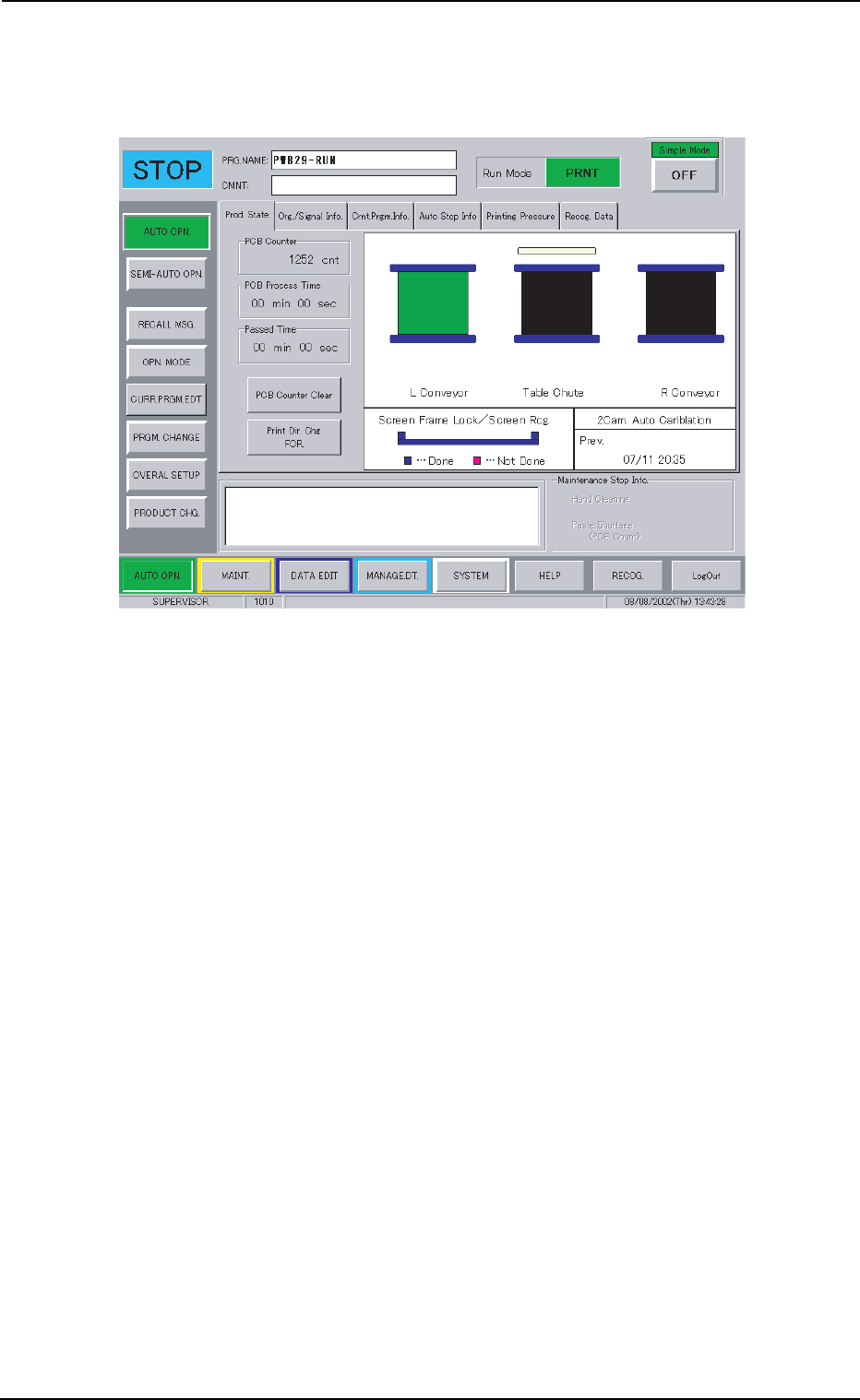
1.2.3 Preparation for Solder Paste and P .C.B.’ s • Preparation for Solder Paste (1) Press the [AUTO OPN.] button on the main menu bar . Fig. 1C16 (2 ) When the [PRODUCT CHG.] button on the submenu bar is pressed and the…
(2) Enter a password and press the [OK] button.
The main menu bar appears and the "AUTO OPERATION" win-
dow (Main Menus) opens on the touch screen.
Fig. 1C15
0211-005
Chapter 1 3-8 Tg0582-PM-D1
1.2 Preparation before Automatic Operation
1.2.3 Preparation for Solder Paste and P.C.B.’s
• Preparation for Solder Paste
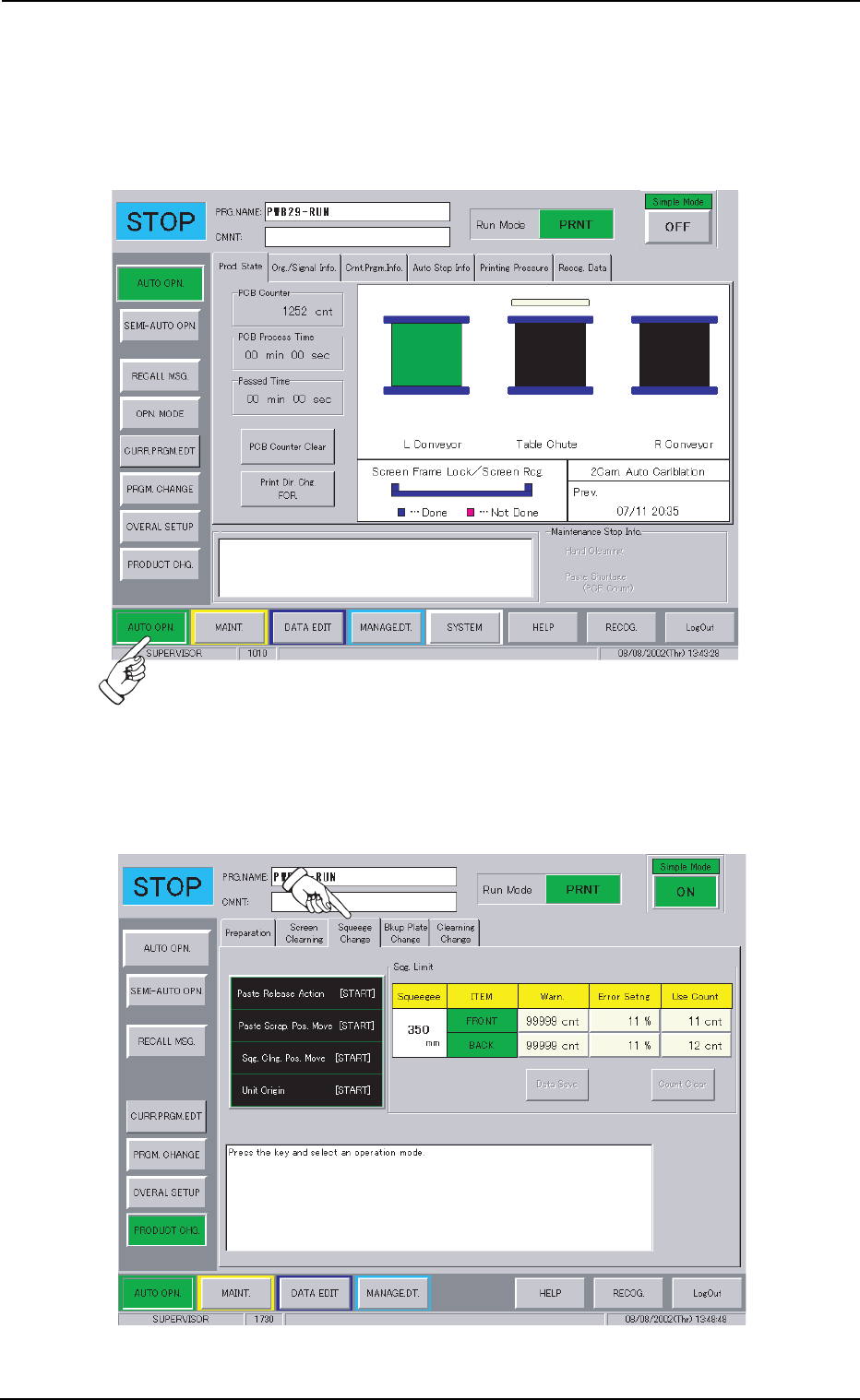
(1) Press the [AUTO OPN.] button on the main menu bar.
Fig. 1C16
(2) When the [PRODUCT CHG.] button on the submenu bar is pressed
and the [Squeegee Change] tab is selected, the following window
appears on the screen.
Fig. 1C17
0211-005
Chapter 1 3-9 Tg0582-PM-D1
1.2 Preparation before Automatic Operation
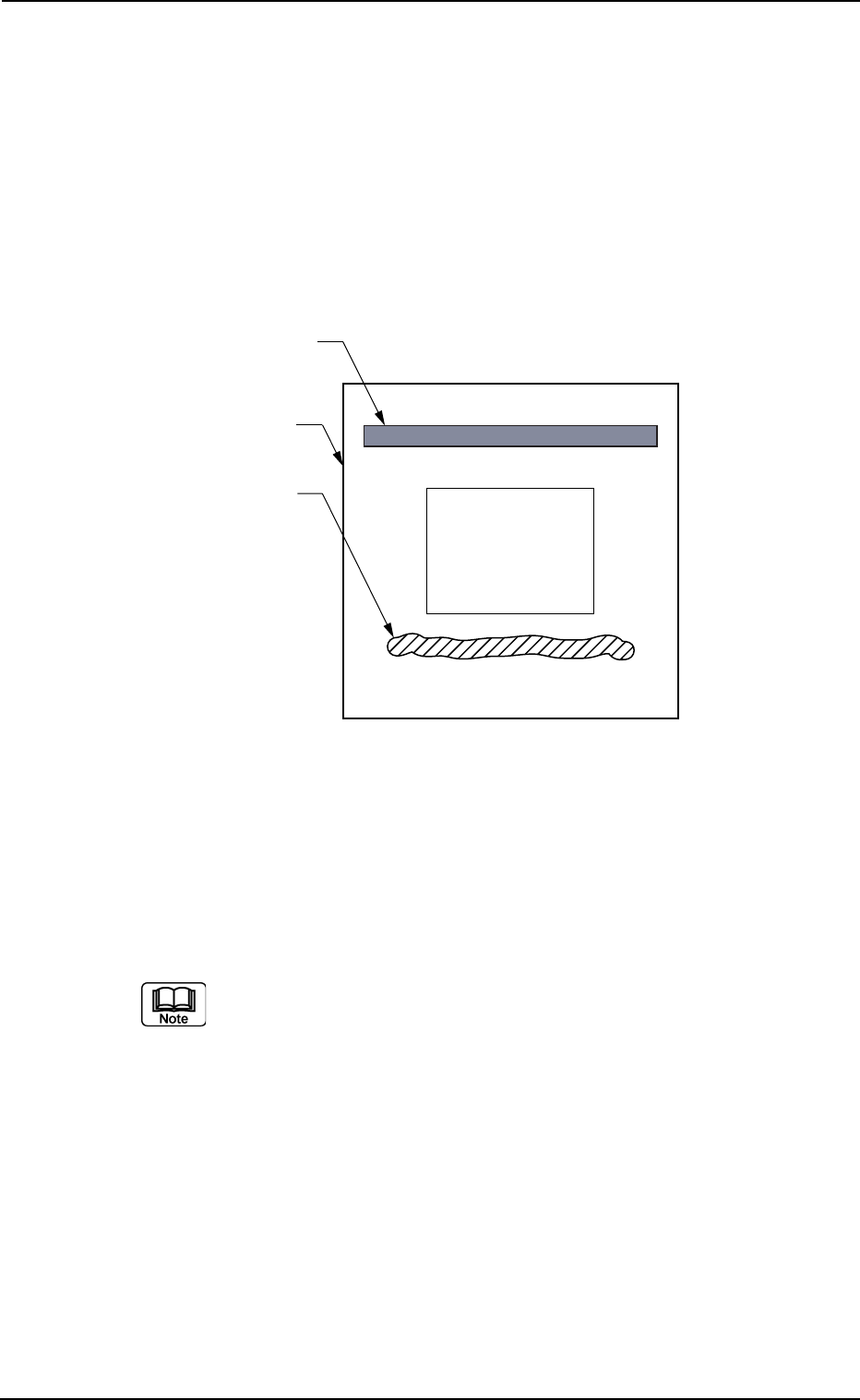
(3) When the [Paste Scrap. Pos. Move [START] button is selected and
the [START] button on the front operation panel is pressed, the
squeegee and the screen move to the paste scraping position.
(4) Set the [OPERATION/SET UP] switch on the front operation panel
to "SET UP" side.
(5) Open the front safety door.
(6) Replenish solder paste on the screen.
Fig. 1C18
(7) Close the front safety door.
(8) Set the [OPERATION/SET UP] switch on the front operation panel
to "OPERATION" side.
If solder paste is left free for a long period of time, it dries and
cannot be used any more. Therefore, it must be supplied right
before the automatic operation is started.
0211-005
Chapter 1 3-10 Tg0582-PM-D1
1.2 Preparation before Automatic Operation
(Front Side of Machine)
Squeegee
Screen
Solder Paste
(Rear Side of Machine)
Printing Pattern