1OM-1086-002.pdf - 第96页
在线预览 1OM-1086-002.pdf PDF 文档。
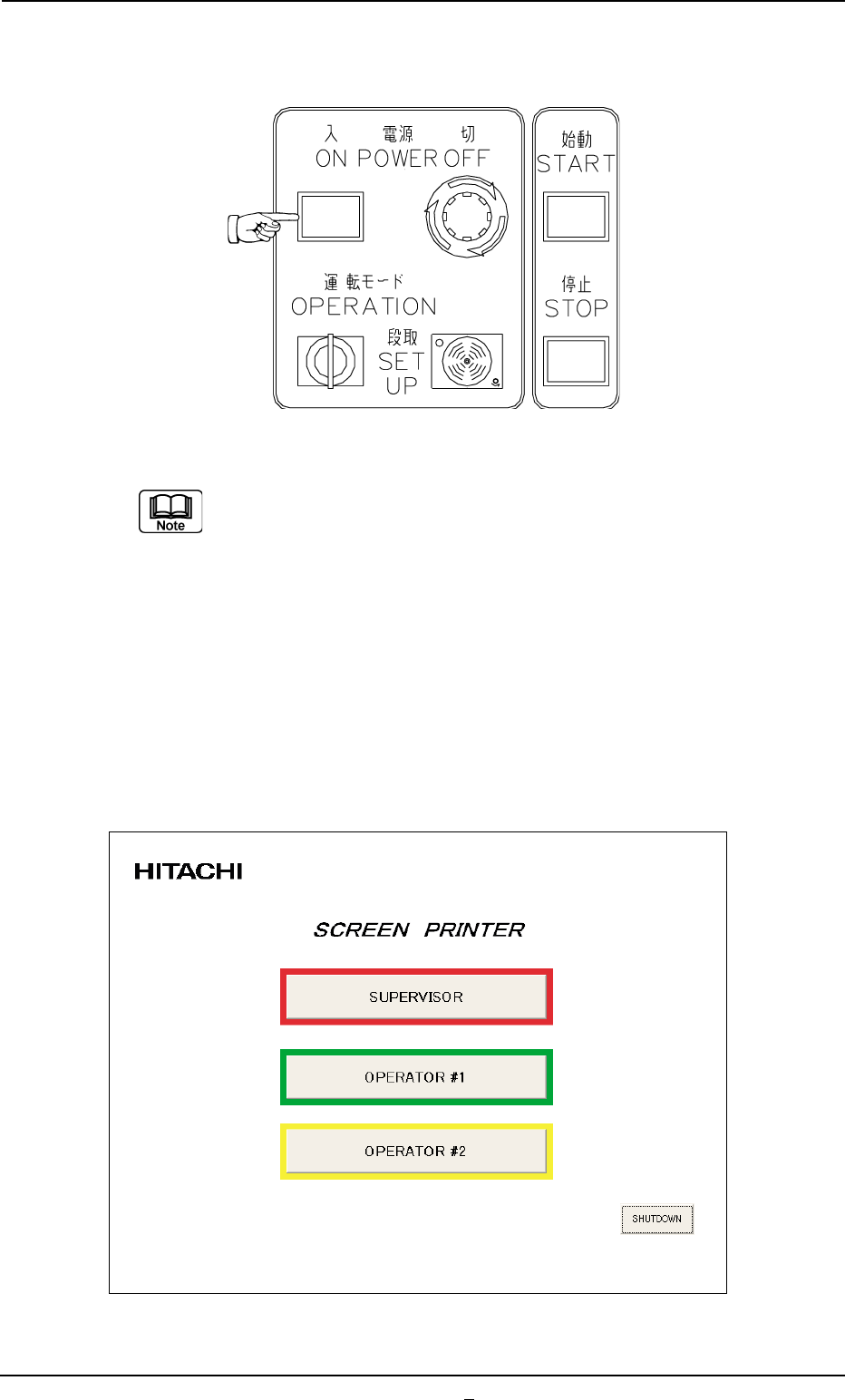
(4) Press the [POWER ON] button on the front operation panel.
The self-diagnostics function is carried out.
Fig. 1C12
(a) Press and hold the [POWER ON] button for more than 1
or 2 seconds.
The LED of the [POWER ON] button illuminates in yellow-
ish green and the self-diagnostics function starts.
(b) It takes 2 to 3 minutes until the self-diagnostics operation
is completed. Please wait for a while.
(c) When the temperature is low, the screen may look dark
but will resume normal after a few minutes.
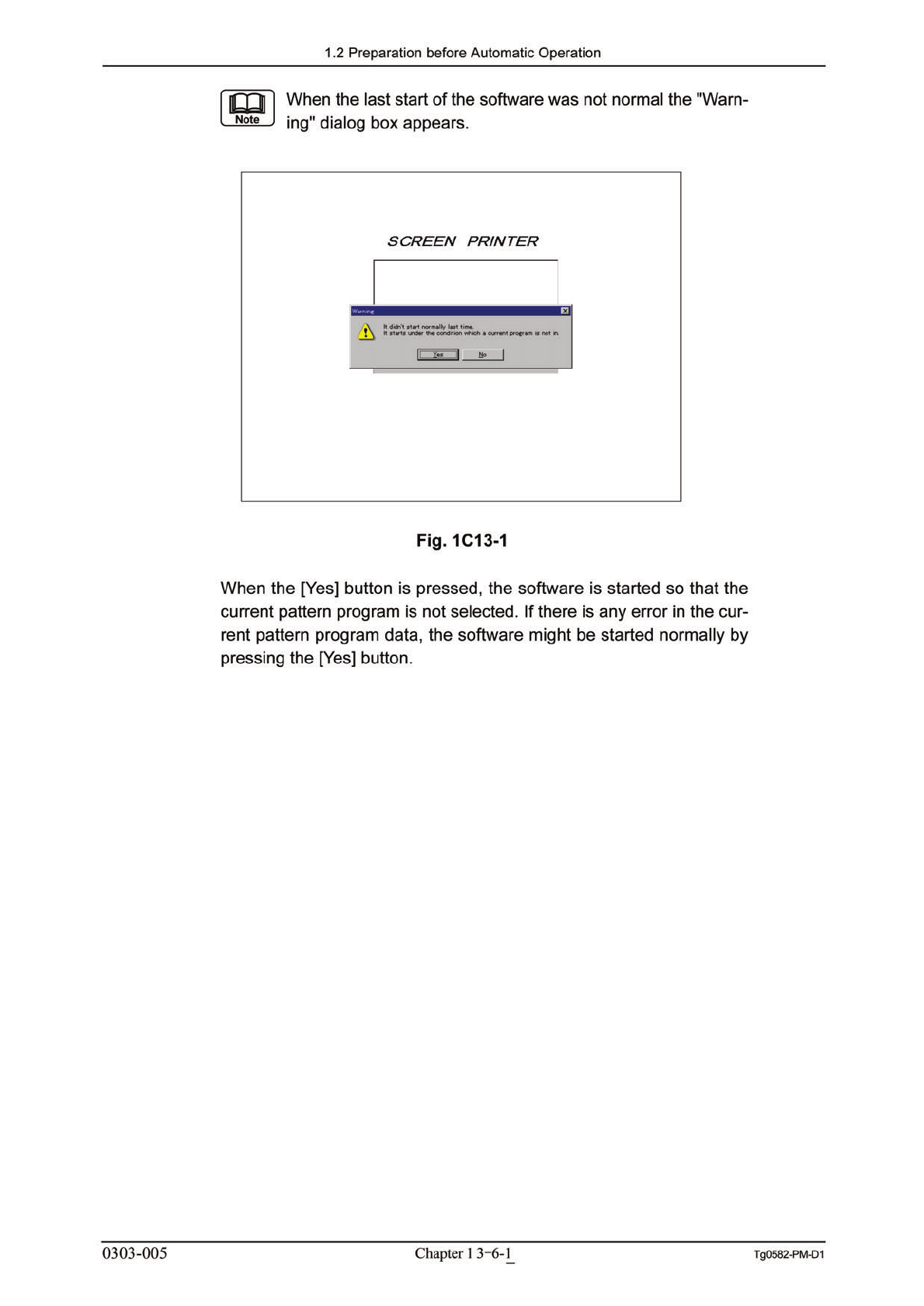
(5) When the self-diagnostics operation is completed, the "Log In Type
Selection" window appears on the touch screen and the power is
turned on.
Fig. 1C13
1.2 Preparation before Automatic Operation
0509-006 Chapter 1 3-6 Tg0582-PM-D1
1.2.2 "AUTO OPERATION" Window
(1) Press the [SUPERVISOR], the [OPERATOR #1] or the [OPERA-
TOR #2] button according to the given authority.
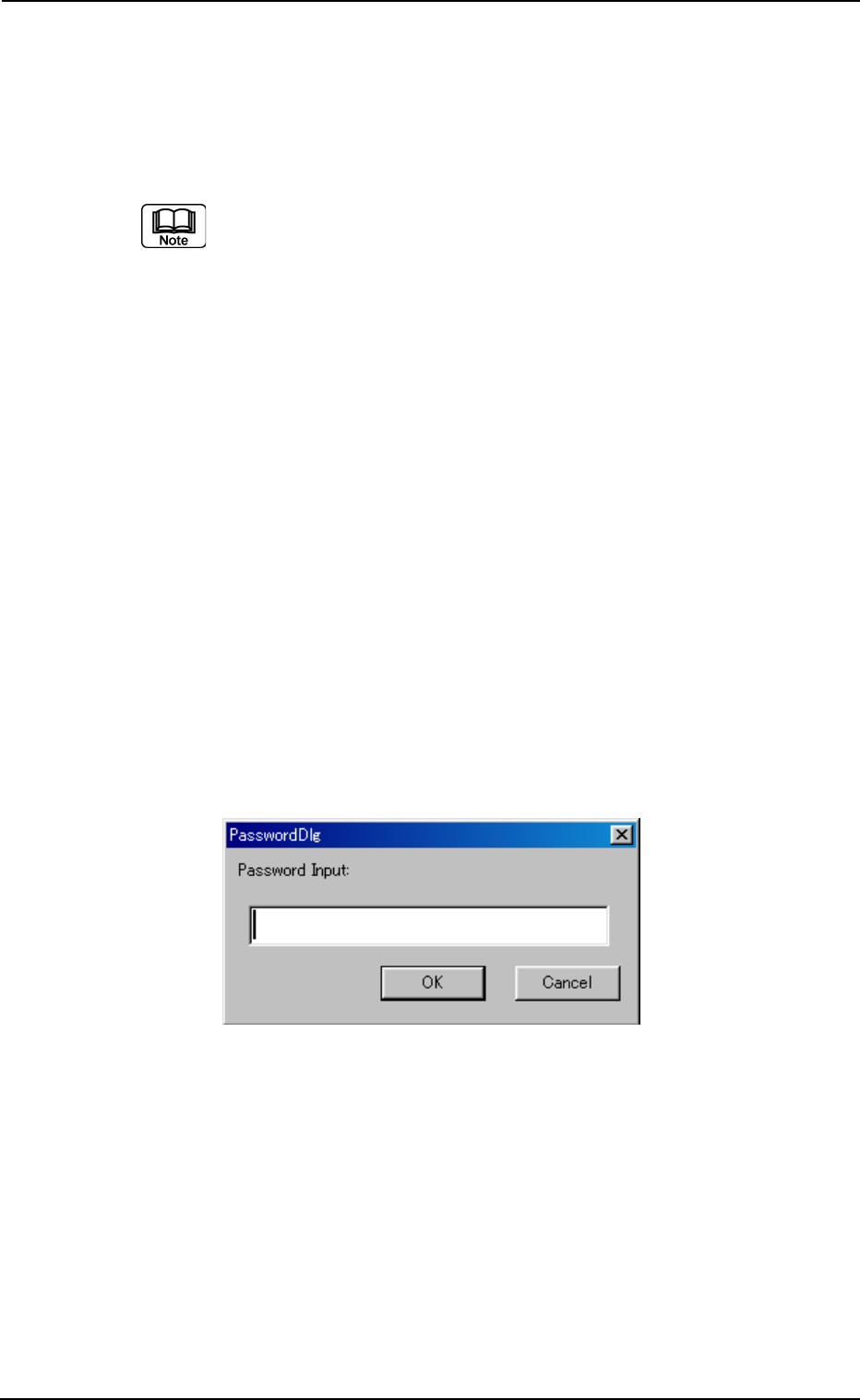
The "PasswordDlg" dialog box opens.
This machine is provided with a password function which pre-
vents various types of data groups from being deleted by mis-
take and keeps unauthorized user (third party) from operating
the machine.
The following three kinds of passwords are available and each
gives individually approved user’s access to the computer sys-
tem of the machine.
Refer to "2.1 "Password" Tab" (Section 4 of Chapter 1 in Vol.2)
for details.
[SUPERVISOR] : Access can be gained by only the per-
son identified as "Supervisor".
[OPERATOR #1] : Access can be gained by only the per-
son identified as "Operator #1".
For example, the person identified as
"Operator #1" is given a permission to
all machine operations including data ed-
iting.
[OPERATOR #2] : Access can be gained by only the per-
son identified as "Operator #2".
For example, the person identified as
"Operator #2" is limited to only machine
operations.
Fig. 1C14
1.2 Preparation before Automatic Operation
0211-005 Chapter 1 3-7 Tg0582-PM-D1