1OM-1086-002.pdf - 第315页
*2 *1 *3 *4 *5 *6 *9 *8 *7 7.1 "P .E.C. Recog. T est" T ab • • • • • Sheet Layout When the [P .E.C. Recog. T est] tab is pressed in the "DEVICE TEST" window (submenu), the following tab sheet appears …
7. "DEVICE TEST" Window (Submenu)
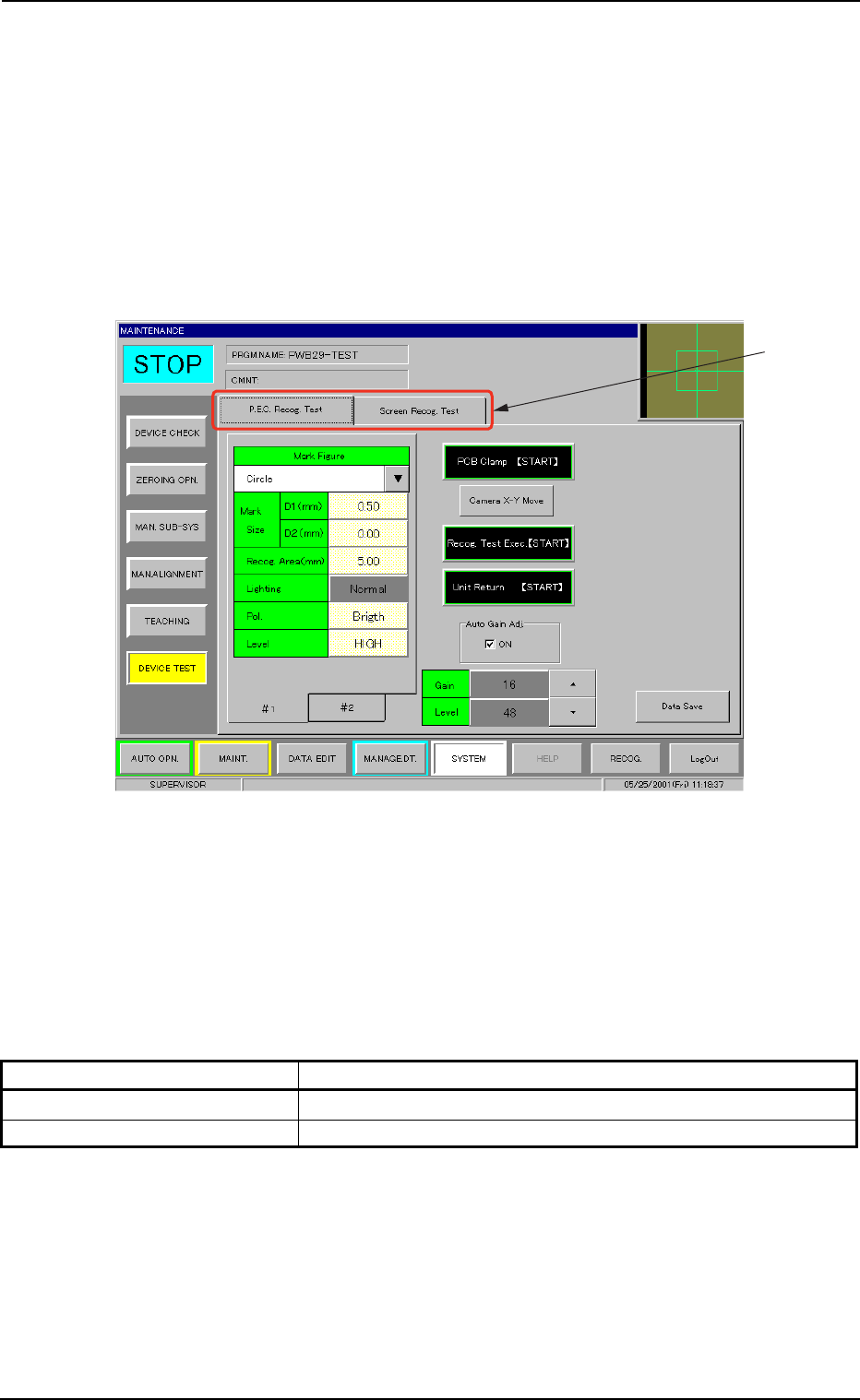
When new pattern program data is created, the machine can actually
be activated to check its performance.
• Sheet Layout
When the [DEVICE TEST] button on the submenu bar is pressed,
the following tab sheet opens. (Operation Sequence: [MAINT.] But-
ton → [DEVICE TEST] Button)
Fig. 2F46
• Sheet Composition
*1 Tabs
The "DEVICE TEST" window (submenu) is provided with two tab
sheets. When a tab is pressed, the corresponding tab sheet ap-
pears inside the window.
Table 2F6
Tabs Description
P.E.C. Recog. Test This sheet is used for the P.E.C. recognition test.
Screen Recog. Test This sheet is used for the screen recognition test.
7.
"
DEVICE TEST
"
Window (Submenu)
*1
0211-005 Chapter 2 6-57 Tg0582-PM-D1
*2
*1
*3
*4
*5
*6
*9*8*7
7.1 "P.E.C. Recog. Test" Tab
••
••
• Sheet Layout
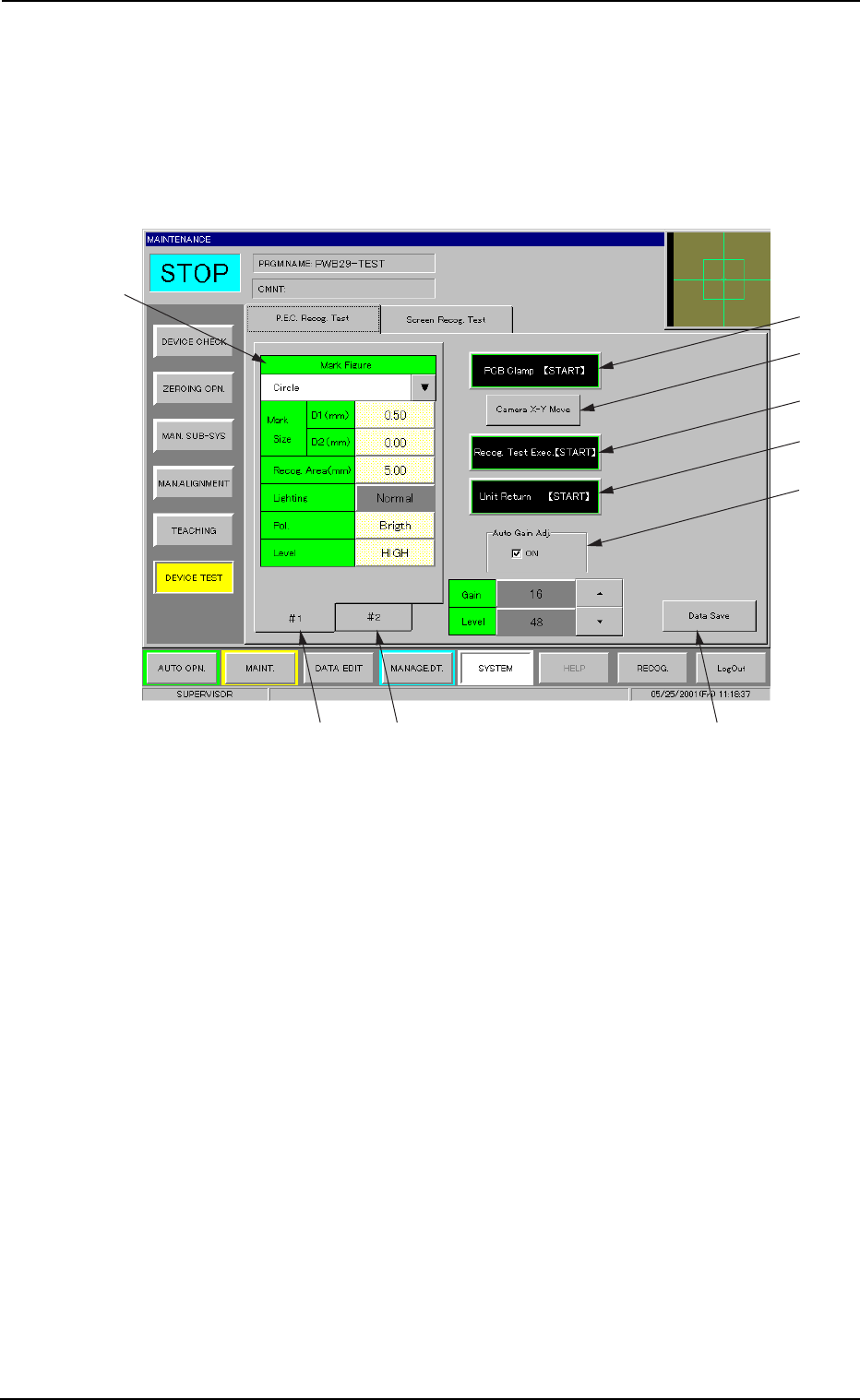
When the [P.E.C. Recog. Test] tab is pressed in the "DEVICE TEST"
window (submenu), the following tab sheet appears inside the win-
dow.
Fig. 2F47
••
••
• Sheet Composition
*1 Edit Box for P.E.C. Recognition Mark Data
This edit box is used to edit the P.E.C. recognition mark data.
*2 [PCB Clamp (START)] Button
This button is used for P.C.B. positioning.
*3 [Camera X-Y Move] Button
When this button is pressed, the "P.E.C. Recog. Camera Move
Opn. Scrn." window opens, enabling you to move the P.E.C. rec-
ognition camera to the X and Y directions.
*4 [Recog. Test Exec. (START)] Button
This button is used to execute the recognition test.
*5 [Unit Return (START)] Button
This button is used to return the P.C.B. to the dummy P.C.B. input
location.
7.1
"
P.E.C. Recog. Test
"
Tab
0211-005 Chapter 2 6-58 Tg0582-PM-D1

7.1
"
P.E.C. Recog. Test
"
Tab
0211-005 Chapter 2 6-59 Tg0582-PM-D1
*6 "Auto Gain Adj."
It can be determined whether or not the automatic gain adjustment
should be made during P.E.C. recognition test.
*7 "#1" Tab
When this tab is pressed, the corresponding tab sheet appears. It
contains the data for P.E.C. Fiducial Mark #1 in the current pattern
program.
*8 "#2" Tab
When this tab is pressed, the corresponding tab sheet appears. It
contains the data for P.E.C. Fiducial Mark #2 in the current pattern
program.
*9 [Data Save] Button
When this button is pressed, the data for the specified P.E.C. rec-
ognition mark is saved in the current pattern program.