1OM-1086-002.pdf - 第195页
• Composition of Menus for System Setting The menus for system setting are composed of the following submenus. Refer to "2.1 T abs" in "Section 4" for tabs and tab sheets. SYSTEM Submenus T ab s (T ab…
1.2.5 Menus for System Setting
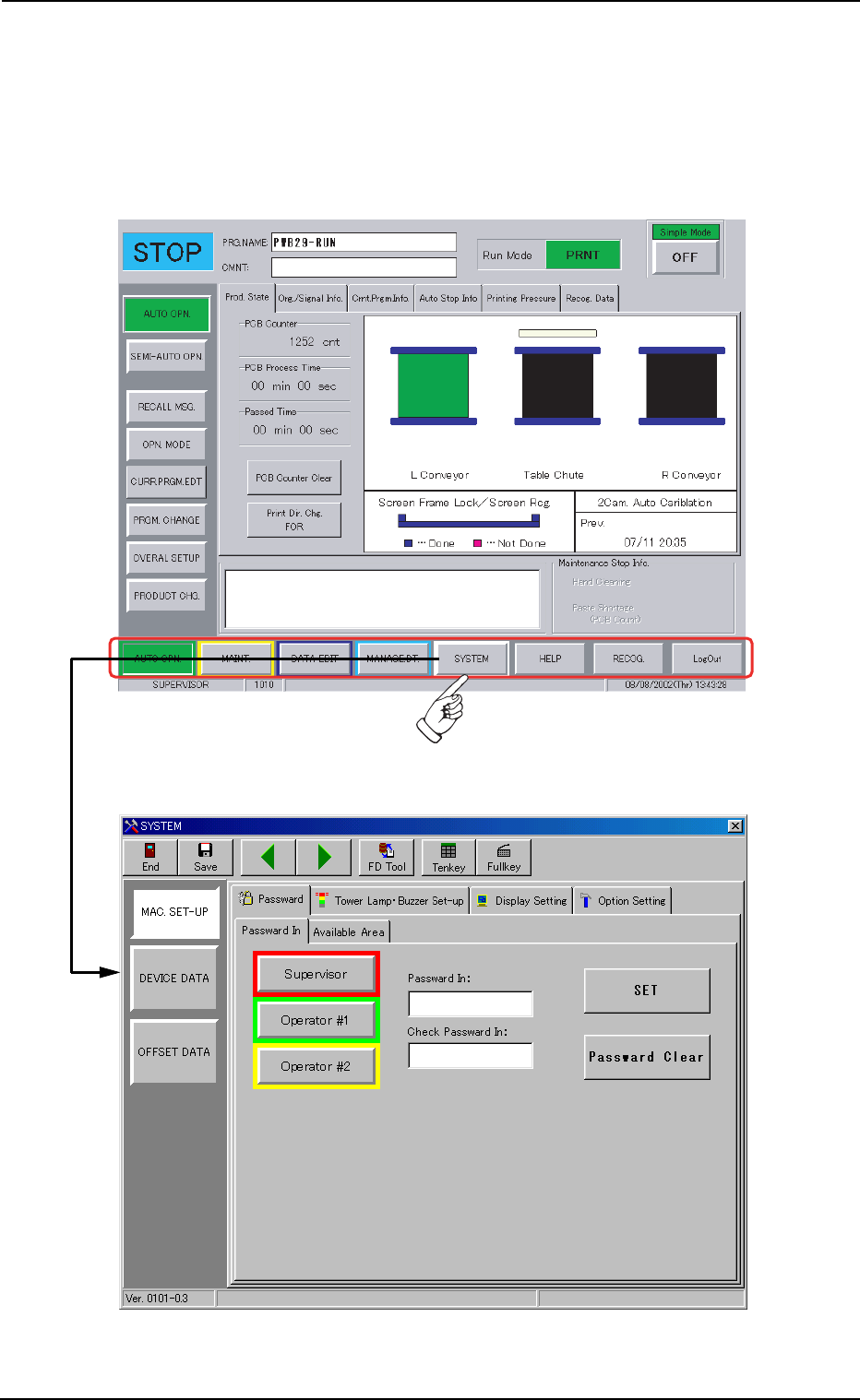
• Menu Selection
When the [SYSTEM] button on the main menu bar is pressed, the "SYS-
TEM" window opens separately.
Fig. 2D6 Selection of Menus for System Setting
1. 2 Using the Menus
0211-005 Chapter 2 4-12 Tg0582-PM-D1
• Composition of Menus for System Setting
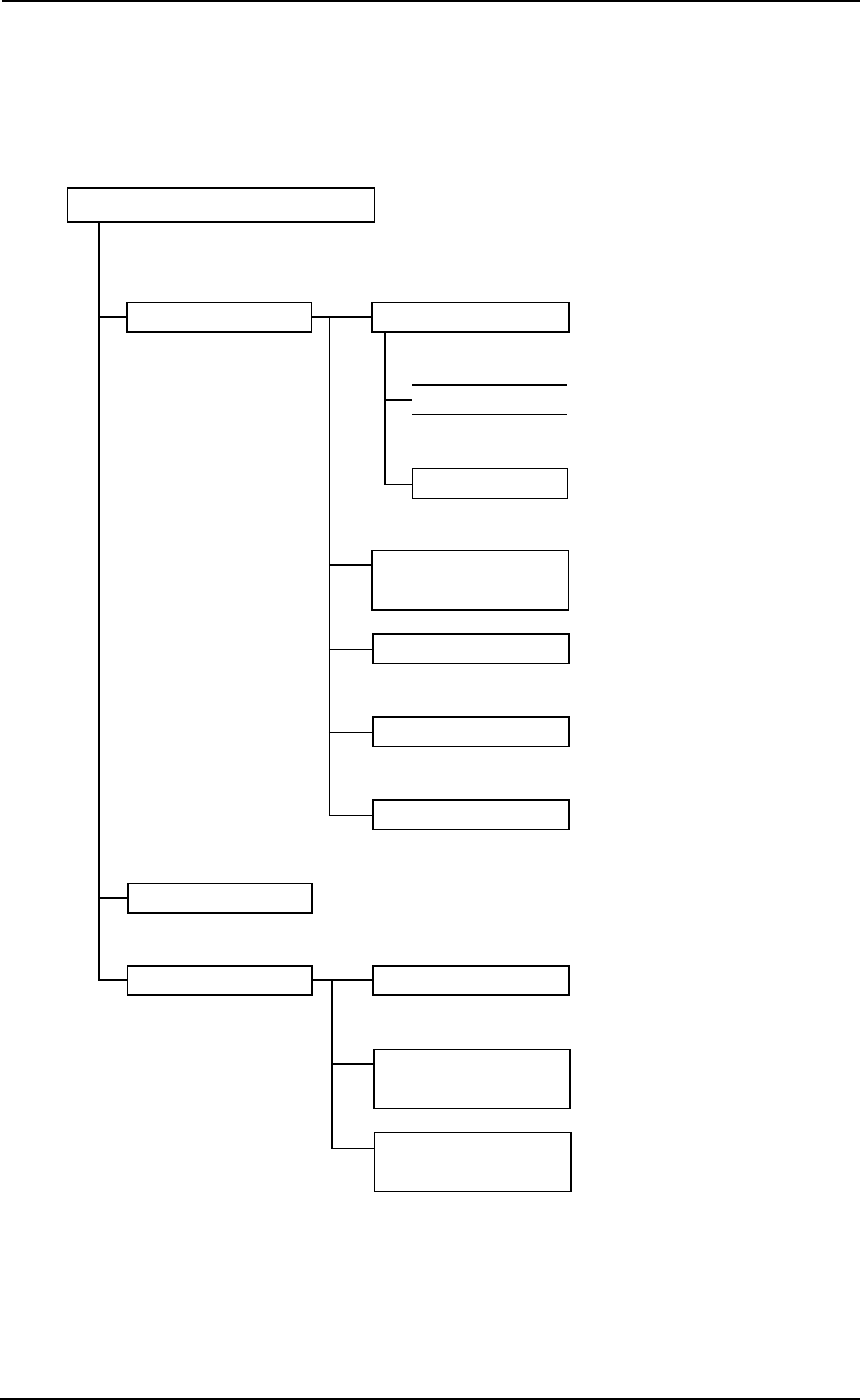
The menus for system setting are composed of the following submenus.
Refer to "2.1 Tabs" in "Section 4" for tabs and tab sheets.
SYSTEM
Submenus Tabs (Tab Sheets) Reference Item Nos.
MAC. SET-UP Password 2.1 in Section 4 of Chapter 1
(Volume 2)
Password In 2.1.1 in Section 4 of Chapter 1
(Volume 2)
Available Area 2.1.2 in Section 4 of Chapter 1
(Volume 2)
Tower Lamp/ 2.2 in Section 4 of Chapter 1
Buzzer Set-up (Volume 2)
Display Setting 2.3 in Section 4 of Chapter 1
(Volume 2)
Option Setting 2.4 in Section 4 of Chapter 1
(Volume 2)
Date/Time 2.5 in Section 4 of Chapter 1
(Volume 2)
DEVICE DATA 3. in Section 4 of Chapter 1
(Volume 2)
OFFSET DATA Machine Offset 4.1 in Section 4 of Chapter 1
(Volume 2)
P.E.C. Recog. 4.2 in Section 4 of Chapter 1
Camera (Volume 2)
Screen Recog. 4.3 in Section 4 of Chapter 1
Camera (Volume 2)
Fig. 2D6-1
1. 2 Using the Menus
0211-005 Chapter 2 4-13 Tg0582-PM-D1
1.2.6 Menus for Recognized Image
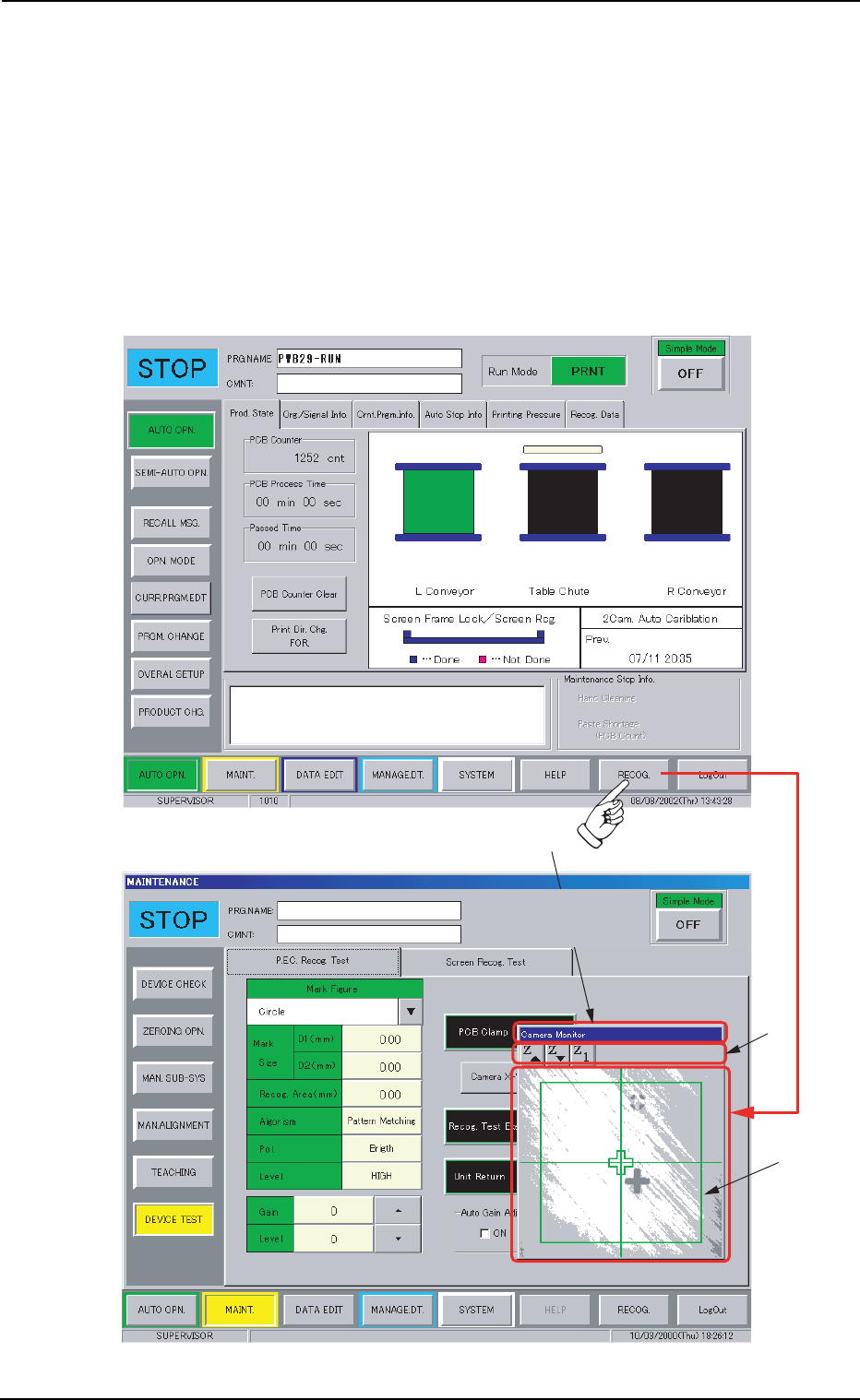
By using the menus for recognized image, a display pattern of the rec-
ognized image can be specified to determine how the image should be
imposed on the operation window on the touch screen.
• Menu Selection
When the [RECOG.] button on the main menu bar is pressed, the
"RECOG." window opens separately.
Fig. 2D7
1. 2 Using the Menus
0211-005 Chapter 2 4-14 Tg0582-PM-D1
*3
*2
*1