1OM-1086-002.pdf - 第260页
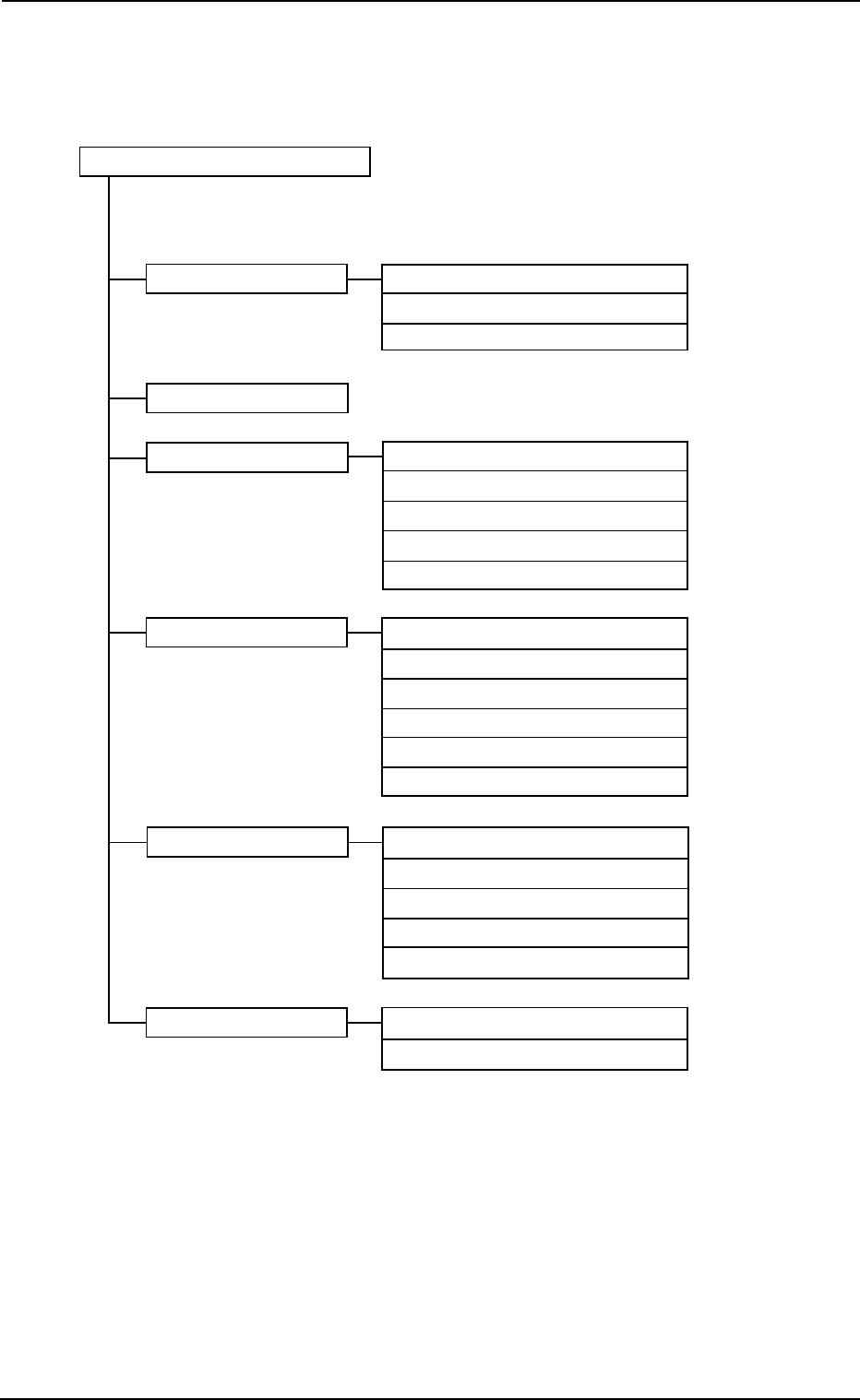
1.1.1 Submenus and T abs The "MAINTENANCE" menu is provided with the following 6 submenus. MAINTENANCE Submenus T ab Window Reference Item Nos. DEVICE CHECK Input Check (PIO) (2.1) Input Check (Motor Control ) …
1. Scope of Menus for Maintenance
1.1 Composition of Menus for Maintenance
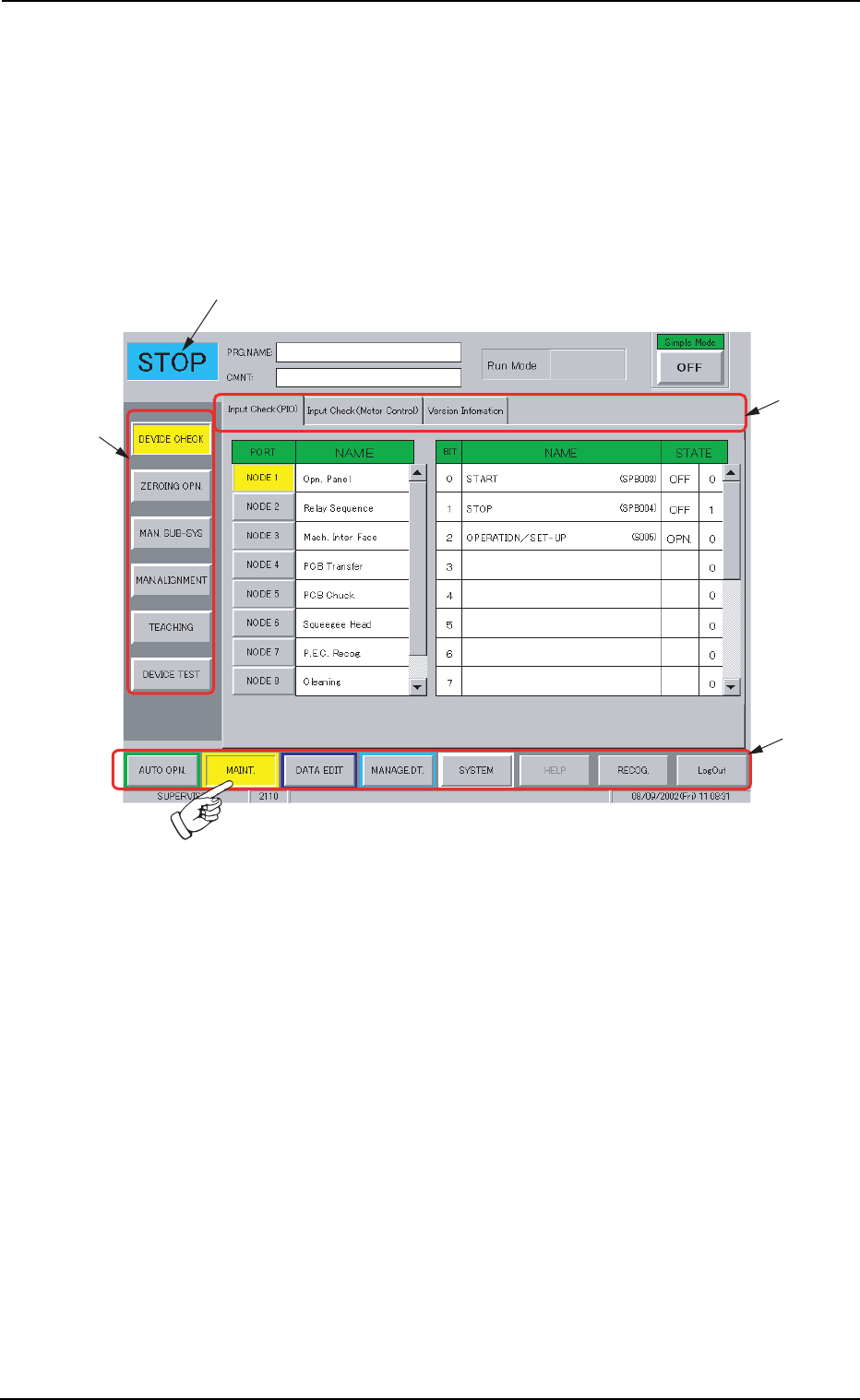
When the [MAINTENANCE] button on the main menu is pressed, the
"MAINTENANCE" window opens on the touch screen. The window is
provided with a submenu bar related to maintenance work.
Fig. 2F1 "MAINTENANCE" Menu Window
• Window Composition
*1 Main Menu Bar
This bar is provided commonly for all operation windows. The but-
tons on the bar are used to select the main menus.
*2 Submenu Bar
This bar is treated as part of the "MAINT." window and has the
buttons to select the submenus.
When a button is selected, the corresponding initial window
(submenu) opens.
*3 Current Mode
The current mode of the machine is displayed.
*4 Tabs
Multiple tab sheets have extensions called "tabs". When a tab is
pressed, the corresponding tab sheet appears.
When there is only one tab sheet, no tab is provided.
1.1 Composition of Menus for Maintenance
0211-005 Chapter 2 6-2 Tg0582-PM-D1
*4
*1
*3
*2
1.1.1 Submenus and Tabs
The "MAINTENANCE" menu is provided with the following 6 submenus.
MAINTENANCE
Submenus Tab Window Reference Item Nos.
DEVICE CHECK Input Check (PIO) (2.1)
Input Check (Motor Control) (2.2)
Version Information (2.3)
ZEROING OPN. (3)
MAN. SUB-SYS Transfer Block (4.1)
Table Block (4.2)
Print Block (4.3)
Recog. Block (4.4)
Cleaning Block (4.5)
MAN. ALIGNMENT Table-X, Table-Z, Table-θ (5.2,5.3,5.4)
Screen-Y (5.5)
Squeg. Drv. (5.6)
Scr. Rcg-X (5.7)
PEC Rcg.X, PEC Rcg.Y (5.8,5.9)
PCB Backup (5.10)
TEACHING Inaccurate Posn. Correction
(6.1)
Coordinate Teaching (6.2)
Vac. Plate Pos. Teaching (6.3)
P.E.C. Recog. Camera Offset (6.4)
Screen Recog. Camera Offset (6.5)
DEVICE TEST P.E.C. Recog. Test (7.1)
Screen Recog. Test (7.2)
Fig. 2F2
1.1 Composition of Menus for Maintenance
0211-005 Chapter 2 6-3 Tg0582-PM-D1
2. "DEVICE CHECK" Window (Submenu)
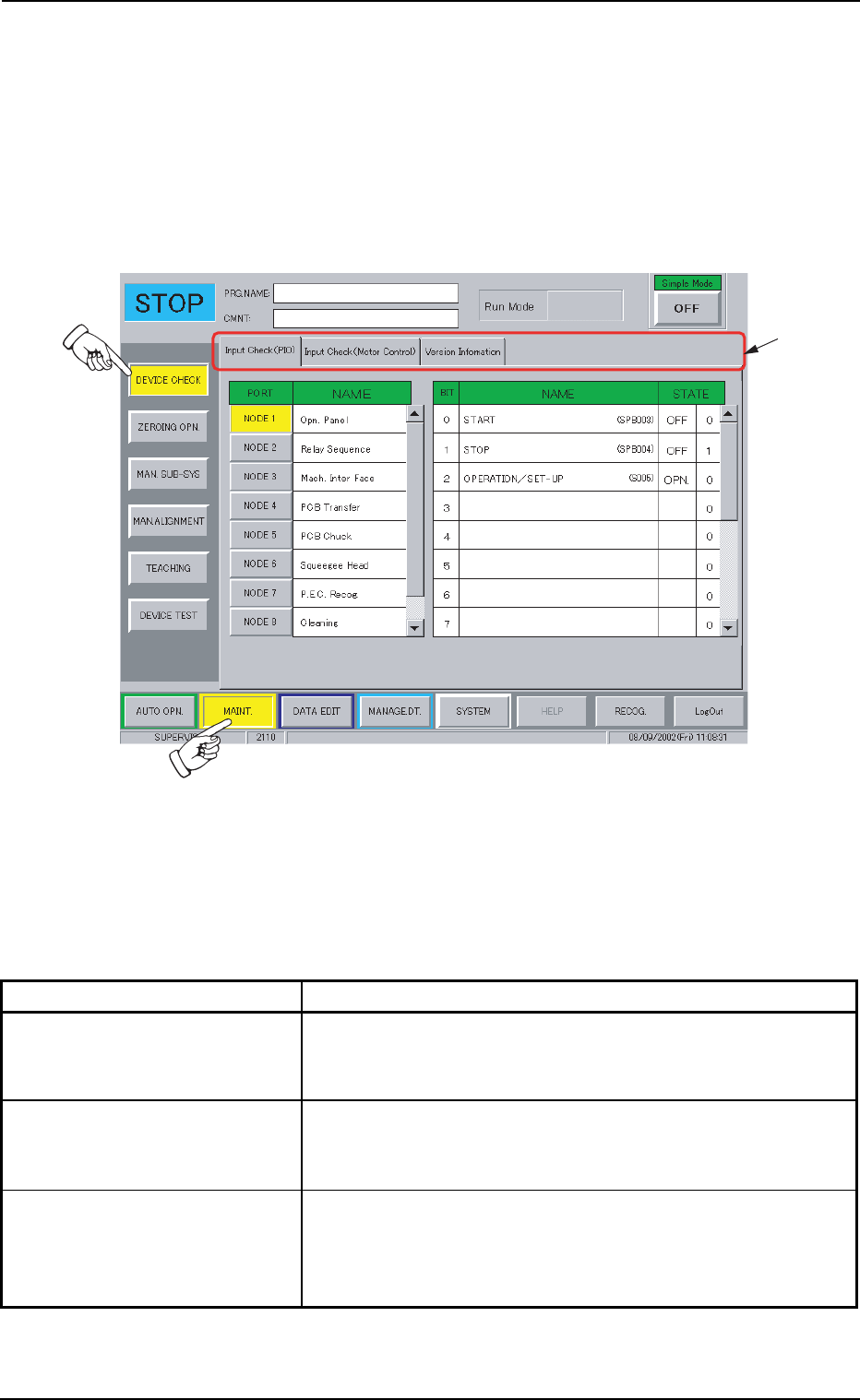
This window can be used to monitor the input status of various sensors
and the motor controller.
• Window Layout
When the [DEVICE CHECK] button is pressed in the "MAINTE-
NANCE" submenu bar, the following window opens.
Fig. 2F3 "DEVICE CHECK" Window (Submenu)
• Window Composition
*1 Tabs
The "DEVICE CHECK" window (submenu) has 3 tab sheets. When
a tab is pressed, the corresponding tab sheet appears.
Table 2F1
Tabs Description
Input Check (PIO) When this tab is pressed, the corresponding tab sheet ap-
pears inside the window, enabling the operator to check the
input status of various sensors.
Input Check (Motor Control) When this tab is pressed, the corresponding tab sheet ap-
pears inside the window, enabling the operator to check the
input status of the motor controller.
Version Information When this tab is pressed, the corresponding tab sheet ap-
pears inside the window, enabling the operator to check the
versions of the programs related to the control system of the
machine.
2. "DEVICE CHECK" Window (Submenu)
*1
0211-005 Chapter 2 6-4 Tg0582-PM-D1