1OM-1086-002.pdf - 第122页
2.2 Stopping and Restarting the Machine in "P ASS" Mode 021 1-005 Chapter 1 3 - 32 Tg0582-PM-D1 2.2 Stopping and Restarting the Machine in "P ASS" Mode Stop Operation Press the [STOP] button on the fr…
2.1 Startaing the Machine in "PASS" Mode
0211-005 Chapter 1 3-31 Tg0582-PM-D1
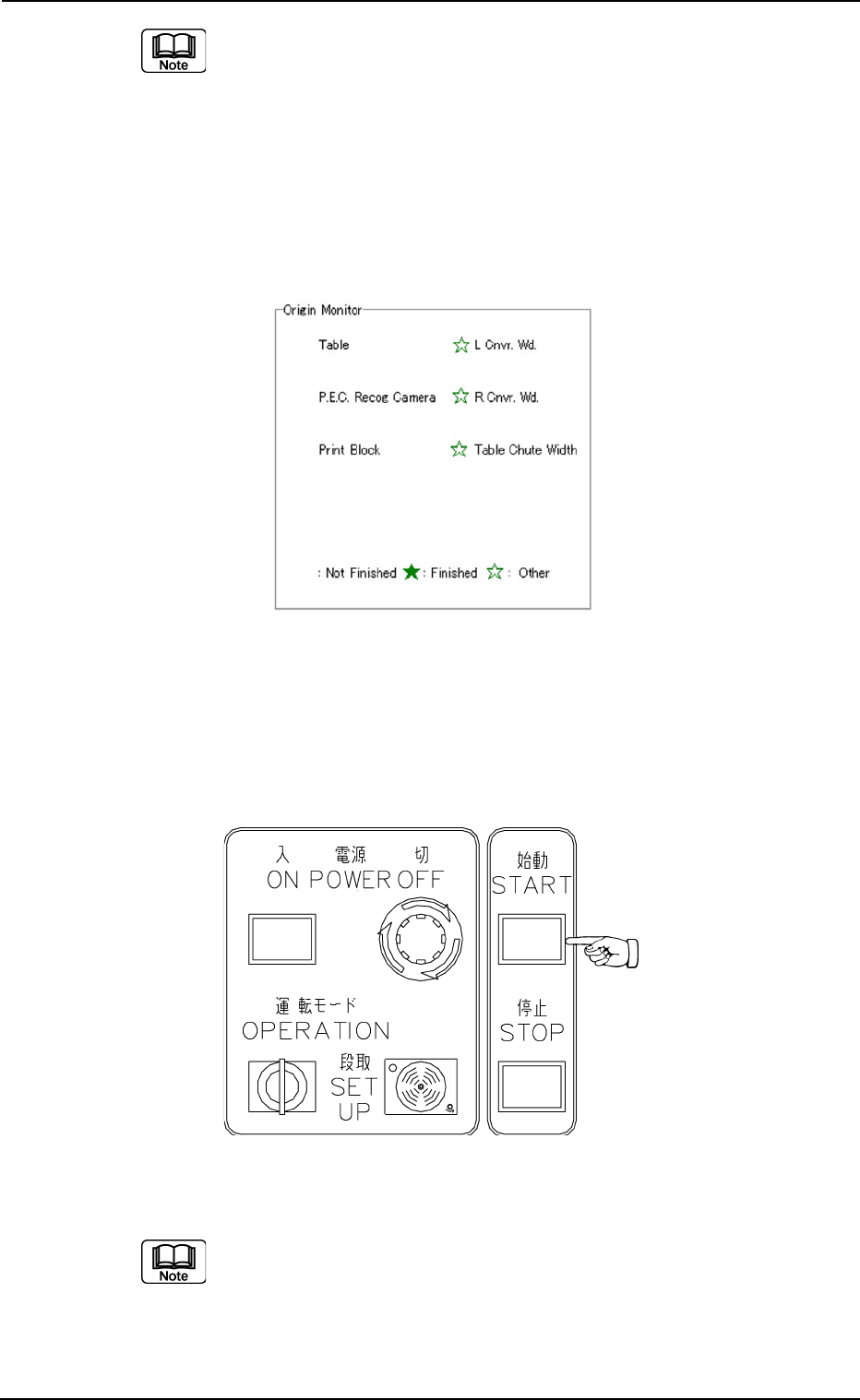
When the origin marks "" are not displayed for all devices
except "L Cnvr. Wd.", "R Cnvr. Wd.", and "Table Chute Width",
the automatic operation of the machine cannot be started.
When the origin mark "" does not appear before any device other
than "L Cnvr. Wd." and "R Cnvr. Wd.", perform the zeroing operation on
the touch screen.
Refer to "3. "ZEROING OPERATION" Window (Submenu)" (Section 6
of Chapter 2) for details.
Fig. 1C46
(10) Press the [START] button on the front operation panel.
When the automatic operation starts, all origin marks "" disap-
pear and the LED (green) of the [START] button and the tower light
(green) illuminate.
Fig. 1C47
(a) The machine cannot be started unless the "AUTO OP-
ERATION" window (Main Menus) is active.
(b) When a P.C.B. already exists in the P.C.B. positioning sec-
tion, the machine discharges the P.C.B. without printing
any solder paste on the P.C.B.

2.2 Stopping and Restarting the Machine in "PASS" Mode
0211-005 Chapter 1 3-32 Tg0582-PM-D1
2.2 Stopping and Restarting the Machine in "PASS"
Mode
Stop Operation
Press the [STOP] button on the front operation panel.
After printing solder paste on the P.C.B.'s (already loaded onto the ma-
chine), each device returns to its stationary position and stops there.
Restart Operation
When the [START] button on the front operation panel is pressed, the
machine restarts its automatic operation.
2.3 End of "PASS" Operation
Refer to "1.6 End of Automatic Operation in Section 2" for details.

0211-005 Chapter 1 3-33 Tg0582-PM-D1