1OM-1086-002.pdf - 第69页
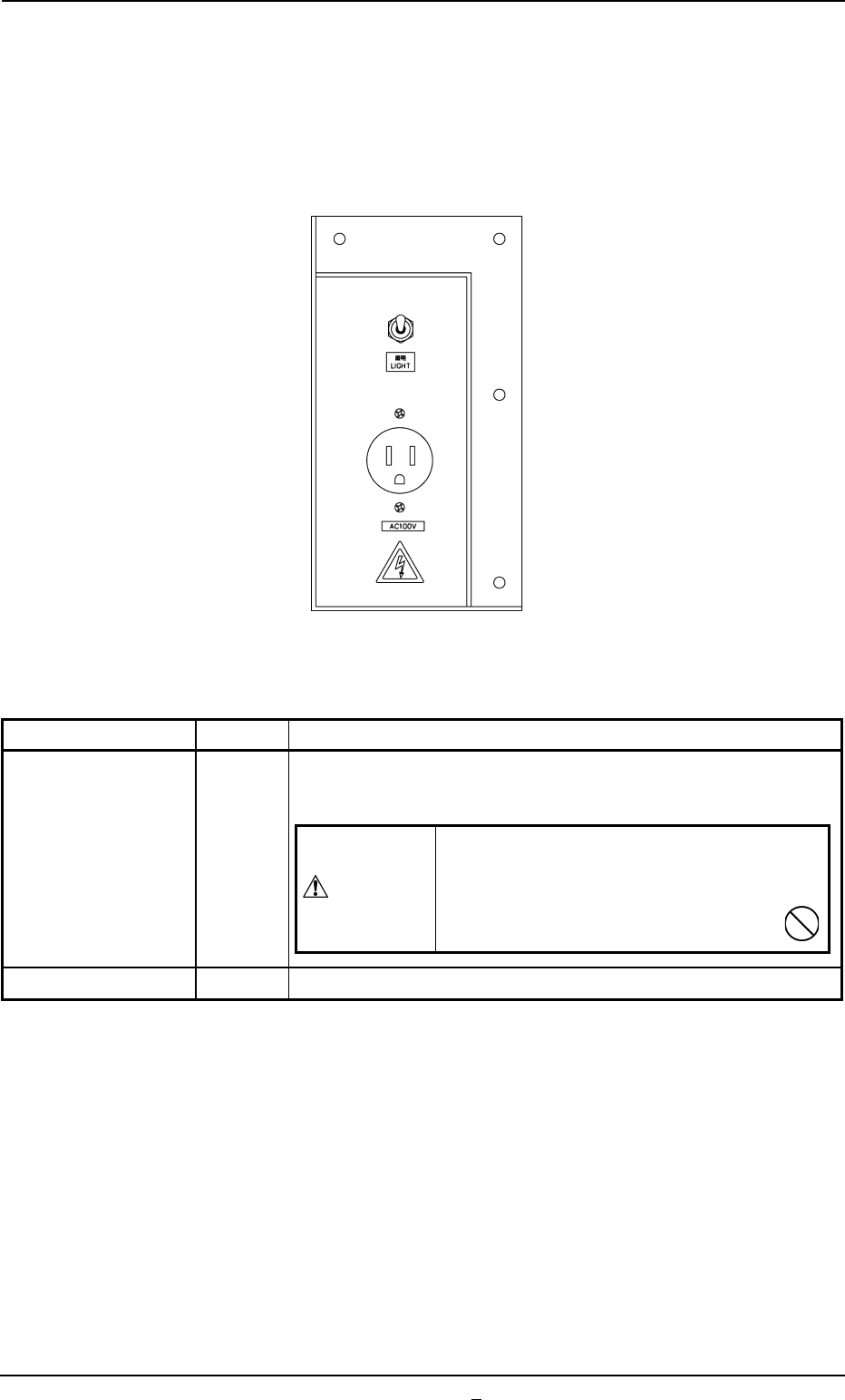
2.4.5 Console Panel Arranged on the console panel are a work lamp switch (the lamp in the printing section) and a power outlet for the network terminal. Fig. 1A14 T able 1A4 Switch Name Symbols Function Power Outlet • Th…
(a) When temperature is low at power-up, the brightness of
the back light drops and resumes normal after a few min-
utes. The deterioration is not abnormal.
(b) When the power is turned on or off repeatedly at low tem-
perature, the life of the touch screen will be shortened.
2.4 Operational Measures
0211-005 Chapter 1 1-11 Tg0582-PM-D1
2.4.5 Console Panel
Arranged on the console panel are a work lamp switch (the lamp in the
printing section) and a power outlet for the network terminal.
Fig. 1A14
Table 1A4
Switch Name Symbols Function
Power Outlet • This power outlet (100 V AC) is used only for a network
terminal.
CONSOLE ONLY Do not connect any other device except a
programming device to this outlet. Other-
AC100V wise, it may result in a breakdown of
the machine.
LIGHT Switch • This is a switch for the work lamp in the printing section.
0211-005 Chapter 1 1-12 Tg0582-PM-D1
2.4 Operational Measures
WARNING
2.4.6 Rear Operation Panel (Manual Operation Panel of Cleaning
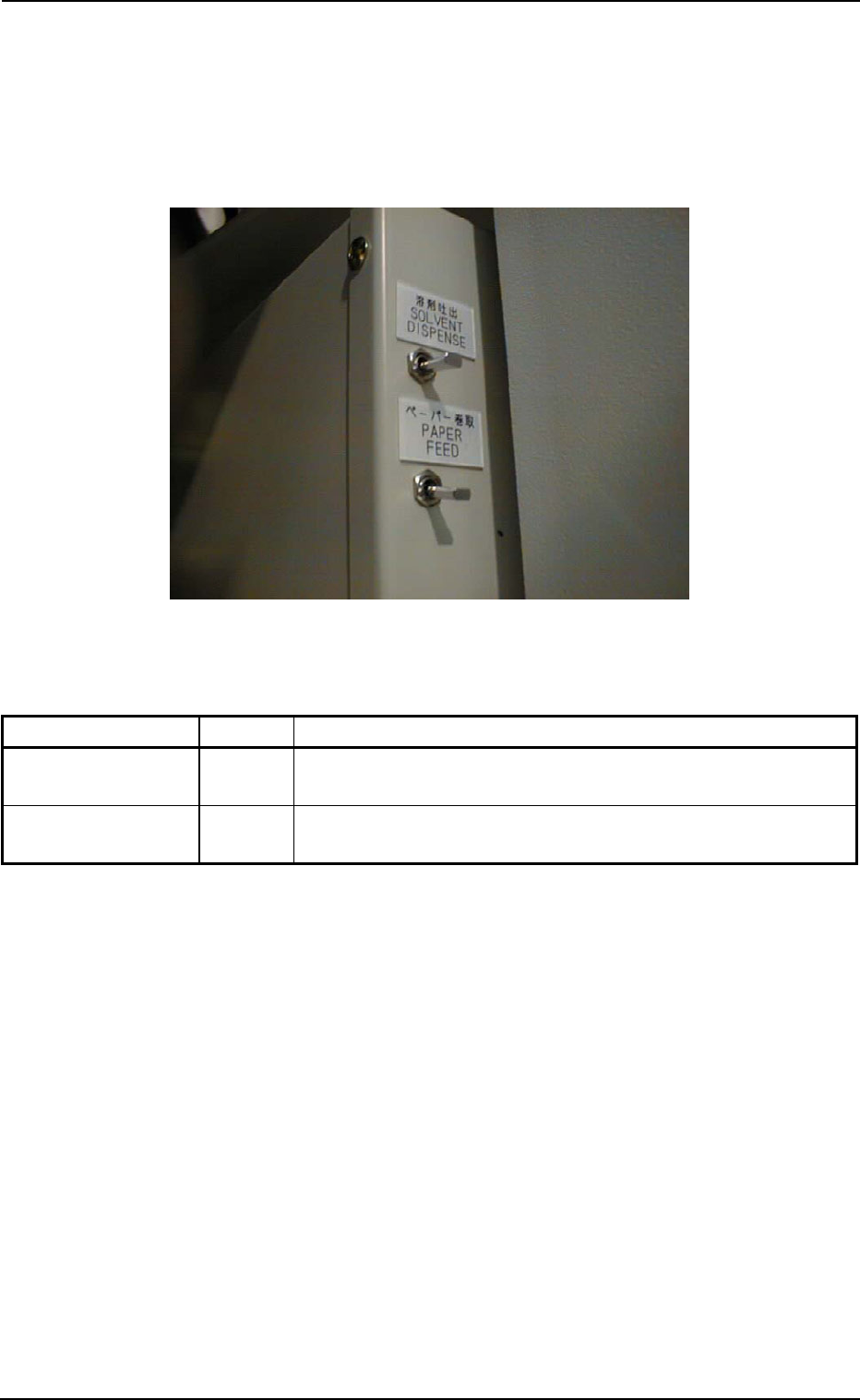
Unit)
This panel is used for maintenance work (manual operations) such as
replacement of cleaning paper, etc.
Fig. 1A14-1
Table 1A4-1
Switch Name Symbols Function
SOLVENT S086 • While this switch is being held down, solvent is dispensed.
DISPENSE
PAPER FEED S087 • While this switch is being held down, the cleaning paper is
fed.
0211-005
Chapter 1 1-12-1 Tg0582-PM-D1
2.4 Operational Measures