1OM-1086-002.pdf - 第186页
• Composition of Menus for Automatic Operation The menus for automatic operation are composed of the following submenus. Refer to "2.1 T abs" in Section 4 for tabs and tab sheets. AUT O OPN. Submenus T abs (T a…
1.2 Using the Menus
1.2.1 Menus for Automatic Operation
• Menu Selection
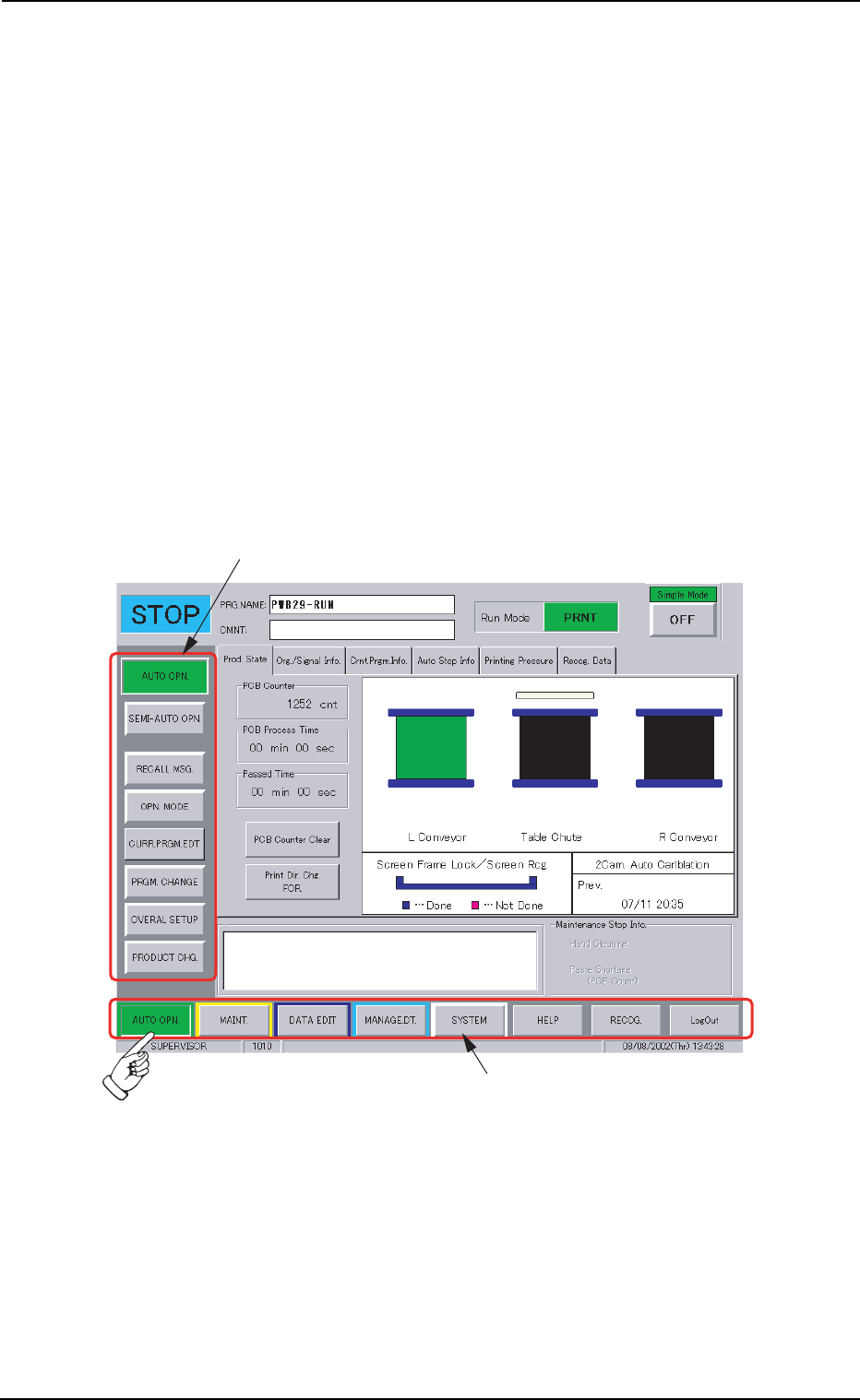
(1) When the [AUTO OPN.] button on the main menu bar is pressed,
the "AUTO OPN." window opens. The "AUTO OPN." window is
provided with a submenu bar.
(2) When one of the buttons on the submenu bar is pressed, the cor-
responding sheet (submenu) or tab sheets appear inside the "AUTO
OPN." window.
This window is provided with main menus related to the automatic op-
eration of the machine. All operations required for automatic operation
are included in this window.
Fig. 2D2 Selection of Menus for Automatic Operation
1. 2 Using the Menus
Main Menu Bar
"AUTO OPN." Submenu Bar
0211-005 Chapter 2 4-4 Tg0582-PM-D1
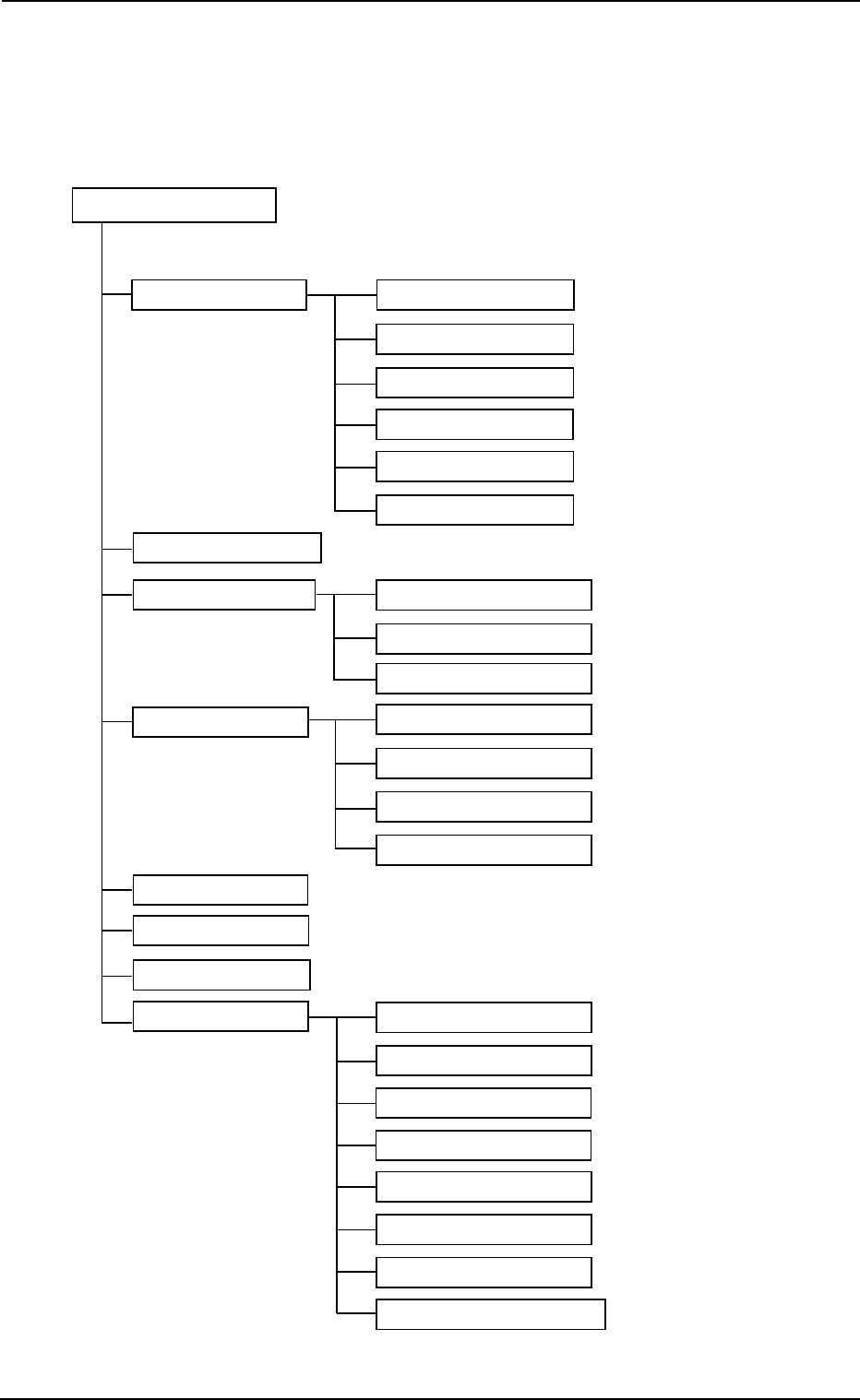
• Composition of Menus for Automatic Operation
The menus for automatic operation are composed of the following
submenus.
Refer to "2.1 Tabs" in Section 4 for tabs and tab sheets.
AUTO OPN.
Submenus Tabs (Tab Sheets) Reference Item Nos.
AUTO OPN. Prod. State 2.1 in Section 5
Org./Signal Info. 2.2 in Section 5
Crnt. Prgm. Info. 2.3 in Section 5
Auto Stop Info 2.4 in Section 5
Printing Pressure 2.5 in Section 5
Recog. Data 2.6 in Section 5
SEMI-AUTO OPN. 3. in Section 5
RECALL MSG. Machine Error Recall 4.1 in Section 5
Information Recall 4.2 in Section 5
System Info. 4.3 in Section 5
OPN. MODE TEST Opn. Mode 5.1 in Section 5
Operation Mode 5.2 in Section 5
Printing Condition 5.3 in Section 5
Auto Stop Setting 5.4 in Section 5
RECOVERY 6. in Section 5
PRGM. CHANGE 7. in Section 5
ALL PROD CHG. 8. in Section 5
PRODUCT CHG. Screen Clng. 9.1 in Section 5
Squeegee Chg. 9.2 in Section 5
Backup Plate Change 9.3 in Section 5
Cleang Chg. 9.4 in Section 5
Paste Scraping 9.5 in Section 5
Conveyor Wd. 9.6 in Section 5
Screen Recog. 9.7 in Section 5
2Cam. Auto Calibration 9.8 in Section 5
Fig. 2D2-1 Composition of Menus for Automatic Operation
0211-005
Chapter 2 4-5 Tg0582-PM-D1
1. 2 Using the Menus
1.2.2 Menus for Maintenance
• Menu Selection
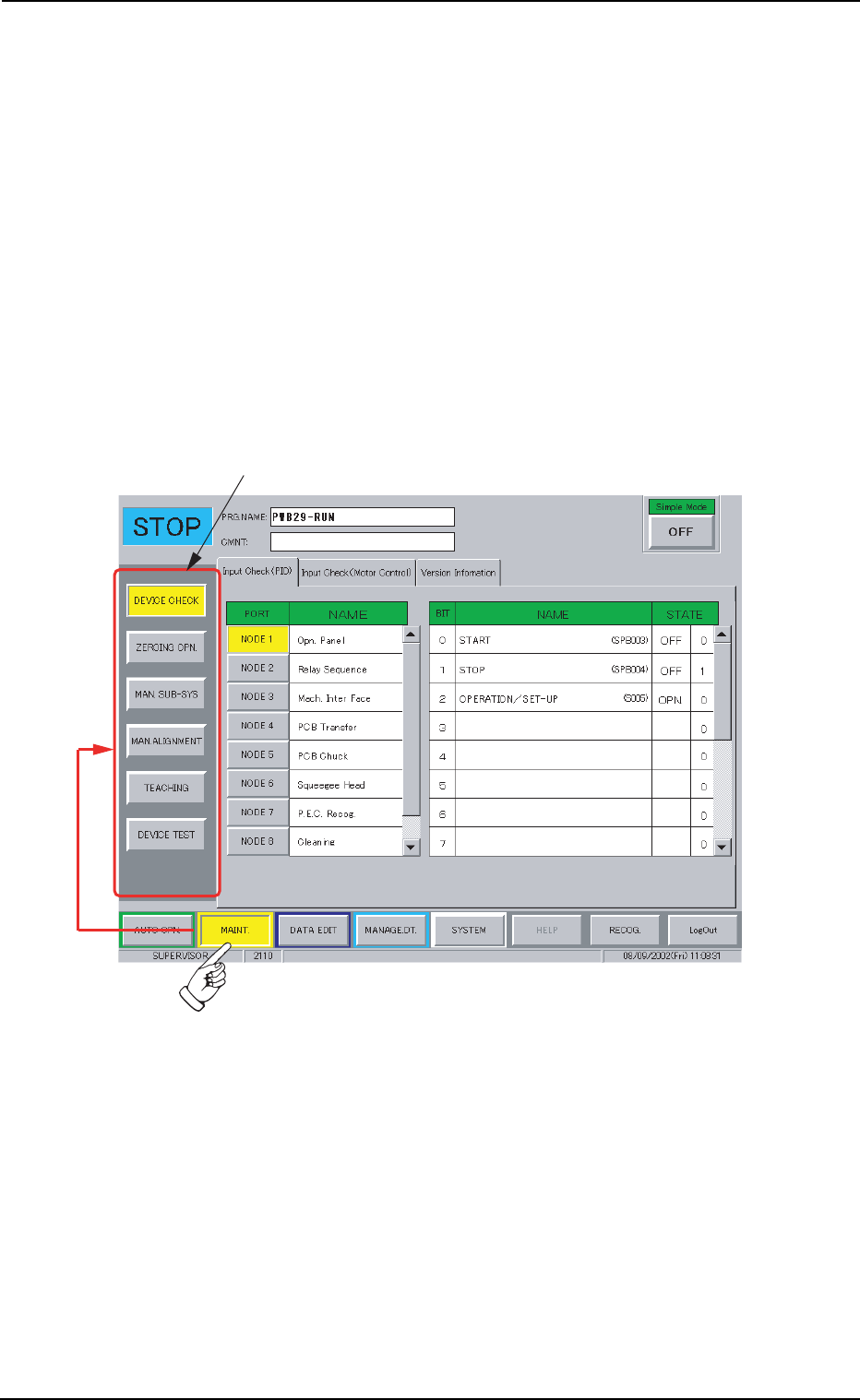
(1) When the [MAINT.] button on the main menu bar is pressed, the
"MAINTENANCE" window opens. The "MAINTENACE" window is
provided with a submenu bar.
(2) When one of the buttons on the submenu bar is pressed, the
corresponding sheet (submenu) or tab sheets appear inside the
"MAINTENANCE" window.
The "MAINTENANCE" window is provided with the functions that can
be used to adjust the machine or confirm the performance of the
machine.
Fig. 2D3 Selection of Menus for Maintenance
0211-005
Chpter 2 4-6 Tg0582-PM-D1
1. 2 Using the Menus
"MAINTENANCE" Submenu Bar