1OM-1086-002.pdf - 第63页
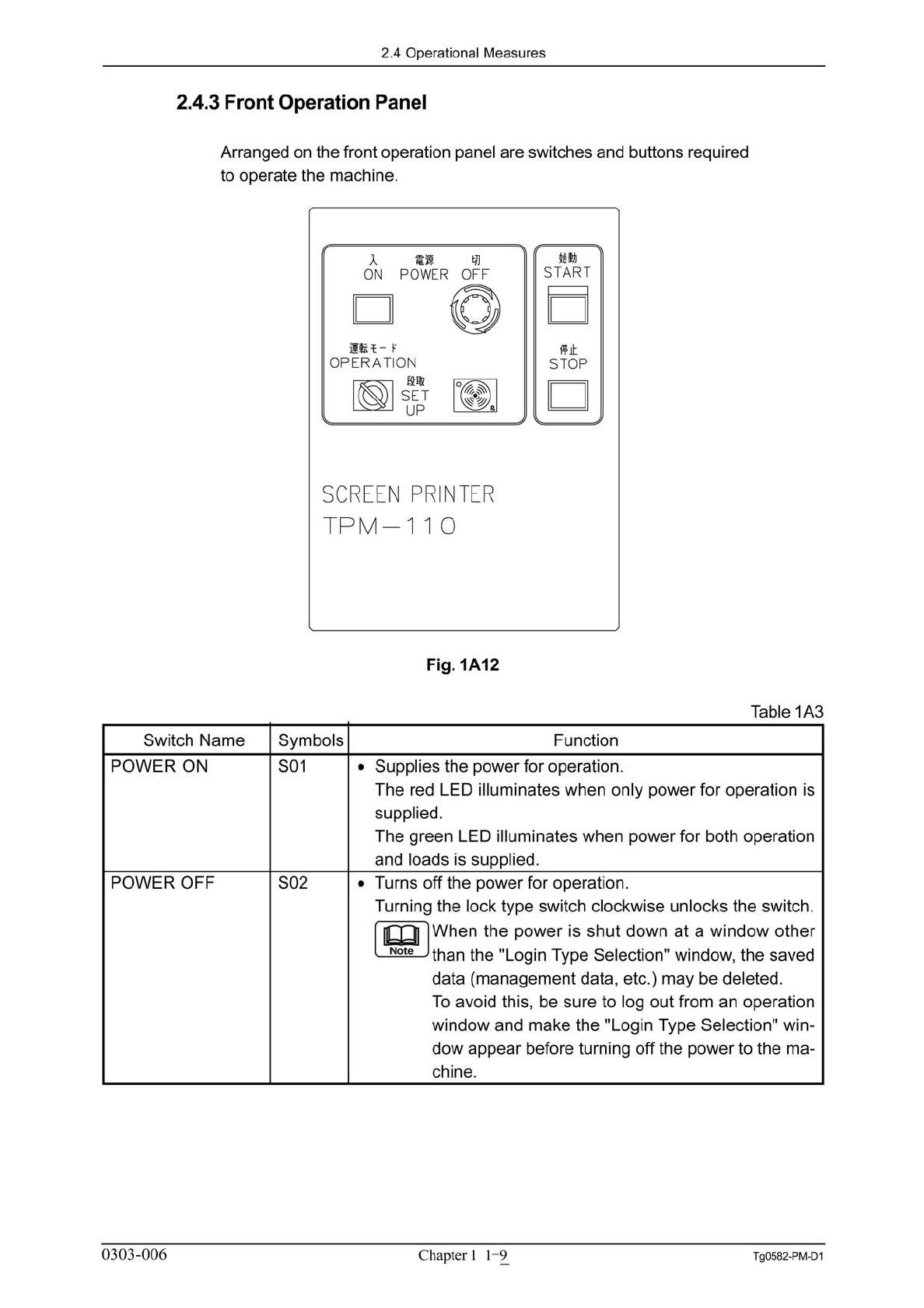
2.4.2 Light T ower Fig. 1A1 1 Light T ower Each lamp of the light tower indicates the condition of the machine. Lamp Colors The machine is factory-adjusted upon shipment. T able 1A2 Lamp Colors Machine Condition Red Erro…
2.4 Operational Measures
2.4.1 Power Breaker
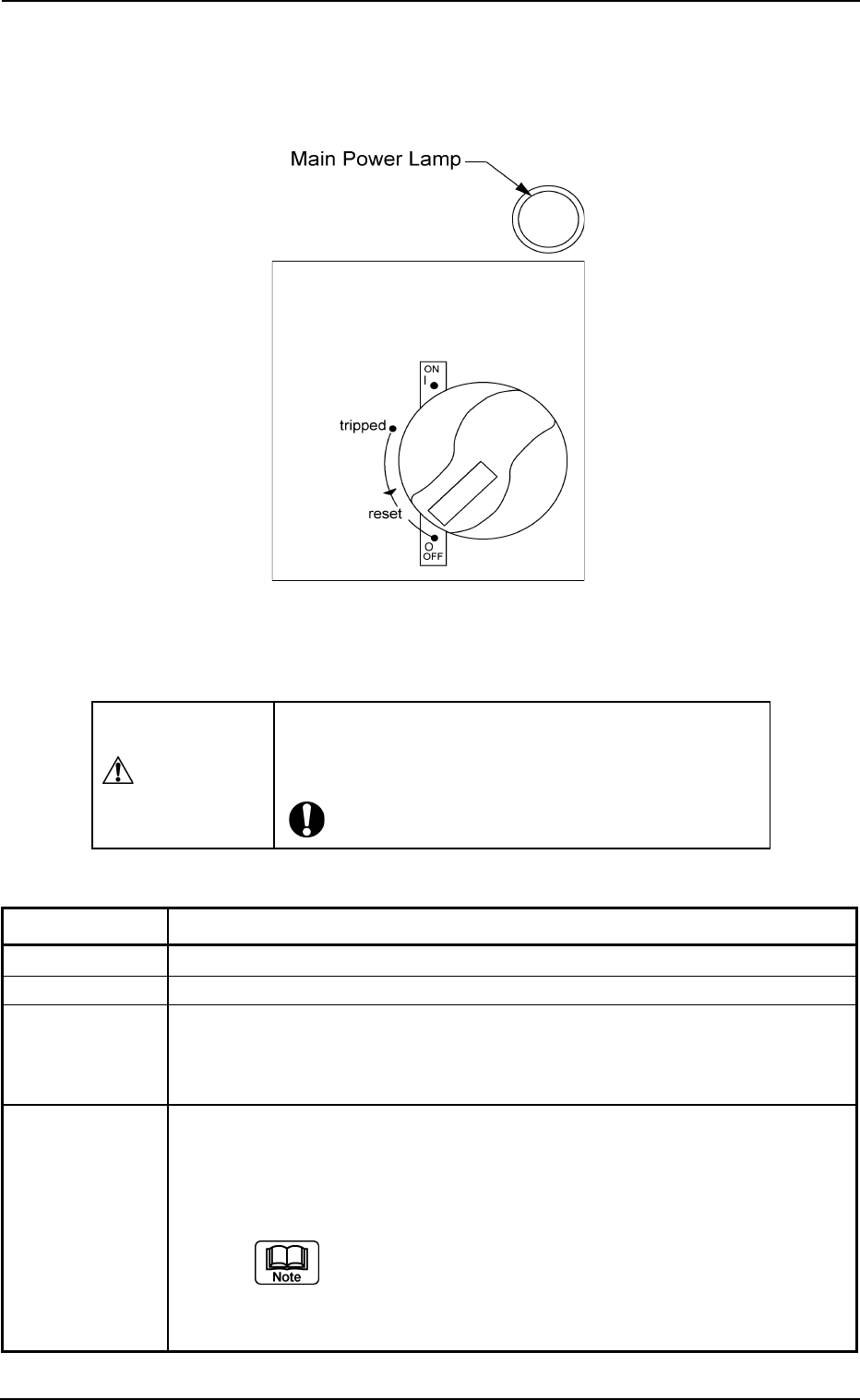
Fig. 1A10
The power breaker is used to power up or shut down the main machine.
The power breaker can be locked with a padlock.
Table 1A1
Symbols/Names Functions
○ (OFF) Power Breaker OFF (Fig. 1A6)
tripped Current Interception due to Overcurrent
| (ON) Power Breaker ON
The door of the power breaker cannot be opened.
Note: Do not try to open the door forcibly.
Main Power • ON: Power is supplied. (Power ON Condition)
Lamp • OFF: Power is shut off.
The circuit of the lamp may be broken or an error might have oc-
curred. (Phase Interruption Detection)
Phase interruption can be detected only when power is
supplied.
When the machine is already powered, phase interruption
cannot be detected.
2.4 Operational Measures
0211-005 Chapter 1 1-7 Tg0582-PM-D1
Before maintenance, inspections work, etc., be sure
to turn off the power to the machine and lock the power
breaker with the padlock for safety purposes.
CAUTION
2.4.2 Light Tower
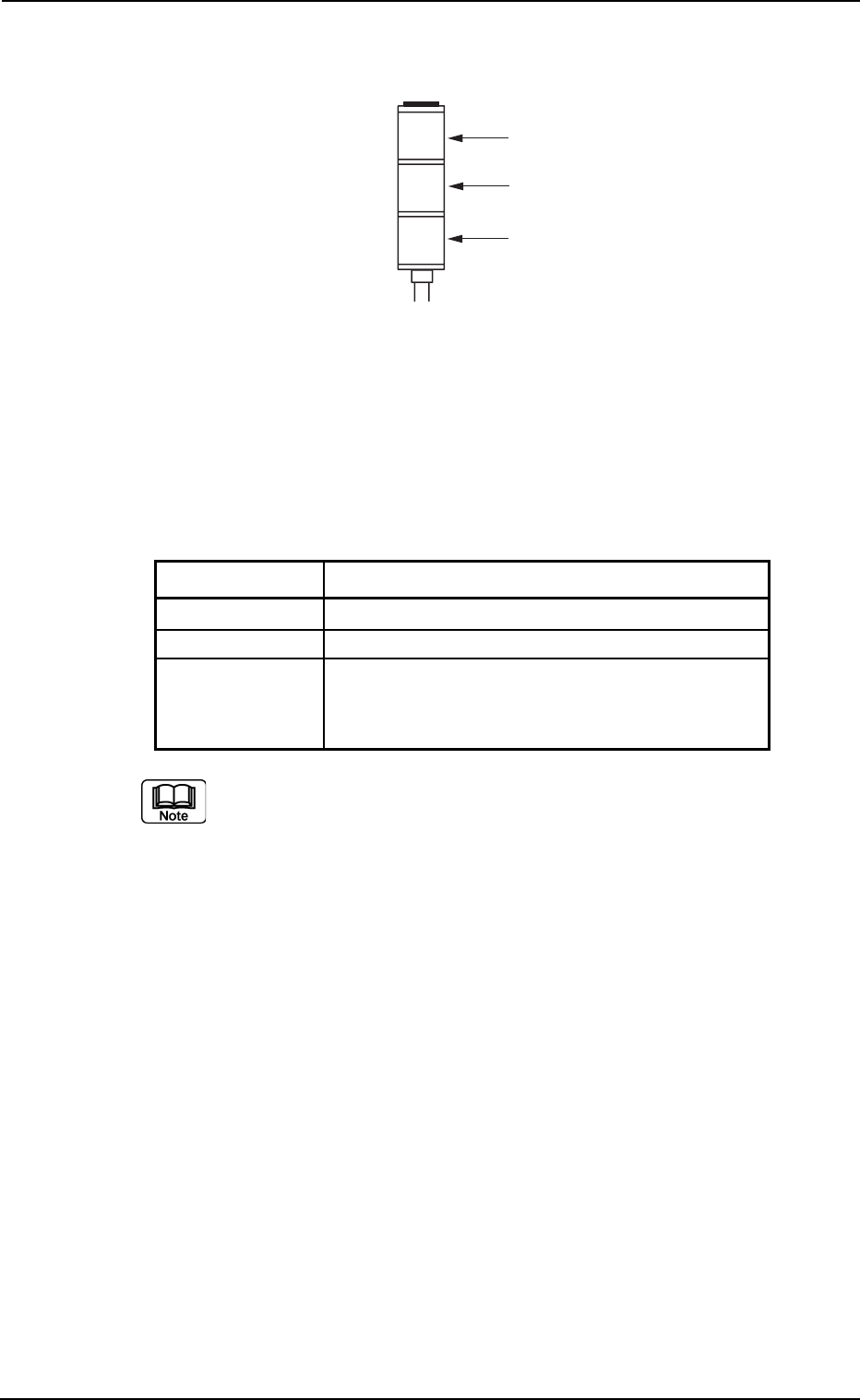
Fig. 1A11 Light Tower
Each lamp of the light tower indicates the condition of the machine.
Lamp Colors
The machine is factory-adjusted upon shipment.
Table 1A2
Lamp Colors Machine Condition
Red Error (Machine Stop)
Yellow Component Shortage (Warning)
Green Automatic Operation
Note: When the machine is in the standby
mode, this lamp flashes.
The condition of the machine corresponding to the parameters
specified for each lamp color can be changed at the “MAC.
SET-UP” window.
Refer to “2.2 “Tower Lamp/Buzzer Set-up” Tab” in “Section 4
(Chapter 1 of Vol. 2)” for details.
2.4 Operational Measures
0211-005 Chapter 1 1-8 Tg0582-PM-D1
Red
Yellow
Green