1OM-1086-002.pdf - 第204页
Section 5 Menus for Automatic Operation 021 1-005 Chapter 2 5 - 1 Tg0582-PM-D1 This section describes the functions and operations in each window (window which opens after a menu button is pressed at the "AUT O OPER…

0211-005 Chapter 2 4-21 Tg0582-PM-D1

Section 5
Menus for Automatic Operation
0211-005 Chapter 2 5-1 Tg0582-PM-D1
This section describes the functions and operations in
each window (window which opens after a menu button
is pressed at the "AUTO OPERATION" window).
1. Scope of "AUTO OPERATION" Window (Main Menu)
1.1 Composition of Menus for Automatic Operation
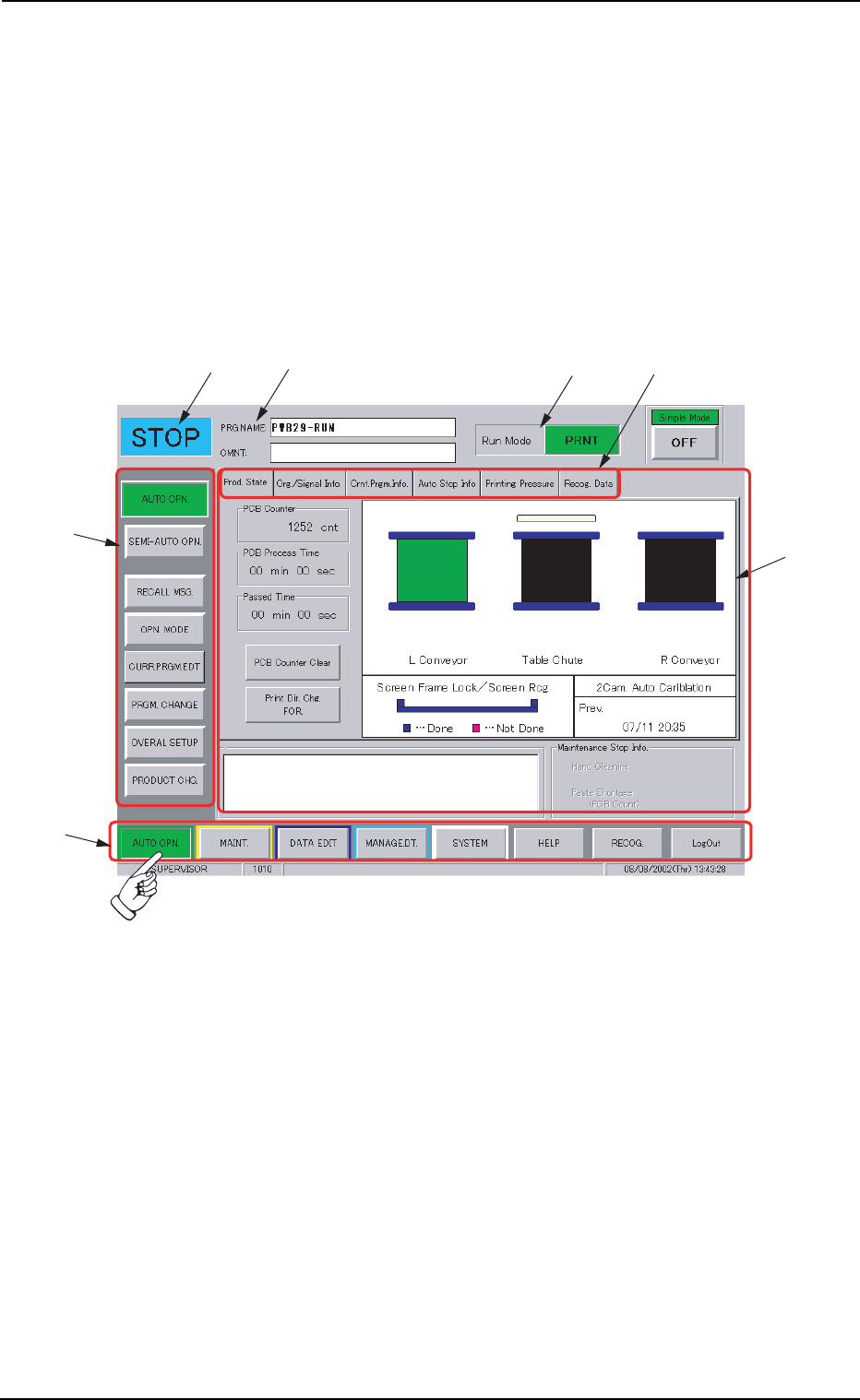
When the [AUTO OPN.] button on the main menu bar is pressed, the
"AUTO OPN." window opens on the touch screen. The window is pro-
vided with a submenu bar.
The menus for automatic operation can be used to make a preparation
for automatic operation, setting operation mode, perform program and
product change operations, etc.
Fig. 2E1 "AUTO OPERATION" Window (Submenu)
• Window Composition
*1 Main Menu Bar
This bar is provided commonly for all operation windows. The but-
tons on the bar are used to select the main menus.
*2 Submenu Bar
This bar is treated as part of the "AUTO OPERATION" window and
has the buttons to select the submenus.
When a button is selected, the corresponding initial window
(submenu) opens.
1.1 Composition of Menus for Automatic Operation
0211-005 Chapter 2 5-2 Tg0582-PM-D1
*6
*5
*4
*3
*2
*1
*7