00198505-01_SM_SIPLACE_SmartFeeder_EN.pdf - 第134页
8 Repairs to SmartFeeder 2x8 mm X 8.2 Rear Sliding Guide 134 Service Manual SIPLACE SmartFeeder 4 - 104 mm X 11/2017 8.2 Rear Sliding Guide Required spare part Fig.43: Rear sliding guide L200 Feeder module Item no. Desi…
8 Repairs to SmartFeeder 2x8 mm X
8.1 Front sliding guide/sliding foil
Service Manual SIPLACE SmartFeeder 4 - 104 mm X 11/2017 133
8 Repairs to SmartFeeder 2x8 mm X
Feeder module Item no. Description
SmartFeeder 2x8mmX 00141269-xx SIPLACE SmartFeeder 2x8 mm X
00141289-xx SIPLACE SmartFeeder 2x8mm X splice sensor
8.1 Front sliding guide/sliding foil
Required spare part
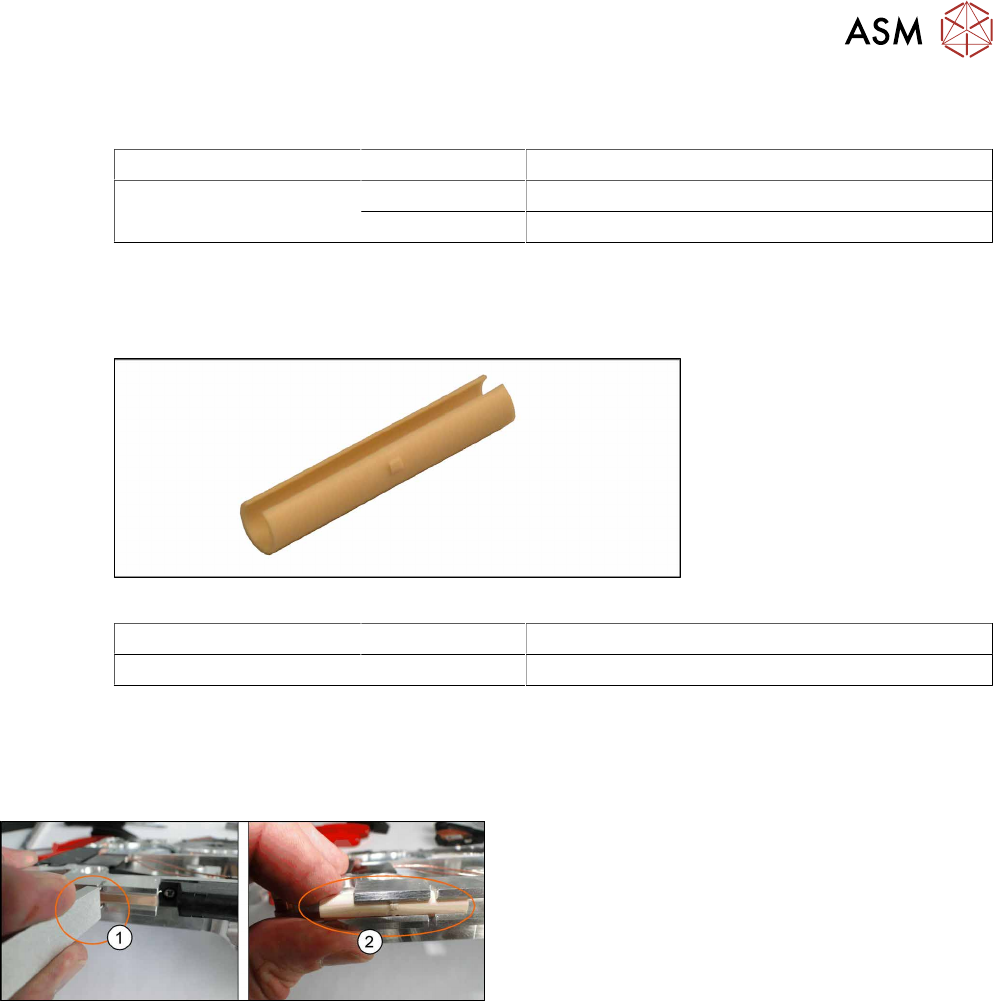
Fig.42: Sliding foil X-Feeder
Feeder module Item no. Designation
SmartFeeder 2x8mmX 03019604Sxx Front sliding guide
Required tools
●
Sliding foil remover
8.1.1 Removing the Sliding Foil
► Place the feeder on a stable, level and clean sur-
face.
► Insert the sliding foil remover into the sliding
guide.(1)
► Lever the sliding foil out of the engaged position.
► Lever the sliding foil until it has been turned by
approximately90°.
► Push the sliding foil towards the front and out of
the sliding guide.(2)
8.1.2 Fitting the Sliding Foil
► Press the sliding foil slightly together.
► Push the sliding foil from the front into the sliding guide, until it engages.
8 Repairs to SmartFeeder 2x8 mm X
8.2 Rear Sliding Guide
134 Service Manual SIPLACE SmartFeeder 4 - 104 mm X 11/2017
8.2 Rear Sliding Guide
Required spare part
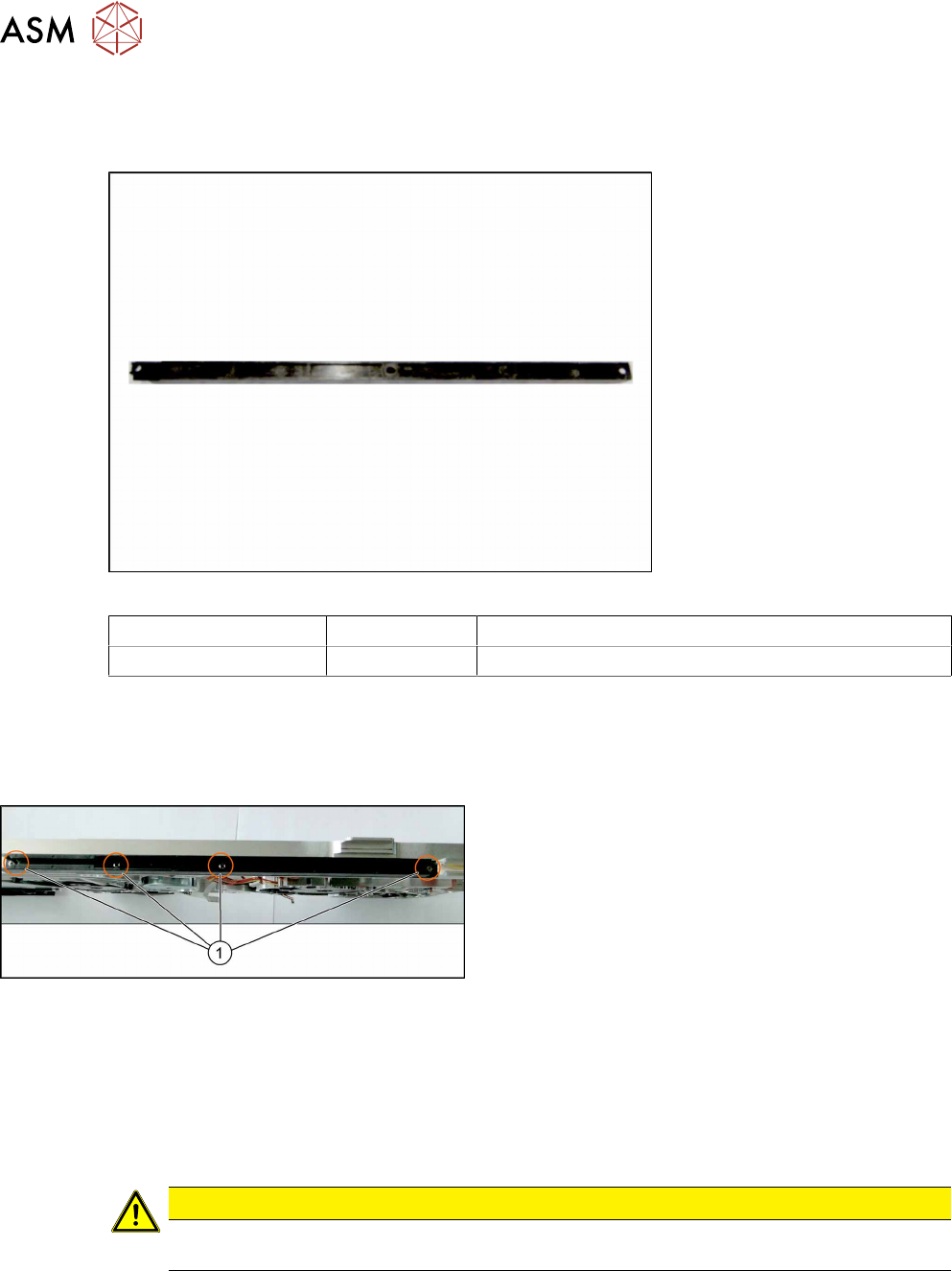
Fig.43: Rear sliding guide L200
Feeder module Item no. Designation
SmartFeeder 2x8mmX 03003994Sxx Rear sliding guide L200
Required tools
●
Phillips screwdriver 0.6Nm
8.2.1 Removing the Rear Sliding Guide
► Place the feeder on a stable, level and clean sur-
face.
► Loosen the 4 screws(1) on the sliding guide.
► Lift the sliding guide up at the back and pull up-
wards and off.
8.2.2 Fitting the Rear Sliding Guide
► Push the left part of the rear sliding guide as far as possible towards the front sliding guide,
and into the recess.
► Now lower the two snap tabs of the sliding guide into the openings provided on the underside
of the feeder module.
► Screw the sliding guide onto the bottom of the feeder module (M2.5x6mm).
CAUTION
► To prevent damage to the sprocket wheel, make sure that the pickup window is fitted
for this work.
8 Repairs to SmartFeeder 2x8 mm X
8.3 Side Covers
Service Manual SIPLACE SmartFeeder 4 - 104 mm X 11/2017 135
8.3 Side Covers
Required spare part
Feeder module Item no. Designation
SmartFeeder 2x8 mm X 03078734-xx
03078709-xx
03033796-xx
03010209-xx
Cover plate left assy. /X2x8
Cover plate right /X2x8
RF-SN75-2.5 x 6-9.8
(TORX screws)
ISO 7045 - M2.5 x 6-A2-50-H
(Phillips screws)
Required tools
●
Phillips screwdriver 0.6Nm
●
TORX screwdriver 0.6Nm, size T8
8.3.1 Removing the Left Side Cover
► Carefully place the feeder module with the right-
side side down on a stable, level and clean sur-
face.
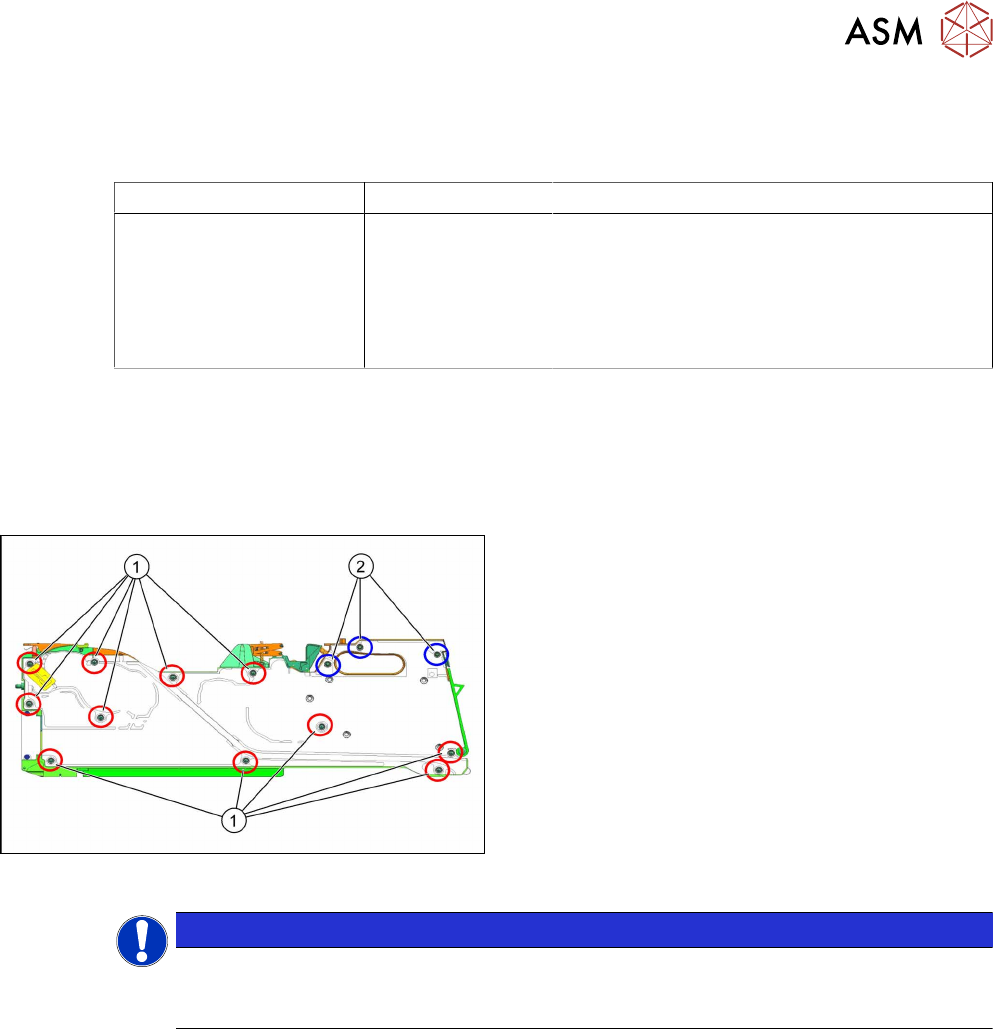
► Loosen the screws as shown in the diagram.
1. Red circles show screws, for which you need a
Phillips screwdriver with a torque of 0.6Nm.
2. Blue circles show screws for which you need a
TORX screwdriver with a torque of 0.6Nm.
► Place the side cover down on a clean, safe surface.
NOTICE
Attention: The foil disposal cover is held by the side cover and could fall out!
For greater clarity, we recommend that you loosen the same types of screws together and
then keep them in small, marked bowls.