00198505-01_SM_SIPLACE_SmartFeeder_EN.pdf - 第78页
6 Repairs to SmartFeeder 4 mm X 6.16 Control board 78 Service Manual SIPLACE SmartFeeder 4 - 104 mm X 11/2017
6 Repairs to SmartFeeder 4 mm X
6.16 Control board
Service Manual SIPLACE SmartFeeder 4 - 104 mm X 11/2017 77
6.16.3 Performing a reference run
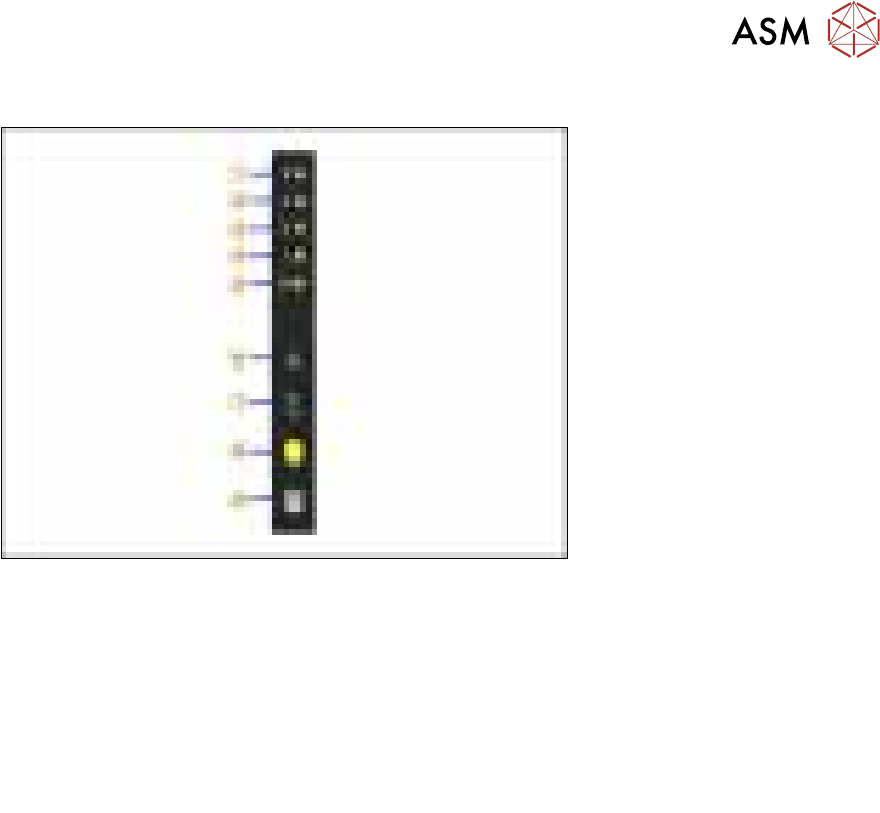
Fig.21: Control panel
1. LED 8 – 8mm pitch
(active only on SmartFeeder 8mmX)
6. FORWARDS button
2. LED 4 – 4mm pitch 7. BACKWARDS button
3. LED 2 – 2mm pitch 8. FOIL button
4. LED 1 – 1mm pitch 9. SET button
5. LED M – menu
Shines when an operator menu is active
► Place the feeder module on a single slot EDIF or on a changeover table for X feeders which is
connected to a placement machine.
► Press and hold the gray SET button(9) until the reference run is enabled.
► Press the yellow foil button three times briefly(8).
After the first press of the FOIL button, the LEDM will switch on.
After the second press, LED1 will also be switched on.
After the third press, LED2 will also be switched on.
The menu for enabling the reference run has now been selected.
► In addition to the SET button, also press the FORWARDS button(7).
LED8(1) should now flash rapidly. If LED8 and LED4(2) flash, this indicates that there is a
feeder module error present (e.g. foil is tensioned or tape drive has an error) and the refer-
ence run can not be performed.
► Release the FORWARDS button.
The reference run will start.
► Release the SET button.
The reference run will be automatically finished. The control panel will then switch over to the
pitch display.

6 Repairs to SmartFeeder 4 mm X
6.16 Control board
78 Service Manual SIPLACE SmartFeeder 4 - 104 mm X 11/2017
7 Repairs to SmartFeeder 8 mm X
7.1 Front sliding guide/sliding foil
Service Manual SIPLACE SmartFeeder 4 - 104 mm X 11/2017 79
7 Repairs to SmartFeeder 8 mm X
Feeder module Item no. Description
SmartFeeder 8mmX 00141370- xx
00141390-xx
SIPLACE SmartFeeder 8mm X
SIPLACE SmartFeeder 8mm X splice sensor
7.1 Front sliding guide/sliding foil
Required spare part
Fig.22: Sliding foil
Feeder module Item no. Designation
SmartFeeder 8mmX 03019604Sxx Sliding foil, X-feeder JUM-S-06LY
Required tools
●
Sliding foil remover [03075421-xx]
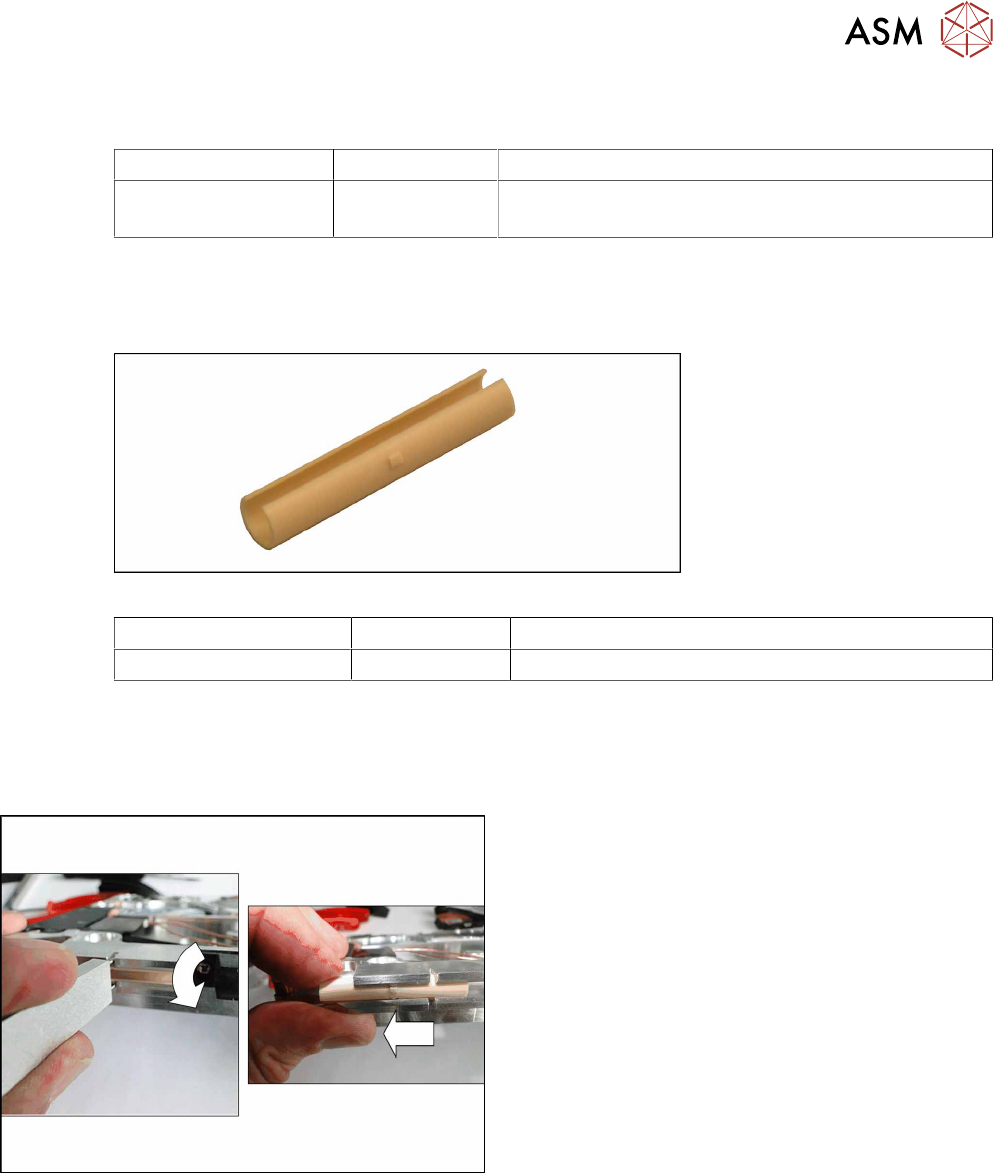
7.1.1 Removing the Sliding Foil
► Place the feeder module carefully down on its
side, onto a stable, level and clean surface.
► Place the sliding foil remover into the sliding
guide, as shown in the diagram.
► Lever the sliding foil out of the engaged position.
► Pull the sliding foil out of the sliding guide, to-
wards the front.