00198505-01_SM_SIPLACE_SmartFeeder_EN.pdf - 第147页
8 Repairs to SmartFeeder 2x8 mm X 8.6 Splice sensor / dummy Service Manual SIPLACE SmartFeeder 4 - 104 mm X 11/2017 147 8.6.4 Fitting the Dummy Splice Sensor CAUTION During assembly, make sure that the cable is not wedge…
8 Repairs to SmartFeeder 2x8 mm X
8.6 Splice sensor / dummy
146 Service Manual SIPLACE SmartFeeder 4 - 104 mm X 11/2017
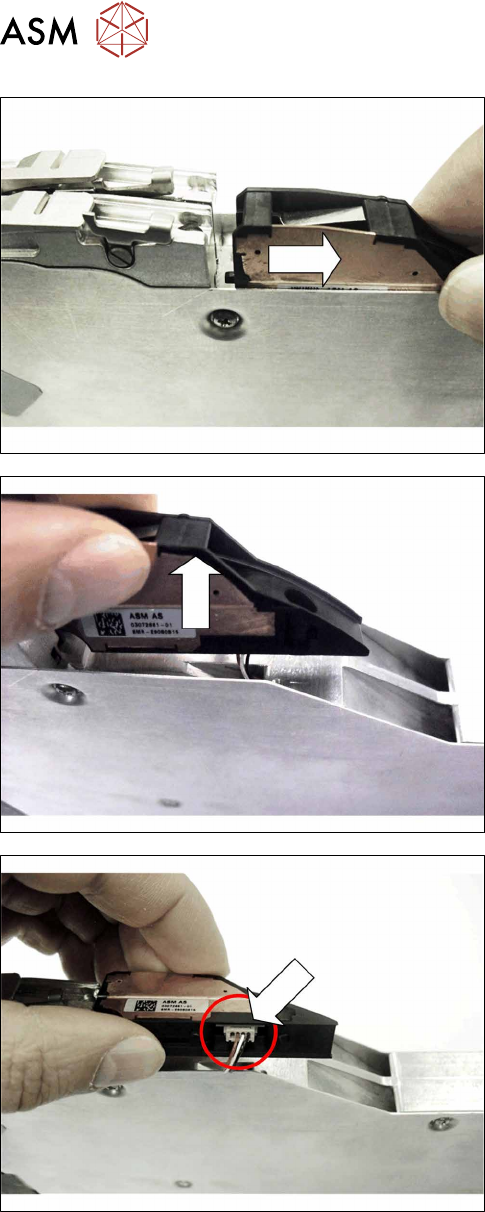
► Pull the splice sensor out of the tape duct, in the
direction of the arrow.
► Lift the splice sensor out of the lane.
Make sure that you do not stretch the cable too
much.
► Pull the connector for the sensor cable out of the
connection on the splice sensor.
► Remove the splice sensor.
► Insert the sensor cable back into the cable duct.
If you want to use a dummy splice sensor, remove the
second splice sensor. The procedure is the same as
that for the first splice sensor.
8 Repairs to SmartFeeder 2x8 mm X
8.6 Splice sensor / dummy
Service Manual SIPLACE SmartFeeder 4 - 104 mm X 11/2017 147
8.6.4 Fitting the Dummy Splice Sensor
CAUTION
During assembly, make sure that the cable is not wedged in between the base unit, the
dummy splice sensor and the side covers.
► Place the feeder module down on a stable sur-
face e.g. a single slot EDIF or place the feeder
module on a level and clean surface.
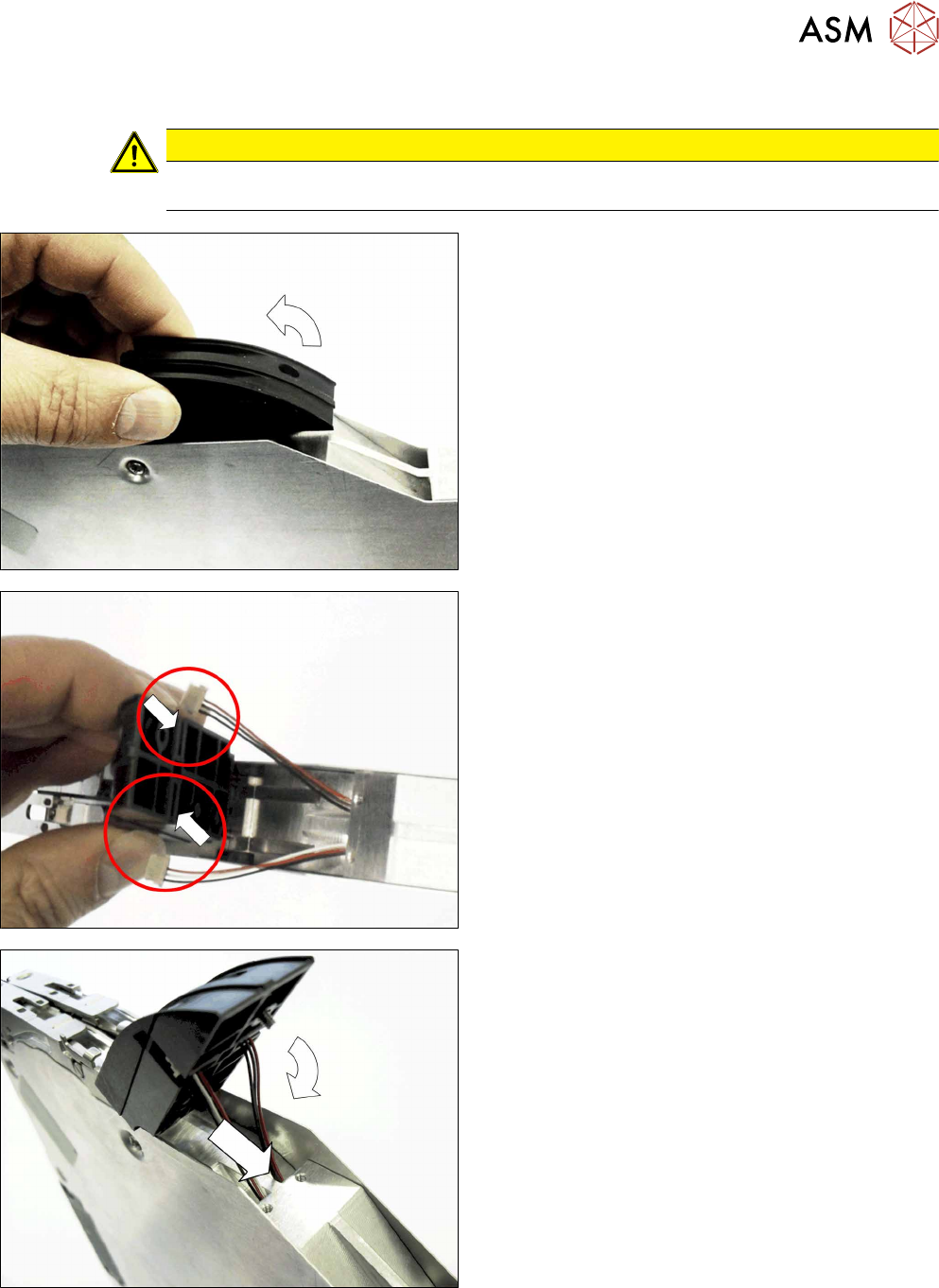
► Place the dummy sensor next to the tape duct, as
shown in the diagram.
► Swing the dummy sensor up with the tip pointing
upwards.
► Pull the cable about 4 cm out of the base unit of
the feeder module.
► Push the cable connector from the outside, side-
ways into the dummy sensor guidance.
Make sure that the cable is pushed into the
dummy sensor on the correct side, as shown.
► Push the cable into each left and right cable duct
in the base unit of the feeder module.
► Carefully swing the dummy sensor down.
Make sure that the cable is not wedged in
between the base unit, the dummy splice sensor
and the side covers.
8 Repairs to SmartFeeder 2x8 mm X
8.6 Splice sensor / dummy
148 Service Manual SIPLACE SmartFeeder 4 - 104 mm X 11/2017
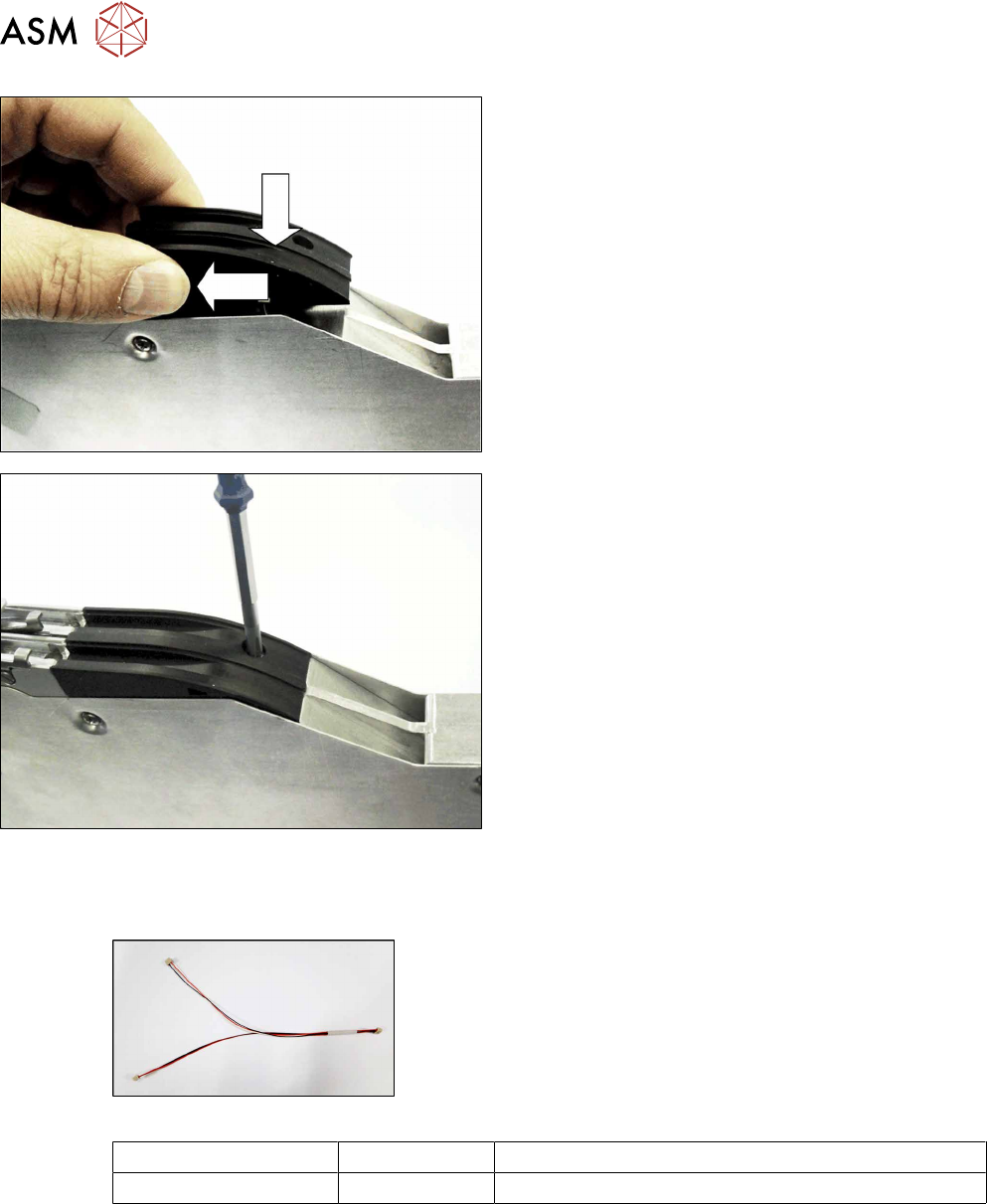
► Lower the dummy sensor completely down.
► Push the dummy sensorforwards, in the direction
of the arrow, as far as the stop.
► Fasten the dummy sensor with a screw (M2,
5x6).
Use a Phillips screwdriver for this.
8.6.5 Cable splice sensor
Required spare parts
Fig.46: Cable splice sensor
Feeder module Item no. Designation
2x8mm X 03063593- xx Cable for splice sensor X2x8
Required tools
●
Phillips screwdriver
●
TORX screwdriver size T8