00198505-01_SM_SIPLACE_SmartFeeder_EN.pdf - 第213页
9 Repairs to SmartFeeder 12 mm X / 16 mm X 9.8 Foil rocker Service Manual SIPLACE SmartFeeder 4 - 104 mm X 11/2017 213 9.8.2.1 Removing the Roller/Roller Axle ► Carefully place the feeder module on its right side. ► Pull…
9 Repairs to SmartFeeder 12 mm X / 16 mm X
9.8 Foil rocker
212 Service Manual SIPLACE SmartFeeder 4 - 104 mm X 11/2017
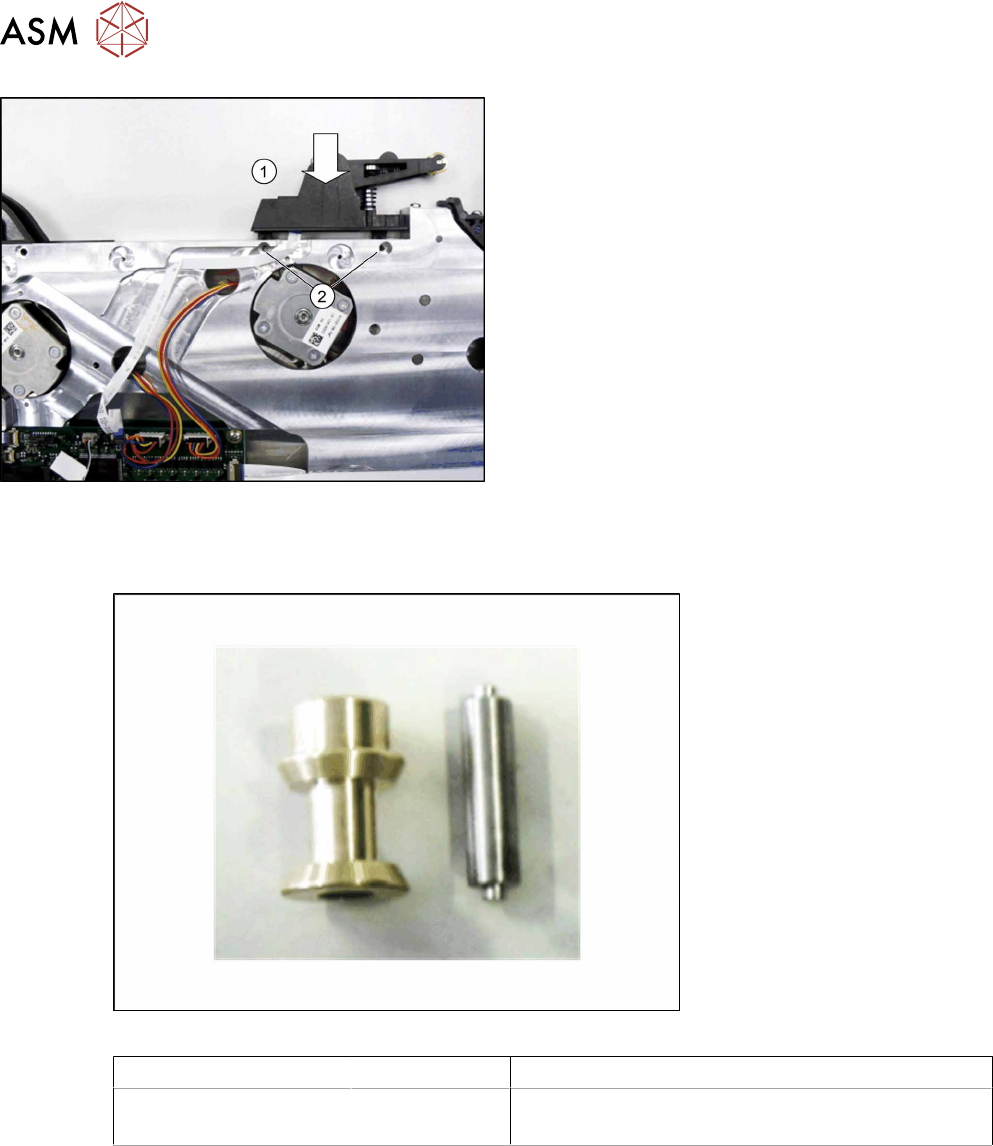
► Fit the foil rocker from above into the position
shown on the feeder module(1).
► Fit one spring disk in each foil rocker and fasten
the foil rockers with the two TORX screws(2).
Use a size T8 TORX screwdriver with 0.6 Nm. for
this..
9.8.2 Roller/Roller Axle Rocker
Required spare part
Fig.75: Roller and roller axis rocker
Feeder module Item no. Designation
SmartFeeder 12mm X
SmartFeeder 16mm X
03084204- xx
03084883- xx
Roller X12 V2
Roller axis for rocker X12/X16 V2
Required tools
●
Flat-bladed screwdriver size 1
9 Repairs to SmartFeeder 12 mm X / 16 mm X
9.8 Foil rocker
Service Manual SIPLACE SmartFeeder 4 - 104 mm X 11/2017 213
9.8.2.1 Removing the Roller/Roller Axle
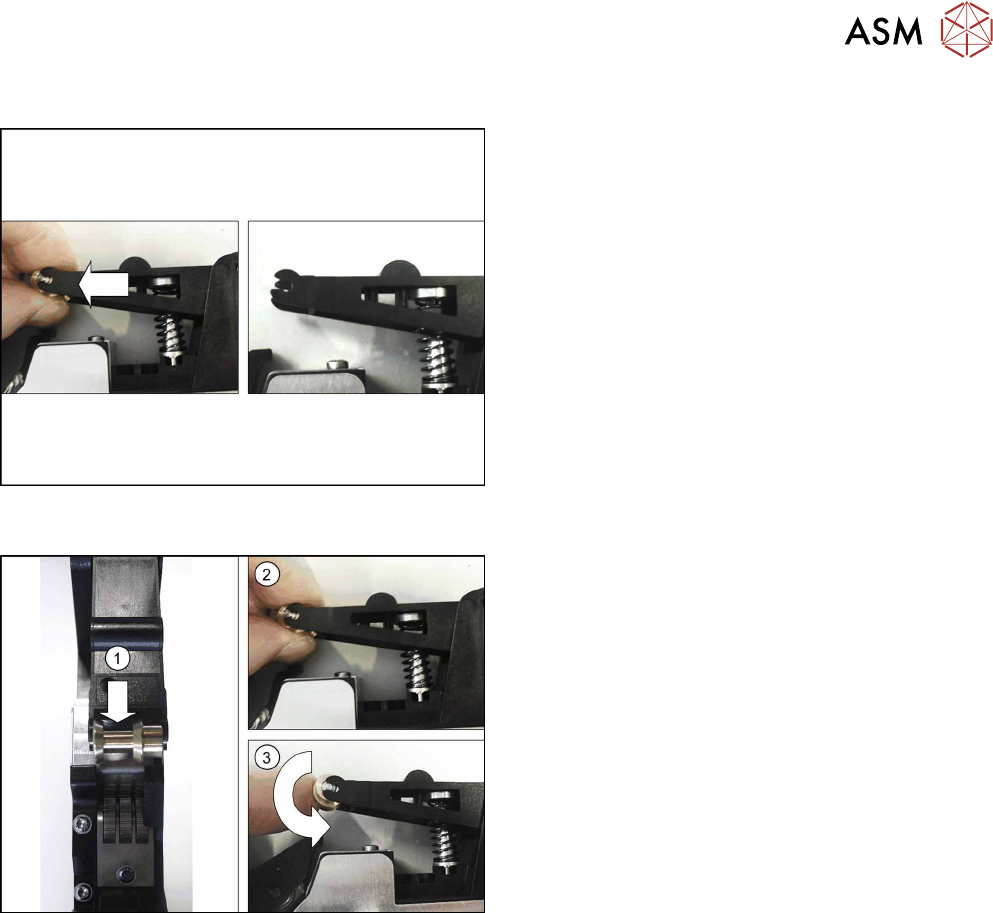
► Carefully place the feeder module on its right
side.
► Pull the roller out of the rocker, together with the
roller axle.
Make sure that the roller axle is not lost.
9.8.2.2 Fitting the Roller/Roller Axle
Note:
When using a SmartFeeder 12mmX, make sure that
the roller is fitted in the correct position. The foil
guide(1) must be on the left side.
► Push the roller axle into the roller.
► Press both ends of the roller axle.(2)
► Make sure that the roller be easily moved.(3)
9 Repairs to SmartFeeder 12 mm X / 16 mm X
9.8 Foil rocker
214 Service Manual SIPLACE SmartFeeder 4 - 104 mm X 11/2017
9.8.3 Cable photo interrupter
Required spare part
Fig.76: Cable light barrier transmitter
Feeder module Item no. Designation
SmartFeeder 12mm X
SmartFeeder 16mm X
03063591- xx Cable for light barrier transmitter X2x8
Required tools
●
Phillips screwdriver 0.6Nm
●
TORX screwdriver 0.6Nm, size T8
●
Double-sided adhesive tape
9.8.3.1 Removing the Photo Interrupter Cable
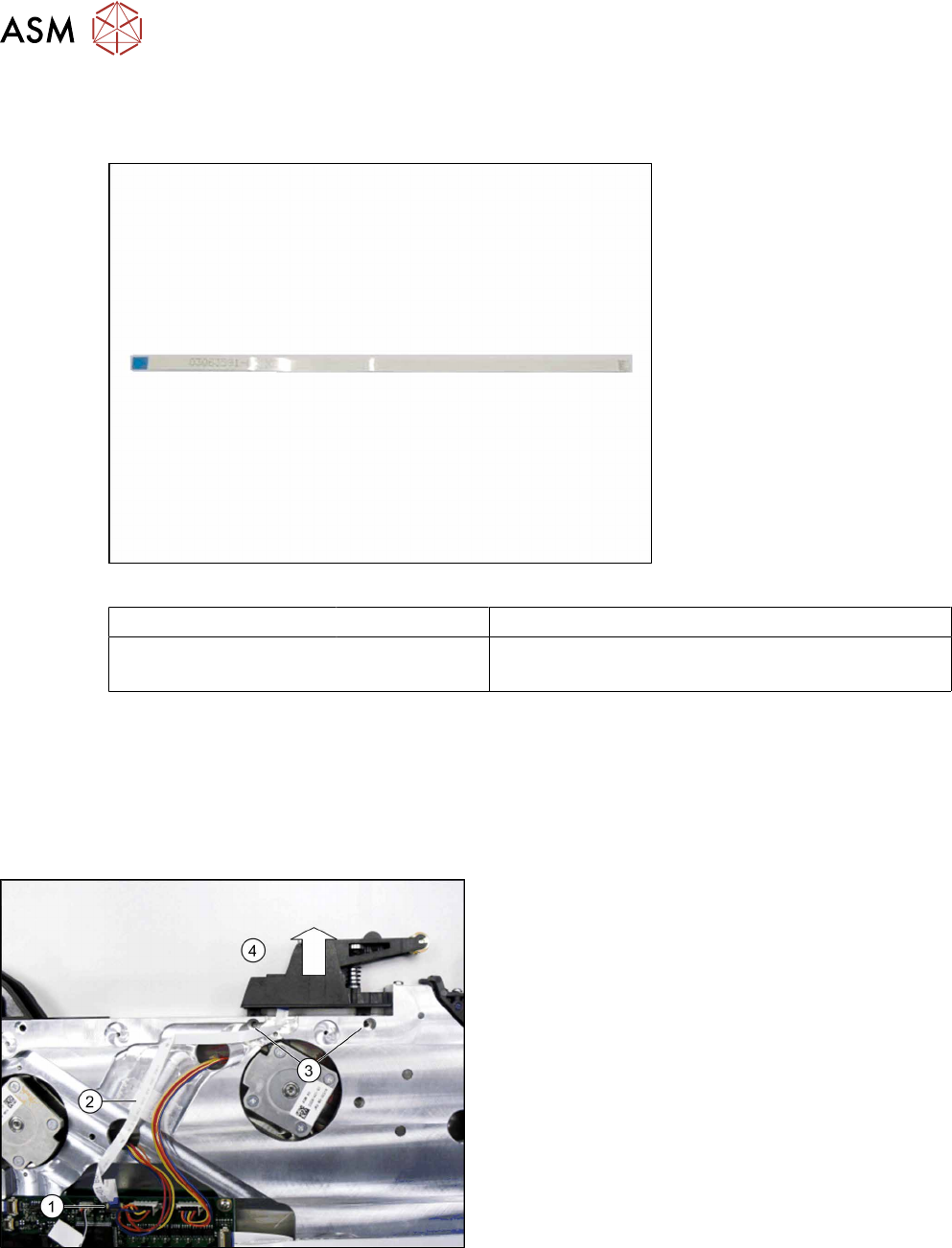
► Remove the left side cover (see 9.3.1 "Removing
the Left Side Cover" [}184].
► Swing the holder on the flat ribbon connection of
the control board up and remove the cable (1).
► Pull the flat ribbon cable off the double-sided ad-
hesive tape at the marked point (2).
► Use a T8 TORX screwdriver to remove the two
screws(3), fastening the foil rocker.
► Make sure that the two spring disks DIN 127-
B2.5-A2 are not lost.
► Pull the foil rocker up and off(4).