00197723-12_UG_SE3.11_EN.pdf - 第10页
2 Overview of the SIPLACE Explorer SMA SMA Guide SIPLACE Explore r Edition 11/2020 EN from 3.11 (R20-2) 10 MS-Excel download to web client A very important and useful feat ure of the SM A is the MS-Exc el download to web…
SMA Guide SIPLACE Explorer 2 Overview of the SIPLACE Explorer SMA
from 3.11 (R20-2) Edition 11/2020 EN
9
2 Overview of the SIPLACE Explorer SMA
2.1 What is the SIPLACE Explorer SMA?
The Standard Monitoring Application (SMA) records utilization and state data, processing times,
completed pieces and consumed / rejected components. Several process-specific pages are also
included. 2
You can use SMA with the default settings or adapt it to your individual requirements. SMA can
display basic data from your production line or be used to adjust data to the requirements of any
particular line. 2
One of the most attractive features of SIPLACE Explorer is the easy creation of professional look-
ing web sites that allow a user to monitor real-time data and historical data in a browser. SMA is
the tool that helps you to design and generate such web sites. 2
NOTE
Users require the appropriate authorization to work with and view the SMA. 2
Data organization:
– SIPLACE Explorer is supplied with an application which can be easily adapted to your
production line configuration. It allows you to collect basic data about your production process,
present it on the web and store it in a database for historical analysis. +
– The SMA accomplishes these basic tasks:
Utilization (state) tracking, cycle time reporting, finished part reporting, as well as basic process
data reporting. +
– A scheduling tool and a log book feature are also supported.
– The SMA helps you, the user, to be up and running quickly with the SIPLACE Explorer. The
basic data collected and presented with the SMA can be used as it is or customized and
presented in a fashion more suited to your particular needs or tastes.
– Additionally, the data can be utilized for other monitoring tasks or extra data can be collected
and processed according to your needs. E-mail messages about a process condition are quick
and easy with connection to the SMA data.
2 Overview of the SIPLACE Explorer SMA SMA Guide SIPLACE Explorer
Edition 11/2020 EN from 3.11 (R20-2)
10
MS-Excel download to web client
A very important and useful feature of the SMA is the MS-Excel download to web client. Select
the data of interest using time/product/setup/shift based filtering. With one click the data is now on
your PC – for printing or other uses. 2
SMA Guide SIPLACE Explorer 3 Getting Started with the SMA
from 3.11 (R20-2) Edition 11/2020 EN
11
3 Getting Started with the SMA
This chapter provides you with the following descriptions: 3
– “How to Start the Factory Website” on page 11
– “General Information Applicable to all Pages and Topics” on page 21
3.1 How to Start the Factory Website
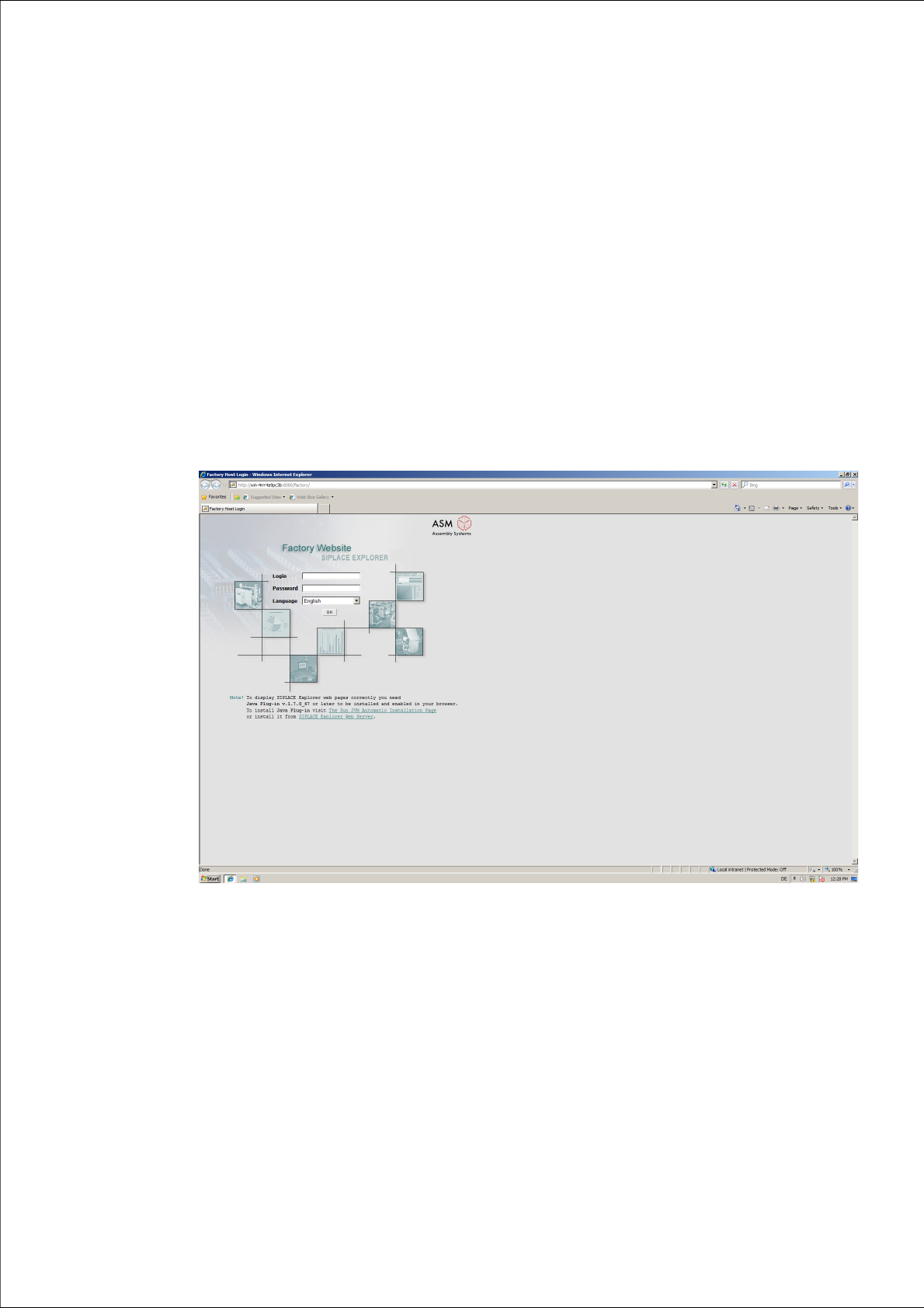
Start the Microsoft Internet Explorer. Enter the HTTP address of the factory website in the
Address field.
The login page will open.
3
Fig. 3 - 1 Factory website - login
Enter your login data here and set the required language.
Check your entries and confirm with OK.
The factory overview page will open. This page has the following tabs:
– Overview (page 12)
Provides an overview of all the production lines which have been configured with Factory
Configuration Utility.
– Reports (page 14)
Enables each user to individually define the automatic generation of reports, as required.