00197723-12_UG_SE3.11_EN.pdf - 第103页
SMA Guide SIPLACE Explorer 5 Using the SMA from 3.11 (R20-2) Edition 11/2020 EN 1 0 3 5.10.2 How to import a quality factor from an xml file A quality factor can be imported to SIPLACE Expl ore r from an xm l file. 5 D…
5 Using the SMA SMA Guide SIPLACE Explorer
Edition 11/2020 EN from 3.11 (R20-2)
102
5.10 Defining Quality Factor
In SIPLACE Explorer there are two possibilities to apply a quality factor: 5
– Defining the quality factor in SIPLACE Explorer manually
– Importing the quality factor to SIPLACE Explorer from an xml file
5.10.1 How to define a quality factor in SIPLACE Explorer
Select the OLE/OEE Summary website.
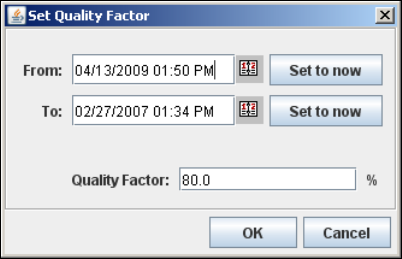
Click on the Set quality factor button. The Set Quality Factor dialog box will open:
5
Fig. 5 - 10 Set quality factor
Use the calendar to select an evaluation period.
In the Quality Factor field, specify the target quality value which is to be reached during the
evaluation period.
Check your entries and confirm with OK.
This quality factor will be shown as a line in the Display OLE/OEE diagram.
SMA Guide SIPLACE Explorer 5 Using the SMA
from 3.11 (R20-2) Edition 11/2020 EN
103
5.10.2 How to import a quality factor from an xml file
A quality factor can be imported to SIPLACE Explorer from an xml file. 5
Destination folder of the xml file:
<SIPLACE Explorer root>\OEE, e.g. C:\SIPLACE Explorer\OEE 5
Naming convention for the xml file:
<LineName>_<dateBegin>_<dateEnd>.xml, e.g. Line_1_06052819_06052820.xml 5
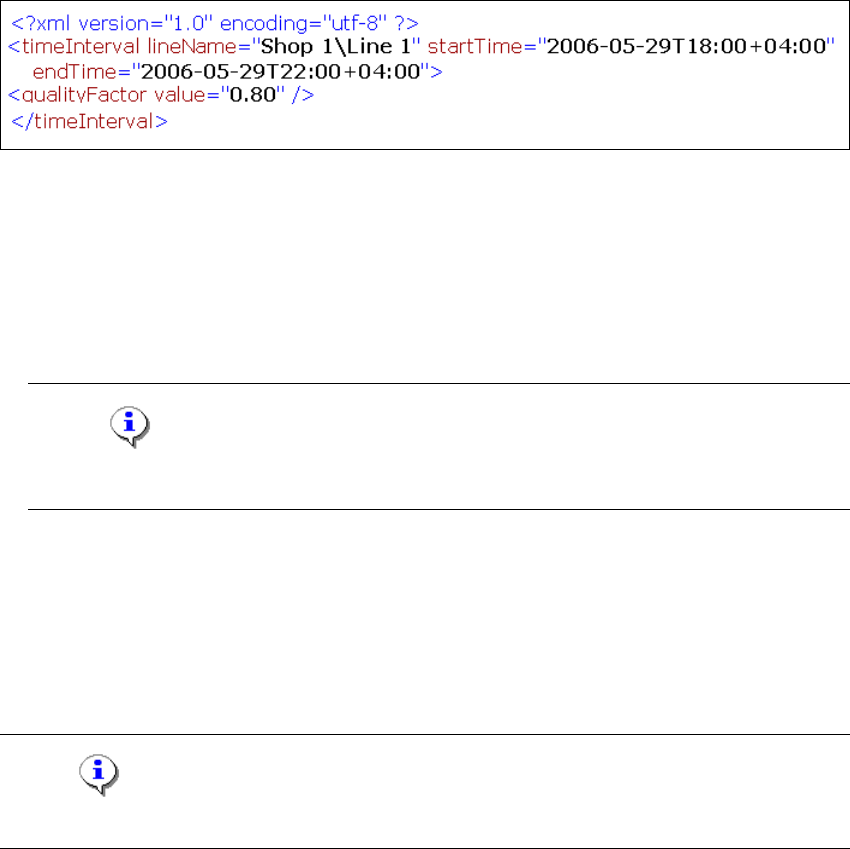
Contents of the xml file:
5
Fig. 5 - 11 Set quality factor
– Line name
– Begin of the evaluation period
– End of the evaluation period
– Quality factor
Note
You can find an xml file for example on the product CD in the ...\Documentation folder. 5
5.11 Defining Target Value
On the OEE Analysis page target values can be defined for each machine in the production line
or for the entire production line. 5
NOTE
You need "admin" user privileges to define target values. 5
5 Using the SMA SMA Guide SIPLACE Explorer
Edition 11/2020 EN from 3.11 (R20-2)
104
5.11.1 How to define a target value
Select the OEE Analysis website.
Click on the Set Targets button in the Set Targets column of the line for the required machine.
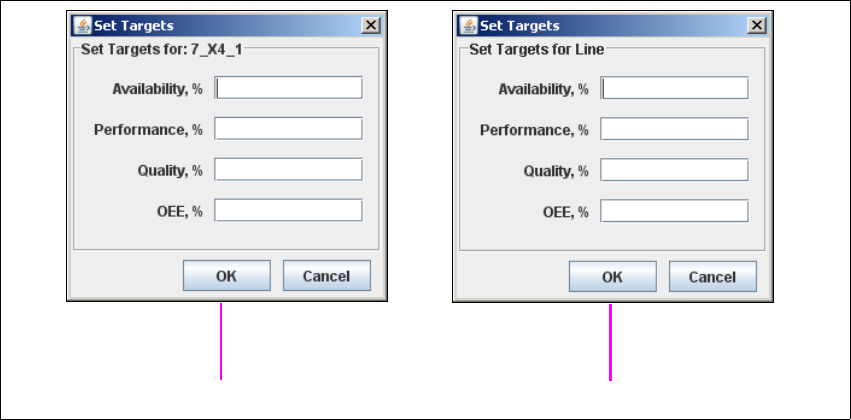
The Set Targets dialog box will open.
5
Fig. 5 - 12 Set target value
Enter the following target values which are to be reached during the specified evaluation
period:
– Target value for availability
– Target value for performance
– Target value for quality
– Target value for OEE
Check your entries and confirm with OK.
These target values will be shown as a line in the diagram on this page.
Machine 5
Line 5