00197723-12_UG_SE3.11_EN.pdf - 第20页
3 Getting Started with the SMA SMA Guide SIPLACE Explorer Edition 11/2020 EN from 3.11 (R20-2) 20 3.1.4.4 Factory W ebsite - Configuration T ab - Bypass ed Head 3 Fig. 3 - 8 Factory Website - Configuration T ab - Bypasse…
SMA Guide SIPLACE Explorer 3 Getting Started with the SMA
from 3.11 (R20-2) Edition 11/2020 EN
19
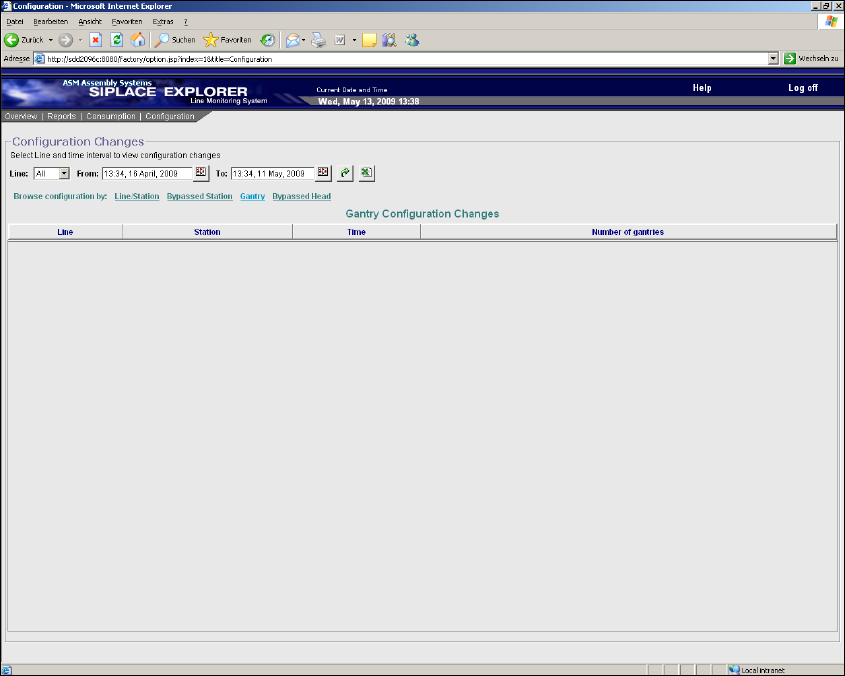
3.1.4.3 Factory Website - Configuration Tab - Gantry
3
Fig. 3 - 7 Factory Website - Configuration Tab - Gantry
Table 3
Line
Production line name.
Station
Station name from which a gantry has been added or removed.
Time
Date and time of addition or removal of a gantry.
Number of gantries
Total number of configured gantries.
3 Getting Started with the SMA SMA Guide SIPLACE Explorer
Edition 11/2020 EN from 3.11 (R20-2)
20
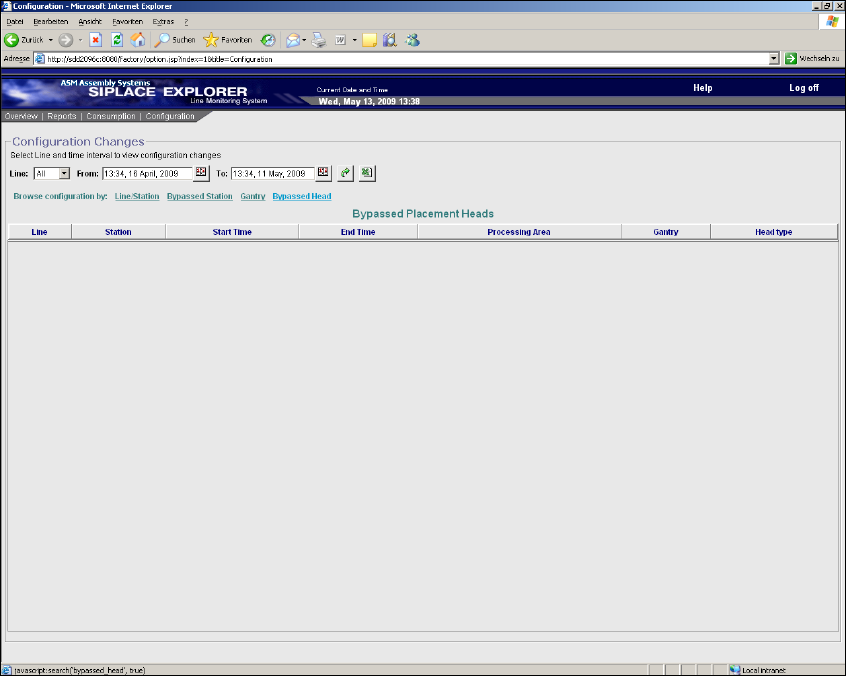
3.1.4.4 Factory Website - Configuration Tab - Bypassed Head
3
Fig. 3 - 8 Factory Website - Configuration Tab - Bypassed Head
Table 3
Line
Production line name.
Station
Station name from which a placement head has been set to the "PCB bypass" mode.
Start Time
Start date and time of the "PCB bypass" mode.
End Time
End date and time of the "PCB bypass" mode.
Processing Area
Processing area at which a placement head has been set to the "PCB bypass" mode.
Gantry
Gantry at which a placement head has been set to the "PCB bypass" mode.
SMA Guide SIPLACE Explorer 3 Getting Started with the SMA
from 3.11 (R20-2) Edition 11/2020 EN
21
Head type
Type of the placement head which has been set to the "PCB bypass" mode.
3.2 General Information Applicable to all Pages and Topics
3
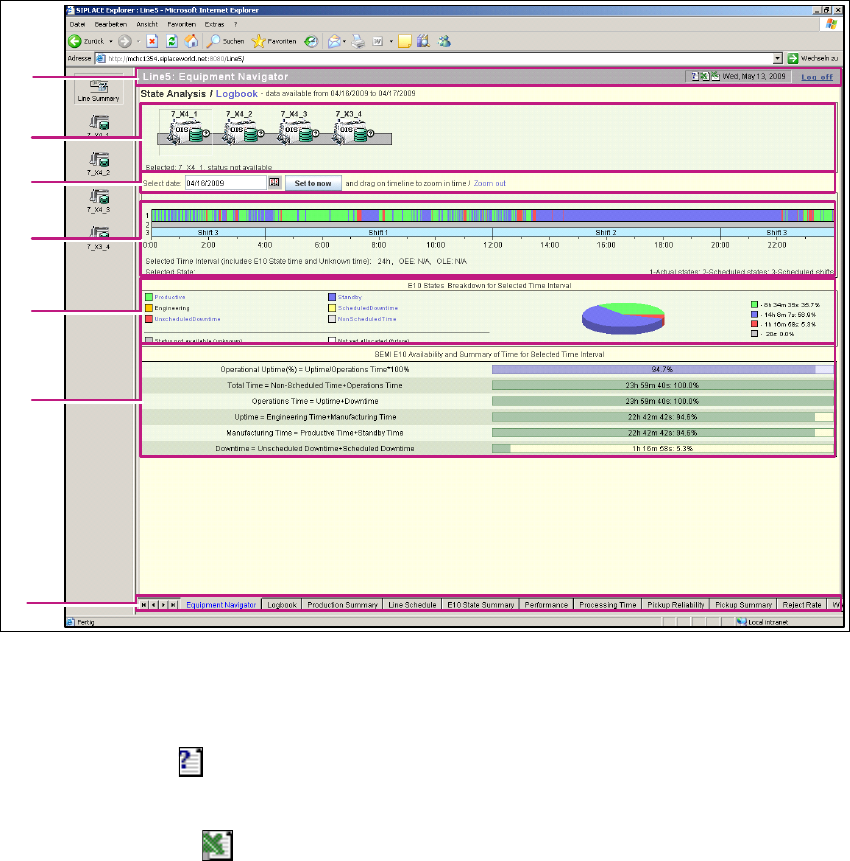
Fig. 3 - 9 General Information
(1) Title bar
Displays the website title, current date, log off and a tool bar which is available for all websites.3
– Help function
Click on the Help icon, on the relevant page, to open the Online Help function.
– Excel download
Click on the download icon, on the relevant page. The data for the page concerned will
be saved as an Excel file.
1
2
3
4
5
6
7