00197723-12_UG_SE3.11_EN.pdf - 第100页
5 Using the SMA SMA Guide SIPLACE Explorer Edition 11/2020 EN from 3.11 (R20-2) 100 5.8 S pecifying Lot Size The lot size (number o f boards in a recipe) can be entered here . If dual conveyor m ode is being used and if …
SMA Guide SIPLACE Explorer 5 Using the SMA
from 3.11 (R20-2) Edition 11/2020 EN
99
NOTE
Users need "operator" privileges to enter the line Takt. 5
5.7.1 How to Specify the Line Takt
Select the Production Summary website.
The value must be entered in the Lot Progress table.
In the row for the relevant conveyor, click on the Set Line Takt button in the Set Line Takt
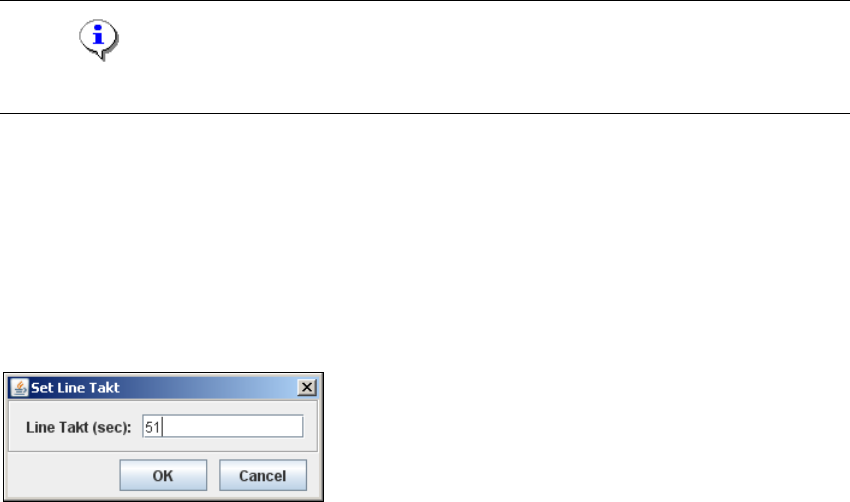
column. The Set Line Takt dialog box will open.
5
Fig. 5 - 7 Set line Takt
Enter the maximum build time value for all machines of a particular production line, in one
recipe, in the Line Takt (sec) field (in secs.). Confirm your entry with OK.
The line for the relevant conveyor, in the Line Takt column, will now be updated to reflect the
specified value.
If different recipes are to be produced on the individual lanes, repeat this procedure for each
conveyor lane.
The average Takt time values for each recipe are shown in the Average Takt Time column of
the Current Recipe List and Production History - Recipe Lists tables.
In addition, the placement time for each recipe is shown in the Duration column of the
Production History - Recipe Lists table.
5 Using the SMA SMA Guide SIPLACE Explorer
Edition 11/2020 EN from 3.11 (R20-2)
100
5.8 Specifying Lot Size
The lot size (number of boards in a recipe) can be entered here. If dual conveyor mode is being
used and if different recipes are being processed on the lanes, a separate lot size can be specified
for each lane. The lot size entered here will be shown on the factory website. If no line Takt is en-
tered, the value taken from SIPLACE Pro will be displayed on this page and on the factory website.5
5.8.1 How to Specify the Lot Size
Select the Production Summary website.
The value must be entered in the Lot Progress table.
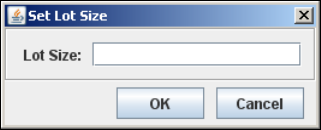
In the row for the relevant conveyor, click on the Lot Size button in the Set Lot Size column.
The Lot Size dialog box will open:
5
Fig. 5 - 8 Set lot size
Enter the number of boards in the recipe at Lot Size. Confirm your entry with OK.
The line for the relevant conveyor, in the Lot Size column, will now display the specified value.
If different recipes are to be produced on the individual lanes, repeat this procedure for each
conveyor lane.
SMA Guide SIPLACE Explorer 5 Using the SMA
from 3.11 (R20-2) Edition 11/2020 EN
101
5.9 View Further Details by Using the Tracks with the Most Pickup
Errors as an Example
Select the Pickup Reliability website.
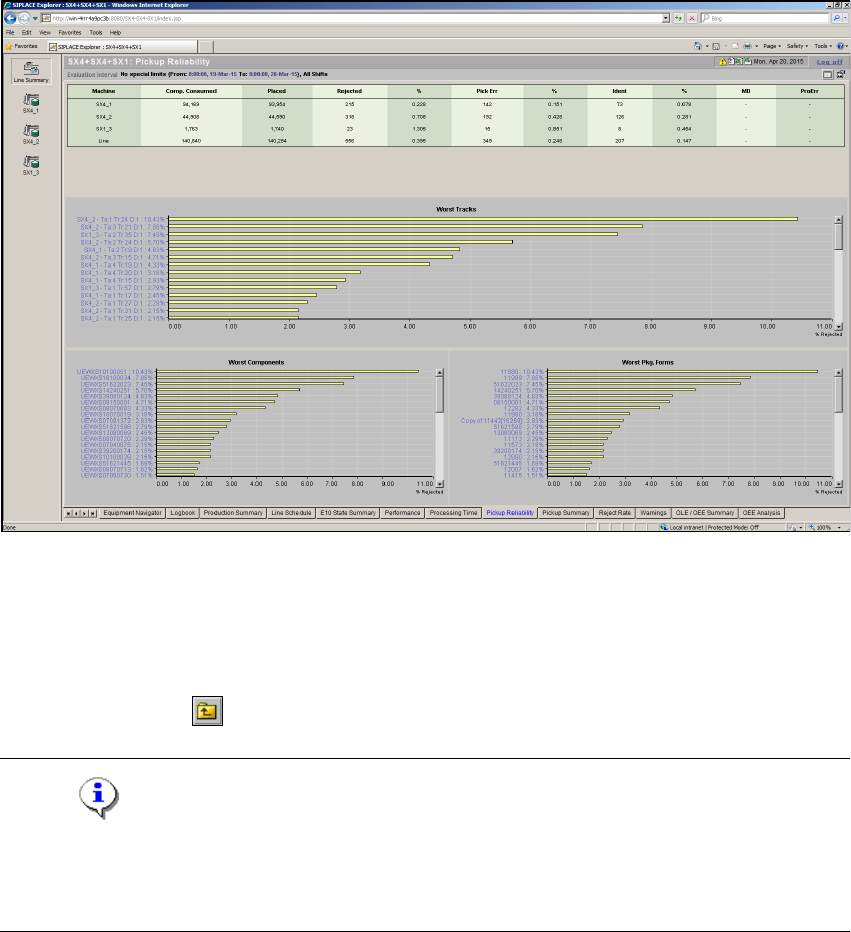
Select and click on the required track from the example using the tracks with the most pickup
errors. The view will change as shown below:
5
Fig. 5 - 9 Pickup reliability
Select a display criterion for the pareto diagram from the Drill Down list. This example shows
by Component.
The pareto diagram will be adjusted accordingly. The component reject quantity for the
selected track will be shown as a percentage.
Click on the Back icon to return to an overview of all tracks.
NOTE
If data is recorded during the machine status "stand-alone", this data will not be taken into account
in the detailed views of the diagrams Worst Components and Worst Package Forms, although
it is shown in the diagram Worst Tracks. 5