00197723-12_UG_SE3.11_EN.pdf - 第54页
4 Functions Overview SMA Guide SIPLACE Explorer Edition 11/2020 EN from 3.11 (R20-2) 54 4.1.1 1 W arnings This page shows a ll existing war nings and all warnings for whi c h the correspondin g problems have been fixed. …
SMA Guide SIPLACE Explorer 4 Functions Overview
from 3.11 (R20-2) Edition 11/2020 EN
53
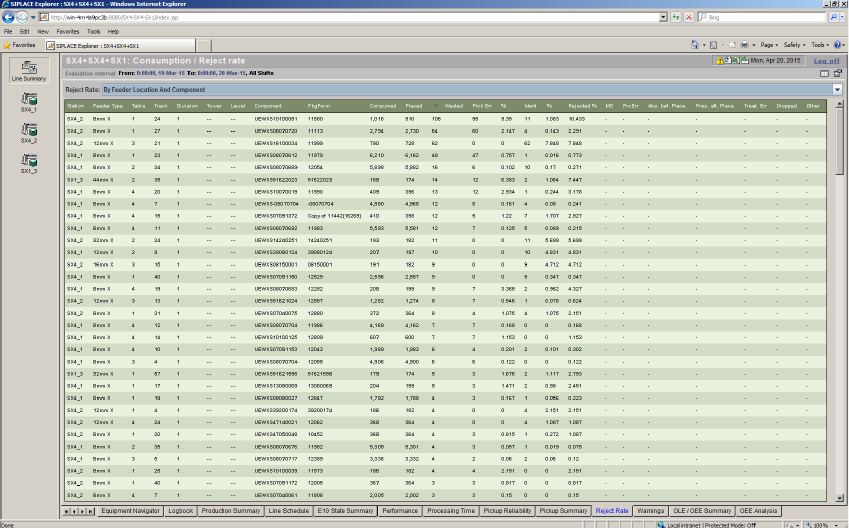
4.1.10 Reject Rate
This page shows you a summary of rejected components, by line. 4
The information is shown in a pareto diagram. Select the items you wish to view from the drop-
down menu list: 4
– Reject rate by feeder location and component
– Reject rate by feeder location
– Reject rate by component
– Reject rate by package form
4
Fig. 4 - 11 Reject Rate
The following procedures can be performed on this page and are described in this SMA
User Guide:
“How to Specify the Generation of Line Reports” on page 90
“How to Sort Tables” on page 96
“How to Enable Legends” on page 96
4 Functions Overview SMA Guide SIPLACE Explorer
Edition 11/2020 EN from 3.11 (R20-2)
54
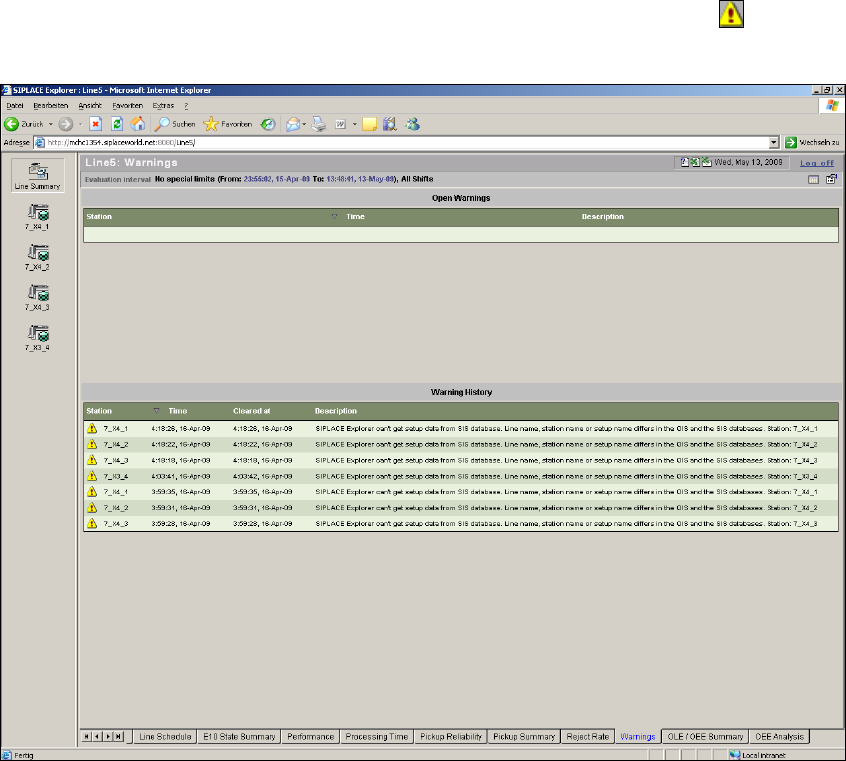
4.1.11 Warnings
This page shows all existing warnings and all warnings for which the corresponding problems
have been fixed. You can also access this page by clicking on the warning symbol on another
SMA page. 4
4
Fig. 4 - 12 Warnings
This page contains two tables: 4
– Open Warnings
Shows all current warnings for the production line overview and for each individual machine.
– Warning history
Shows all warnings for which the corresponding problems have been fixed.
The warnings are issued if a certain incorrect production line configuration is detected by the sys-
tem. These incorrect configurations can be detected either by manual or automatic checks. For
further information please refer to SIPLACE Explorer Getting Started. 4

SMA Guide SIPLACE Explorer 4 Functions Overview
from 3.11 (R20-2) Edition 11/2020 EN
55
The following information categories exist: 4
– Critical Error
The problem must be fixed before data monitoring can continue. 4
– Data loss
The problem must be fixed. Data monitoring will continue before the problem is fixed but
the data will not be complete. 4
– Notification
The problem must not be fixed. However, if you ignore this problem, there may be
inconsistencies between the data in the various databases. 4
– Open Warnings - Tabular View
After fixing the problem, the warning will be removed from the Active Warnings table and the
warning will be displayed in the Warning History table. 4
An explanation of each column: 4
–Station
Shows the station the warning is related to. 4
–Time
Shows the timestamp (time and date), when the warning was generated. 4
–Description
Shows a text describing the warning. 4
– Warning History - Tabular View: An explanation of each column
–Station
Shows the station the warning is related to. 4
–Time
Shows the timestamp (time and date), when the warning was generated. 4
– Cleared at
Shows the timestamp (time and date), when the warning was fixed. 4
–Description
Shows a text describing the warning. 4