00197723-12_UG_SE3.11_EN.pdf - 第13页
SMA Guide SIPLACE Explorer 3 Getting Started with the SMA from 3.11 (R20-2) Edition 11/2020 EN 1 3 – If a lin e in dual co nveyor mod e proces ses different recipe s on bot h conveyor lanes, the table will show the recip…
3 Getting Started with the SMA SMA Guide SIPLACE Explorer
Edition 11/2020 EN from 3.11 (R20-2)
12
– Consumption (page 14)
Shows the user the component consumption data. Users can choose to view all lines or one
specific line.
– Configuration (page 16)
Shows addition or removal of a production line / station.
For stations with station software version SW 703, stations or placement heads are shown
if they are set in SIPLACE Pro to the "PCB bypass" mode.
For SIPLACE SX machines addition or removal of the gantry is shown.
3.1.1 Factory Website - Overview Tab
3
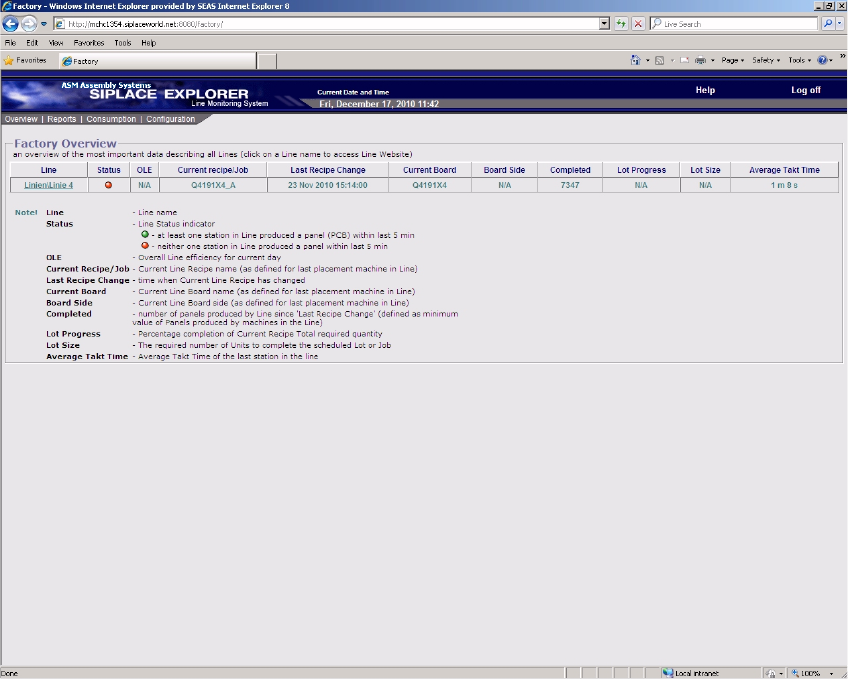
Fig. 3 - 2 Factory website - overview
The factory website enables you to view the data from a production line which is processing
two different jobs in dual conveyor mode.
– If a line in dual conveyor mode processes a recipe on both conveyor lanes, the table will
show just one line for both lanes used in this production line. The table will display the total
number of boards produced.

SMA Guide SIPLACE Explorer 3 Getting Started with the SMA
from 3.11 (R20-2) Edition 11/2020 EN
13
– If a line in dual conveyor mode processes different recipes on both conveyor lanes, the
table will show the recipes (and number of boards produced) for each lane separately.
Table 3
Line
Production line name. 3
In order to view existing production line websites, click on the required production lines, in the
Line column. The corresponding website will open. 3
Status
–
at least one station in production line produced a board (PCB) within last 5 minutes.
–
neither one station in production line produced a board within last 5 minutes.
OLE
Overall Line Efficiency for current day. 3
Current Recipe/Job
Current Line Recipe name, as defined for last placement machine in production line. 3
Last Recipe Change
Time when current line recipe has changed. 3
Current Board
Shows the name of the board.
Board Side
Shows the board side completed.
Completed
Number of boards produced by line since Last Recipe Change, defined as minimum value of
boards produced by machines in the production line. 3
Lot Progress
Percentage completion of current recipe total required quantity. 3
Lot Size
The required number of units to complete the scheduled job or lot. 3
3 Getting Started with the SMA SMA Guide SIPLACE Explorer
Edition 11/2020 EN from 3.11 (R20-2)
14
The columns Lot Size (number of boards in a recipe) and Lot Progress (percentage progress
bar for boards already produced in a recipe) will only display values, if the user has previously
specified the recipe size on the page ”Production Summary”. If the recipe size has not been
specified, the columns will display N/A.
Average Takt Time
Average Takt time of the last station in the production line. 3
3.1.2 Factory Website - Reports Tab
3
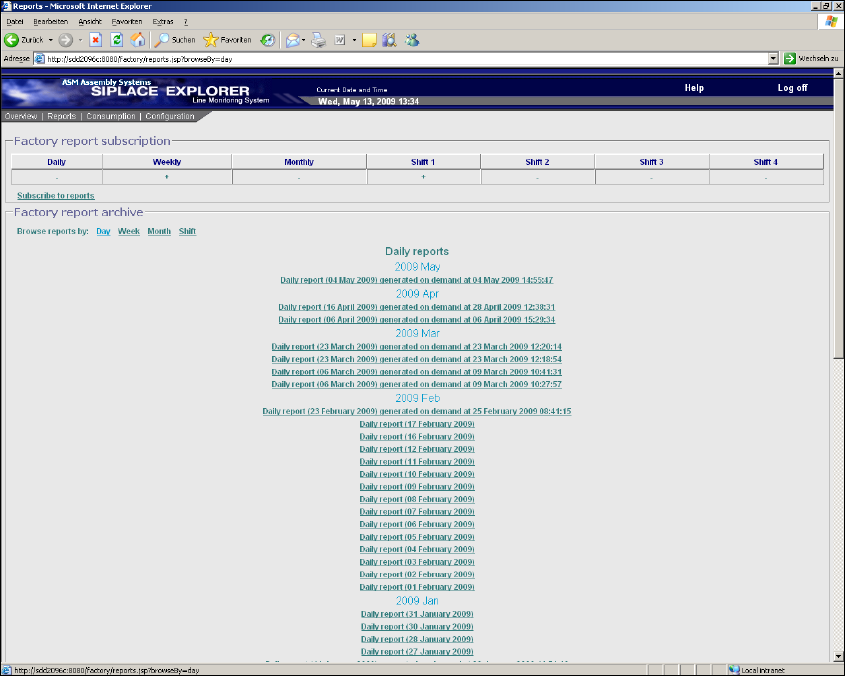
Fig. 3 - 3 Factory website - reports
The generation of reports is set here for a factory level. This page lists the reports currently de-
fined. 3
The following procedure can be performed on this page and is described in this SMA User
Guide:
“How to Subscribe the Generation of Line Reports” on page 93