00197723-12_UG_SE3.11_EN.pdf - 第89页
SMA Guide SIPLACE Explorer 5 Using the SMA from 3.11 (R20-2) Edition 11/2020 EN 8 9 5 Using the SMA The following procedu res are descri bed in this chapter: 5 – “Generating Report s” on page 89 – “Displaying Component C…
4 Functions Overview SMA Guide SIPLACE Explorer
Edition 11/2020 EN from 3.11 (R20-2)
88
– Takt time actually achieved:
This is shown as a bar in the chart.
– Set Takt time
This is shown as a line in the chart. If the set Takt time is the same for both conveyor lanes,
this will be shown as a broken line.
The Takt time can be set on the page Production Summary. For a detailed description, refer to
“Specifying Line Takt” on page 98. 4
The Takt time is also shown on further SMA pages: 4
– Production Summary
This shows an average Takt time for each machine.
– Factory Website - Overview Tab
This shows an average Takt time for the last station in the production line.
The following procedure can be performed on this page and is described in this SMA User
Guide:
“How to Enable Legends” on page 96
4
4

SMA Guide SIPLACE Explorer 5 Using the SMA
from 3.11 (R20-2) Edition 11/2020 EN
89
5 Using the SMA
The following procedures are described in this chapter: 5
– “Generating Reports” on page 89
– “Displaying Component Consumption Data” on page 94
– “How to Sort Tables” on page 96
– “How to Enable Legends” on page 96
– “How to Export the Data Shown as an MS Excel File” on page 96
– “Making Logbook Entries” on page 97
– “Specifying Line Takt” on page 98
– “Specifying Lot Size” on page 100
– “View Further Details by Using the Tracks with the Most Pickup Errors as an Example” on
page 101
– “How to define a quality factor in SIPLACE Explorer” on page 102
– “How to import a quality factor from an xml file” on page 103
– “Defining Target Value” on page 103
– “Calculating the Reject Rate” on page 105
5.1 Generating Reports
Use the extended reporting features to define the automatic generation of reports. Reports can be
generated for each production line and page. This generation can be performed daily, weekly,
monthly and for individual shifts. Simply specify the details and the generated reports will be sent
to you per e-mail, as Excel files. 5
– Line reports
“How to Specify the Generation of Line Reports” on page 90
– Factory reports
“How to Subscribe the Generation of Line Reports” on page 93
5 Using the SMA SMA Guide SIPLACE Explorer
Edition 11/2020 EN from 3.11 (R20-2)
90
5.1.1 How to Specify the Generation of Line Reports
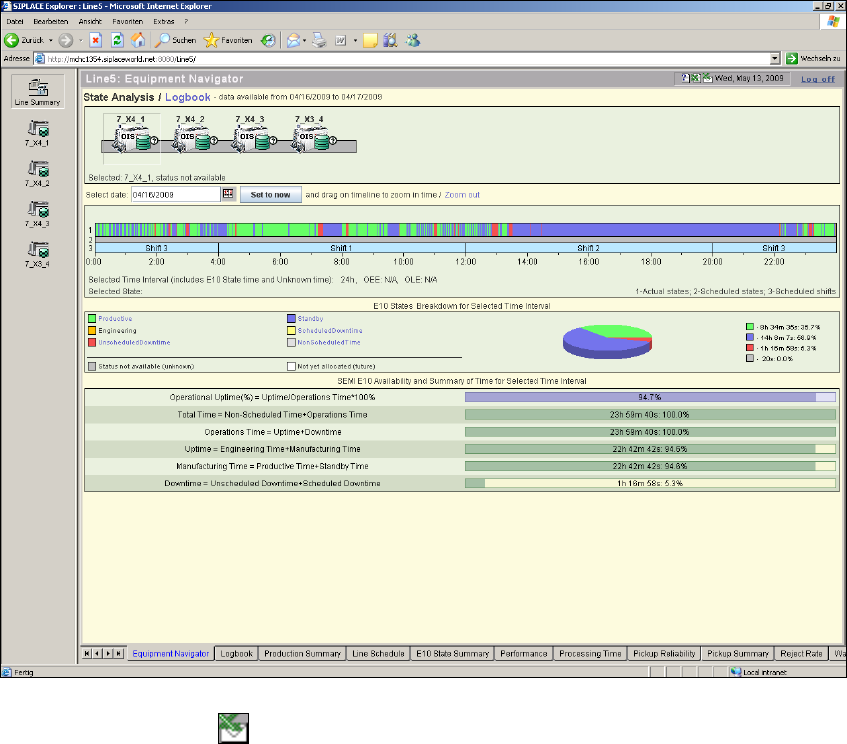
Open the required line website and select any page.
5
Fig. 5 - 1 Equipment navigator - state analysis
Click on the Reports icon.